


 Password Manager
 Identity Theft Protection

 Team / Business
 Enterprise
 Government
 MSP
MSP


Over one third of American businesses experienced a data breach last year, highlighting the urgent need for stronger digital protection. As cyber threats rapidly evolve, simple passwords are no longer enough to safeguard valuable information. Learning how to choose and implement reliable multi-factor authentication can empower your team to stay a step ahead while ensuring user convenience and compliance with leading security standards.
Quick Summary
| Key Insight | Explanation |
|---|---|
| 1. Assess Security Needs First | Conduct a thorough security assessment to identify vulnerabilities and select the appropriate MFA methods. |
| 2. Prioritize User-Friendly Methods | Choose authentication methods that provide both strong security and ease of use to enhance user adoption. |
| 3. Test Implementation with Pilot Users | Start with a small pilot group during setup to identify challenges and ensure a smooth transition. |
| 4. Standardize Device Setup Procedures | Create a checklist to guide users through the authentication setup on their devices to avoid configuration errors. |
| 5. Conduct Comprehensive Testing | Regularly test MFA setups across different devices to ensure consistent and effective security measures. |
Step 1: Assess Security Needs and Select MFA Methods
Selecting the right multi-factor authentication approach requires understanding your organization’s unique security landscape. The Cybersecurity and Infrastructure Security Agency recommends choosing MFA methods that align precisely with your specific risk profile and operational requirements.
Begin by conducting a comprehensive security assessment that evaluates potential vulnerabilities across your digital infrastructure. Consider factors such as workforce size, remote work environments, device diversity, and sensitivity of stored data. Some organizations might prioritize biometric authentication like fingerprint or facial recognition, while others may prefer hardware tokens or smartphone-based verification codes. The key is matching authentication complexity with actual risk levels – overly complex systems can frustrate users, while overly simple approaches leave critical vulnerabilities.

Pro tip: Not all MFA methods are created equal. Prioritize methods that offer multiple verification pathways and can adapt to changing security requirements. Software-based authentication apps often provide more flexibility than single-channel approaches, allowing users to authenticate through various secure channels while maintaining robust protection.
Once you select your primary authentication strategy, plan for smooth implementation and user training to ensure high adoption rates and minimal friction in your security workflow.
Step 2: Configure User Accounts for Multi-Factor Authentication
Configuring multi-factor authentication requires a strategic approach that balances security with user experience. Detailed authentication enrollment processes help organizations implement robust verification methods across their digital platforms.
Begin by selecting authentication methods that align with your organization’s technological infrastructure. The Office of the Comptroller of the Currency recommends exploring multiple authentication approaches like smartphone apps, hardware security keys, and biometric authenticators. Start with a pilot group of users to test the implementation process, ensuring smooth onboarding and minimal disruption. This approach allows you to identify potential technical challenges and user adoption barriers before full deployment.
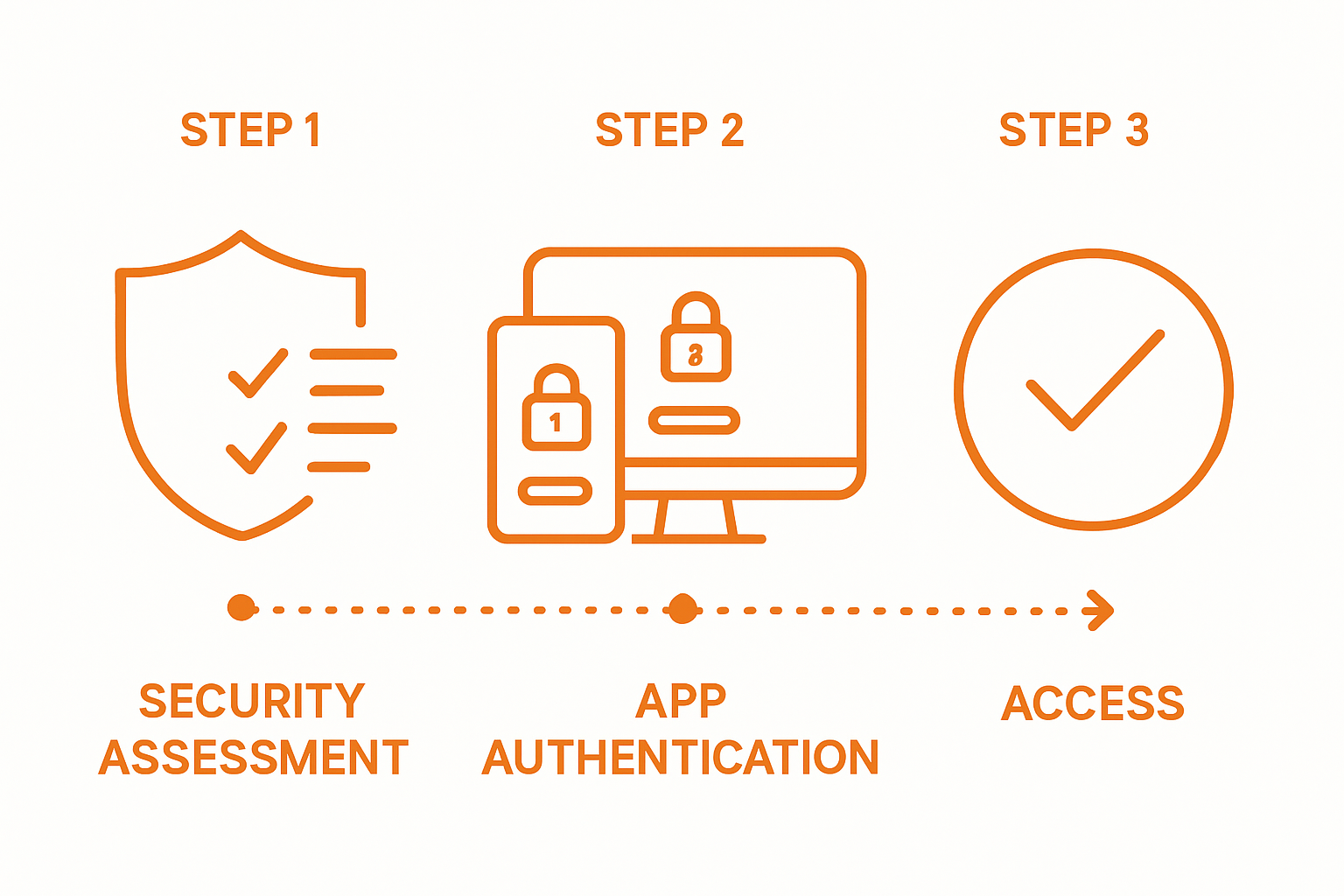
Pro tip: Implement a phased rollout strategy that provides clear instructions and support resources for users. Create comprehensive documentation that walks users through each step of the authentication setup, including troubleshooting guidance for potential configuration issues.
After initial configuration, establish ongoing monitoring and support mechanisms to maintain the effectiveness of your multi-factor authentication system and address any emerging security concerns.
Step 3: Enable Authentication Methods on Chosen Devices
Enabling authentication methods across different devices requires a systematic approach that ensures consistent security coverage. Start by identifying the specific devices and platforms your organization uses most frequently smartphones, tablets, desktop computers, and laptops.
Setting up authentication apps provides a flexible and convenient multi factor verification strategy. Begin with mobile devices as they offer the most versatile authentication options. Download and install your chosen authentication app on each device, carefully following the setup wizard that generates unique verification credentials. Ensure each user configures their authentication method with a unique device to prevent potential security vulnerabilities.
Pro tip: Create a standardized device onboarding checklist that guides users through each authentication setup step. This documentation should include screenshots, clear instructions, and troubleshooting guidance to minimize configuration errors.
After completing device authentication setup, conduct a comprehensive verification test to confirm that all devices can successfully connect and authenticate through your chosen multi factor system.
Step 4: Test and Verify Multi-Factor Authentication Setup
Comprehensive testing of multi-factor authentication requires a systematic approach to ensure robust security across all access points. Begin by simulating real world login scenarios that challenge your authentication system through various device types and network environments.
Verifying multi-factor authentication involves conducting intentional login attempts across different platforms to confirm consistent security performance. Test authentication methods by intentionally logging in from different devices such as smartphones, laptops, and desktop computers. Validate that each authentication request triggers the appropriate secondary verification mechanism and that users can successfully complete the login process.
Pro tip: Create a structured testing matrix that documents each authentication scenario and tracks verification outcomes. This documentation will help identify potential configuration issues and ensure uniform security protocols across your entire digital infrastructure.
After completing comprehensive testing, review the results and address any inconsistencies or vulnerabilities discovered during the verification process. Implement necessary adjustments to strengthen your multi-factor authentication system and protect against potential security risks.
Strengthen Your Security with Trusted Multi-Factor Authentication Solutions
Navigating the challenges of implementing multi-factor authentication requires more than just understanding setup steps. Organizations face pain points like balancing security and user experience, selecting flexible authentication methods, and ensuring seamless device integration. The article highlights these critical areas including choosing the right MFA approach, smooth user account configuration, and thorough testing to reduce vulnerabilities.
Take control of your digital security today by exploring how LogMeOnce delivers tailored MFA solutions designed to simplify complex security needs. Our platform offers passwordless MFA, single sign-on, and encrypted cloud storage that align perfectly with your organizational risk profile and operational demands. Leverage easy deployment and intuitive workflows to empower your teams without frustration.

Secure your access with confidence now. Visit LogMeOnce to learn more about our comprehensive cybersecurity offerings that transform your multi-factor authentication strategy. Start your journey toward stronger protection with practical tools built for real-world challenges. Discover how to implement robust security solutions that adapt as your business grows and threats evolve.
Frequently Asked Questions
How do I assess my organization’s security needs for Multi-Factor Authentication?
Begin by conducting a comprehensive security assessment to evaluate potential vulnerabilities across your digital infrastructure. Focus on factors such as workforce size, remote work environments, and the sensitivity of stored data to determine the most appropriate MFA methods.
What are the steps to configure Multi-Factor Authentication for user accounts?
To configure Multi-Factor Authentication, start by selecting authentication methods that suit your organization’s technology. Initiate with a pilot group to identify any potential issues, then provide clear instructions and support resources for users during the phased rollout.
How do I enable Multi-Factor Authentication on different devices?
Enabling Multi-Factor Authentication on devices involves identifying commonly used platforms and downloading the chosen authentication app on each device. Follow the app’s setup wizard meticulously to ensure unique verification credentials for each user.
What should I include in my testing of Multi-Factor Authentication setup?
Testing your Multi-Factor Authentication setup should involve simulating real-world login scenarios across various devices and networks. Document the testing outcomes in a matrix to identify any inconsistencies and ensure uniform security protocols are established.
How can I ensure high adoption rates of Multi-Factor Authentication among users?
To promote high adoption rates, implement a phased rollout and provide comprehensive training materials that guide users through the authentication setup process. Encourage feedback to address any concerns or confusion during the initial rollout phase.
Recommended


