


 Password Manager
 Identity Theft Protection

 Team / Business
 Enterprise
 Government
 MSP
MSP


Every american navigating the digital world faces growing concerns about online security. With traditional passwords falling short, authentication apps are redefining how users protect sensitive information. These tools generate time-sensitive one-time codes that make it much harder for hackers to breach accounts. Whether for personal safety or business compliance, understanding how authentication apps work can help you stay a step ahead of evolving cyber threats.
Key Takeaways
| Point | Details |
|---|---|
| Enhanced Security | Authentication apps add a significant layer of security by generating time-sensitive one-time passwords, making unauthorized access extremely difficult. |
| Diverse Options | Users can choose from various types of authentication methods, including software apps, hardware tokens, and cloud-integrated solutions, to meet their specific security needs. |
| Multi-Factor Authentication | These apps support multiple forms of verification, addressing vulnerabilities of traditional password systems and providing real-time threat detection. |
| Implementation Challenges | Successful deployment of authentication apps requires overcoming device compatibility issues and user resistance, emphasizing the need for comprehensive user training and support. |
What Are Authentication Apps and How They Work
Authentication apps are sophisticated digital security tools designed to provide an extra layer of protection for your online accounts. Unlike traditional password-only login methods, these apps generate time-sensitive one-time passwords that significantly enhance your account security. According to Wikipedia, these apps implement multi-factor authentication services using advanced technologies like time-based one-time passwords (TOTP) and HMAC-based one-time passwords (HOTP).
The core functionality of authentication apps revolves around generating unique, temporary codes that change every 30 seconds. When you log into an account, you’ll enter your standard username and password, followed by the current code displayed in the app. FreeOTP, an open-source authenticator, demonstrates how these apps work by allowing users to add tokens through QR code scanning or manual configuration. This process creates a dynamic security barrier that makes it extremely difficult for unauthorized users to access your accounts.
Key features of authentication apps include:

- Generating six to eight-digit one-time passwords
- Supporting multiple accounts simultaneously
- Operating without requiring cellular network or internet connection
- Providing quick, seamless secondary authentication
By implementing these apps, users gain a powerful defense against common cybersecurity threats like phishing, password breaches, and unauthorized account access. How Two Factor Authentication (2FA) Can Keep Your Accounts Safe provides additional insights into the broader landscape of two-factor authentication strategies.
Types of Authentication Apps and Key Features
Authentication apps come in various forms, each designed to provide robust security across different platforms and use cases. PrivacyIDEA exemplifies the versatility of these systems, supporting a wide range of authentication devices including hardware tokens like Yubikey and smartphone apps compliant with HOTP and TOTP standards. This diversity allows users to choose authentication methods that best fit their specific security needs and technological infrastructure.
The landscape of authentication apps can be broadly categorized into several key types:
- Software-based Authenticators: Mobile apps generating time-based codes
- Hardware Token Authenticators: Physical devices generating one-time passwords
- Cloud-integrated Authentication Platforms: Services that work across multiple applications
- Enterprise-level Authentication Solutions: Comprehensive systems for organizational security
Rublon demonstrates the sophisticated capabilities of modern multi-factor authentication platforms by offering multiple authentication methods including SMS passcodes, phone calls, QR codes, and email links. These platforms integrate seamlessly with various VPNs and cloud applications, providing flexible security solutions for different user environments.
When selecting an authentication app, users should consider critical features like:
- Cross-platform compatibility
- Ease of setup and use
- Offline functionality
- Support for multiple accounts
- Integration capabilities with existing systems
For a deeper understanding of how these authentication strategies protect your digital identity, 7 Practical Examples of Multi-Factor Authentication Solutions offers comprehensive insights into real-world implementation strategies.
Security Advantages Over Traditional Methods
Authentication apps represent a quantum leap in digital security, offering significantly more robust protection compared to traditional password-based systems. Risk-based authentication introduces a dynamic approach that evaluates transaction risks by analyzing multiple factors like IP address and access time, creating an intelligent security mechanism that adapts in real-time to potential threats.
Traditional authentication methods are fundamentally flawed due to several critical vulnerabilities:
- Static passwords that can be easily guessed or stolen
- Limited protection against sophisticated phishing attacks
- No additional verification beyond initial login credentials
- Susceptibility to credential replay and brute force attempts
ArXiv research underscores the critical importance of robust authentication patterns, highlighting how properly implemented systems are fundamental to software security maturity. Authentication apps address these shortcomings by introducing multiple layers of verification that dynamically change with each login attempt.
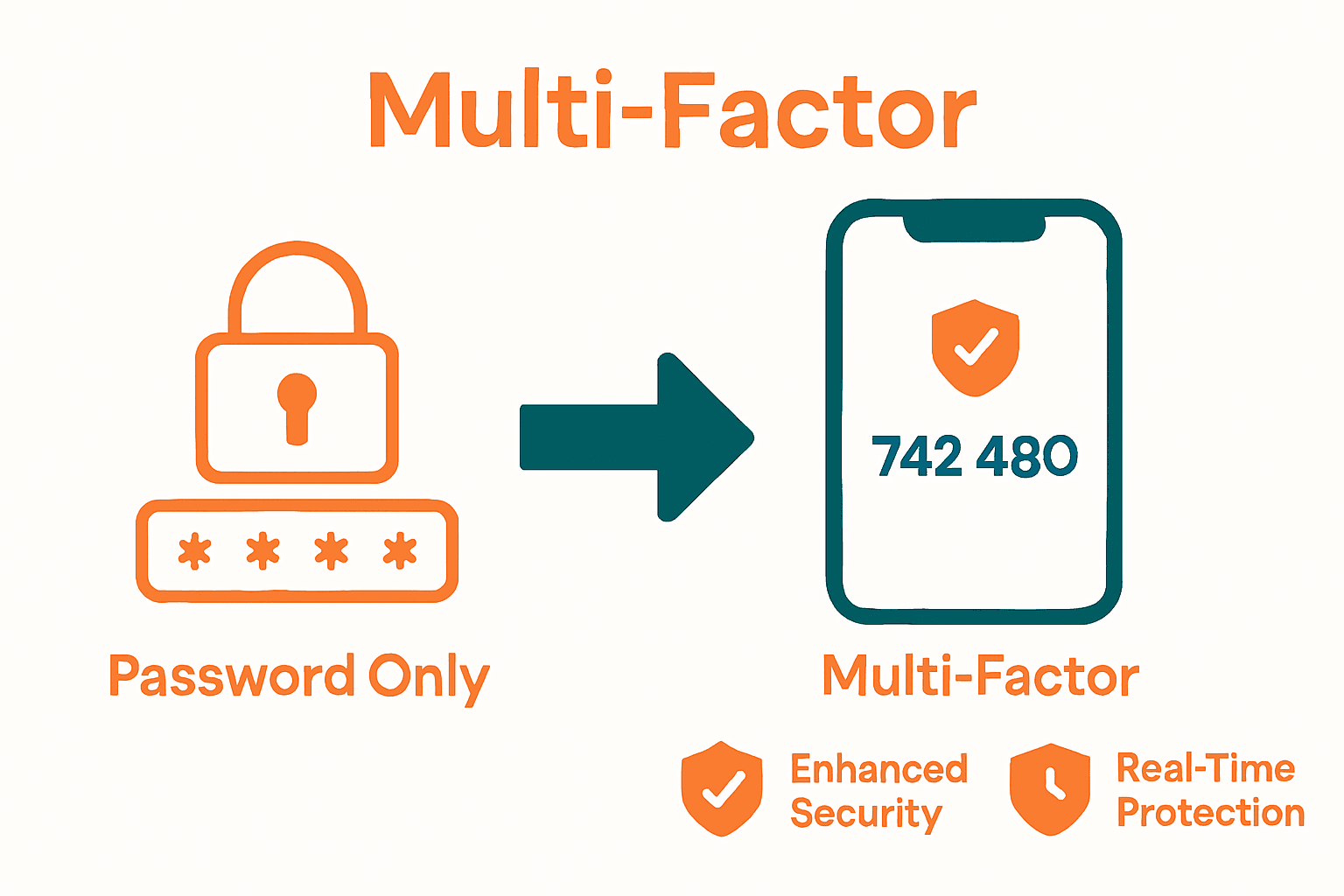
Key security advantages of authentication apps include:
- Generating time-sensitive, unique access codes
- Eliminating risks associated with password reuse
- Providing real-time threat detection and prevention
- Supporting multiple authentication factors simultaneously
- Creating barriers against unauthorized access attempts
To explore how these advanced security strategies can protect your digital identity, Consumer Top Features offers comprehensive insights into modern authentication technologies.
Implementing Authentication Apps Across Environments
Authentication app deployment requires a strategic approach tailored to different technological environments and user needs. ArXiv research reveals that developers frequently implement authentication features but often encounter complex challenges in managing security vulnerabilities across various platforms and applications.
Implementation strategies vary significantly across different environments:
- Personal Devices: Smartphone and tablet authentication
- Corporate Networks: Enterprise-level security integration
- Cloud Platforms: Scalable multi-factor authentication solutions
- Specialized Sectors: Custom authentication for healthcare, finance, and government systems
ArXiv research on mobile health applications highlights that end-users increasingly desire more intuitive security measures, particularly favoring biometric authentication methods that balance robust security with user-friendly experiences. This insight underscores the importance of selecting authentication apps that provide seamless, accessible security across different technological ecosystems.
Key considerations for successful authentication app implementation include:
- Comprehensive compatibility with existing infrastructure
- Support for multiple authentication protocols
- Scalable security configurations
- Minimal user friction during login processes
- Robust integration capabilities
To understand how authentication apps can be strategically implemented in your specific environment, Enterprise Password Management provides detailed insights into advanced security deployment strategies.
Challenges, Limitations, and Best Practices
Authentication apps, while revolutionary in digital security, are not without significant challenges and potential pitfalls that users and organizations must carefully navigate. Technological complexity and user behavior represent the primary obstacles in successful implementation and maintenance of these security systems.
Common challenges in authentication app deployment include:
- Device compatibility issues
- Potential synchronization problems
- User resistance to new security protocols
- Complexity of setup and maintenance
- Varying levels of technical proficiency among users
ArXiv research on user security awareness reveals a critical insight: despite possessing technical knowledge, end-users often demonstrate reluctance to adopt robust security practices. This behavioral gap can significantly compromise the effectiveness of even the most sophisticated authentication systems.
Best practices for mitigating these challenges involve a comprehensive approach:
- Providing clear, step-by-step user onboarding
- Implementing intuitive, user-friendly interfaces
- Offering comprehensive training and support
- Regularly updating and auditing authentication systems
- Creating flexible authentication options
To develop a deeper understanding of advanced authentication strategies that address these challenges, Enterprise Password Management offers detailed guidance for organizations seeking to enhance their security infrastructure.
Strengthen Your Digital Security with Advanced Authentication Solutions
Authentication apps are essential for protecting your accounts from evolving cyber threats. The article highlights challenges like password vulnerabilities, user resistance to complex security protocols, and the need for multi-factor authentication that adapts seamlessly across environments. You deserve security that is reliable, easy to use, and comprehensive with features like time-sensitive codes and risk-based authentication.
LogMeOnce offers a powerful suite of identity management tools designed to eliminate password weaknesses while enhancing usability. With solutions tailored for individuals and enterprises, you can experience passwordless MFA, encrypted cloud storage, and dynamic multi-factor authentication that goes beyond traditional methods. Explore how these features reduce risks and improve user adoption without adding friction.

Ready to move beyond passwords and secure your digital life effortlessly Use LogMeOnce today to protect your accounts with cutting-edge authentication technology that fits your needs. Start your free trial now and experience how easy it is to implement strong security that works for you. Learn more by visiting LogMeOnce or get detailed insights on Enterprise Password Management. Take control of your digital identity today.
Frequently Asked Questions
What are authentication apps and how do they work?
Authentication apps enhance your online account security by generating time-sensitive one-time passwords. Users enter a standard username and password, followed by a code displayed in the app, which changes every 30 seconds.
What types of authentication apps are available?
Authentication apps can be categorized into software-based authenticators, hardware token authenticators, cloud-integrated authentication platforms, and enterprise-level authentication solutions, each catering to different security needs.
What are the security advantages of using authentication apps over traditional methods?
Authentication apps offer significant security advantages, including generating unique time-sensitive codes that prevent password reuse, providing multiple layers of verification, improving real-time threat detection, and reducing the risks associated with static passwords and phishing attacks.
How can I implement authentication apps effectively in my environment?
Effective implementation requires selecting apps compatible with your existing infrastructure, supporting various authentication protocols, ensuring minimal user friction, and providing comprehensive training and support for users.
Recommended
- Consumer Top Features – LogMeOnce
- Enterprise Password Management | Identity Management| LogMeOnce
- Password Manager – LogMeOnce
- Enterprise Password Management – LogMeOnce


