


 Password Manager
 Identity Theft Protection

 Team / Business
 Enterprise
 Government
 MSP
MSP


Sharing employee passwords with third-party vendors remains a major vulnerability for enterprises everywhere. When sensitive data and regulatory requirements are on the line, relying on password-based integrations exposes organizations to unnecessary risk and compliance headaches. By using OAuth as an open-standard authorization protocol, you gain secure, fine-grained access control without ever exchanging credentials. This article explains how OAuth eliminates password sharing, simplifies identity management, and gives decision-makers better audit trails for access, compliance, and security.
Key Takeaways
| Point | Details |
|---|---|
| Understanding OAuth’s Purpose | OAuth allows applications to access user data without requiring passwords, enhancing security and reducing risks associated with credential sharing. |
| Recommended Authorization Flows | Use Authorization Code flow with PKCE for user-facing applications, and Client Credentials flow for backend services, while avoiding deprecated flows. |
| Focus on Token Management | Implement short-lived access tokens and secure refresh token strategies to limit exposure and enhance security. |
| Conduct Security Audits | Regularly audit OAuth implementations to ensure compliance with best practices and to identify potential vulnerabilities proactively. |
Understanding OAuth and Its Core Purpose
OAuth addresses a fundamental security problem that has plagued digital systems for years. Imagine you’re a financial services firm managing sensitive client data, and a new accounting software vendor requests your employees’ credentials to integrate with your systems. Handing over passwords creates massive security risks: the vendor gains full account access, password changes become coordination nightmares, and if their systems breach, your credentials are compromised. OAuth solves this exact scenario by allowing applications to access user data without requiring passwords at all.
At its core, OAuth is an open-standard authorization protocol that enables controlled, temporary access to resources through tokens rather than credentials. When delegated access replaces password sharing, you eliminate the need for users to expose their passwords to third-party applications. Instead of trusting vendors with your master keys, OAuth creates a secure handshake: your authentication server issues a specific access token with defined permissions and expiration dates. The third-party application gets exactly what it needs, nothing more. This is why OAuth powers single-click logins across the web and enables secure API authorization between enterprise systems.
For your organization, the practical benefit is straightforward. OAuth reduces your security surface area significantly. Your employees can authorize external tools without sharing passwords, your IT team can revoke access instantly without changing credentials across multiple systems, and you maintain detailed audit trails showing which applications accessed what data and when. OAuth enables API publishers to know exactly who is communicating with their system while preventing unauthorized access. When a contractor needs access to your CRM, you don’t grant them a user account with ongoing permissions. You issue them a time-limited token that expires automatically. If their employment ends, the token dies. No password reset needed. No deprovisioning delays.
Pro tip: Start your OAuth implementation by auditing which third-party applications currently have permanent access to your systems through stored credentials, then prioritize migrating the highest-risk integrations first to reduce your attack surface immediately.
Key OAuth Flows and Grant Types
OAuth is not one-size-fits-all. Different applications and user scenarios require different authorization flows, each optimized for specific security profiles and use cases. Choosing the wrong flow for your implementation is like selecting a lock mechanism without considering what you’re actually protecting. A startup building a mobile app faces entirely different security constraints than an enterprise backend service communicating with another backend service. Understanding which flow matches your architecture prevents security vulnerabilities and implementation headaches down the line.
Authorization Code Flow
The Authorization Code flow is the workhorse of OAuth and the one your organization should prioritize for web applications and user-facing systems. Here’s how it works: your user clicks “Login with our Partner’s Account” and gets redirected to the partner’s authentication server. After successful login and consent, the partner issues an authorization code (not an access token yet) back to your application. Your application’s backend then exchanges that code for an access token using a secure, direct server-to-server connection. This separation protects the access token from exposure in browser redirects. For enterprise environments, Authorization Code grant combined with PKCE strengthens security for native mobile apps and single-page applications, preventing code interception attacks.
Client Credentials and Resource Owner Flows
When your backend services need to communicate with each other without a user present, the Client Credentials flow takes over. Your service presents its own credentials (client ID and secret) to request an access token directly. This flow works perfectly for scheduled jobs, batch processing, or service-to-service integrations where no human user is involved. The Resource Owner Password Credentials flow, by contrast, allows users to share their passwords directly with your application. Stop here. This flow exists mainly for legacy compatibility and backward compatibility scenarios. Best practices explicitly recommend avoiding less secure flows including the Implicit grant and resource owner credential methods. Your security team should block these flows in any new implementations.
Comparing Your Options
Here’s a quick reference for matching flows to scenarios:
The following table summarizes the main OAuth grant types, how they work, and appropriate use cases for easy reference:
| Grant Type | User Experience | Best Use Cases |
|---|---|---|
| Authorization Code (with PKCE) | Secure redirect and code exchange | Web apps, mobile apps with user logins |
| Client Credentials | No user interaction required | Backend APIs, system-to-system links |
| Implicit (deprecated) | Token in browser after login | Legacy browser apps, should be avoided |
| Resource Owner Password | User provides password directly | Legacy or transitional systems only |
- Authorization Code – Web applications, mobile apps (with PKCE), user logins
- Client Credentials – Service-to-service communication, backend integrations, system accounts
- Implicit Flow – Legacy browser-only applications (avoid for new projects)
- Resource Owner Password – Legacy systems or internal tools where users share credentials (avoid)
Pro tip: When evaluating OAuth implementations from vendors or development teams, insist on Authorization Code flow with PKCE for all user-facing scenarios and explicitly audit any use of Implicit or Password grant flows to eliminate them before production deployment.
How OAuth Works in Modern Identity Systems
OAuth has become the backbone of modern identity infrastructure, powering everything from enterprise single sign-on to cloud service integrations. The reason is straightforward: it solves the authentication and authorization problem at scale without creating security nightmares. When you deploy OAuth across your organization, you’re essentially creating a trusted intermediary that sits between your applications and your users, managing permissions and access control without ever exposing sensitive credentials. This architecture scales beautifully across distributed cloud environments where services need to communicate securely without human intervention.
The Token-Based Access Model
Traditional authentication asks users to prove who they are. OAuth adds a critical second layer: proving what they’re allowed to access. Here’s the practical flow your systems use when OAuth is properly implemented. A user attempts to access a resource. Your application redirects them to an authorization server (which might be your internal identity provider or a third-party service). After successful authentication, the authorization server asks the user to grant permission. Once approved, the authorization server issues access tokens enabling controlled resource access. Your application then presents this token to request the specific resource. The key insight: the token is temporary, scoped to specific permissions, and can be revoked instantly. If that token gets compromised, it’s worthless after 60 minutes. An old password-based system would require credential rotation across every connected service.

OAuth in Cloud and Federated Scenarios
Cloud environments demand OAuth because resources span multiple providers and services. Your organization might use Salesforce for customer data, Jira for development tracking, and Slack for communications. Without OAuth, you’d need separate credentials for each platform. Your security team would manage dozens of accounts per employee, with password policies conflicting across vendors and no unified access control. OAuth 2.0 supports authorization flows tailored to web applications, mobile apps, and machine-to-machine communication, enabling secure communication across services while maintaining compliance with data protection regulations. When an employee leaves, you revoke their OAuth access centrally. All downstream services lose access simultaneously. No forgotten platform accounts lingering with active access.
Access Tokens and Refresh Tokens
OAuth separates concerns with two token types. Access tokens are short-lived credentials (typically valid 1 hour or less) that grant permission to specific resources. Your mobile app stores this token and includes it with each API request. Refresh tokens are longer-lived credentials that allow your application to request new access tokens without asking the user to log in again. This separation provides security flexibility: your app can safely store a refresh token while keeping access tokens ephemeral. If an attacker steals an access token, they have a narrow window to exploit it. After expiration, they’re locked out. Your identity and access management team can also audit token usage, seeing exactly which applications accessed what resources and when.
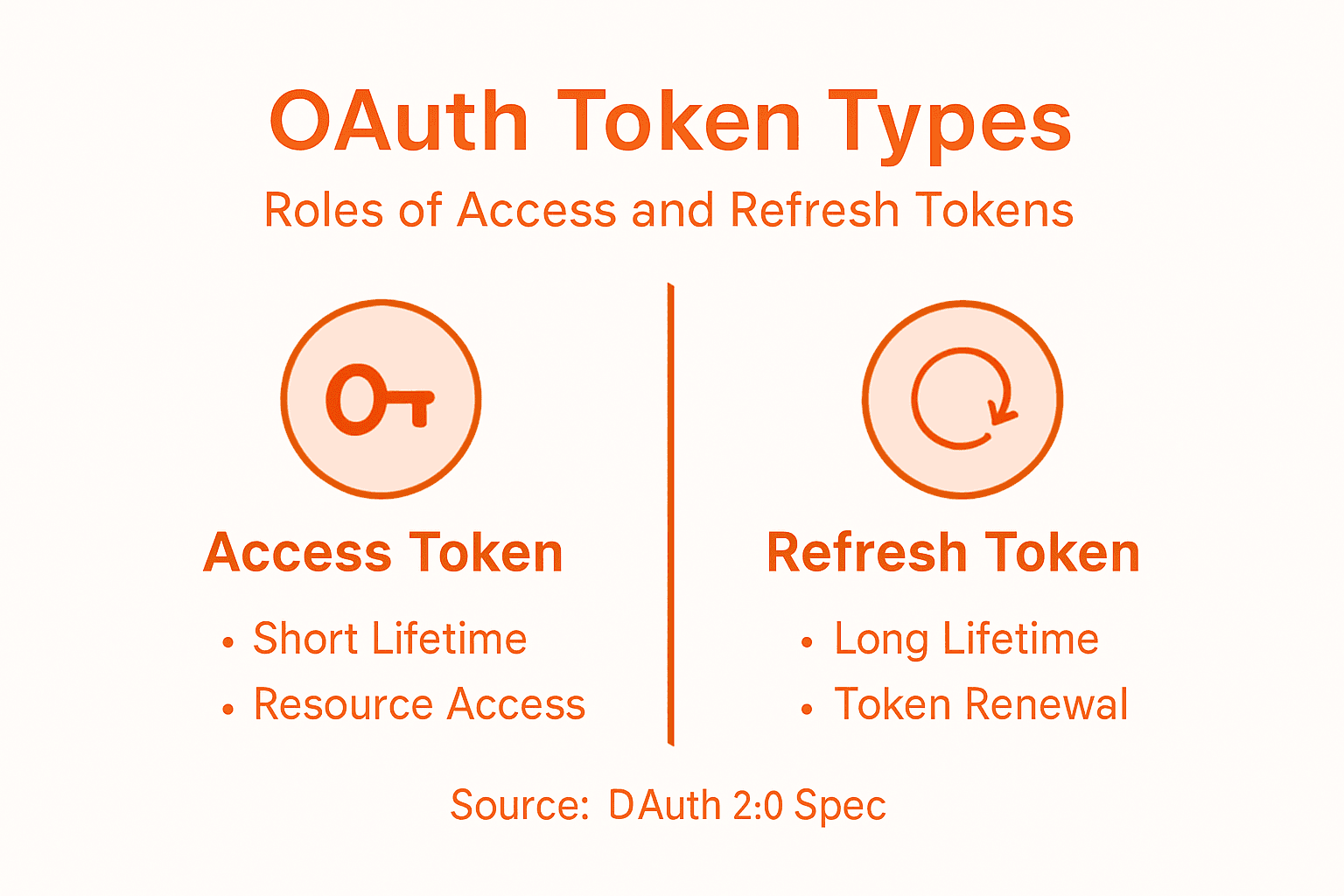
Pro tip: Implement token rotation policies where refresh tokens themselves expire and require re-authentication periodically, then configure your identity provider to log all token issuances and revocations for compliance audits and security investigations.
Common Vulnerabilities and Security Risks
OAuth implementations are only as secure as their weakest implementation detail. Many organizations deploy OAuth believing it’s a complete security solution, only to discover they’ve introduced new attack vectors through misconfiguration. The protocol itself is solid, but real-world deployments often cut corners or misunderstand the security requirements. Your team might use OAuth correctly for user authentication while simultaneously misconfiguring redirect URI validation, essentially handing attackers the keys to your authorization server. Understanding these risks prevents expensive incidents and compliance violations.
Redirect URI Validation and Token Leakage
One of the most exploited OAuth vulnerabilities starts with something that sounds harmless: the redirect URI. After a user authorizes your application, the authorization server redirects them back to your app with an authorization code or token. If your application accepts any redirect URI without strict validation, an attacker can register a malicious application, trick a user into authorizing it, and intercept the code or token. Insufficient redirect URI validation, token leakage via referrer headers, and browser history exposure represent common implementation failures. Here’s the fix: whitelist exact redirect URIs on the authorization server side. Not patterns. Not domains with wildcards. Exact URIs only. Your security team should also implement token handling that prevents leakage through referrer headers by setting proper security headers like Referrer-Policy: no-referrer.
Identity Provider Mix-Up Attacks
A more sophisticated attack targets organizations using multiple identity providers. Imagine your enterprise trusts both an internal identity provider and a cloud provider for OAuth delegation. An attacker could trick your application into confusing which identity provider authenticated a user, potentially allowing them to log in as someone else. Formal security analysis revealed redirect attacks, identity provider mix-ups, and session integrity flaws that compromise authorization and authentication. The defense requires explicit provider validation: your application must verify which authorization server issued the token, not assume based on the request source. Store the identity provider information with each session and validate it matches throughout the OAuth flow.
Insecure Flow Selection and Token Storage
Organizations still deploy Implicit grant flows in new applications, a decision that exposes access tokens directly in browser URLs and localStorage. Mobile apps sometimes store tokens in ways that allow other apps on the same device to access them. Backend services use the Resource Owner Password Credentials grant when they should use Client Credentials, essentially creating standing credentials instead of temporary tokens. Your security policy should mandate Authorization Code flow with PKCE for all new applications, Client Credentials for service-to-service communication, and explicit prohibitions on Implicit and Password flows. Tokens belong in secure storage: HTTP-only cookies for web applications, secure device storage for mobile, and encrypted vaults for backend systems.
Pro tip: Conduct a security audit of all OAuth implementations in your environment by querying your identity provider logs for authorization requests, looking specifically for deprecated flow usage and invalid redirect URI attempts, then schedule remediation for any deviations from your organization’s OAuth security standards.
Here is a security risks and mitigation summary to help teams proactively address OAuth implementation threats:
| Risk Type | Typical Impact | Essential Mitigation |
|---|---|---|
| Misconfigured Redirect URIs | Token/code theft via wrong recips | Strict URI whitelisting, no wildcards |
| Identity Provider Mix-Up | Unauthorized access via confusion | Track & verify token issuer per session |
| Insecure Flow Selection | Token exposure, long-term leaks | Use Authorization Code + PKCE, block legacy |
| Weak Token Storage | Token theft from storage | Use secure, encrypted, http-only storage |
Best Practices for Secure OAuth Implementation
Secure OAuth implementation requires more than picking the right flow. It demands deliberate architectural decisions throughout your identity system. Organizations that treat OAuth as a checkbox item typically discover problems only after an incident occurs. Those that approach it strategically build systems that are difficult to exploit and easy to audit. The difference comes down to intentional design choices made during planning, not reactive fixes applied afterward.
Core Implementation Standards
Start with flow selection. Use Authorization Code flow with PKCE for all user-facing applications. This combination prevents authorization code interception attacks and works reliably across web, mobile, and desktop environments. For service-to-service communication, mandate Client Credentials flow with strong client authentication. Never allow Implicit or Resource Owner Password Credentials flows in new implementations, regardless of how much a development team insists they need them.
Token lifetime management is your next control point. Best practice guidance emphasizes minimizing token lifetime, restricting token scopes, and enforcing robust client authentication across all implementations. Your access tokens should expire within 1 hour, preferably within 15 minutes for high-sensitivity operations. Refresh tokens can live longer (days or weeks) but should require periodic re-authentication. Restrict token scopes aggressively: if an application only needs to read user profile data, don’t grant it write permissions or access to payment information. This principle of least privilege limits damage if a token gets compromised.
Identity Governance and Monitoring
Secure implementation extends beyond individual application configuration. CISA and NSA recommend centralized identity governance, multifactor authentication, environmental hardening, federation, auditing, and monitoring to strengthen identity systems comprehensively. This means implementing a central identity and access management (IAM) platform that governs all OAuth implementations, not allowing teams to deploy OAuth independently without oversight.
Your monitoring strategy should capture everything: token issuance events, token refresh attempts, authorization failures, consent withdrawals, and scope requests. When an application requests elevated scopes it doesn’t need, that’s a red flag. When token refresh fails repeatedly, that suggests credential theft. When authorization requests spike abnormally, investigate immediately. These audit trails become critical during incident response and compliance demonstrations.
Practical Implementation Checklist
Here’s what your security team should validate during implementation reviews:
- Redirect URIs are exact matches, not patterns or wildcards
- Client authentication uses strong credentials (not basic auth over plain HTTP)
- Token endpoint uses HTTPS with valid certificates
- Tokens include necessary claims for your application context
- Refresh token rotation is implemented
- Token revocation endpoints are functional and monitored
- Identity provider mix-up protection is configured
- Logout flows properly revoke tokens
- Penetration testing includes OAuth-specific attack scenarios
Pro tip: Create an OAuth security policy document that specifies approved flows, maximum token lifetimes, required scopes, and implementation patterns for your organization, then enforce it through automated scanning of your identity provider configuration monthly to catch drift before it becomes a security incident.
Secure Your Digital Identity with Trusted OAuth Solutions
Understanding OAuth reveals the critical need for secure, passwordless access that protects your data and reduces risks of unauthorized breaches. If you have faced challenges like strict token management, flow selection, or protecting against redirect URI attacks OAuth implementation requires a trusted partner to ensure airtight security and seamless user experience. LogMeOnce offers cutting-edge identity management and multi-factor authentication solutions tailored to eliminate password vulnerabilities while supporting protocols like OAuth with enhanced control and monitoring.

Take control of your organization’s access security today with LogMeOnce, the leader in comprehensive cybersecurity and password management. Empower your team with secure single sign-on, encrypted storage, and real-time dark web monitoring. Visit LogMeOnce to explore flexible plans designed for businesses and government entities or start a free trial now to experience the difference of passwordless protection backed by expert OAuth integration.
Frequently Asked Questions
What is OAuth and how does it work?
OAuth is an open-standard authorization protocol that allows applications to access user data without requiring passwords. It uses tokens issued by an authentication server, granting controlled and temporary access to resources securely.
What are the key benefits of using OAuth in my organization?
Implementing OAuth reduces your security surface area by allowing users to authorize external tools without sharing their passwords. It also enables instant access revocation and provides detailed audit trails for monitoring access activities.
What are the different OAuth flows, and when should I use each one?
OAuth includes several flows, such as Authorization Code for web and mobile applications, Client Credentials for service-to-service communication, and Resource Owner Password Credentials which should be avoided in new implementations. Selecting the appropriate flow is crucial for maximizing security.
How can I improve the security of my OAuth implementation?
To enhance OAuth security, use Authorization Code flow with PKCE for user-facing applications, implement strict URI validation, and enforce robust token lifetime management. Establishing centralized identity governance and monitoring practices is also essential for maintaining security.
Recommended


