


 Password Manager
 Identity Theft Protection

 Team / Business
 Enterprise
 Government
 MSP
MSP


TL;DR:
- Logmeonce combines password management, MFA, SSO, and audit controls in a single platform ideal for quick proof-of-concept deployment. Agencies should evaluate vendor certifications, offline support, and integration depth during multi-week POCs before choosing solutions like Logmeonce, Okta, Entra ID, or Duo. A focus on FIDO2 hardware keys, offline TOTP, and comprehensive enterprise controls ensures long-term security and compliance.
For most agencies, Logmeonce is the strongest practical starting point: it combines password management, MFA, SSO, and audit controls in a single platform built for fast proof-of-concept deployment. If your environment demands something more specialized, the short list below covers the top authentication solutions for agencies across every major use case.
Quick shortlist:
- Logmeonce — Combined password management + MFA + SSO with passwordless options and encrypted storage; fastest POC for agencies that want one vendor.
- Okta (Auth0 / Okta Workforce Identity Cloud) — Broadest enterprise identity ecosystem; best when you need mature lifecycle management at scale.
- Microsoft Entra ID — The obvious pick for Microsoft 365 and Azure shops; deep Active Directory integration and passwordless via Microsoft Authenticator.
- Cisco Duo — Security-first MFA with FIDO2 hardware-key support and a default phishing-resistant posture; fastest standalone MFA deployment.
- Keycloak — Self-hosted, open-source, and deeply customizable; the right call when data residency or air-gap requirements rule out SaaS.
Trust signals to verify during any POC: SOC 2 Type II certification, FIDO2/WebAuthn attestation, SCIM provisioning, and NIST 800-63B alignment. Gartner Peer Insights and the FIDO Alliance’s public certification registry are the two fastest ways to cross-check vendor claims before you commit.
Recommended next step: Run a multi-week POC with a typical timeline. Scope it to three checkpoints: SCIM provisioning end-to-end, hardware-key and passwordless flows for your highest-risk users, and offline/TOTP behavior when the auth server is unreachable.

What do the top authentication solutions for agencies actually look like side by side?
The table below covers the dimensions agency IT teams use most during vendor evaluation. Pricing bands are indicative; confirm exact figures with each vendor during your POC.
| Solution | Best For | Deployment | MFA Types | Dev Experience | Enterprise Features | Security Extras | Compliance | Verdict |
|---|---|---|---|---|---|---|---|---|
| Logmeonce | Combined password mgmt + MFA for agencies | Cloud SaaS | TOTP, push, passwordless, SMS | Moderate SDKs; fast POC | SSO, RBAC, audit logs, encrypted storage | Dark web monitoring, risk-based auth | SOC 2 | Fast POC |
| Okta (Auth0) | Large enterprise identity at scale | Cloud SaaS | TOTP, push, passwordless, hardware keys | Excellent SDKs; large ecosystem | SSO, SCIM, lifecycle mgmt, RBAC | Adaptive auth, bot detection | SOC 2, ISO 27001, FedRAMP | Full platform |
| Microsoft Entra ID | Microsoft 365 / Azure environments | Cloud + hybrid | TOTP, push, passwordless, hardware keys | Strong for MS stack | SSO, SCIM, Conditional Access, RBAC | Risk-based auth, identity protection | SOC 2, ISO 27001, FedRAMP, HIPAA | MS-native |
| Cisco Duo | Phishing-resistant MFA deployments | Cloud SaaS | TOTP, push, SMS, hardware keys (FIDO2) | Good APIs; quick deploy | SSO, device trust, RBAC | Device posture, phishing-resistant | SOC 2, ISO 27001, FedRAMP | Security-first |
| Amazon Cognito | AWS-native app identity | Cloud SaaS (AWS) | TOTP, SMS, passwordless | AWS SDK integration | SSO (OIDC/SAML), SCIM | Risk-based auth | SOC 2, ISO 27001 | AWS-native |
| Firebase Authentication | Mobile/web app rapid dev | Cloud SaaS (GCP) | TOTP, SMS, social sign-on | Excellent; minimal setup | Limited enterprise features | Basic fraud detection | SOC 2 | Dev-fast |
| Stytch | Passwordless-first product teams | Cloud SaaS | Passwordless, TOTP, SMS, hardware keys | Excellent developer APIs | SSO, RBAC, session mgmt | Bot detection, risk-based | SOC 2 | Passwordless-first |
| Clerk | Smaller teams; fast time-to-market | Cloud SaaS | TOTP, SMS, passwordless | Pre-built UI components | Basic SSO, session mgmt | — | SOC 2 | Dev-friendly |
| Keycloak | Self-hosted, air-gapped agencies | Self-host / open-source | TOTP, hardware keys, passwordless | Strong; requires in-house ops | SSO, SCIM, RBAC, lifecycle | Customizable policies | Configurable | Self-host control |
| Ping Identity (PingOne) | Adaptive access, complex enterprise | Cloud + hybrid | TOTP, push, SMS, hardware keys | Good enterprise SDKs | SSO, SCIM, adaptive MFA, RBAC | Adaptive auth, fraud detection | SOC 2, ISO 27001 | Adaptive IAM |
| Yubico (YubiKey) | Highest-risk users; hardware auth | Hardware device | FIDO2/WebAuthn, OTP | Broad platform support | Integrates with any FIDO2 platform | Phishing-resistant hardware | FIDO2 certified | Hardware FIDO2 |
| CrowdStrike Falcon Identity | ITDR for high-risk agencies | Cloud SaaS | Risk-based; integrates with existing MFA | Endpoint + identity telemetry | Identity lifecycle, RBAC | ITDR, endpoint telemetry | SOC 2, ISO 27001 | ITDR-focused |
| RSA SecurID | Regulated, mature enterprise MFA | Cloud + on-prem | TOTP, push, hardware tokens | Established; complex setup | SSO, RBAC, policy controls | Adaptive auth | SOC 2, FIPS 140-2 | Compliance-heavy |
| LastPass MFA | Password mgmt + MFA single vendor | Cloud SaaS | TOTP, push, biometrics | Simple; tied to LastPass | SSO, password vault | — | SOC 2 | Vault-integrated |
| Descope | Customizable auth building blocks | Cloud SaaS | TOTP, passwordless, SMS, hardware keys | Developer-first primitives | SSO, RBAC, session mgmt | Bot detection | SOC 2 | Highly configurable |
| OneLogin | Workforce SSO + lifecycle mgmt | Cloud SaaS | TOTP, push, SMS, hardware keys | Good enterprise SDKs | SSO, SCIM, lifecycle, RBAC | Adaptive auth | SOC 2, ISO 27001 | Workforce IAM |
| Supabase Auth | Supabase / open-source dev teams | Cloud SaaS / OSS | TOTP, SMS, social sign-on | Excellent for Supabase stack | Basic SSO | — | SOC 2 | OSS-adjacent |
| ManageEngine (ADSelfService Plus) | AD/hybrid environments | Cloud + on-prem | TOTP, biometrics, hardware keys, 19 factors | Moderate; AD-centric | SSO, SCIM, AD lifecycle | Offline TOTP, adaptive auth | SOC 2, ISO 27001 | AD-deep |
| JumpCloud / JumpCloud Protect | Directory + device mgmt combined | Cloud SaaS | TOTP, push, hardware keys | Good MDM + IAM APIs | Directory, SCIM, device trust | Device posture | SOC 2, ISO 27001 | Directory-centric |
| Frontegg | SaaS product customer identity | Cloud SaaS | TOTP, push, SMS, passwordless | Configurable MFA flows | SSO, RBAC, tenant mgmt | — | SOC 2 | SaaS CIAM |
| Rippling | HR-driven IT provisioning | Cloud SaaS | TOTP, push, SSO | HR + IT integration | SSO, SCIM, lifecycle | — | SOC 2 | HR-IT unified |
| Google Authenticator | Basic TOTP for individuals/small teams | Mobile app | TOTP | Minimal; app-only | None | Offline TOTP | — | Lightweight TOTP |
| Authy | Consumer/SMB TOTP with backup | Mobile app | TOTP | Simple; cloud backup | None | Offline TOTP, cross-device sync | — | Consumer-grade |
| IBM Security Verify | Large regulated enterprise | Cloud + on-prem | TOTP, push, biometrics, hardware keys | Enterprise-grade SDKs | SSO, SCIM, lifecycle, RBAC | Risk-based auth, fraud detection | SOC 2, ISO 27001, FedRAMP | Enterprise-regulated |
| Descope | Developer-first auth primitives | Cloud SaaS | TOTP, passwordless, hardware keys | Excellent | SSO, RBAC | Bot detection | SOC 2 | Dev-first |
| Deel IT | Global workforce IT provisioning | Cloud SaaS | TOTP, SSO | HR + IT integration | SSO, device mgmt | — | SOC 2 | Global IT ops |
| Scalefusion OneIdP | MDM-integrated identity | Cloud SaaS | TOTP, push, SSO | MDM-centric | SSO, SCIM, device mgmt | Device posture | SOC 2 | MDM-identity |
| ManageEngine ADManager Plus | AD lifecycle management | Cloud + on-prem | TOTP, hardware keys | AD-centric | AD lifecycle, RBAC | Offline TOTP | SOC 2, ISO 27001 | AD lifecycle |
| Zygon | SaaS app shadow IT discovery | Cloud SaaS | SSO enforcement, MFA nudges | Lightweight | SSO governance | Shadow IT detection | SOC 2 | SaaS governance |
| Microsoft Entra Verified ID / Entra MFA | Verifiable credentials + MFA | Cloud (Azure) | Passwordless, hardware keys, TOTP | Strong for MS stack | SSO, SCIM, Conditional Access | Risk-based auth | SOC 2, ISO 27001, FedRAMP | Verifiable ID |
Note: Pricing, push-notification MFA, and SCIM availability vary by plan tier. Columns marked with public documentation are reliable; confirm SLA, FedRAMP authorization status, and HIPAA BAA availability directly with vendors during your POC.
Vendor mini-reviews: strengths, limitations, and when to choose each
Logmeonce
Logmeonce sits at the intersection of password management and MFA in a way most pure-play auth vendors don’t. For an agency that wants SSO, passwordless login, encrypted credential storage, RBAC, and dark web monitoring from a single dashboard, it removes the integration overhead of stitching together separate tools. The POC path is short: the platform supports OIDC, OAuth2, and SAML, and the two-factor authentication module covers TOTP, push, biometrics, and passwordless options. Audit logs and lifecycle controls are built in, not add-ons.
Limitations: The enterprise ecosystem is narrower than Okta’s, and very large deployments may need custom scoping with the sales team.
When to choose: Agencies that want a combined password management and authentication platform with a fast POC and don’t want to manage two separate vendor relationships.
Okta (Auth0 / Okta Workforce Identity Cloud)
Okta’s platform covers both workforce identity (Okta Workforce Identity Cloud) and customer identity (Auth0) under one roof. The integration catalog is the largest in the market, SCIM provisioning is mature, and adaptive MFA policies are granular. Auth0 specifically gives developer teams a polished SDK experience across Node.js, Python, Java, .NET, and more.
Limitations: Pricing scales quickly with MAUs and premium features; complex licensing can surprise procurement teams.
When to choose: Large agencies or those with a mixed workforce/customer identity requirement that need a proven, broad-ecosystem platform.
Microsoft Entra ID (Entra MFA / Verified ID)
If your agency runs Microsoft 365 and Azure, Entra ID is already partially in your stack. Conditional Access policies, passwordless sign-in via Microsoft Authenticator, and Verified ID for verifiable credentials make it a complete identity layer for Microsoft-centric environments. FIDO2 hardware-key support is solid.
Limitations: Outside the Microsoft ecosystem, integration effort rises sharply.
When to choose: Agencies with heavy Microsoft 365 / Azure investment and hybrid Active Directory environments.
Cisco Duo
Duo’s default posture is security-first: every deployment starts with phishing-resistant options enabled, and FIDO2 hardware-key support is a core feature rather than an add-on. Device trust and posture checks are straightforward to configure. Deployment is fast, typically days rather than weeks for a standard workforce MFA rollout.

Limitations: Customer identity (CIAM) use cases are not Duo’s strength; it’s workforce-focused.
When to choose: Agencies that need phishing-resistant MFA deployed quickly and want device-trust checks without a full IAM platform.
Amazon Cognito
Cognito handles user pools and identity federation natively within AWS. If your agency’s apps run on AWS Lambda, API Gateway, or Amplify, Cognito’s tight integration removes a layer of plumbing. OIDC and SAML federation are supported.
Limitations: The admin console is developer-oriented and can feel rough for non-technical administrators; enterprise lifecycle features are limited compared to Okta or Entra.
When to choose: Agencies building or running customer-facing apps on AWS that want cloud-native auth without a separate vendor.
Firebase Authentication (Google)
Firebase Auth is the fastest way to add social sign-on, email/password, and TOTP to a mobile or web app. The SDK setup is minimal, and the Google ecosystem integration (Cloud Functions, Firestore) is seamless for teams already on GCP.
Limitations: Enterprise features like SCIM, advanced RBAC, and audit logs are thin; not suitable as a workforce identity solution.
When to choose: Agencies building mobile-first or web apps that need rapid developer onboarding and basic auth, not enterprise IAM.
Stytch
Stytch is built around passwordless flows: magic links, passkeys, biometrics, and SMS OTP. The developer API is clean, the documentation is thorough, and bot detection is included. It’s a strong choice for product teams that want to ship modern auth without building it from scratch.
Limitations: Newer platform with a smaller enterprise track record than Okta or Entra.
When to choose: Product teams at agencies that want passwordless-first customer auth with strong developer ergonomics.
Clerk
Clerk ships pre-built React, Next.js, and Remix components for sign-in, sign-up, and user management. For a small engineering team that needs to get customer identity working in days, not weeks, Clerk is hard to beat on speed.
Limitations: Enterprise features (SCIM, advanced RBAC, audit logs) are limited; better suited to early-stage SaaS products than large agency deployments.
When to choose: Smaller dev teams that prioritize time-to-market over deep enterprise controls.
Keycloak
Self-hosted open-source identity platforms like Keycloak are the right answer when data residency, air-gap requirements, or deep customization rule out SaaS. Keycloak supports OIDC, SAML, and OAuth2 natively, and the community is large. The tradeoff is real: you own the infrastructure, the upgrades, and the incident response.
Limitations: Requires in-house engineering effort and ongoing maintenance; no vendor SLA.
When to choose: Agencies with strict on-premises or air-gap requirements and the engineering capacity to run it.
Ping Identity (PingOne / PingOne MFA)
Ping’s adaptive authentication engine is one of the most configurable in the market. Risk-based policies can factor in device, location, behavior, and threat intelligence. PingOne MFA supports TOTP, push, SMS, and hardware keys.
Limitations: Implementation complexity is high; plan for a longer onboarding timeline than simpler SaaS options.
When to choose: Agencies with complex enterprise integrations and a need for fine-grained adaptive access policies.
Yubico (YubiKey)
YubiKeys are hardware authenticators, not a platform. They provide FIDO2/WebAuthn authentication that is genuinely phishing-resistant because the private key never leaves the device. They integrate with any FIDO2-compliant platform, including Okta, Entra, Duo, and Logmeonce.
Limitations: Hardware distribution and key enrollment logistics require planning; lost keys need a recovery process.
When to choose: Any agency that needs the strongest available phishing-resistant factor for privileged users or high-risk roles. Pair with a platform that supports FIDO2 attestation.
Pro Tip: When requiring phishing-resistant MFA, ask vendors for proof: a public FIDO certification listing or demonstrable admin logs showing hardware-key enrollment and authentication events. Marketing claims alone are not sufficient.
CrowdStrike Falcon Identity Protection
Falcon Identity Protection is an identity threat detection and response (ITDR) platform, not a standalone MFA tool. It links identity events to endpoint telemetry, which means it can catch credential-based attacks that bypass traditional MFA. For agencies already running CrowdStrike Falcon on endpoints, the integration is tight.
Limitations: Requires CrowdStrike endpoint coverage to deliver full value; not a replacement for a primary auth platform.
When to choose: High-risk agencies that need proactive identity threat detection layered on top of their existing MFA stack.
RSA SecurID
RSA SecurID has been in enterprise MFA for decades. One-time passwords, hardware tokens, and adaptive policies are mature. It’s a common sight in regulated industries and government environments where FIPS 140-2 compliance is required.
Limitations: The platform feels dated compared to modern SaaS options; implementation and licensing are complex.
When to choose: Regulated agencies with existing RSA infrastructure or FIPS 140-2 requirements.
LastPass MFA
LastPass MFA pairs MFA with the LastPass enterprise password vault. If your agency already uses LastPass for credential management, adding MFA through the same vendor simplifies the stack.
Limitations: LastPass has faced high-profile security incidents; agencies with strict risk postures should evaluate alternatives.
When to choose: Agencies already committed to the LastPass vault that want to add MFA without a second vendor.
Descope
Descope offers authentication as a set of composable building blocks: flows, connectors, and policies that developers wire together visually or via API. G2 reviewers highlight its flexibility for custom authentication journeys.
Limitations: Newer platform; enterprise track record is still building.
When to choose: Product teams that need highly customized authentication flows and want developer-first primitives.
OneLogin (Customer Identity / OneLogin MFA)
OneLogin covers workforce SSO, adaptive MFA, and user lifecycle management. SCIM provisioning and HR system integrations (Workday, BambooHR) are strong, making it a practical choice for agencies that want identity tied to HR workflows.
Limitations: The platform has changed ownership; verify current roadmap and support commitments during POC.
When to choose: Agencies that need workforce SSO tightly connected to HR-driven provisioning and deprovisioning.
Supabase Auth
Supabase Auth is the auth layer for Supabase projects. It supports TOTP, social sign-on, and magic links with minimal configuration. For teams already on the Supabase stack, it’s the path of least resistance.
Limitations: Not suitable as a standalone enterprise auth platform; limited enterprise controls.
When to choose: Developer teams building on Supabase who want auth without adding a separate vendor.
ManageEngine (ADSelfService Plus / ADManager Plus)
ManageEngine’s ADSelfService Plus supports adaptive MFA with 19 authentication factors, including biometrics and hardware keys, and covers offline TOTP for Windows logons and RADIUS environments. ADManager Plus handles AD lifecycle management. Together they cover the full AD identity stack.
Limitations: The UI is complex; plan for a longer configuration phase.
When to choose: Agencies running hybrid Active Directory environments that need broad factor support and offline MFA capability.
JumpCloud / JumpCloud Protect
JumpCloud combines a cloud directory with MDM and MFA in one platform. Device trust, TOTP, push notifications, and hardware-key support are all available. For agencies managing a mix of macOS, Windows, and Linux endpoints, the unified directory-plus-device approach reduces tool sprawl.
Limitations: Pricing can climb for larger device counts; some advanced features require higher-tier plans.
When to choose: Agencies that want directory services, endpoint management, and MFA from a single vendor.
Frontegg
Frontegg is built for SaaS product teams that need to ship customer-facing identity features fast. Configurable MFA flows, tenant management, and SSO are all available as embeddable components.
Limitations: Focused on customer identity for SaaS products; not a workforce IAM solution.
When to choose: SaaS product teams at agencies that need multi-tenant customer identity with configurable MFA.
Additional platforms
Rippling unifies HR, IT, and identity provisioning. If your agency’s biggest pain point is onboarding and offboarding speed, Rippling’s HR-driven SCIM provisioning is worth evaluating. Google Authenticator and Authy are lightweight TOTP apps; Authy adds cloud backup and cross-device sync, making it the better choice for teams. IBM Security Verify targets large regulated enterprises with FedRAMP and FIPS requirements. Deel IT and Scalefusion OneIdP address global workforce IT provisioning and MDM-integrated identity respectively. Zygon focuses on shadow SaaS discovery and SSO enforcement, a niche but real problem for agencies with ungoverned app sprawl. Microsoft Entra Verified ID extends Entra with verifiable credential issuance, relevant for agencies that need to issue or verify digital credentials.
How do you choose the right authentication solution for your agency?
Prioritized selection checklist
- Security posture first. Confirm FIDO2/WebAuthn support and hardware-key attestation. Verify phishing-resistant factors are available, not just TOTP or SMS. Check whether offline/TOTP support is available for air-gapped or intermittently connected endpoints.
- Standards compliance. Require OAuth2, OIDC, and SAML support as a baseline. SCIM 2.0 for automated provisioning is non-negotiable for agencies with more than a handful of users. Check NIST 800-63B alignment.
- Integration depth. Evaluate SDK quality for your primary languages and frameworks. Ask for a live SCIM provisioning demo during POC, not just documentation.
- Enterprise controls. Require audit logs with tamper-evident storage, RBAC with least-privilege enforcement, and session management controls. Identity governance and lifecycle management should be part of the evaluation, not afterthoughts.
- Compliance and certifications. SOC 2 Type II is the baseline. Add ISO 27001 for international clients, FedRAMP for federal work, and confirm HIPAA BAA availability if you handle health data.
- Support and onboarding. Require a named POC contact and a documented onboarding timeline. Vendors that can’t commit to a POC support model are a red flag.
Questions to ask vendors
- “How do you support offline Windows logon or air-gapped systems? Can you demonstrate it?”
- “Can you walk us through a SCIM-based user provisioning and deprovisioning flow end-to-end?”
- “What is your SLA for authentication availability, and how do you handle auth-server outages?”
- “Show us your FIDO2 certification listing or admin logs showing hardware-key enrollment events.”
- “What does your FedRAMP authorization status cover, and is a HIPAA BAA available?”
POC timeline and cost bands
| Phase | Timeline | Activities | Effort (small agency) | Effort (large agency) |
|---|---|---|---|---|
| Discovery | Week 0 | Requirements, vendor shortlist, stakeholder alignment | a moderate number of hours | a moderate number of hours |
| Integration | Weeks 1–2 | SDK/API setup, SCIM provisioning, SSO configuration | a moderate number of hours | a significant number of hours |
| Pilot | Week 3 | Limited user group, hardware-key enrollment, offline TOTP test | a moderate number of hours | a significant number of hours |
| Evaluation | Weeks 4–6 | Metrics review, security testing, compliance check, vendor scoring | a moderate number of hours | a moderate number of hours |
Pricing drivers: monthly active users (MAUs), active device count, premium features (ITDR, adaptive auth, hardware-key management), and enterprise support tiers. Entry-level SaaS plans typically start at a low monthly user price; enterprise tiers with advanced features can be substantially higher. Confirm exact figures with vendors.
Red flags
- Opaque pricing with no public tier information and no willingness to provide a written estimate.
- No audit log capability or logs that are not tamper-evident.
- Missing FIDO2/hardware-key support or inability to demonstrate it live.
- Vendor lock-in signals: proprietary token formats, no SCIM export, no data portability clause.
- No documented POC process or named support contact during evaluation.
What authentication methods do agencies actually need to understand?
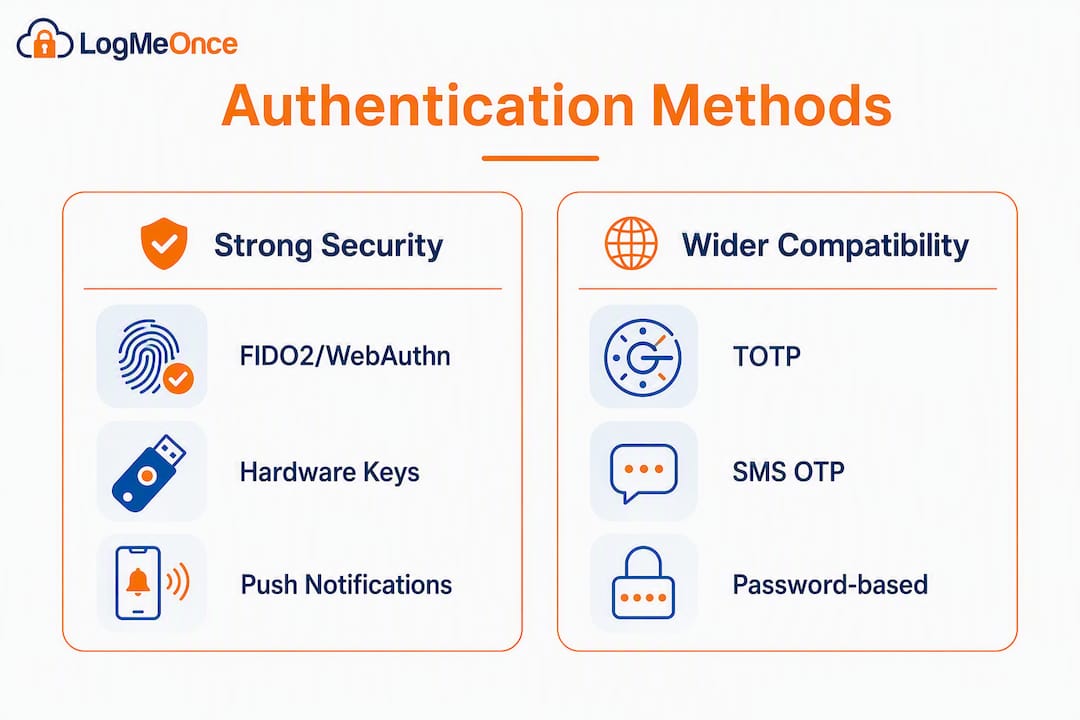
The main factor types
TOTP (Time-based One-Time Password): Generates a six-digit code locally on an authenticator app. Works offline, which matters for air-gapped or intermittently connected environments. App-based authenticators like Microsoft Authenticator and Authy generate TOTP codes without network connectivity, and Microsoft Authenticator also supports passwordless sign-in via device biometrics or PIN.
Push notifications: A tap-to-approve prompt sent to a registered device. Low friction for users, but requires network connectivity and is vulnerable to MFA fatigue attacks if not paired with number matching.
Passwordless (FIDO2/WebAuthn, passkeys): Device-bound credentials that use public-key cryptography. Phishing-resistant by design because the private key never leaves the device. Increasingly supported across major platforms.
Hardware keys (YubiKey, Titan Key): Physical FIDO2 devices that provide the strongest phishing resistance available. The private key is stored in tamper-resistant hardware.
SMS OTP: Widely supported but the weakest factor. SIM-swapping and SS7 attacks make it unsuitable as the sole second factor for high-risk users. Use it only as a fallback.
Risk-based / adaptive authentication: Evaluates contextual signals (device, location, behavior, threat intelligence) and adjusts the authentication challenge dynamically. Reduces friction for low-risk sessions while tightening controls for anomalous ones.
Factor comparison by agency need
- Remote staff on reliable networks: Push notifications or passwordless (passkeys) for low friction.
- Air-gapped or intermittently connected systems: TOTP or hardware keys; both generate codes locally.
- Contractor or temporary access: TOTP with time-limited enrollment; avoid SMS for privileged access.
- Privileged users and administrators: Hardware keys (FIDO2) as the primary factor; no SMS.
- High-risk or regulated environments: Hardware keys plus risk-based auth layered on top.
Security tradeoffs at a glance
| Factor | Phishing-resistant | Offline capable | User friction | Deployment complexity |
|---|---|---|---|---|
| TOTP (app) | Partial | Yes | Low | Low |
| Push notification | No | No | Very low | Low |
| Passwordless (FIDO2) | Yes | Yes (device-bound) | Very low | Medium |
| Hardware key (FIDO2) | Yes | Yes | Low | Medium-high |
| SMS OTP | No | No | Low | Very low |
| Risk-based auth | Depends on factors | Depends | Varies | High |
Pro Tip: Plan offline/TOTP and hardware-key support before your POC begins, not after. Agencies that skip this step frequently hit access outages during network incidents and have to retrofit a solution under pressure.
Why Logmeonce is a practical option for agencies
Logmeonce addresses the full agency authentication checklist in one platform. SSO covers workforce app access; MFA options include TOTP, push, biometrics, and passwordless flows; encrypted cloud storage protects credentials at rest; RBAC and audit logs satisfy governance requirements; and dark web monitoring adds a proactive threat layer most standalone auth tools don’t include.
The platform supports OIDC, OAuth2, and SAML for integration with existing app stacks, and the biometric integration extends passwordless options to device-level biometrics. For agencies that need to demonstrate NIST 800-63B alignment to clients or auditors, Logmeonce’s policy framework maps to those controls.
Recommended POC steps for agencies:
- Scope: Define the user groups (workforce, contractors, privileged admins) and the apps to protect.
- Integration checklist: Configure SSO via OIDC or SAML for your top three apps; run a SCIM provisioning test for a sample user group.
- MFA validation: Enroll a pilot group with TOTP and passwordless options; test offline TOTP behavior by disconnecting from the network.
- Success criteria: Measure time-to-enroll per user, authentication success rate, and audit log completeness.
- Evaluation metrics: Compare against your shortlist on integration time, support responsiveness, and compliance documentation completeness.
Pro Tip: Use the POC to validate three technical checkpoints: token lifecycle and SCIM provisioning end-to-end, hardware-key and passwordless flows for your highest-risk users, and offline/TOTP behavior when the auth server is unreachable. These three cover the failure modes that catch agencies off guard post-deployment.
Contact Logmeonce at the cybersecurity landing page to start a trial or request a demo scoped to your agency’s environment.
How these options were evaluated
The shortlist and comparison table were built from a structured review of publicly available vendor documentation, Gartner Peer Insights market reviews, independent testing (including Wirecutter’s evaluation of authenticator apps), and aggregated market summaries that consistently surface the same core vendor set across IAM and MFA categories.
Evaluation criteria followed the dimensions agencies use in real procurement: security posture (FIDO2 support, phishing resistance, offline capability), integration maturity (SDK quality, OIDC/SAML/SCIM support), enterprise controls (audit logs, RBAC, lifecycle management), compliance certifications (SOC 2, ISO 27001, FedRAMP, HIPAA), and POC accessibility (trial availability, onboarding support). Vendors were assessed qualitatively against each dimension using public documentation and market review data; no proprietary benchmark scores were invented or implied. Pricing bands are indicative and based on publicly available tier information; they require vendor confirmation during POC. Certification status should be verified directly with each vendor, as authorization scope and renewal dates change.
Key Takeaways
Logmeonce is the strongest single-vendor starting point for agencies that need combined password management, MFA, SSO, and audit controls with a fast POC path.
| Point | Details |
|---|---|
| Start with a shortlist of a few vendors | Narrow to Logmeonce, Okta, Entra ID, Duo, and Keycloak based on your deployment model and compliance needs. |
| Run a multi-week POC with defined checkpoints | Validate SCIM provisioning, hardware-key flows, and offline TOTP behavior before committing. |
| Require FIDO2 and offline TOTP support | Hardware keys and TOTP are the only factors that work without network access; both are non-optional for high-risk or air-gapped environments. |
| Evaluate identity governance, not just MFA | Audit logs, RBAC, and lifecycle management determine long-term security posture, not the authentication factor alone. |
| Logmeonce covers the full agency checklist | SSO, MFA, passwordless, encrypted storage, RBAC, and dark web monitoring in one platform with a fast POC option. |
What agencies actually choose in practice, and why
The pattern that shows up repeatedly in agency POCs is a tension between speed and control. Teams under deadline pressure almost always gravitate toward cloud SaaS options, Okta, Duo, or Logmeonce, because they can demonstrate a working integration in days. Self-hosted options like Keycloak win when the agency has a hard data-residency requirement or an air-gapped environment, but the engineering overhead is real and often underestimated at the start of procurement.
The other consistent stumbling block is offline authentication. Agencies that operate in field environments or run air-gapped systems frequently discover mid-POC that their chosen SaaS platform has no offline TOTP story. That discovery, made at week three of a six-week POC, is expensive. The agencies that avoid it are the ones that put offline/TOTP behavior on the POC checklist from day one.
A practical tradeoff summary:
- Fast SaaS deployment suits scenarios where time-to-market is a priority and data residency requirements are flexible.
- Self-hosted wins when air-gap, strict data residency, or deep customization requirements are non-negotiable.
- Hardware keys win for privileged users regardless of which platform you choose; the phishing-resistance gap between FIDO2 and push notifications is significant enough to justify the logistics.
- Combined platforms (Logmeonce, Rippling, JumpCloud) win when the agency wants to reduce vendor count and the integration overhead that comes with it.
Logmeonce gives agencies a faster path to complete identity security
There are other solid routes here: Okta for enterprise scale, Duo for fast phishing-resistant MFA, Keycloak for self-hosted control. But if your agency needs password management, MFA, SSO, encrypted storage, and audit logs without managing four separate vendor relationships, Logmeonce is the more direct answer.

The concrete advantage is consolidation. Agencies that run separate tools for password management, MFA, and SSO spend real time on integration maintenance and vendor coordination. Logmeonce covers all three, adds dark web monitoring and RBAC, and supports OIDC, OAuth2, and SAML for connecting to your existing app stack. The POC is scoped to weeks, not quarters.
To start, visit the Logmeonce cybersecurity page and request a trial or demo scoped to your agency’s environment. Validate specific enterprise features, SCIM configuration, and pricing with the Logmeonce team during your POC.
Useful sources to consult during vendor evaluation
Use these in the order listed: standards first for security claims, then vendor docs for SDK and integration details, then market research for positioning context.
| Source | What it covers | Best used for |
|---|---|---|
| NIST SP 800-63B (Digital Identity Guidelines) | Authenticator assurance levels, factor requirements, and policy guidance | Validating vendor security claims against federal standards |
| ISO/IEC 27001 Standard | Information security management system requirements | Verifying vendor certification scope and renewal status |
| Gartner Peer Insights: User Authentication | Peer reviews, market coverage, and vendor ratings for IAM/MFA | Shortlisting vendors and benchmarking enterprise feature sets |
| CrowdStrike: ITDR and Identity Security | Identity threat detection, endpoint-identity correlation, and ITDR requirements | Evaluating security extras and ITDR requirements for high-risk agencies |
| iSDECISIONS: Securing air-gapped networks with MFA | Offline TOTP, hardware tokens, and air-gapped MFA architecture | POC planning for offline/air-gapped environments |
| AImultiple: Top MFA Solutions | Aggregated vendor comparison and factor-support summaries | Initial market scan and vendor shortlisting |
| Wirecutter: Best Two-Factor Authentication Apps | Independent testing of consumer and SMB authenticator apps | Evaluating TOTP app options for end-user deployment |
| Microsoft Entra Verified ID | Verifiable credentials, Entra MFA, and Conditional Access documentation | Evaluating Microsoft-native identity options and verifiable credential use cases |
Reminder: Certifications (SOC 2, ISO 27001, FedRAMP) have defined scopes and renewal dates. Always request the current certification letter and confirm the scope covers your use case directly with the vendor during POC, not from a marketing page.


