


 Password Manager
 Identity Theft Protection

 Team / Business
 Enterprise
 Government
 MSP
MSP

TL;DR:
- Using a password vault significantly reduces the risk of credential reuse and enhances security with encrypted storage protected by a master password. It enables quick autofill, generates strong passwords, and provides phishing protection through domain matching, benefiting both individuals and small businesses. Careful evaluation of security features and proper recovery planning are essential before adopting a vault to ensure maximum protection.
Most people know their password habits are bad. They reuse the same three passwords everywhere, tack a “1” onto the end when forced to change, and hope for the best. The benefits of using a password vault go far beyond simple convenience. A well-chosen vault eliminates the habits that attackers count on, protects your accounts with encryption, and saves your small business from costly breaches. If you have ever wondered whether a password vault is worth the setup effort, this article gives you the straight answer with specifics.
Key Takeaways
| Point | Details |
|---|---|
| One master password protects all | A vault stores unlimited credentials behind a single, strong master password you actually memorize. |
| Password reuse is your biggest risk | Using unique passwords per account stops one breach from cascading into many compromised accounts. |
| Autofill blocks phishing attempts | Vaults only fill credentials on the correct domain, so fake login pages get nothing. |
| Businesses gain measurable efficiency | Teams avoid password reset tickets and share access securely without emailing credentials. |
| Recovery planning is non-negotiable | Without tested recovery options, losing your master password means losing everything in the vault. |
Benefits of Using a Password Vault, Explained
A password vault is a secure application that stores all your usernames, passwords, and sensitive notes in an encrypted database. Think of it as a locked safe that only opens with your master password, except this safe also types your credentials for you. That distinction matters because it separates a password vault from the browser’s built-in “save password” prompt.
Browser password saving is convenient, but it ties your credentials to a single browser and offers weaker encryption controls. A dedicated vault works across every browser, every device, and every operating system you use. It also goes beyond passwords to store secure notes, credit card numbers, and software license keys.
The core technology relies on two ideas worth understanding:
- Zero-knowledge architecture: The vault provider encrypts your data on your device before it ever leaves. The company itself cannot read your passwords even if it wanted to.
- AES-256 encryption: The industry-standard cipher that protects vault contents. Breaking it by brute force would take longer than the universe has existed.
- Master password plus MFA: Your master password derives the encryption key, and two-factor authentication adds a second verification layer so stolen passwords alone cannot open the vault.
- Cross-device sync and autofill: Modern vaults sync encrypted data to the cloud and autofill login forms automatically, saving time without sacrificing security.
The encrypted vault workflow described by the National Cybersecurity Alliance is straightforward: you remember one master password, and the vault handles every other credential securely. That simplicity is the point.
Security benefits that actually move the needle
Password vaults do not just organize your credentials. They change the underlying security math in your favor.
The most significant shift is eliminating password reuse. Unique passwords per account prevent credential stuffing attacks, where attackers take a leaked email and password pair and try it on dozens of other sites automatically. This attack type is not theoretical. Verizon’s 2025 DBIR reports a 49% median password reuse rate combined with 19% of breaches involving credential stuffing. Those numbers tell you exactly what attackers already know: reuse is the easiest door in.

Password vaults also help you create better passwords from the start. NIST SP 800-63B recommends supporting long, random passwords and features like paste functionality that make password managers practical to use. A vault’s built-in generator creates 20-character random strings you would never type manually but never need to remember either.
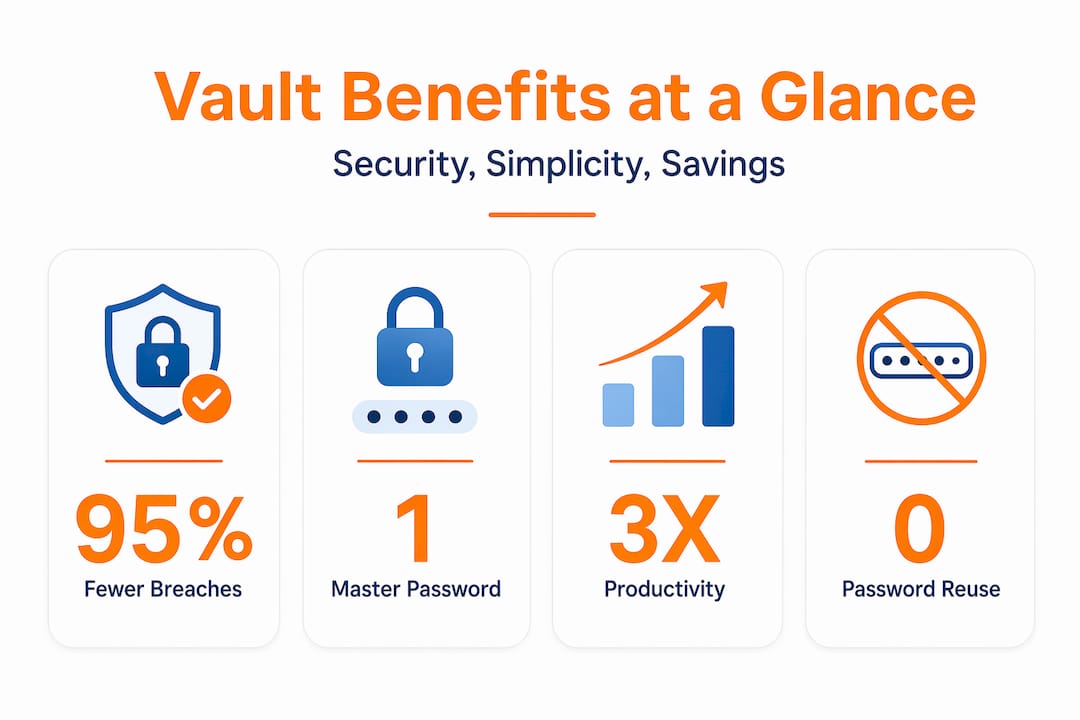
Phishing protection is a benefit most people do not expect. When you autofill via a vault, the vault checks the actual domain of the site you are on before populating any field. Visit a fake site at “bank0famerica.com” instead of “bankofamerica.com,” and autofill domain matching prevents your credentials from going anywhere. Your eyes might miss the typo, but the vault will not.
Finally, encryption protects you even in a worst-case scenario. If a vault provider suffers a breach, attackers get encrypted blobs they cannot read without your master password. Any reputable password manager is significantly safer than manual or reused password practices, even accounting for the rare gaps researchers have found in some apps.
Practical time savings you will notice immediately
Security is the headline, but the daily usability benefits of using a password vault are what make people stick with one long term.
- Password generation on demand. Every time you create a new account, the vault generates a strong, unique password and saves it instantly. No more typing “Summer2026!” and hoping the site accepts it.
- One-click autofill. Logging into your bank, your project management tool, and your email takes seconds instead of minutes. The time savings and reduced friction from autofill add up significantly across a full work week.
- Fewer password resets. When you stop guessing which of your three go-to passwords you used on a site, you stop clicking “Forgot password?” every other day. For small businesses, fewer password reset requests to an IT contact saves real operational hours.
- Seamless multi-device access. Whether you are on your laptop at the office or your phone at a client meeting, your vault syncs automatically. Your team does not need to text each other login credentials through insecure channels.
Pro Tip: Set up your vault on every device you own during the initial setup, not later. Delaying cross-device sync is the number one reason people abandon their vault in the first month.
For small businesses specifically, the team password management benefits extend to shared account access. Instead of emailing passwords around or keeping a shared spreadsheet, vaults let team members access shared credentials securely without ever seeing the actual password string. When an employee leaves, you revoke their access in one place.
Choosing the right vault for your situation
Not every password vault fits every user, and the differences matter more than the marketing copy suggests.
| Vault Type | Best For | Key Trade-off |
|---|---|---|
| Cloud-based vault | Individuals, small teams | Convenient sync; depends on vendor security |
| Self-hosted vault | Technical users, privacy-focused | Full control; you handle patching and backups |
| Platform-integrated | Single ecosystem users | Easy setup; limited portability across platforms |
| Standalone vault app | Most individuals and SMBs | Best balance of features, portability, and support |
Cloud-based vaults are the right choice for most individuals and small businesses. The convenience of automatic sync and vendor-managed updates far outweighs the theoretical risk of vendor custody, especially when zero-knowledge encryption means the vendor cannot read your data anyway. Self-hosting shifts risk from the vendor to your own operational capability, requiring you to manage patching, backups, and TLS certificates. That is a real commitment and not the right fit for most small businesses.
When evaluating any vault, look for these specific criteria before committing:
- Zero-knowledge architecture verified by independent audit. Not just claimed on a marketing page.
- AES-256 encryption with PBKDF2 or Argon2 key derivation. These technical specs determine how hard your vault is to crack if the encrypted data is ever stolen.
- Dark web monitoring and breach alerts. The vault should tell you when a saved credential appears in a known data breach.
- Multi-factor authentication options. SMS codes are acceptable, but TOTP apps or hardware keys are stronger.
- Clear recovery options. This is the detail most people skip.
Password manager security implementation deserves scrutiny, and reputable providers publish third-party security audits. If a vendor cannot point you to one, keep looking.
Pro Tip: Before you trust a vault with your most critical accounts, test the recovery process. Simulate a lost master password scenario with a non-critical account first. Knowing your recovery path works is more valuable than any feature on the marketing page.
My take on the “all eggs in one basket” fear
I have heard the same hesitation dozens of times: “If I put all my passwords in one place and it gets hacked, I lose everything.” I understand the logic. I had the same concern when I first started using a vault years ago.
Here is what I have learned. The real risk is not the vault itself. It is the passwords you were using before the vault. Reused, short, guessable passwords scattered across dozens of sites are not distributed security. They are distributed vulnerability. One breach at any of those sites exposes all the others. That is the actual “all eggs in one basket” scenario, and most people are already living it.
The vault reduces your attack surface, it does not create one. The master password dependency is the legitimate concern, and it deserves real planning. Write your master password down and store it in a physical safe or a trusted emergency contact’s possession. Test your account recovery path before you need it. Those two steps address 90% of the “what if” scenarios people worry about.
For small businesses, the adoption barrier is usually not technical. It is cultural. Getting your team to stop reusing passwords requires making the secure behavior easier than the insecure one. A well-configured vault with autofill does exactly that. Once people stop clicking “Forgot password?” multiple times a week, they become converts quickly.
— Mike
Why LogMeOnce is worth your attention

If you have decided a password vault makes sense for you or your team, LogMeOnce offers one of the most complete options available for individuals and small businesses. The platform covers the non-negotiable features: AES-256 encryption, zero-knowledge architecture, multi-device sync, and built-in MFA. What sets it apart is the breadth of its security suite. You get dark web monitoring, cloud storage encryption, and passwordless login options that reduce master password risk. Explore the full LogMeOnce cybersecurity platform to see how the feature set maps to your specific needs, whether you are protecting a personal account or locking down a small business team.
FAQ
What is a password vault and how does it work?
A password vault is an encrypted application that stores all your login credentials behind a single master password. It uses AES-256 encryption and zero-knowledge architecture so only you can access your stored data.
Why use a password vault instead of browser password saving?
Browser saving offers weaker security controls and ties your credentials to one browser. A dedicated vault works across all browsers and devices, adds MFA protection, and includes features like phishing-resistant autofill and breach alerts.
How do password vaults protect you from phishing?
Vaults autofill credentials by matching the exact domain of the site you are on. A fake phishing site with a slightly different URL will not trigger autofill, stopping credential theft even when you cannot spot the fake yourself.
Are password vaults safe for small businesses?
Yes. Small businesses benefit from shared credential management, access revocation when employees leave, and reduced password reset overhead. Team password vault use also eliminates the common practice of sharing passwords over email or messaging apps.
What happens if you forget your master password?
Most vaults offer recovery options such as emergency access contacts, backup codes, or account recovery via email verification. Test your recovery process during setup rather than discovering it does not work when you actually need it.
Recommended
- 7 Benefits of Using Password Management Software – LogMeOnce
- Data Security: The Incredible Benefits of Using a Password Manager
- Password Vault: Why You Should Keep Your Passwords Protected
- Lock and Key: Understanding the Risks of a Weak Password


