


 Password Manager
 Identity Theft Protection

 Team / Business
 Enterprise
 Government
 MSP
MSP


TL;DR:
- Strong credentials in 2026 focus on length, randomness, and uniqueness rather than complexity, making them harder to crack. Using a password manager and enabling multi-factor authentication are essential for effective credential management and security. Passkeys and hardware keys will become the standard, reducing phishing risks and simplifying sign-ins.
A password is a secret sequence of characters used to verify a user’s identity and control access to systems, accounts, and data. Every login you complete, every account you protect, and every breach you avoid traces back to the quality of that credential. The National Institute of Standards and Technology (NIST) updated its guidelines in 2026 to reflect what security research has confirmed for years: length and uniqueness matter far more than complexity. This guide covers what makes credentials strong, how to manage them without friction, and where authentication is headed next.
What makes a password strong and secure in 2026?
Strength is defined by three factors: length, randomness, and uniqueness. A credential that scores well on all three is exponentially harder to crack than one that relies on substitutions like “P@ssw0rd.”
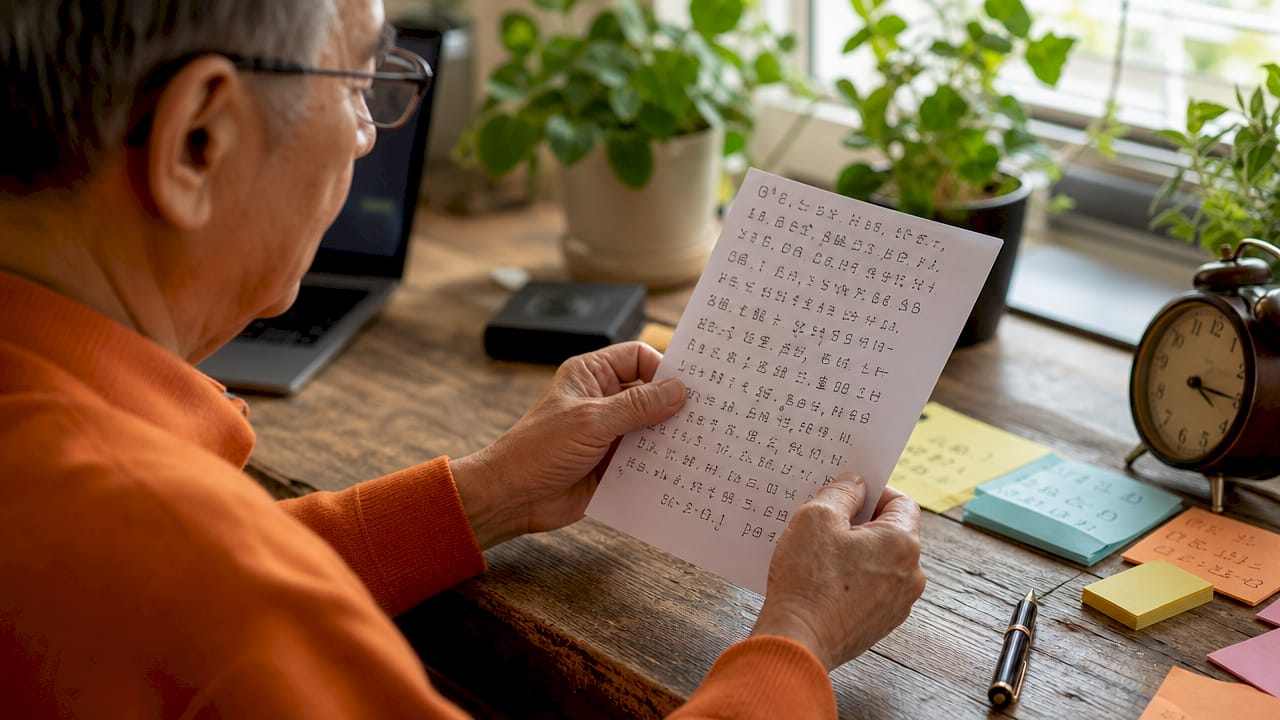
NIST 2026 guidelines recommend a minimum length of 15 characters and support credentials up to at least 64 characters. That range matters because a 16-character random credential is vastly stronger than a 10-character complex one. Length adds entropy faster than any combination of symbols ever could.
The criteria that define a strong credential in 2026:
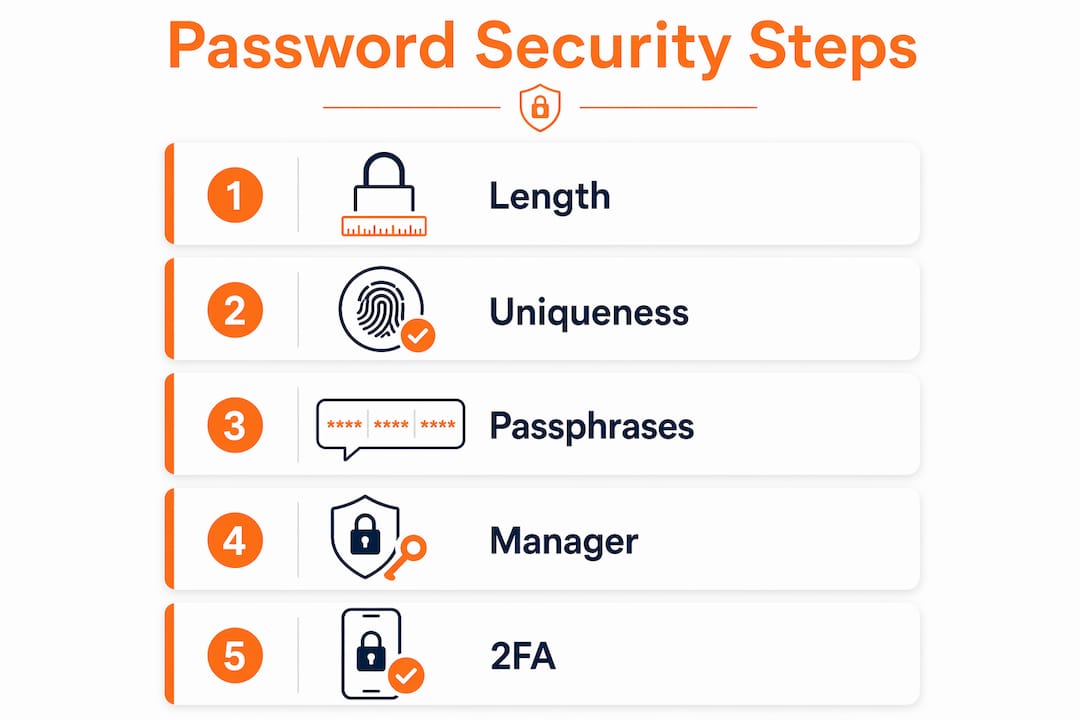
- Length first. Aim for 15 characters at minimum. Longer is always better.
- True randomness. Humans are poor at creating random sequences. Password managers with CSPRNG (cryptographically secure random number generators) remove that weakness entirely.
- Uniqueness per account. Reusing credentials across accounts dramatically increases exposure to credential stuffing attacks.
- No forced complexity. NIST 2026 guidance moves away from mandatory mixed-character requirements. Forced rules produce predictable patterns, not stronger credentials.
- Passphrase option. Four to five random, unrelated words form the gold standard for typed credentials. “Marble Fence Orbit Quill” is both memorable and strong.
Pro Tip: Use a passphrase for any credential you must type from memory, such as your device login or master vault key. For everything else, let a generator handle it.
The shift away from complexity rules is the most misunderstood change in modern security guidance. Requiring a capital letter, a number, and a symbol does not make a credential stronger. It makes users predictable. They capitalize the first letter, add a number at the end, and append an exclamation mark. Attackers know this. Length, by contrast, adds genuine entropy that no pattern can shortcut.
How to create and manage credentials effectively
The single highest-impact action any user or organization can take is adopting a password manager. NIST now explicitly encourages this approach. A good manager generates random credentials, encrypts storage behind a master key, and autofills credentials so users never need to memorize dozens of strings.
A practical setup follows these steps:
- Choose a reputable manager. Select one that uses end-to-end encryption and has undergone independent security audits. Logmeonce offers this with built-in breach monitoring and multi-factor authentication (MFA) integration.
- Create a strong master credential. Use the Diceware method: roll physical dice to select words from a standardized word list. Avoid quotes, song lyrics, or sentences you have used before. The master key is the one credential you must memorize, so make it a random word string with high entropy.
- Audit existing credentials. Most managers include a security dashboard that flags weak, reused, or compromised entries. Work through that list systematically, replacing the worst offenders first.
- Enable breach monitoring. Services that check your stored credentials against known breach databases alert you the moment a site you use is compromised. Act on those alerts immediately.
- Add multi-factor authentication. Hardware security keys like YubiKey or Google Titan provide the highest return on investment for protecting sensitive accounts. Authenticator apps are the next best option. SMS-based codes carry SIM-swap risk and should be treated as a last resort.
Pro Tip: Start your audit with email and financial accounts. Those two categories cause the most damage when compromised, and securing them first gives you the highest immediate protection.
Salting credentials before hashing is a server-side practice worth understanding as a user. When a site stores your credential as a salted hash, a breach of that database does not immediately expose your actual string. That protection only works if your credential is unique. A reused credential exposed on one site becomes a key that opens every other account where you used the same string.
Common myths and mistakes that weaken security
Outdated beliefs cause real harm. The following myths are still widespread in 2026, and each one leaves accounts measurably more exposed.
- Myth: Complexity beats length. A short, complex credential loses to a long, simple one in every brute-force scenario. Entropy math does not lie. A 20-character lowercase string has more combinations than a 10-character string mixing all character types.
- Mistake: Mandatory periodic resets. Forced rotations are counterproductive. Users respond by making predictable incremental changes, such as “Spring2025” becoming “Summer2025.” NIST 2026 guidance is clear: reset only when there is evidence of compromise.
- Risk: SMS as your only second factor. SIM-swap attacks let criminals redirect your text messages to their device. An authenticator app or hardware key eliminates that attack surface entirely.
- Pitfall: Storing credentials insecurely. A sticky note on a monitor, a plain-text file on a desktop, or a shared spreadsheet all represent the same risk. Any credential stored outside an encrypted vault is a liability.
- Issue: Casual sharing. Sending a credential through email, chat, or text exposes it to interception and logging. Shared access should go through a manager’s secure sharing feature, which grants access without revealing the underlying string.
The most dangerous myth is that security is a one-time event. Users set a credential when they create an account and never revisit it. A credential set in 2019 may already appear in a breach database. Regular audits through a manager’s built-in checker catch these exposures before attackers exploit them.
What is the future of passwords and authentication?
The credential as a concept is not disappearing, but its role is shrinking. Passkeys based on public-key cryptography are becoming mainstream. They offer faster sign-ins and significantly reduced phishing risk compared to traditional credentials. A passkey stores a private key on your device and never transmits it to the server, so there is nothing for an attacker to steal from a database breach.
| Authentication method | Phishing resistance | Speed | Requires memorization |
|---|---|---|---|
| Traditional password alone | Low | Moderate | Yes |
| Password plus SMS code | Low to moderate | Slow | Yes |
| Password plus authenticator app | Moderate | Moderate | Yes |
| Hardware security key | Very high | Fast | No |
| Passkey (public-key cryptography) | Very high | Very fast | No |
Hardware tokens like YubiKey and Google Titan represent the current gold standard for phishing resistance. They require physical possession, which remote attackers cannot replicate. Organizations protecting sensitive data should treat hardware keys as a baseline requirement for privileged accounts, not an optional upgrade.
The realistic picture for 2026 is a hybrid environment. Most services still require a traditional credential as a fallback, even when passkeys are available. That means credential hygiene remains non-negotiable. Users who adopt passkeys where available and maintain strong, unique credentials elsewhere get the best of both worlds: modern security for forward-looking services and solid protection everywhere else.
Preparing for this shift means choosing a manager that supports passkey storage, enabling passkeys on every service that offers them, and keeping MFA active on all accounts that have not yet made the transition. The NIST 800 framework provides organizational guidance for structuring this layered approach across teams and systems.
Key takeaways
Strong credential security in 2026 requires length, uniqueness, and a manager to handle what human memory cannot.
| Point | Details |
|---|---|
| Length beats complexity | A 15-plus-character credential is stronger than any short, symbol-heavy alternative. |
| Use a password manager | Managers generate, store, and autofill credentials so you never reuse or forget one. |
| Audit and monitor breaches | Check existing credentials regularly and act immediately on any compromise alert. |
| Add hardware-based MFA | Hardware keys and authenticator apps block attacks that credentials alone cannot stop. |
| Adopt passkeys where available | Passkeys eliminate phishing risk and speed up sign-ins on supported services. |
Why I think most people are solving the wrong problem
Most users I talk to are focused on memorizing stronger credentials. They want a formula, a trick, a pattern that makes their strings harder to guess. That instinct is understandable, and it is almost entirely wrong.
The real problem is scale. The average person manages dozens of accounts. No human brain reliably generates or recalls dozens of truly random strings. The moment you try to make a credential memorable, you introduce a pattern. The moment you introduce a pattern, you reduce entropy. The solution is not a better memory technique. It is removing memory from the equation entirely.
I have watched organizations spend months debating credential complexity policies while their employees reuse the same five strings across every internal system. That is the actual risk. A manager with breach monitoring and MFA catches the threats that complexity rules never touch.
The users who resist change usually cite one concern: what if the manager itself gets breached? That is a fair question, and the answer is that a well-audited manager with end-to-end encryption is orders of magnitude safer than the alternative. Credentials scattered across browsers, sticky notes, and email threads have no encryption, no audit trail, and no breach alerts. The manager is not a risk. The absence of one is.
Start with the manager. Add MFA. Enable passkeys where you can. Everything else is refinement.
— Mike
Logmeonce and your credential security
Logmeonce brings together the tools that make this approach practical rather than theoretical.

The platform generates strong, random credentials through its built-in generator, stores them behind end-to-end encryption, and autofills them across devices. Breach monitoring runs continuously, alerting you the moment a stored credential appears in a known data leak. Multi-factor authentication options include authenticator apps and hardware key support, giving both individuals and organizations a layered defense. For teams managing access across multiple systems, Logmeonce’s password management benefits extend to single sign-on and admin controls. Explore the full range of cybersecurity solutions Logmeonce offers to protect your accounts and organizational data.
FAQ
What is the minimum recommended password length in 2026?
NIST 2026 guidelines set the minimum at 15 characters. Credentials up to 64 characters are explicitly supported for stronger security.
Why are forced password resets considered bad practice?
Mandatory periodic resets push users toward predictable incremental changes rather than genuinely new credentials. NIST now recommends resetting only when a compromise is confirmed.
What is the safest way to store passwords?
A reputable password manager with end-to-end encryption is the safest storage method. Plain-text files, browser autofill without encryption, and written notes all carry significant exposure risk.
How do passkeys differ from traditional passwords?
A passkey uses public-key cryptography and stores a private key on your device. Nothing is transmitted to the server during authentication, which eliminates phishing and database breach risks.
Is SMS two-factor authentication good enough?
SMS-based codes are better than no second factor, but SIM-swap attacks can redirect those messages to an attacker’s device. An authenticator app or hardware security key provides meaningfully stronger protection.


