


 Password Manager
 Identity Theft Protection

 Team / Business
 Enterprise
 Government
 MSP
MSP


Threat actors see the modern enterprise browser as the easiest door to breach, so leaving it unguarded puts critical assets at risk. As criminals shift tactics to exploit browser vulnerabilities, IT security managers face mounting pressure to protect proprietary data and user credentials against advanced attacks. Focusing on Zero Trust Architecture and intelligent policy enforcement, this guide reveals practical measures to help organizations fortify browser defenses and outpace global cyber threats.
Key Takeaways
| Point | Details |
|---|---|
| Comprehensive Browser Security Strategy | Implement multi-layered security practices that include continuous monitoring and zero trust architecture to protect digital assets. |
| Awareness of Common Threats | Educate employees about prevalent browser threats like phishing and XSS to minimize risk exposure. |
| Utilization of Advanced Security Features | Prioritize browser features such as HTTPS indicators and multi-factor authentication for enhanced security. |
| Regular Training and Simulations | Conduct ongoing security training and simulations to ensure both IT staff and users are prepared and informed about cybersecurity best practices. |
Defining Browser Security for Enterprises
Browser security in enterprise environments represents a sophisticated defense mechanism designed to protect digital assets, networks, and sensitive information from increasingly complex cyber threats. Modern enterprises recognize the browser as a critical entry point for potential security breaches, making comprehensive protection strategies essential.
Enterprise browser security goes beyond traditional perimeter defenses by implementing advanced Zero Trust security architecture. This approach fundamentally transforms how organizations view and manage web access, emphasizing continuous authentication, granular access controls, and real-time threat detection. Key components of enterprise browser security include:
- Phishing-resistant multi-factor authentication
- Dynamic session management
- Device health validation
- Least-privilege access design
- Remote browser isolation techniques
The core objective is creating a robust security framework that protects web-based interactions through intelligent policy enforcement. This involves implementing sophisticated mechanisms like same-origin policy controls, cross-origin resource sharing (CORS) restrictions, and context-aware authorization protocols that can instantly revoke access based on detected anomalies.
Pro Tip: Implement continuous browser security monitoring and automatically update security policies in real-time to adapt to emerging threat landscapes.
Common Browser Threats and Attack Vectors
Enterprise browser security faces an increasingly complex landscape of sophisticated cyber threats that target vulnerabilities in web applications and browser technologies. Web application security risks represent a critical challenge for organizations seeking to protect their digital infrastructure from malicious actors who continually evolve their attack strategies.
The most prevalent browser attack vectors can be categorized into several key threat types, each exploiting different technical and human vulnerabilities:
- Cross-Site Scripting (XSS): Attackers inject malicious scripts into trusted websites
- Clickjacking: Tricking users into clicking hidden or disguised interface elements
- Cross-Site Request Forgery (CSRF): Forcing authenticated users to execute unwanted actions
- Man-in-the-Middle Attacks: Intercepting and potentially manipulating web communications
- Phishing Exploits: Tricking users into revealing sensitive credentials
Browser vulnerability mechanisms demonstrate how cybercriminals can exploit seemingly minor configuration weaknesses to gain unauthorized access. These attacks often leverage complex social engineering techniques combined with technical intrusion methods, making them particularly dangerous for enterprise environments.
The table below compares common enterprise browser attack vectors and their typical business impact:
| Attack Vector | Technical Mechanism | Business Impact |
|---|---|---|
| Cross-Site Scripting | Script injection via trusted web pages | Data leaks, brand damage |
| Clickjacking | Invisible UI elements capture user actions | Fraudulent transactions |
| CSRF | Unwanted actions via authenticated sessions | System compromise, lost trust |
| Man-in-the-Middle | Intercept/modifies browser communications | Data breach, compliance risk |
| Phishing Exploits | Fake sites to steal user credentials | Account hijacking, litigation |
Modern enterprises must adopt a proactive, multilayered approach to mitigate these threats, implementing robust authentication protocols, continuous monitoring systems, and comprehensive user awareness training to create a resilient security ecosystem.
Pro Tip: Implement regular penetration testing and vulnerability assessments to identify and address potential browser security weaknesses before they can be exploited by malicious actors.
Core Browser Security Features and Tools
Enterprise browser security relies on a sophisticated array of built-in features and advanced tools designed to create multiple layers of protection against complex cyber threats. Browser security mechanisms have evolved significantly, transforming modern browsers into robust defense platforms that proactively identify and mitigate potential risks.
Key browser security features that enterprises should prioritize include:
- HTTPS Indicators: Visual cues showing secure encrypted connections
- Domain Name Verification: Preventing fraudulent website access
- Frequent Automatic Updates: Patching known vulnerabilities quickly
- Built-in Malware Protection: Blocking potentially harmful downloads
- Sandboxing Technologies: Isolating web content to prevent system contamination
Secure web context enforcement represents a critical component of modern browser security architectures. These advanced mechanisms implement comprehensive protection strategies such as same-origin policies, content security policies (CSP), and sophisticated cookie management protocols that prevent cross-origin attacks and unauthorized data access.

Enterprise IT teams must strategically configure these security features, customizing browser settings to align with organizational security policies while maintaining user productivity and seamless web interactions. This requires a nuanced approach that balances robust protection with operational flexibility.
Pro Tip: Configure enterprise-wide browser security policies using centralized management tools that enable granular control and consistent security configurations across all organizational devices.
Enterprise Defense Strategies and Implementation
Successful enterprise browser security demands a comprehensive, proactive approach that integrates advanced technological solutions with strategic organizational practices. Enterprise DevSecOps strategies provide a critical framework for embedding security directly into the software development and operational lifecycles, transforming traditional reactive defense models into dynamic, continuous protection mechanisms.
Key components of an effective enterprise defense strategy include:
- Continuous Security Integration: Embedding security checkpoints throughout development
- Automated Vulnerability Scanning: Real-time identification of potential system weaknesses
- Comprehensive Access Management: Implementing strict authentication and authorization protocols
- Threat Intelligence Monitoring: Proactive tracking of emerging cybersecurity risks
- Incident Response Planning: Developing rapid mitigation and recovery protocols
Defense innovation ecosystems highlight the importance of creating flexible, collaborative security frameworks that can quickly adapt to evolving technological landscapes. This requires breaking down traditional silos between IT, security, and operational teams, fostering a unified approach to enterprise defense that prioritizes resilience and rapid response.
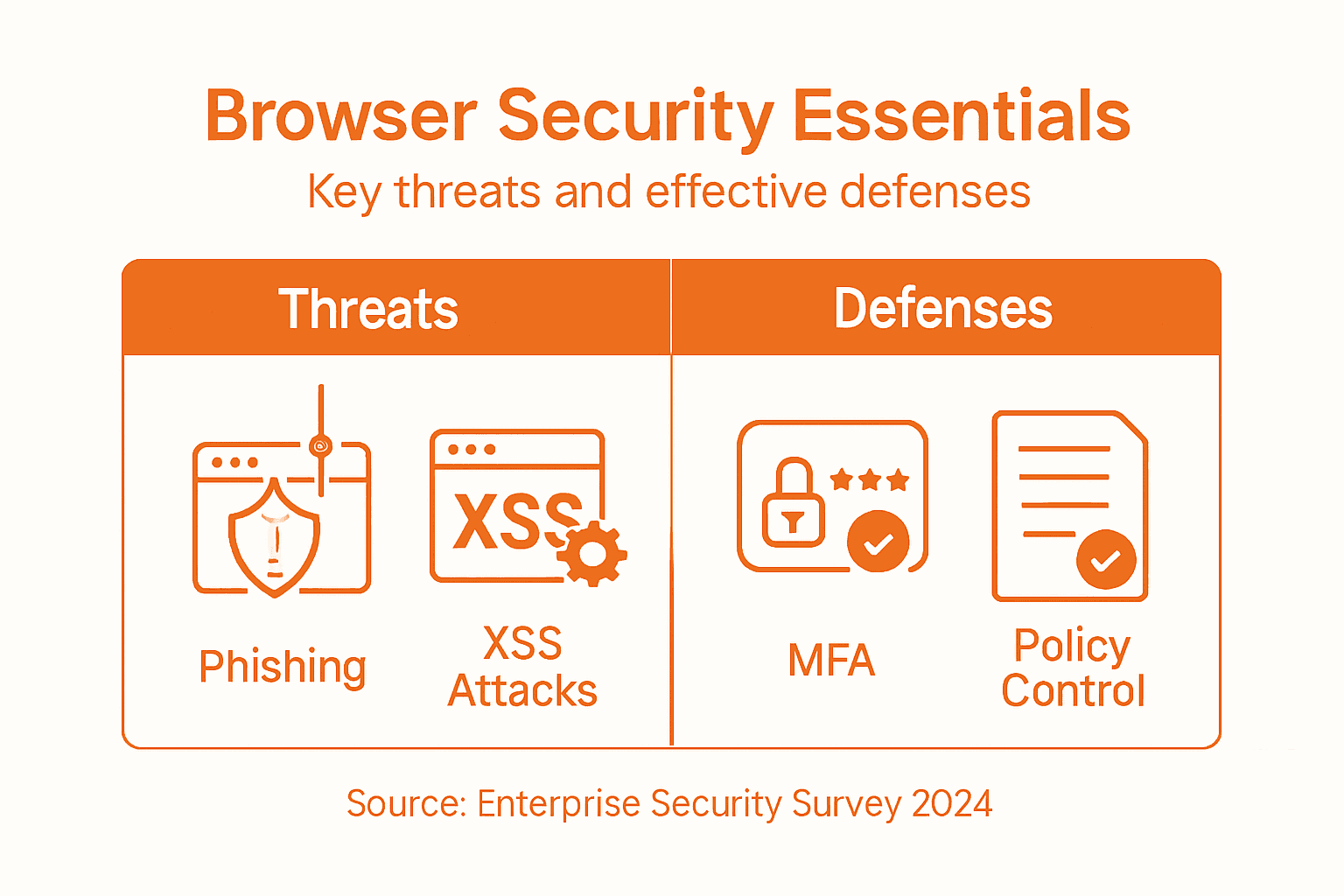
Implementing these strategies demands a holistic approach that balances technological solutions with organizational culture, ensuring that security becomes an integral part of every business process rather than an afterthought.
Here is a summary of how strategic defense practices enhance overall enterprise browser security:
| Practice | Key Technology | Security Benefit |
|---|---|---|
| Continuous Security Integration | Automated CI/CD checkpoints | Early threat detection |
| Threat Intelligence Monitoring | Advanced analytics and reporting | Rapid risk response |
| Comprehensive Access Management | Multi-factor authentication, least privilege | Reduces unauthorized access |
| Incident Response Planning | Real-time recovery protocols | Minimizes operational disruption |
Pro Tip: Conduct regular cross-functional security simulations that involve IT, operations, and leadership to test and improve your enterprise defense readiness.
Best Practices for IT Teams and Users
Effective browser security requires a collaborative approach between IT teams and end users, combining technical controls with comprehensive awareness and proactive risk management. Cybersecurity best practices provide a structured framework for organizations to systematically reduce vulnerabilities and protect sensitive enterprise data across digital environments.
Key recommended practices for IT teams and users include:
- Configuration Management: Standardizing browser settings across organizational devices
- Regular Security Audits: Conducting periodic comprehensive vulnerability assessments
- Access Control: Implementing multi-factor authentication and least-privilege principles
- Continuous User Training: Educating employees about emerging cyber threats
- Rapid Patch Management: Ensuring immediate application of security updates
Secure software development practices emphasize integrating security throughout all technological processes. This requires creating a security-first culture where both technical teams and individual users understand their critical role in maintaining robust digital defenses and recognizing potential risks.
Successful implementation demands ongoing commitment, regular training, and a flexible approach that adapts to the constantly evolving cybersecurity landscape. Enterprise defense is not a one-time effort but a continuous, dynamic process of learning, monitoring, and improving.
Pro Tip: Develop a structured security awareness program that transforms complex technical guidelines into clear, actionable user behaviors.
Strengthen Your Enterprise Browser Security with LogMeOnce Solutions
The article highlights the critical challenges enterprises face in defending against sophisticated browser-based threats such as phishing, cross-site scripting, and man-in-the-middle attacks. These risks expose businesses to data breaches, unauthorized access, and operational disruptions. Achieving comprehensive browser security requires a multilayered approach including zero trust architecture, continuous monitoring, and strong access management. If you are looking to safeguard your enterprise data and web interactions with proven identity management and authentication tools, LogMeOnce offers a powerful suite of solutions tailored for these exact needs.

Take control of your browser security today by exploring how LogMeOnce’s advanced passwordless multi-factor authentication, encrypted cloud storage, and single sign-on can enforce strict policies and reduce attack surface effortlessly. Visit https://logmeonce.com to learn more about securing your digital ecosystem, and start protecting your enterprise from evolving web threats now. Discover the advantages of a unified security platform designed for businesses that prioritize seamless protection and user-friendly management.
Frequently Asked Questions
What are the key components of enterprise browser security?
Enterprise browser security includes advanced multi-factor authentication, dynamic session management, device health validation, least-privilege access design, and remote browser isolation techniques.
How can enterprises mitigate browser security threats?
Organizations can mitigate threats by adopting a multilayered security approach that implements robust authentication protocols, continuous monitoring, regular penetration testing, and user awareness training.
What are common browser attack vectors that enterprises should be aware of?
Common browser attack vectors include Cross-Site Scripting (XSS), Clickjacking, Cross-Site Request Forgery (CSRF), Man-in-the-Middle Attacks, and Phishing Exploits, each posing different risks to enterprise security.
What best practices should IT teams implement for effective browser security?
IT teams should focus on configuration management, regular security audits, access control, continuous user training, and rapid patch management to enhance overall browser security.
Recommended
- 5 Common Browser Security Habits That Can Expose You to Threats
- How to Increase Remote Work Security to Protect Sensitive Data
- How to Keep a Scalable Online Business Safe: Tools to Use and Things to Remember – LogMeOnce
- 7 Ways to Boost Mobile Device Security for an Enterprise


