


 Password Manager
 Identity Theft Protection

 Team / Business
 Enterprise
 Government
 MSP
MSP


TL;DR:
- Multi-factor authentication stops 99.9% of automated attacks, making strong authentication essential for cybersecurity. Password-only systems are vulnerable to credential stuffing, phishing, and malware, which MFA can mitigate, especially with phishing-resistant methods like FIDO2 passkeys. Implementing strong, cryptographically secure authentication improves compliance, reduces operational costs, and enhances user trust and security posture.
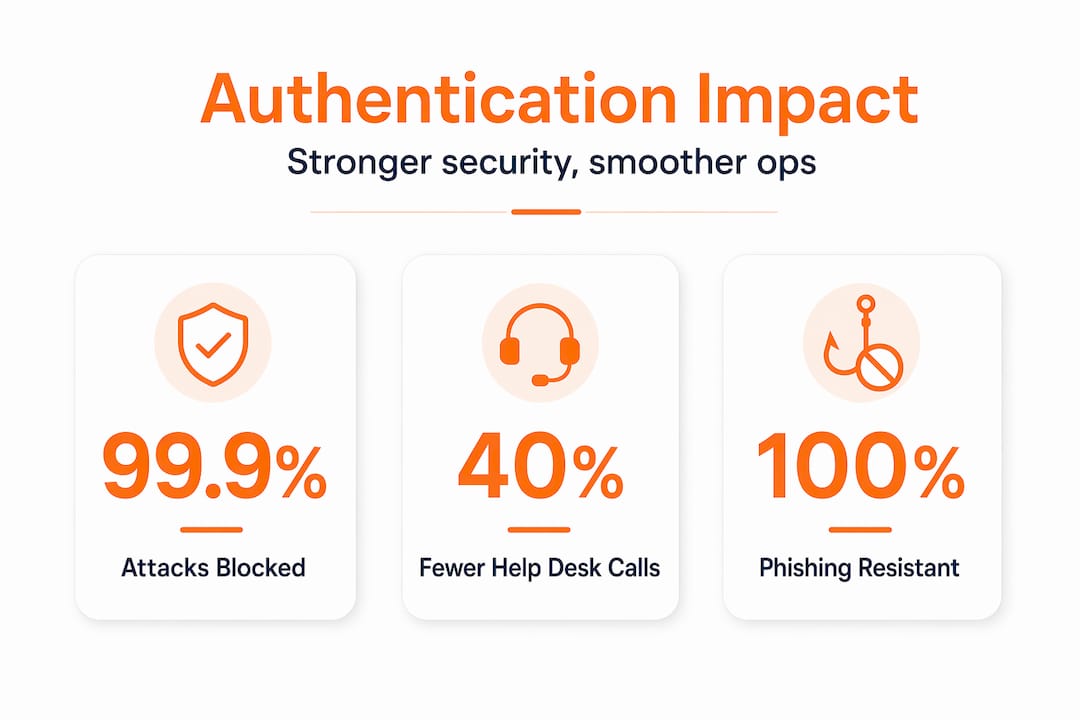
Multi-factor authentication (MFA) stops 99.9% of automated attacks — credential stuffing, brute force, the whole catalog. That one number should end the debate about whether strong authentication matters. Yet most organizations still run on password-only access for a surprising number of systems. This guide breaks down the real benefits of strong authentication: what it actually protects against, which methods hold up under modern attack techniques, how it satisfies regulatory requirements, and what it does for your operations once it’s deployed at scale.
Key Takeaways
| Point | Details |
|---|---|
| MFA effectiveness | Multi-factor authentication stops 99.9% of automated account attacks, making it vital for identity protection. |
| Phishing resistance | FIDO2 credentials provide superior phishing resistance compared to traditional MFA methods. |
| Regulatory compliance | Strong authentication meets key standards like NIST SP 800-63B for securing sensitive data access. |
| Operational benefits | Adopting strong authentication reduces support costs and improves user login experiences. |
| Best deployment practices | Implement phishing-resistant MFA, monitor session tokens, and ensure secure user recovery options. |
Why passwords alone no longer protect your organization
The case against passwords isn’t philosophical. It’s statistical. Compromised credentials are the initial access vector in 22% of confirmed breaches and 88% of basic web app attacks. That means your perimeter controls, your endpoint detection, your security awareness training — none of it matters when an attacker simply logs in with a valid username and password they bought for $5 on a Telegram channel.
The core problem is structural. Passwords are a shared secret. The moment a user types a password into a phishing page, reuses it across services, or stores it in a browser compromised by infostealer malware, that secret belongs to someone else. And passwords harvested from one breach get immediately tested against every other service the victim uses — a technique called credential stuffing that runs entirely on automation.
Here’s what that threat landscape actually looks like in practice:
- Credential stuffing tools like Sentry MBA run millions of login attempts per hour against public-facing apps, using breach databases as fuel.
- Phishing kits capture credentials in real time, often bypassing MFA by relaying sessions through adversary-in-the-middle (AiTM) proxies.
- Infostealer malware silently harvests saved browser passwords, session tokens, and cookies without requiring any user interaction.
- Dark web marketplaces sell valid, tested credentials for specific organizations, sometimes including active session cookies.
“An organization that relies solely on passwords is essentially leaving its front door unlocked and hoping nobody notices the key hanging outside.”
Following professional IT security tips helps, but no amount of policy enforcement fully compensates for the structural weakness of password-only access. The strong authentication importance here is not abstract. It’s the difference between a credential being the entire attack surface and being one small piece of a layered defense that actively frustrates attackers.
How strong authentication methods fortify security
Not all MFA is equal. That distinction matters enormously when you’re evaluating what to deploy. The basic principle is straightforward: add factors beyond a password, and you raise the cost of an attack. But the type of second factor determines how much protection you actually get.
FIDO2 credentials including passkeys provide phishing resistance against all common attacks at every credential lifecycle stage, unlike traditional MFA which remains phishable. That’s a meaningful distinction. Here’s why: FIDO2 binds the credential to a specific domain at registration time. When an AiTM proxy redirects a user to a fake login page, the domain doesn’t match, and the authentication simply fails. No code to steal. No push notification to approve under pressure.
Compare the major authentication methods side by side:
| Authentication method | Phishing resistance | AiTM resistance | Hardware binding | User friction |
|---|---|---|---|---|
| Password only | None | None | No | Low |
| SMS one-time password | None | None | No | Medium |
| TOTP app (e.g., Google Authenticator) | None | None | No | Medium |
| Push notification MFA | Low (fatigue attacks) | None | No | Low |
| FIDO2 passkey (platform) | Strong | Strong | Device-bound | Very low |
| FIDO2 hardware key (e.g., YubiKey) | Strong | Strong | Hardware-bound | Low |
SMS-based codes were a reasonable stopgap in 2012. In 2026, SIM swapping is a known commodity attack, and real-time phishing kits relay SMS codes automatically. TOTP apps are marginally better but face the same relay problem. Push MFA is actively exploited through MFA fatigue attacks, where attackers hammer a user with approval requests until they tap “accept” out of frustration.
Pro Tip: If you’re migrating from SMS MFA, prioritize your most privileged accounts — admins, service accounts, executive access — for FIDO2 first. Even partial phishing-resistant MFA coverage on your highest-risk accounts delivers disproportionate protection.
The security features of strong authentication built into FIDO2 go beyond just phishing resistance. The private key never leaves the device, there’s no server-side secret to steal in a database breach, and the public key cryptography means the authentication is mathematically verifiable without transmitting anything an attacker could replay. Explore how the passwordless login revolution reshapes identity security, and see how robust authentication methods translate these principles into deployable solutions.

Meeting compliance and protecting sensitive data with strong authentication
Regulators have caught up with the threat landscape. NIST SP 800-63B requires multi-factor for AAL2 and hardware-bound authenticators for AAL3, directly tying authentication strength to the sensitivity of the data being protected. If you’re handling federal data, healthcare records, or financial information, this isn’t optional guidance — it’s the floor.
What NIST SP 800-63B (the digital identity guideline) actually demands at each level:
- AAL1: Single factor is acceptable only for low-risk scenarios. Most enterprise systems don’t qualify.
- AAL2: Requires multi-factor authentication. Allows software authenticators including TOTP apps and push MFA, but specifically calls out phishing resistance as a best practice.
- AAL3: Requires hardware-bound authenticators with verifier impersonation resistance, which means FIDO2 hardware keys in practice. This level applies to systems accessing highly sensitive or privileged data.
Beyond NIST, other frameworks are converging on the same requirements. PCI DSS 4.0 mandates MFA for all access to the cardholder data environment. HIPAA guidance increasingly references MFA as a necessary safeguard for ePHI access. The SEC’s cybersecurity disclosure rules create indirect pressure, since a breach caused by missing MFA is now a reportable event that hits shareholder value.
The compliance argument for strong authentication importance isn’t just about avoiding fines. It’s about making audits faster and findings less painful. When your auditor asks how you’re protecting privileged access to sensitive systems, “we use FIDO2 hardware keys with centralized policy enforcement” is a conversation ender. “We use passwords with optional SMS MFA” is an open finding. Review the NIST SP 800-63B compliance overview to map your current controls against these requirements directly.
Practical benefits beyond security: operational gains and user experience
The security case is clear. The operational case often surprises teams that haven’t run the numbers. Passkeys reduce credential-based attacks leading to operational disruptions and recovery costs, while streamlining logins and cutting support tickets. Both sides of that equation matter.
The operational gains from deploying strong authentication stack up quickly:
- Fewer breach response events. Each prevented credential attack is a major incident you don’t have to manage. That means no emergency IR retainer calls, no forensics engagement, no mandatory breach notifications.
- Reduced help desk load. “Forgot my password” is still the single largest category of help desk tickets in most organizations. Passkeys eliminate the password reset cycle entirely for the systems they cover.
- Faster onboarding and offboarding. Centralized authentication management means provisioning and deprovisioning access happens in one place, reducing the risk of orphaned accounts.
- Better visibility into access patterns. Strong authentication systems generate richer authentication logs, giving your SIEM more signal for anomaly detection without additional instrumentation.
- Lower cyber insurance premiums. Insurers now explicitly ask about MFA coverage during underwriting. Organizations with broad phishing-resistant MFA deployment regularly see better rates and fewer coverage exclusions.
Pro Tip: Track your help desk ticket categories before and after a passkey rollout. Most teams see a 30-40% drop in authentication-related tickets within 90 days. That’s a measurable ROI figure you can take to leadership when justifying further investment.
User trust is also underrated as an operational factor. Employees who visibly experience strong authentication — a quick biometric prompt, no passwords to remember — report higher confidence in their organization’s security posture. That translates to better security culture and lower phishing susceptibility over time. See how the right password management benefits compound across an organization when authentication is designed well.
Best practices for deploying strong authentication in your organization
Knowing how strong authentication protects your organization is the starting point. Deploying it effectively requires a structured approach. Most failed rollouts share a common pattern: broad mandates without prioritization, no recovery path planning, and poor user communication.
Here’s how to avoid those failure modes:
- Inventory every authentication surface. Map all applications, VPNs, cloud consoles, developer tools, and internal systems where credentials are used. You can’t protect what you haven’t cataloged.
- Prioritize by risk tier. Privileged accounts, externally facing systems, and repositories containing sensitive data go first. Don’t wait for a complete rollout before protecting your highest-risk access points.
- Adopt phishing-resistant MFA for critical systems. FIDO2 requires domain origin verification, which defeats AiTM proxies and MFA fatigue attacks that bypass SMS and TOTP entirely.
- Implement session token controls. Strong authentication at login doesn’t help if session tokens persist indefinitely. Set appropriate session lifetimes, invalidate tokens on suspicious activity, and monitor for token replay patterns.
- Build recovery paths before you mandate. Every user needs a secure way to recover access if they lose a device. Account recovery through a secondary hardware key or verified backup method must be in place before you remove password fallback.
- Monitor for breach exposure continuously. Dark web monitoring should alert your team when employee credentials appear in breach databases, triggering forced reauthentication and password resets even for accounts not yet compromised.
“The organizations that get strong authentication right treat it as a continuous program, not a one-time deployment. Threat actors adapt, and your authentication posture has to adapt with them.”
Explore passwordless authentication strategies for a deeper look at phased rollout approaches, and review two-factor authentication insights for implementation specifics across different system types.
Why the common MFA narrative misses the mark on phishing resistance
Here’s the uncomfortable truth most MFA vendors don’t advertise: the majority of deployed MFA does not stop a determined, technically capable attacker. All traditional multifactor authentication methods remain inherently phishable, while FIDO2 credentials are strongly phishing-resistant at every lifecycle stage. That statement from the UK’s National Cyber Security Centre isn’t a fringe opinion. It reflects a technical reality the industry has been slow to communicate clearly.
The marketing message has been “turn on MFA and you’re safe.” That framing served a purpose when the main threat was automated credential stuffing against accounts with no second factor at all. But the attacker ecosystem evolved. AiTM proxy toolkits are now commodity tools — Evilginx, Modlishka, and others are freely available and actively used against organizations that consider themselves protected because they enabled push MFA.
What actually happens in an AiTM attack: the victim receives a convincing phishing email, clicks a link, and is proxied through the attacker’s server to the real login page. They enter their password. The attacker relays it. They approve the push notification. The attacker captures the authenticated session cookie and has full access, no password required going forward. The MFA was there. It just didn’t help.
The organizations that understand this distinction are moving to FIDO2 not because it’s trendy but because it’s the only method that’s cryptographically resistant to this class of attack. They’re also thinking about session token protection, since even FIDO2 at login doesn’t protect a stolen post-authentication cookie.
The point isn’t that traditional MFA is worthless. It meaningfully raises the cost of attacks for less sophisticated threat actors, and it satisfies basic compliance checkboxes. But if your organization is a realistic target for financially motivated threat groups or nation-state actors, “harder to phish” is not the same as “phishing-resistant.” The security features of strong authentication that actually matter in 2026 are domain-bound credentials and hardware-backed key storage. Everything else is a speed bump. Read more on the business benefits of MFA and why the type of MFA you choose matters as much as whether you have it at all.
Explore LogMeOnce solutions for strong authentication and cybersecurity
If this guide has clarified what strong authentication should actually look like in your organization, the natural next step is finding tools that match that standard without creating new friction for your users or your team.

LogMeOnce brings together cybersecurity solutions built specifically for organizations that take identity security seriously: passwordless MFA, FIDO2 support, single sign-on, dark web monitoring, and centralized access management in one platform. The two-factor authentication features are designed for both security depth and ease of adoption, so you get strong authentication coverage without a months-long change management battle. Explore the full range of password management benefits and see how the platform maps to the compliance and security outcomes your organization needs.
Frequently asked questions
What is strong authentication and why is it important?
Strong authentication requires verifying identity with multiple independent factors, which stops 99.9% of automated attacks and dramatically reduces unauthorized access risk across your organization’s systems.
How do FIDO2 passkeys improve security compared to traditional MFA?
FIDO2 passkeys use asymmetric cryptography and domain binding, so the credential is cryptographically tied to the legitimate site. FIDO2 passkeys provide phishing resistance against all common attacks, which SMS and TOTP codes fundamentally cannot match.
Can strong authentication help meet regulatory compliance?
Yes. NIST SP 800-63B requires multi-factor for AAL2 and hardware-bound authenticators for AAL3, and most modern frameworks including PCI DSS 4.0 and HIPAA guidance align closely with these requirements.
What operational benefits does implementing strong authentication bring?
Deploying strong authentication reduces operational disruptions and recovery costs from credential attacks, cuts help desk ticket volume from password resets, and provides richer authentication logs that improve security monitoring across your environment.


