


 Password Manager
 Identity Theft Protection

 Team / Business
 Enterprise
 Government
 MSP
MSP


TL;DR:
- Password generators produce cryptographically random strings that effectively prevent attacks when they follow security standards. Using client-side generators with the Web Crypto API and pairing them with password managers and MFA offers the highest protection. AI-generated passwords are insecure due to their predictable patterns and low entropy, making them unsuitable for secure credential creation.
Password generators are defined as tools that produce high-entropy, cryptographically random strings that no human could reliably create on their own. The short answer to whether password generators are effective is yes, but only when they follow current security standards. NIST 2026 guidelines recommend passwords of 15 or more characters generated client-side, a standard that well-built generators meet by default. The real question is not whether the concept works. It is whether the specific tool you are using does.
Are password generators effective at stopping real attacks?
Password generators work by removing the single biggest weakness in password creation: human predictability. People gravitate toward words, dates, and patterns. Generators do not. They pull from a cryptographically secure entropy pool to produce strings that have no pattern, no meaning, and no relationship to prior outputs.

The gold standard for randomness in browser-based generators is the Web Crypto API, specifically the crypto.getRandomValues function. This function draws from the operating system’s entropy pool, which collects unpredictable data from hardware events. The result is true randomness, not a simulation of it.
Entropy, measured in bits, is the correct metric for evaluating password strength. A 16-character password drawn from the full ASCII character set can exceed 100 bits of entropy, making it resistant to brute-force attacks for decades with current hardware. Length and character diversity both contribute, but the source of randomness matters more than either.
Pro Tip: Look for generators that display an entropy score or estimated crack time alongside the generated password. Visual entropy indicators help you make a more informed choice about whether a password is strong enough for a given account.
What makes a generator technically secure
Three factors determine whether a generator is genuinely secure. First, it must use a cryptographically secure random number generator, not JavaScript’s Math.random(). Second, it must run entirely in the browser without sending data to a server. Third, it must support passwords long enough to meet NIST’s 15-character minimum recommendation.
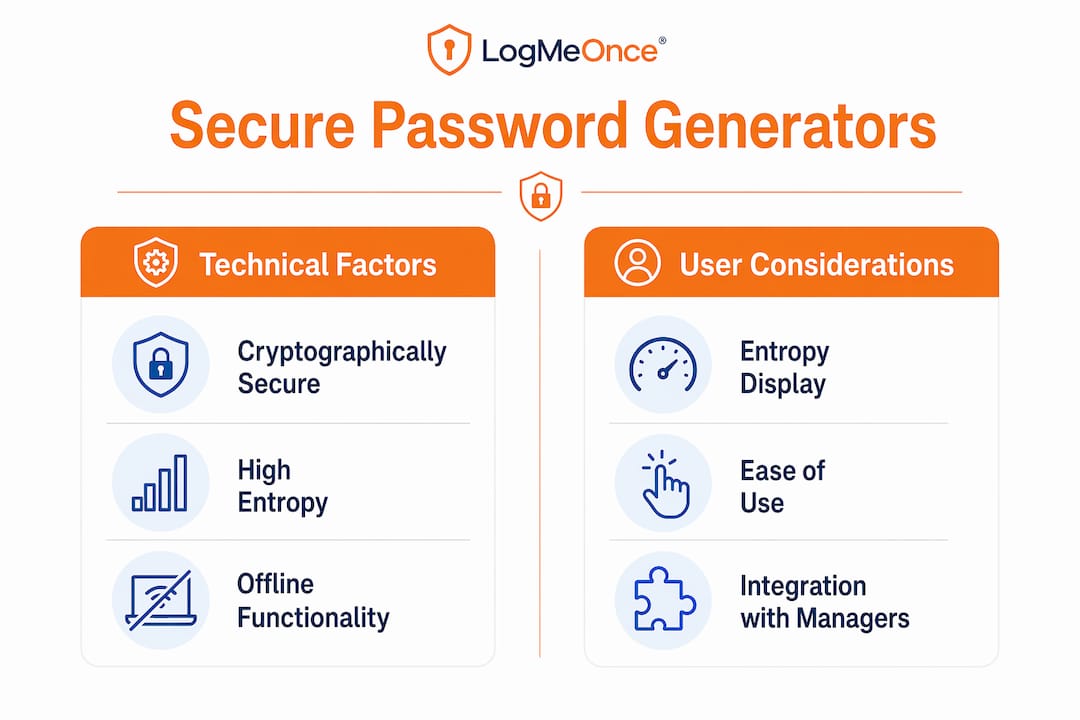
Standard password composition rules that force specific character types can actually reduce randomness by constraining the output space. NIST 2026 guidance moves away from mandatory complexity rules and toward length and true randomness as the primary security drivers. A longer, fully random password beats a shorter one with forced symbols every time.
What risks should you watch for with password generators?
Not every generator is built to the same standard. Choosing the wrong one can create a false sense of security while leaving your credentials exposed.
-
Avoid server-side generators. A generator that requires an internet connection to function is likely processing your password on a remote server. Tests of sampled generators found that 25% required an online connection, indicating server-side generation. Any server-side process can log, intercept, or expose your password before you ever use it.
-
Reject Math.random()-based tools. Generators built on JavaScript’s
Math.random()function produce predictable outputs that are unsuitable for security purposes. This function is designed for games and simulations, not cryptography. If a generator’s source code usesMath.random(), stop using it immediately. -
Clear your clipboard after use. Clipboard data can be read by other apps or synced across devices without your knowledge. Copy a generated password, paste it into your password manager, and then clear the clipboard. Most operating systems allow you to do this manually or through a clipboard manager with auto-clear settings.
-
Test for offline operation. Disconnect your device from the internet and run the generator. If it still works, it is client-side. If it fails, the generation is happening on a server somewhere.
-
Inspect the source code when possible. Reputable generators publish their code on platforms like GitHub. A quick search for
Math.randomin the codebase tells you immediately whether the tool is using a secure randomness source.
Pro Tip: When evaluating a generator for business use, require that it passes an offline functionality test and that its source code is publicly auditable. These two checks eliminate the majority of unsafe options.
Why AI-generated passwords are less secure than you think
AI chatbots are fundamentally incompatible with cryptographic security. Large language models like ChatGPT generate text by predicting the next most likely token based on training data. That predictive mechanism is the exact opposite of what a secure password requires.
“AI chatbots are inherently incompatible with generating cryptographically secure passwords due to their pattern-based predictive approaches. LLM-generated passwords are fundamentally weak and produce predictable outputs with low entropy, making them vulnerable to rapid brute-force attacks. Some AI-generated passwords carry only around 20 bits of effective security, and repeated patterns appear in roughly 20% of outputs.”
The implication is severe. A password with 20 bits of effective entropy can be cracked in seconds with modern hardware. A well-built generator using the Web Crypto API produces passwords with five times that entropy or more. The fundamental incompatibility of AI models with cryptographic randomness is not a flaw that future model improvements will fix. It is a structural property of how language models work.
LLM-generated passwords also tend to cluster around recognizable patterns: words with substitutions, predictable symbol placements, and repeated structures. Security researchers have demonstrated that these patterns make AI passwords significantly easier to crack than passwords from a proper generator. For any security-critical credential, AI tools are not an acceptable substitute.
How to integrate password generators with managers and MFA
A password generator produces a strong credential. A password manager stores it, fills it automatically, and prevents reuse across accounts. These two tools work together, and neither is fully effective without the other.
NIST 2026 guidance has shifted the industry away from forced password changes and toward a model built on three pillars: long passwords, unique credentials per account, and multifactor authentication (MFA). Password reuse is one of the most common causes of account compromise. A generator paired with a manager eliminates reuse entirely because you never need to remember the password yourself.
The practical setup looks like this:
- Generate a unique password of at least 15 characters for every account, using a client-side generator with Web Crypto API.
- Store each password immediately in a password manager that encrypts your vault with a strong master password.
- Enable MFA on every account that supports it, prioritizing authenticator apps over SMS codes.
- Set your manager to auto-fill rather than copying passwords manually, which reduces clipboard exposure.
The combination of a strong generated password and MFA creates layered security. Even if an attacker obtains your password through a data breach, MFA blocks unauthorized access. Password managers combined with MFA represent the current industry best practice, not a future aspiration.
Logmeonce integrates a client-side password generator directly into its password management platform, so generation, storage, and autofill happen within a single encrypted environment. That integration removes the manual steps where most security mistakes occur.
Key Takeaways
Password generators are highly effective when they run client-side, use the Web Crypto API, and are paired with a password manager and MFA.
| Point | Details |
|---|---|
| Client-side generation is non-negotiable | Generators that require internet connectivity risk server-side interception of your credentials. |
| Web Crypto API beats Math.random() | Only cryptographically secure randomness functions produce passwords with genuine, unpredictable entropy. |
| AI tools are not password generators | LLM-generated passwords carry dangerously low entropy and repeat patterns roughly 20% of the time. |
| Pair generators with a password manager | Storing and autofilling generated passwords eliminates reuse and reduces clipboard risk. |
| MFA is the required second layer | NIST 2026 guidance treats MFA as a core requirement alongside strong, unique passwords. |
My take on where password generators actually stand
Password generators are not a silver bullet, but they are the closest thing to one that currently exists for credential security. I have watched organizations spend significant resources on security awareness training while their employees still create passwords like “Summer2024!” because no one gave them a better tool. A generator solves that problem in seconds.
The part that concerns me most is the growing use of AI chatbots for password creation. It sounds convenient, and the output looks complex at a glance. But “looks complex” and “is cryptographically strong” are not the same thing. Researchers have shown that AI-generated passwords cluster in ways that make them far easier to attack than they appear. Recommending AI for this task is a mistake I see repeated constantly, and it will cause real harm.
My honest recommendation: use a generator that you can verify runs offline, check that it uses the Web Crypto API, and store every output in a dedicated password manager. If you are evaluating tools for a business environment, require automatic password generator safety documentation before deploying anything at scale. The technical bar is not high, but most people never check.
Password generators will remain foundational to credential security for the foreseeable future. Passwordless authentication is growing, but it has not replaced passwords for most accounts. Until it does, a well-built generator is the most reliable way to create credentials that hold up against real attacks.
— Mike
Logmeonce and the tools that make password security practical
Strong passwords only protect you if they are generated correctly, stored securely, and used consistently. Logmeonce brings all three together in one platform.

Logmeonce’s password generator runs entirely client-side using the Web Crypto API, meeting NIST 2026 standards for entropy and randomness. Generated passwords go directly into an encrypted vault with autofill, so you never expose credentials through manual copying. Logmeonce also integrates MFA across all stored accounts, adding the second layer that NIST now treats as a baseline requirement. Explore Logmeonce’s full cybersecurity platform to see how password generation, secure storage, and identity protection work together in a single system built for both individuals and IT teams.
FAQ
Are password generators effective against brute-force attacks?
Yes. A 16-character password generated with the Web Crypto API can exceed 100 bits of entropy, making brute-force attacks computationally infeasible with current hardware for decades.
Do password generators work if they run offline?
Offline operation confirms client-side generation, which is the safest mode. If a generator stops working without an internet connection, it is processing passwords on a remote server and should not be trusted.
Are strong passwords enough without MFA?
No. NIST 2026 guidance treats MFA as a required layer alongside strong passwords. A generated password protects you from guessing attacks, but MFA blocks access even when a password is stolen in a data breach.
Why are AI-generated passwords less safe than generator-created ones?
AI models predict text based on patterns in training data, which produces low-entropy outputs. Some AI-generated passwords carry only around 20 bits of effective security, compared to 100 or more bits from a proper cryptographic generator.
How do I know if a password generator is safe to use?
Test it offline. If it generates passwords without an internet connection, it runs client-side. Then check whether its source code uses crypto.getRandomValues rather than Math.random(). Both checks together confirm a trustworthy tool.
Recommended


