


 Password Manager
 Identity Theft Protection

 Team / Business
 Enterprise
 Government
 MSP


Anonymous identity is a field in the settings for enterprise Wi-Fi (the kind used by schools, companies and agencies). It holds a placeholder name that your device sends at the start of a login, so your real username is not exposed before the connection is encrypted. It is not your Wi-Fi network’s name, and it is not your device’s private MAC address. Those are three different privacy settings, and mixing them up is the most common reason people fill the field in wrongly.
This guide explains what the field does, what to type, what it still leaves visible, and how IT teams should set it up. The same logic applies whether you are a student on a campus network, an employee on a company laptop, or an administrator rolling out Wi-Fi to hundreds of users.
TL;DR
- Anonymous identity (also called outer identity or identity privacy) is the name sent in the first, unencrypted step of an 802.1X login. Your real username and password travel later, inside an encrypted tunnel.
- It is different from the SSID (the network name) and from a private or randomized MAC address (a device identifier).
- Type what your school or employer tells you to type. A common form is anonymous@yourdomain, because the domain part (the realm) is needed to route the request.
- It hides your username from onlookers, but not the realm, and not the fact that your device is connecting.
- Validating the server certificate matters as much as the anonymous field. Pair both with strong, unique credentials.
Three things that get confused with anonymous identity
Search results for this topic mix up three separate ideas. Here is how each one differs.
The SSID. This is the network’s name, the one you pick from the list. Apple’s security documentation says Wi-Fi networks are identified by their SSID, and a hidden network does not broadcast its name. Hiding the SSID is about the network, not about you.
The MAC address. This is a hardware identifier for your device’s Wi-Fi radio. Apple says its private Wi-Fi addresses use a unique random MAC address for each network to help reduce device tracking. On Android, the Android Open Source Project says Android 10 and later use randomized MAC addresses by default, and that persistent randomized addresses stay the same for a given network profile until a factory reset. This setting is about your device, not your account.
The anonymous (outer) identity. Microsoft’s Android Enterprise documentation describes identity privacy, also called outer identity, as the text returned in response to an EAP identity request. EAP is the Extensible Authentication Protocol, the framework enterprise Wi-Fi uses to check who you are. This setting is about your account name.
| Setting | What it hides or changes | Who it is about |
|---|---|---|
| SSID hidden | Network name is not broadcast | The network |
| Private/randomized MAC | Hardware address differs per network | Your device |
| Anonymous identity | Username is replaced in the first login step | Your account |
Each one does a different job, and turning on one does not turn on the others.
How anonymous identity works in 802.1X
Home Wi-Fi usually uses one shared password. Enterprise Wi-Fi (WPA2-Enterprise or WPA3-Enterprise, built on a standard called 802.1X) checks each person individually against a server, often called a RADIUS server. That is why you get a username and password, or a certificate, rather than a single network key.
Methods such as PEAP and EAP-TTLS work in two phases:
- Outer phase. Your device announces an identity so the network can route the request to the right authentication server. This part is not yet encrypted.
- Inner phase. Your device and the server build an encrypted TLS tunnel. Your real credentials are sent inside it.
Microsoft’s networking guidance explains that PEAP can send an initial identity in the clear for routing and send the real identity later inside the secure tunnel. Its Windows example turns jdoe@example.com into anonymous@example.com for the first phase. The outer identity is a routing label. It is not the credential that proves who you are.
On Android, the platform exposes this as a separate value: the developer reference lists distinct methods for setting the identity and the anonymous identity, the latter being the unencrypted identity used with certain EAP types. That is why you see two fields, Identity and Anonymous identity, on many Android and Linux Wi-Fi screens.
What to enter in the Anonymous identity field
The right answer depends on who runs the network, so start with their instructions. Then follow this routine.
Step 1: Read the setup guide from your school or employer
Campus and corporate guides usually give an exact value. Some universities tell users to type their username in both fields. If a guide says that, follow it: the server may require it.
Step 2: Use the anonymous form when it is allowed
Where the network supports it, a placeholder such as anonymous@yourdomain is the standard pattern. The IETF’s specification for eduroam, the worldwide roaming network for education, recommends anonymous outer identities where supported and says the outer identity needs a realm for routing, commonly written as anonymous@realm. The realm is the part after the @ sign, such as your university’s domain. Leave it out and the request may not reach the right server.
Step 3: Do not invent your own value
Zebra’s Android documentation notes that a separate anonymous identity can be used only if the authentication server supports it. If none is configured, the real identity may be sent outside the tunnel when required. A made-up value that the server rejects simply fails to connect.
Step 4: Set the server certificate check
Choose the certificate authority and enter the server domain your IT team provides. Without that check, your device cannot tell the real network from a lookalike. More on this below.
Step 5: Enter your real username and password in the Identity and Password fields
These are the credentials that count. They travel only inside the tunnel. Store them in a password manager so you are never retyping them or reusing them on other accounts. Our free Premium plan costs $0.00 per month and is a starting point for individuals.
If the connection fails, check the realm spelling first, then the EAP method (PEAP, TTLS) and the phase 2 method, then the certificate setting. Your IT help desk can confirm the exact values for your network.
What anonymous identity protects, and what it does not
The field has a narrow job, and it does it well when the server supports it.
What it protects. A 2020 academic study of WPA2-Enterprise privacy in education and science, published by Wiley, found that failing to configure an anonymous identity can expose username@realm in cleartext in the first phase. An observer who sees that can link the username to the device’s hardware address. An anonymous outer identity removes the username from that exchange.
What it leaves visible. RFC 7593 says the realm stays visible even when the outer username is anonymous, and that a realm tied to only a few users may itself reveal information. If your organization is small, the domain alone narrows things down. Your device is also still visibly connecting to the network, and the operator still sees what its systems record once you are authenticated.
How often it is really in use. Real-world setups lag the advice. In a campus observation of 631 devices, the same Wiley study found that 429 devices, more than 67%, sent username@realm in cleartext even with certificate validation enabled. A 2025 paper from KU Leuven researchers reported that in the connections it observed, 19 clients (7%) used an anonymous outer identity and more than 90% did not. Both findings describe specific datasets, but they show the setting is easy to leave unconfigured. The 2025 paper also notes that support and default activation vary by client, and some networks require the real username in the outer phase.
The strongest option. The IETF’s EAP-TLS 1.3 specification says the newer version improves privacy by never disclosing the peer identity. EAP-TLS uses certificates instead of passwords, which is one reason administrators look at certificate-based and passwordless sign-in for Wi-Fi.
The server certificate: the setting people skip
Anonymous identity only helps if your device is talking to the real network. The Wiley study warns that skipping server certificate validation can expose credentials to an evil twin, a rogue access point that copies a legitimate network’s name. Your device would build its encrypted tunnel to the attacker, and your real username and password would arrive inside it.
So treat the two settings as a pair:
- Anonymous identity keeps your username out of the open exchange.
- Certificate validation makes sure the tunnel ends at the right server.
When your IT team supplies a certificate authority and server name, use both. Do not choose an option that says not to validate, even if it makes a stubborn connection work.
For IT teams: setting it up across many devices
If you manage Wi-Fi for a small business, an enterprise, an agency or client organizations as a managed service provider, the work is the same. The goal is that nobody on staff has to guess.
- Pick the EAP method deliberately. Certificate-based EAP-TLS avoids typed passwords altogether. PEAP and TTLS are common where passwords remain.
- Push an outer identity through your device management profile. Microsoft’s Intune documentation shows the identity privacy field for Android Enterprise profiles, so users never type it.
- Confirm your RADIUS server accepts the placeholder. Test with the same realm format your users will carry.
- Deploy the server certificate trust settings in the same profile. This closes the evil twin gap.
- Plan for realm exposure. If the realm identifies a tiny group, consider whether that matters for your users.
- Protect the credentials themselves. Wi-Fi accounts are directory accounts. Strong unique passwords and multi-factor authentication on the identity behind them limit the damage from any leak.
For teams, our Teams plan is $4.00 per month per user and the Business plan is $7.99 per month per user, with an Enterprise plan also listed on the same page. Our passwordless MFA product is built around removing typed passwords from sign-in, and our enterprise identity security page covers the larger-organization side.
Can someone join your Wi-Fi unnoticed, and can you be fully anonymous?
Anonymous identity does not answer either question, and it is worth being clear about why.
The field only governs what your device says during an enterprise login. It does not stop other people from joining a network whose password they know or have guessed. If your home network relies on a weak shared password, that is the weak point, and our guide to the risks of not securing your Wi-Fi with a WPA password walks through it. A long, unique network password stored in a password manager is the practical fix.
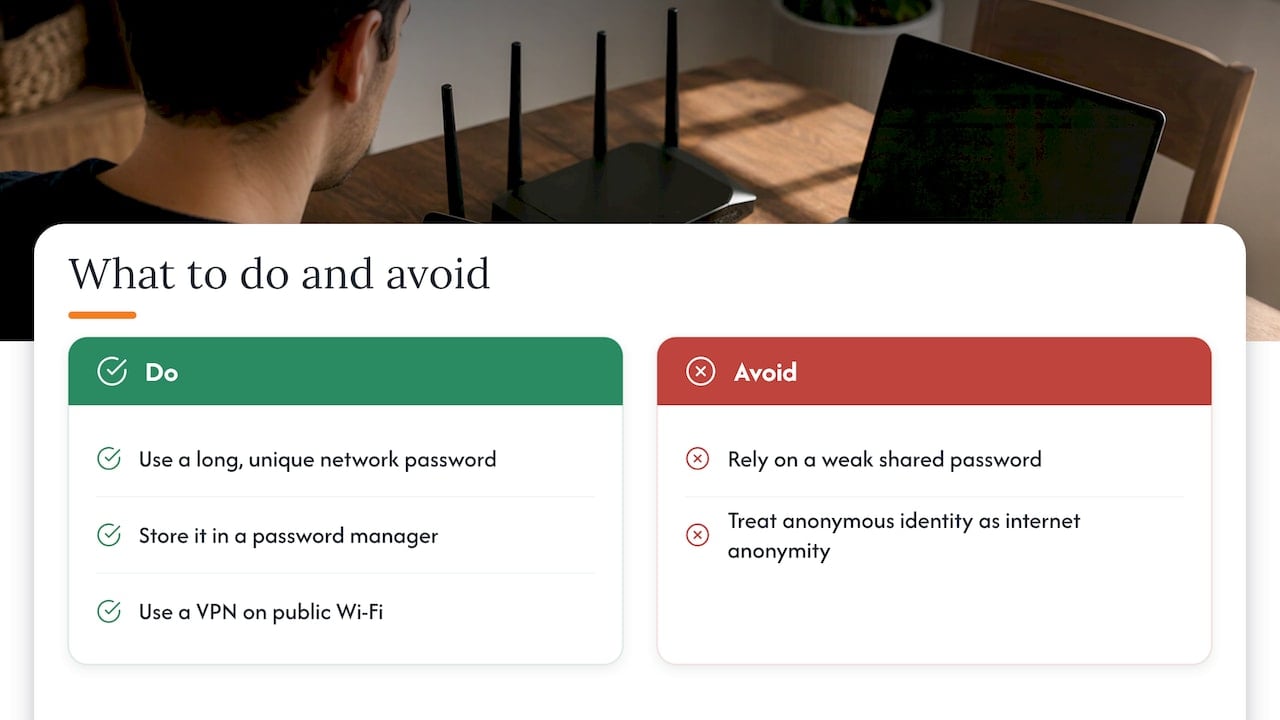
Nor does it make you anonymous on the internet. It protects one exchange on one network. Websites, apps and your internet provider see other things, and your logged-in accounts identify you wherever you use them. On public Wi-Fi, a VPN encrypts your traffic between your device and the VPN server, which our article on VPN security for users and IT teams covers in plain terms. Think of anonymous identity as one layer, not a cloak.
How we see it
Anonymous identity is a good example of a small setting that does real work, and of how often the real risk sits elsewhere. The field hides a username for a few milliseconds. The credential behind it can live for years.
That is why we put the identity itself at the center. Our approach emphasizes passwordless multi-factor authentication, so the account behind your Wi-Fi, your email and your cloud apps does not depend on a password someone can capture, guess or reuse. When the secret is not a typed password, there is far less for an evil twin or a phishing page to collect.
For individuals, that starts with a password manager that fills unique credentials for you. For businesses, enterprises, government agencies and the MSPs who serve them, it means one identity layer with single sign-on and MFA across the tools people use every day, so that a network setting is never the only thing standing between an attacker and an account.
Set the anonymous field. Validate the certificate. Then make the credential worth little to anyone who sees it.
Mike
Put the credential behind your Wi-Fi login under protection
Your Wi-Fi username and password are only as safe as the account they belong to. Our Premium plan for individuals is listed at $0.00 per month, the Ultimate plan at $3.25 per month and the Family plan at $4.99 per month, with details on the Ultimate and Family plans page. Organizations can compare Teams, Business and Enterprise on the enterprise pricing page, or browse everything we offer on our resources hub.
FAQ
Is anonymous identity the same as hiding my Wi-Fi name?
No. Hiding the SSID stops a network from broadcasting its name. Anonymous identity changes the account name your device sends at the start of an enterprise login. They are independent settings, and one does not affect the other.
Should I type my real username in the Anonymous identity field?
Only if your school or employer tells you to. Many networks want a placeholder such as anonymous@yourdomain, and the realm after the @ must be correct so the request can be routed. Your real username and password belong in the Identity and Password fields.
Does anonymous identity make me anonymous on the network?
No. It keeps your username out of the unencrypted first step, but the realm remains visible and your device still connects and authenticates. Once you are on, the network operator can see what its systems record.
Why does my connection fail when I fill in the field?
The authentication server may not support the value, or the realm may be wrong. Some networks require the real username in the outer phase. Check the setup guide from your IT team, and ask them to confirm the exact value if it still fails.
Is a private Wi-Fi address the same thing?
No. A private or randomized MAC address replaces your device’s hardware identifier on a given network. Anonymous identity concerns your account name. Using both gives you two separate layers of privacy.
Sources
- Wi-Fi privacy with Apple devices, Apple Support
- MAC randomization behavior, Android Open Source Project
- Add Wi-Fi settings for Android Enterprise devices, Microsoft Learn
- Wireless Access Deployment, Microsoft Learn
- WifiEnterpriseConfig API reference, Android Developers
- RFC 7593: The eduroam Architecture for Network Roaming
- Wifi Manager, Zebra Technologies TechDocs
- On WPA2-Enterprise Privacy in High Education and Science, Wiley
- Misconfigurations in Enterprise WPA2/3 Networks, KU Leuven
- RFC 9190: EAP-TLS 1.3
Recommended
- Connect to Wi-Fi Without a Password: Step-by-Step Guide
- Get Password From Wi-Fi QR Code
- What Is a WPA2 Password for Wi-Fi
- VPN Usage on Public Wi-Fi: When It Helps and What to Add


