


 Password Manager
 Identity Theft Protection

 Team / Business
 Enterprise
 Government
 MSP
MSP


Yes, you can scan the dark web for your personal information right now, for free, in about two minutes. A quick email or password check will surface many known breach exposures, but it won’t catch everything sitting in private forums or fresh stealer logs. If you get a match, the sequence is simple: change the password, turn on phishing-resistant multi-factor authentication, and open a recovery plan at IdentityTheft.gov before you do anything else.
TL;DR:
- Dark web scans only check known breach databases and cannot detect data from private forums, invite-only marketplaces, or freshly stolen logs.
- Matching email or password in a scan indicates exposure at some point but does not confirm recent breaches; always verify breach dates before panicking.
- A leaked password from a breach database signals a high security risk, especially if it is reused across multiple accounts, requiring immediate password changes.
- Use reputable tools with clear privacy policies and privacy-preserving methods like k-anonymity for password checks to avoid handing sensitive data to shady sites.
- Continuous monitoring is recommended if you have recent breach notifications or manage high-value accounts, while one-time scans suffice for general risk assessment.
How a Dark Web Scan Actually Works
A dark web scan checks your email, username, or password against databases built from breach dumps, leaked credential lists, and forums where stolen data circulates. It’s not the same as browsing the dark web yourself through Tor. You’re not poking around hidden marketplaces. You’re querying a database that someone else already built by scraping and indexing that material, then matching it against what you type in.
The process runs in four steps:
- Data input: you submit an identifier, almost always an email address, sometimes a phone number or partial account number.
- Search execution: the scanning service checks that identifier against its library of breach dumps and scraped leak sites.
- Data matching: any hit gets tied back to your submitted identifier, along with whatever else appeared alongside it in the original leak.
- Reporting: you get a result showing where the match came from, roughly when the breach occurred, and what type of data was exposed.
Email is the default entry point because it’s the one identifier tied to nearly every account you own, and it’s also the field that shows up most often in leaked databases. Some tools let you add a phone number or the last four digits of a Social Security number for a deeper check, but that comes with a real privacy tradeoff. You’re handing a third party more of your identity to search with. Before typing in anything beyond an email address, check whether the tool follows guidance along the lines of what the Federal Trade Commission and CISA recommend for handling sensitive data responsibly.
What a Dark Web Scan Typically Finds
Breach databases don’t just hold email addresses. Depending on the source leak, a scan can surface:
- Email addresses and usernames
- Passwords, either in plain text or hashed form
- Social Security numbers and government ID fragments
- Credit and debit card numbers
- Phone numbers and home addresses
- Login sessions and autofill data captured by stealer malware
Not all of these carry the same risk. A credential pair, meaning an email matched to an actual password, is far more dangerous than a loose piece of PII sitting on its own, because a credential pair is immediately usable for account takeover. A leaked address by itself is a puzzle piece; a working email and password combination is a key.
Two sources feed most of what scanners find. The first is large aggregated breach databases, compilations of older leaks stitched together from hundreds of individual incidents. The second is stealer logs, which are newer and arguably more dangerous. Malware installed on an infected device siphons off saved browser passwords, session cookies, and autofill data in real time, then dumps it onto dark web marketplaces in bulk.
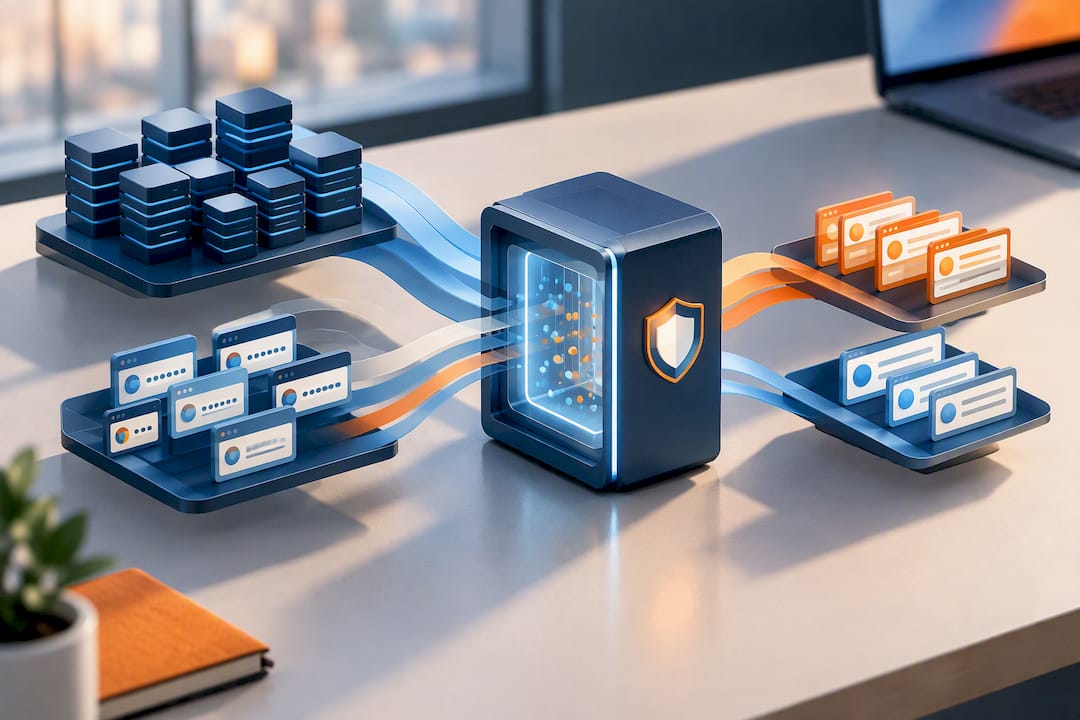
Statistic Callout: Have I Been Pwned’s Pwned Passwords database catalogs hundreds of millions of previously exposed passwords, drawn from breach after breach. If your password shows up there, someone else has already tried using it against other accounts. That’s the entire reason password reuse is such a liability.
How to Run a Free Dark Web Scan Safely
Running a scan is easy. Running it without handing your data to a shady site is the part people skip. Follow these steps in order.
- Pick a reputable tool first. Look for a service with a visible privacy policy, HTTPS encryption, and a clear statement of what it does with your data after the search. If you can’t find a data-retention policy in under thirty seconds, close the tab.
- Start with your email address. This is the safest, most useful first move. It’s the identifier most breach databases key against, and it doesn’t require you to hand over sensitive numbers you can’t easily change, unlike a Social Security number.
- Check your passwords separately, using k-anonymity. Never paste a plaintext password into a random web form. Legitimate tools like Have I Been Pwned’s Pwned Passwords use a method called k-anonymity: only the first five characters of your password’s SHA-1 hash get sent to the server, and the actual comparison happens locally. The full password never leaves your device.
- Read the result correctly. A matched email and password pair means that exact combination was exposed somewhere, at some point. It doesn’t necessarily mean the breach happened yesterday; some records are years old. Check the date on the source breach before you panic, but change the password regardless if you’ve reused it anywhere else.
- Act immediately on a positive match. Change the exposed password, switch on phishing-resistant MFA, and check your account settings for MFA devices or recovery emails you don’t recognize.
Pro Tip: Verify a scanning site is official before you submit anything. Look for the padlock icon, a real company name in the URL, and a privacy policy you can actually find. If a “free scan” tool asks for your full Social Security number and a credit card up front, that’s a red flag, not a feature.
Why Scans Have Limits (and When You Need More)
A scan is a snapshot, not a surveillance system. It checks against what’s already been indexed. It can’t see what hasn’t been discovered yet.
- Private forums and invite-only marketplaces rarely get scraped into public breach databases, since access requires vetting or payment.
- Encrypted marketplaces on the dark web often sit behind additional authentication layers that indexing tools can’t reach.
- Indexing lag means a fresh breach can take days or weeks to show up in a scan, even after criminals already have the data. Malwarebytes notes that scans typically search known dumps and indexed leak sources, while continuous monitoring checks new sources on an ongoing basis.
- Stale records can also trigger a false sense of urgency over a password you changed years ago.
A one-time scan is enough if you just want a general read on your exposure. Continuous monitoring makes more sense if you’ve recently gotten a breach notification, work in a role with elevated financial exposure, or manage identities for a family or business. As a rule of thumb, run a manual check monthly if you’re being cautious, and check immediately any time you receive a breach notice from a company you have an account with.
What to Do If Your Information Turns Up
Finding a match isn’t the disaster; failing to act on it is. Work through this list in order.
- Change the exposed password immediately, and change it anywhere else you reused it. Reuse is the single biggest reason one leak turns into five compromised accounts.
- Remove and re-register MFA devices you don’t recognize. CISA warns that if an attacker registered their own authentication device on your account, a password reset alone won’t lock them out. Unenroll anything suspicious and switch to phishing-resistant MFA, such as a hardware key or passkey.
- Place a fraud alert or credit freeze with the three major credit bureaus. A fraud alert is free and lasts one year, according to the FTC’s guidance on identity theft recovery.
- Pull your credit report at AnnualCreditReport.com and scan it for accounts or inquiries you don’t recognize.
- Report the exposure at IdentityTheft.gov. The FTC’s site builds a personalized, step-by-step recovery plan based on exactly what type of information was exposed, whether that’s a Social Security number, a credit card, or account credentials.
- Contact your bank or card issuer directly if financial data was involved. Dispute unauthorized charges and ask about issuing new card numbers.
- Document everything. Save screenshots of the scan result, the date, and any correspondence with banks or bureaus. If the exposure involves financial fraud, this record matters if you need to file a police report later.
Statistic Callout: The FTC’s recovery process exists precisely because piecemeal responses fail. IdentityTheft.gov tailors its checklist to the specific type of data exposed, rather than handing everyone the same generic advice, which is part of why federal guidance points there first.
Where Logmeonce Fits Into Your Scan
Logmeonce builds its own scanning tools around the same principle this article just walked through: check first, then act. The dark web email scan checks your address against known breach sources, and the dark web domain scan does the same at the organization level for businesses managing multiple accounts.
Beyond the scan itself, Logmeonce pairs the result with the tools that actually fix the problem:
- A built-in password manager to replace reused credentials
- Passwordless MFA options that avoid the SIM-swap and push-bombing risks CISA has flagged
- Ongoing monitoring for identities at higher risk, not just a single free check
- Educational resources, including a step-by-step breach response guide, for readers who want the FTC-aligned checklist in more detail
An Editorial Take on Panic vs. Process
A positive scan result isn’t a crisis. It’s a prompt. Most people only fix their password habits after seeing their own email sitting in a breach dump, and that’s fine; use the jolt. Pair the scan with a password manager and phishing-resistant MFA, and turn the one bad moment into a permanently better setup.
— Mike
Run Your Scan and Fix What It Finds
Logmeonce gives you the missing half of the process most free scanners skip: what happens after the match. A scan tells you where your email or password showed up; Logmeonce’s dark web scan tool pairs that result with a password manager and passwordless MFA so the same exposure can’t happen twice.

Plans start with a free Premium tier, and dedicated Dark Web Monitoring is available as a monthly subscription. Higher tiers exist for households tracking multiple identities. If you want the full picture of what’s included at each tier, compare plans on the pricing and comparison page and start with whichever level matches your exposure. Run the scan, see what it finds, and go from there.
Sources
- How to recover from identity theft | Federal Trade Commission
- Scattered Spider advisory | CISA and partners
- Understanding Have I Been Pwned’s use of SHA‑1 and k‑anonymity | Troy Hunt
- What is a Dark Web Scan & Why You Need It | Malwarebytes
FAQ
How do I do a dark web scan?
Enter your email address into a reputable scanning tool with a clear privacy policy and HTTPS encryption, such as Logmeonce’s dark web email scan. For passwords, use a k-anonymity based checker like Have I Been Pwned rather than typing your plaintext password into any site.
Is dark web scan legit?
Reputable dark web scans are legitimate and safe when they use privacy-preserving methods, since they check your data against known breach databases rather than actively browsing dark web marketplaces themselves. The risk comes from disreputable tools that ask for more personal data than necessary or lack a visible privacy policy.
How do I check if I am on the dark web?
Run a free email scan through a trusted tool, then check your passwords separately through a k-anonymity based service such as Have I Been Pwned. A match means that identifier appeared in a breach dump at some point; it doesn’t always mean the exposure is recent.
Is there a free dark web scanner available?
Yes. Free email scans and free password checks are widely available, including through Logmeonce’s dark web scan tool. Free checks are useful for a one-time snapshot, while continuous monitoring, available through paid plans, catches new exposures as they happen rather than only what’s already indexed.
Recommended


