


 Password Manager
 Identity Theft Protection

 Team / Business
 Enterprise
 Government
 MSP
MSP


You can find out whether your credentials or personal data are exposed on the dark web using reputable breach-database search tools like Have I Been Pwned and dedicated dark-web monitoring services, without ever visiting a marketplace or forum yourself. If your email, password, or business domain shows up in a scan, treat that account as compromised right away. Businesses should preserve logs before wiping anything and follow a defined remediation sequence.
TL;DR:
- Free breach databases like Have I Been Pwned allow quick, one-time checks for exposed emails and domains, but do not provide continuous monitoring.
- Paid services with ongoing scanning and alerting improve detection speed, especially for domain-wide breaches and high-risk credentials like plaintext passwords and API keys.
- Immediate response actions must follow a strict sequence, including log preservation, credential rotation, verification, and thorough audit, especially for high-privilege accounts.
- Continuous dark web monitoring helps identify breaches promptly, reducing the window attackers have to exploit leaked data, and should feed alerts into security workflows for rapid containment.
- Dark web sites primarily consist of criminal marketplaces, forums, and paste sites, which monitoring services scan on your behalf, rather than requiring direct browsing of these illicit networks.
How Do You Find Dark Web Sites Safely to Check for Leaked Data?
You don’t need to touch Tor, a hidden marketplace, or a criminal forum to find out if your information leaked. The safest and most reliable route is a breach-database search, which indexes data pulled from known dumps and lets you query it without exposing yourself to malware, scams, or law enforcement gray areas.
Have I Been Pwned remains the standard starting point. It indexes a very large number of breached records and lets you search by email address for free, plus offers domain-wide monitoring for organizations that want to track every employee account at once. Type in a domain instead of a single address, and you get a batch view of every associated account that has turned up in a breach, which is far more useful for an IT team than checking addresses one at a time.
Several other free tools cover similar ground. Options like CyberNews, Mozilla Monitor, and F-Secure’s Identity Theft Checker let you check email addresses or phone numbers against known leak databases at no cost, though each pulls from a different slice of breach data and none of them watch continuously.
That gap is exactly where free tools run out of road:
- Free checks are point-in-time snapshots. A clean result today says nothing about a breach dumped next month.
- Paid, continuous monitoring services scan new dumps and forum postings as they surface, cutting the delay between exposure and detection.
- Continuous monitoring typically includes alerting, which a manual search never does.
- Domain-wide scans matter more for businesses than single-email checks, since one compromised employee account can expose an entire network.
One rule matters more than any tool you pick: never type a real, currently-used password into a third-party site to “check” it. Stick to email or username lookups, or use a vendor’s official API, and change the password anyway if the account shows up in a breach.
What Data Types in a Breach Result Demand the Fastest Response?
Not every breach hit carries the same weight. A five-year-old email-only leak from a defunct forum is a very different problem than an active password paired with a corporate login. Dark web monitoring tracks PII, credentials, financial data, and business-sensitive information specifically because those categories signal different levels of exfiltration risk.
Plaintext passwords are the worst-case find. If a service stored passwords without proper hashing and that database leaked, anyone can read the credential directly. Hashed passwords are safer, but only if the hashing algorithm is strong; weak or outdated hashing can still be cracked with enough compute time. Either way, password reuse turns one breach into many, since attackers automate credential stuffing against other sites the moment they get a working combination.
Watch for these red flags in any breach result:
- Email and plaintext password pairs, especially from recent dumps
- API keys or access tokens, which grant programmatic access with no login prompt required
- Payment card data or Social Security numbers
- Admin, root, or other high-privilege account credentials
- Large-scale dumps tied to your domain rather than a single stray account
A single leaked API key can be more dangerous than a thousand leaked consumer passwords, because it often bypasses authentication entirely.
Fixing an Exposure Once You Find It
Finding the leak is the easy part. Closing it correctly, in the right order, is where most people and most IT teams fall short. Skip a step and you can rotate a password while an attacker still holds an active session or a forwarding rule that quietly copies every email you send.
For individuals, the sequence is straightforward:
- Rotate every password tied to the exposed account, starting with email since it’s usually the recovery path for everything else.
- Turn on phishing-resistant MFA, ideally a passkey or hardware token rather than SMS codes, which attackers can intercept through SIM swaps.
- Run a reuse check through your password manager to find every other account sharing that same password.
- Confirm the new password actually works before considering the account secured.
Organizations need a stricter sequence, because a single sloppy step can knock out a production system or destroy evidence. The order that works: preserve logs first, generate the new credential, deploy it to every dependent system, verify it functions correctly, and only then revoke the old one. This mirrors HashiCorp’s guidance on remediating leaked secrets: deleting a secret from a repository does nothing if it still lives in commit history, so purging history is part of the job, not an afterthought.
Verification is the step people skip, and it’s the one attackers count on. Check inbox forwarding rules and mailbox delegation, which attackers set up to keep reading email long after a password change. Review active sessions and force a sign-out everywhere. Audit OAuth app consents for anything unfamiliar. Look for newly registered MFA methods that aren’t yours. If a high-privilege or admin account was involved, preserve logs and loop in counsel before you start deleting anything, since remediation can accidentally destroy the forensic evidence a legal or insurance claim later needs.
Pro Tip: Before you revoke an old credential, confirm the new one is live everywhere it’s needed. A revoked credential with no working replacement can lock your own team out faster than the original breach did.
What Should a Security Team Do the Moment an Alert Fires?
A dark-web monitoring alert tied to your domain isn’t a one-and-done fix; it’s the start of an operational checklist, and the order you work through it matters. Lock down access in a sequence that mirrors how attackers actually move through a network.
Secure email first, since it’s the recovery mechanism for nearly every other system. From there, move to your domain registrar and DNS settings, then your identity provider and password-manager admin console, then banking and payroll systems, then remote access tools, and finally everything else on the list.
While that’s happening, run these audits in parallel:
- Pull sign-in logs for every account tied to the exposed domain or credential.
- Check MailItemsAccessed events if you’re on Microsoft 365, which flags whether a mailbox was actually read, not just logged into.
- Run a message trace to see if anything was forwarded or exfiltrated during the exposure window.
- Cross-reference findings against your SSO or identity provider logs to catch access that bypassed normal channels.
None of this works if the team doesn’t coordinate. Have a notification template ready before you need it, keep a running incident timeline as events unfold, and capture everything relevant for compliance or cyber-insurance purposes. Continuous credential monitoring shortens the time between leak and detection, but only a rehearsed checklist turns that early warning into a fast, clean fix. Reviewing your organization’s approach to dark web monitoring before an incident happens is far cheaper than building the playbook mid-crisis.
Why Continuous Monitoring Beats One-Time Checks
A single scan tells you what already happened. Continuous monitoring tells you what’s happening now, and that difference is the entire point of moving past manual checks. Breach data doesn’t arrive on a schedule. A new dump can surface at 2 a.m. on a Sunday, and every hour between that dump and your discovery of it is an hour an attacker can use your credentials unopposed.
Daily or weekly scans still leave a gap, sometimes a wide one. Continuous ingestion, where a monitoring service scans forums, marketplaces, and paste sites as new data appears, keeps that window measured in hours instead of days.
A genuinely useful alert tells you more than “something leaked.” It should specify:
- The exact account or credential affected
- Where the data was found (the dump source or forum)
- When it was first seen
- A recommended severity level so your team knows what to triage first
The real value shows up when alerts feed directly into your existing tools instead of sitting in an inbox. Route them into your SIEM for correlation, your ticketing system for accountability, and your IAM or SOAR playbooks for automated response. If your organization already relies on password management tools with breach alerting built in, connect those alerts to the same workflow so a leaked credential triggers a rotation automatically instead of waiting for someone to notice.
Understanding the Dark Web’s Site Categories
Once you know what monitoring services are actually scanning, the landscape makes more sense. The dark web isn’t one thing. It’s a patchwork of network types and site categories, each serving a different purpose for the people who use it.
Most dark-web traffic runs through Tor, which routes connections through multiple encrypted relays to hide a user’s location and identity. A smaller portion runs through I2P, an alternative network built more for peer-to-peer anonymity than for hosting browsable sites. Both networks host content invisible to standard search engines and inaccessible through a normal browser.
The sites themselves fall into a few recurring categories. Criminal marketplaces sell stolen data, credentials, and illicit goods, and they’re the primary source of the breach dumps that monitoring services track. Forums function like underground message boards where attackers trade tactics, sell access to compromised networks, and post fresh credential dumps for sale or free release. Paste sites host raw text dumps, often the first place a stolen database appears before it’s repackaged and sold elsewhere. Whistleblower and journalism platforms exist too, operating on the same anonymized infrastructure for legitimate purposes like protecting sources.
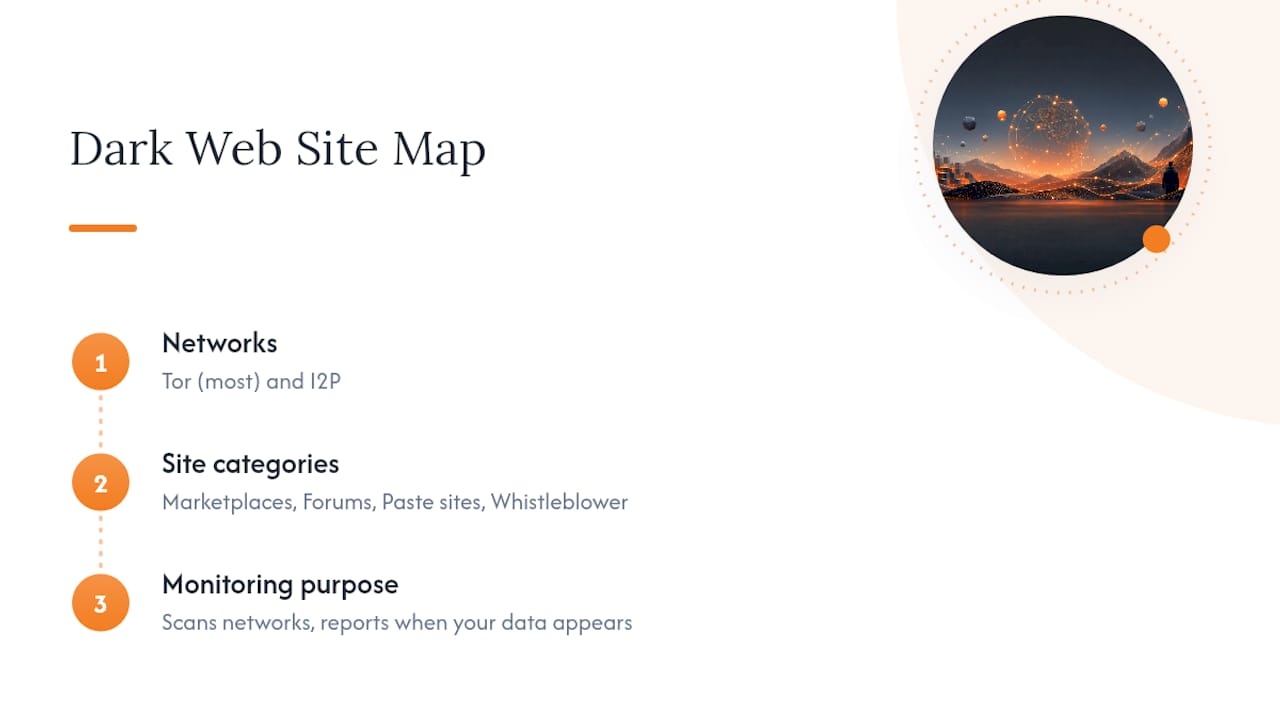
For the purposes of protecting your own data, the specific site matters less than what shows up on it. That’s the entire premise behind dark-web monitoring: instead of trying to browse and search these networks directly, a monitoring service scans them on your behalf and reports back only when your information appears.
Treating a Leaked Credential Like an Incident, Not a Chore
Most people treat a breach notification like a nuisance email. Change the password, move on, forget about it. That instinct is the biggest mistake I see in how organizations and individuals both respond. A leaked credential isn’t a hygiene issue. It’s an identity incident, and it deserves the same discipline you’d apply to any other security event: contain it, verify it’s actually closed, then watch for recurrence.
The remediation sequence matters more than the remediation itself. Skip the verification step, the persistence checks, or the log preservation, and you’ve fixed the symptom while leaving the actual foothold intact. Dark-web monitoring tools like the ones LogMeOnce builds exist precisely because manual, occasional checks can’t keep pace with how fast stolen data moves once it’s dumped.
— Mike
How LogMeOnce Turns Detection Into a Finished Job
Finding a leaked credential is only useful if something happens next. LogMeOnce’s Dark Web Email Scan and Dark Web Domain Scan close that gap by pairing continuous detection with the password management and MFA tools you need to act on an alert immediately, instead of discovering a leak and then scrambling to figure out what to do with it.

For a household, that means one email scan covering every account tied to that address. For a business or government agency, the domain scan tracks every employee credential at once and feeds alerts straight into the remediation workflow you already run. Instead of juggling a free checker here and a manual password reset there, you get detection, rotation, and MFA enforcement under one system built for exactly this job. Start a free trial through LogMeOnce’s cybersecurity platform and set up continuous monitoring before your next breach notification arrives instead of after.
Sources
- Have I Been Pwned: Check if your email address has been exposed in a data breach
- Use These 5 Free Tools to Check If Your Data Is on the Dark Web
- Remediate leaked secrets | HashiCorp developer documentation
- What is dark web monitoring? | Definition from TechTarget
Recommended


