


 Password Manager
 Identity Theft Protection

 Team / Business
 Enterprise
 Government
 MSP
MSP


TL;DR:
- Most password vaults rely on a single, strong master password and AES-256 encryption to secure credentials locally on your device. They utilize zero-knowledge architecture and multi-factor authentication to prevent unauthorized access and ensure data privacy. To maximize security, users should generate unique passwords, enable MFA, and routinely audit and update their vaults.
Most people know they should use stronger passwords. Far fewer understand how a password vault actually protects those passwords once they’re stored. Understanding how does a password vault work is less about trusting a black box and more about recognizing a specific, well-tested security architecture. Reused or weak passwords remain the leading cause of account compromises, and yet the tools built to solve this problem still feel mysterious to most users. This guide breaks down exactly what happens inside a password vault, from the moment you save a credential to the moment it fills in automatically.
Key Takeaways
| Point | Details |
|---|---|
| One master password controls access | Your master password is the only key you need, and it never leaves your device in readable form. |
| AES-256 encryption protects all data | Vault data is encrypted with military-grade standards before being stored or synced anywhere. |
| Zero-knowledge means providers see nothing | Even your password manager provider cannot read your stored credentials. |
| MFA adds a critical second layer | Pairing your master password with multi-factor authentication stops most unauthorized access attempts. |
| Master password loss means lockout | Most vaults cannot recover a lost master password, so storing it securely is non-negotiable. |
How does a password vault work at its core
A password vault is an encrypted digital container that stores your usernames, passwords, and other credentials. Think of it like a physical safe in your home. The difference is that the lock on this safe uses mathematics so complex that no computer currently alive can break it by force.
Every vault centers on a master password. This single passphrase is your key to everything inside. When you unlock the vault, the app uses your master password to decrypt the stored data locally on your device. The master password itself is never transmitted or stored anywhere.
Here is what the core system includes:
- AES-256 encryption: The industry standard for protecting stored data. The U.S. government uses it for classified information.
- Auto-fill: Once unlocked, the vault recognizes login pages and fills in your credentials automatically.
- Password generator: Creates long, random passwords you could never memorize and never need to.
- Zero-knowledge architecture: Your provider cannot see your data. Only you can decrypt vault data, because the decryption happens on your device, not their servers.
Pro Tip: Never use your master password anywhere else. It should be the one password in your life that exists solely for your vault.
The password manager functionality here is deliberately simple from the user’s side. You remember one strong password, and the vault remembers everything else.
The encryption and security architecture explained
This is where most explanations stop at the surface. Let’s go deeper, because understanding the architecture is what builds genuine confidence in these tools.
When you create a vault account, the app takes your master password and runs it through a key derivation function (KDF). This process does not just hash your password once. It runs it through a mathematical function hundreds of thousands of times to produce an encryption key.
Argon2id and PBKDF2 with high iteration counts significantly increase the cost of cracking stolen vault files, meaning even if someone steals the encrypted file, brute-forcing it becomes computationally impractical.
That derived key is what encrypts and decrypts your vault. The master password itself is discarded. The encryption key never leaves your device. This is why secure password storage methods in modern vaults are so resistant to server-side breaches.
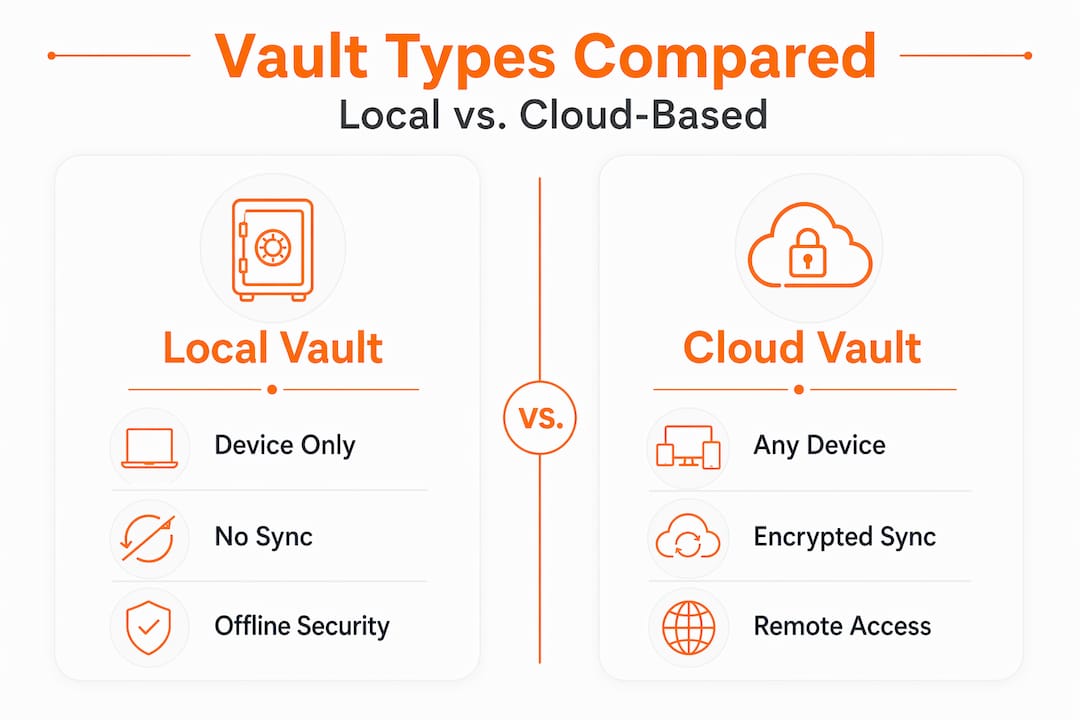
Here is a direct comparison of storage approaches:
| Feature | Local vault | Cloud-based vault |
|---|---|---|
| Data location | Your device only | Provider’s encrypted servers |
| Sync across devices | Manual or limited | Automatic |
| Breach exposure | Low, but device-dependent | Low due to zero-knowledge encryption |
| Accessibility | Limited to one device | Any device, anywhere |
| Provider visibility | None | None (zero-knowledge) |
Multi-factor authentication adds another wall between your vault and an attacker. MFA dramatically increases vault security by requiring a second verification step, a phone app code or biometric scan, that cannot be bypassed with a stolen password alone.
Pro Tip: Use an authenticator app rather than SMS for your MFA method. Text messages can be intercepted through SIM-swapping attacks.
The one real limitation worth stating clearly: if your device is already compromised by malware when you unlock the vault, encryption provides less protection. The threat model for password vaults assumes a clean device.
Local, cloud, and self-hosted vaults compared
Not all password vaults store data the same way, and the difference matters depending on your priorities.

Local vaults store everything only on your device. Nothing syncs to a remote server. This eliminates cloud breach risk entirely, but it also means losing your device without a backup means losing your vault.
Cloud-based vaults sync your encrypted vault file to the provider’s servers. Because of zero-knowledge architecture, the provider holds an encrypted blob they cannot read. The convenience of cross-device access comes without exposing your actual credentials. Most consumer-grade options fall into this category, with pricing ranging from free to $3-5 monthly for premium features.
Self-hosted vaults give you complete control. You run the vault server yourself, on your own hardware or a private cloud instance. Self-hosted vaults offer full control and avoid provider lockouts, but require consistent maintenance, patching, and security expertise to keep that advantage real.
Browser-based password managers built into Chrome or Edge are a separate category worth understanding carefully. Browser managers often keep decrypted passwords in memory while the browser session is open, which increases exposure compared to dedicated apps that decrypt only on demand.
The key tradeoffs in each approach:
- Local vaults prioritize privacy but demand disciplined backup habits.
- Cloud vaults prioritize convenience without sacrificing encryption quality.
- Self-hosted vaults are best for technically confident users who want both control and sync.
- Browser managers are better than nothing but should not be your primary credential store.
Best practices for using a password vault
Knowing how a vault works is one thing. Using it in a way that maximizes its protection is another. Here is how to do it right.
-
Generate a unique password for every account. Strong, unique passwords per account prevent a single breach from compromising multiple accounts. Let the vault generate a 20-character random string for every site. You never need to type it.
-
Set a master password that is long, not just complex. A four-word passphrase that is 30 characters long defeats most brute-force attacks better than a short string of symbols. Make it memorable to you and meaningless to anyone who knows you.
-
Enable MFA on the vault itself immediately. This is the most impactful single step you can take. Set it up the same day you create the vault.
-
Run a security audit inside the vault. Most dedicated vault apps include a built-in report showing reused passwords, weak passwords, and accounts flagged in known data breaches. Address those flagged accounts first.
-
Review your vault every three to six months. Delete credentials for services you no longer use. Rotate passwords for high-value accounts like banking and email.
-
Use secure sharing features for shared credentials. If you need to share a password with a family member or colleague, use the vault’s built-in sharing function rather than texting or emailing it.
Pro Tip: Store your vault’s emergency recovery kit, typically a printed PDF with recovery codes, in a physically secure location like a locked drawer or safe deposit box. This one habit prevents lockout scenarios that otherwise have no solution.
You can explore the top consumer vault features available today to find which combination of these tools fits your workflow. Knowing the risks of weak passwords makes these steps feel less optional and more urgent.
Common concerns and how to address them
People hesitate to use password vaults for reasons that are worth addressing directly, not dismissing.
“What if the company gets breached?” The answer lies in the zero-knowledge model. Only you can decrypt your vault data, because the encryption key is derived from your master password and never shared with the provider. A server breach exposes an encrypted file that is computationally useless without your key.
“What if I forget my master password?” This is the most legitimate concern. Most password managers cannot recover a lost master password by design. Zero-knowledge architecture means there is no back door. The solution is preparation: store a recovery kit securely before you ever need it.
“What if someone gets onto my device while the vault is open?” This is a real threat. Mitigations include:
- Set the vault to auto-lock after a short period of inactivity.
- Use biometric authentication on your device to add a physical access layer.
- Avoid unlocking your vault on shared or public computers.
- Keep your operating system and vault app updated to close known vulnerabilities.
Defense in depth is the right frame here. Password managers greatly improve security but must be paired with a strong master password and MFA to realize their full benefit.
The security of password managers is not perfect, but the alternative, reusing weak passwords across dozens of accounts, has a far worse track record.
My take on password vaults after years in this space
I’ve watched people dismiss password vaults because they feel like a single point of failure. I understand the instinct. Putting every password behind one master password sounds risky until you understand the architecture underneath it.
Here is what I’ve actually learned: the risk of a well-configured vault is orders of magnitude smaller than the risk of the behavior it replaces. The average person reuses passwords across a dozen accounts. One breach on a low-security site becomes a key to their email, banking, and social media. A vault with a strong master password and MFA closes that entire vulnerability class.
What I’ve seen trip people up most is treating the master password casually. They pick something short, memorable, and guessable, which defeats the whole system. The master password is the one you should spend the most effort on, not the least.
My other strong opinion: cloud vaults get unfairly criticized. Self-hosting sounds more secure because you control the server, but self-hosting shifts all maintenance responsibility to you. Most people will not patch their server consistently. A professionally managed, zero-knowledge cloud vault maintained by a security team is more secure in practice for most users.
Start simple. Pick a dedicated vault app, not your browser. Generate a strong master password. Enable MFA. Then run the security audit and start fixing the reused passwords one batch at a time.
— Mike
See how LogMeOnce protects your credentials

If this explanation of password vault security has you thinking about your own setup, LogMeOnce is worth a close look. LogMeOnce applies zero-knowledge encryption and AES-256 protection to every credential in your vault, with support for multi-device sync, built-in MFA, and secure sharing built into the platform from day one. It is designed for real people who want serious protection without a security engineering background. Whether you are securing personal accounts or managing credentials across a team, LogMeOnce offers a full range of password management benefits without asking you to trade convenience for safety. Explore what the platform can do for your security posture today.
FAQ
What is a password vault?
A password vault is an encrypted application that stores all your login credentials behind a single master password, using AES-256 encryption so only you can access your data.
Is it safe to store all passwords in one vault?
Yes, when the vault uses zero-knowledge architecture and you protect it with a strong master password and MFA. The encryption makes stored data unreadable to anyone without your key.
What happens if I forget my master password?
Most password managers cannot recover a lost master password by design. Store your vault’s emergency recovery kit in a secure physical location before you ever need it.
How is a dedicated vault app safer than my browser?
Browser-based managers often keep decrypted passwords in memory during an open session, increasing exposure. Dedicated apps encrypt data on demand and lock it more aggressively between uses.
Do I need multi-factor authentication on my password vault?
Yes. MFA adds a verification layer that protects your vault even if your master password is ever exposed, making unauthorized access significantly harder for any attacker.
Recommended
- Lock and Key: Understanding the Risks of a Weak Password
- Password Vault: Why You Should Keep Your Passwords Protected


