


 Password Manager
 Identity Theft Protection

 Team / Business
 Enterprise
 Government
 MSP
MSP


TL;DR:
- True MFA combines two or more distinct authentication factors from different categories.
- Phishing-resistant MFA uses cryptographic authenticators like hardware keys, not SMS or biometrics alone.
- Effective MFA deployment requires thoughtful policies, user training, and ongoing management.
Most IT leaders know passwords are weak on their own, yet many organizations simply add more passwords and call it “stronger security.” That reasoning is flawed, and attackers know it. Multi-factor authentication (MFA) is not about stacking more credentials of the same type. It is about combining fundamentally different kinds of proof that a person is who they claim to be. This guide cuts through the confusion, defines the standards that govern real MFA, and gives IT managers a practical roadmap for selecting, deploying, and hardening authentication across the enterprise.
Key Takeaways
| Point | Details |
|---|---|
| True MFA uses distinct factors | To qualify as MFA, use more than one category of authentication, not just more passwords. |
| Choose factors by risk | Select authentication methods and assurance levels based on the sensitivity of your systems and data. |
| Policy design reduces user pain | Well-designed Conditional Access policies and phased rollouts help maximize security while minimizing friction. |
| Phishing-resistant MFA is essential | Stronger methods like hardware tokens or app-based authenticators protect better against modern attacks. |
| Iterate for usability | Monitor, listen, and adapt your MFA approach to fix pain points and achieve sustainable adoption. |
What is multi-factor authentication? Core concepts and definitions
With the confusion about passwords addressed, let’s clarify what MFA actually means and why those definitions matter for your environment.
At its core, MFA requires a user to present at least two distinct types of authentication evidence before gaining access to a system. The key word is distinct. Authentication factors fall into three well-recognized categories:
- Something you know: A password, PIN, or security question answer
- Something you have: A hardware token, smart card, mobile authenticator app, or one-time passcode (OTP) sent to a registered device
- Something you are: A biometric characteristic, such as a fingerprint, facial scan, or voice pattern
True MFA pulls at least two factors from different categories. Asking a user for a password and then a second password, even a complex one, does not constitute multi-factor authentication. Both inputs belong to the same category: something you know. This distinction is more than academic. It is the difference between a security control that actually reduces breach risk and one that merely looks good on a compliance checklist.
As NIST SP 800-63-4 states: “Multi-factor authentication requires more than one distinct authentication factor, such as distinct categories including possession, knowledge, or inherence, not multiple instances of the same factor type.”
Staying aligned with NIST 800 compliance frameworks is critical for federal contractors, healthcare organizations, and any enterprise operating under regulatory scrutiny.
Common MFA misconceptions to avoid:
- Two passwords are not MFA
- A PIN plus a password are not MFA (both are “something you know”)
- Security questions layered on top of a password are not MFA
- SMS one-time codes plus a password are MFA (different factor categories)
Here is a quick comparison that shows how single-factor and multi-factor authentication differ in practice:
| Scenario | Factors used | True MFA? |
|---|---|---|
| Password only | Something you know | No |
| Password + security question | Something you know x2 | No |
| Password + SMS OTP | Know + Have | Yes |
| Password + fingerprint | Know + Are | Yes |
| Smart card + PIN | Have + Know | Yes |
| Fingerprint + face scan | Are + Are | No |
Understanding these distinctions is foundational before evaluating any identity platform or reading your organization’s current two-factor authentication guide. Two-factor authentication (2FA) is the most common form of MFA, specifically requiring exactly two factors. All 2FA is MFA, but not all MFA is 2FA.
Authentication factors: Types, security levels, and assurance
Now that the types of MFA are clear, let’s explore each factor and see why some choices are better than others depending on your organization’s needs.
Something you know is the oldest factor type and also the weakest when used alone. Passwords are reused, stolen via phishing, exposed in data breaches, and cracked by brute force. Security questions are arguably worse since the answers are often publicly discoverable on social media. Even strong, unique passwords provide no protection if a user’s device is already compromised by a keylogger.
Something you have significantly raises the bar. Physical possession of a device or token cannot be cloned by remote attackers the way passwords can. Time-based one-time passwords (TOTP) generated by an authenticator app rotate every 30 seconds, limiting the window of exploitation. Hardware security keys based on FIDO2 and WebAuthn standards go even further by tying authentication cryptographically to both the device and the website being accessed, making them nearly impossible to phish.

Something you are uses physiological traits that are inherently tied to the individual. Biometrics are convenient and difficult to replicate at scale. However, they come with important limitations. Biometric data cannot be reset if compromised, unlike a password. They also raise privacy concerns under regulations like GDPR and certain U.S. state laws. Critically, biometrics should always be paired with another factor, never used alone.
NIST’s digital identity guidelines formalize this reasoning through Authenticator Assurance Levels (AAL), a framework that maps factor choices to the sensitivity of the access being protected:
- AAL1: Single-factor authentication. Acceptable only for low-risk applications
- AAL2: Two distinct factors required. Suitable for most enterprise use cases
- AAL3: Hardware-based phishing-resistant authentication. Required for high-value or privileged access scenarios
Choosing the right assurance level for each application in your environment is not a one-size-fits-all decision. A general employee checking a company newsletter may warrant AAL1, while a systems administrator accessing production infrastructure should require AAL3.
Steps for choosing factors based on access risk:
- Classify each application or resource by data sensitivity and potential breach impact
- Map each classification to the appropriate NIST AAL tier
- Select authenticator types that meet or exceed that tier’s requirements
- Evaluate usability alongside security to avoid workarounds
- Build authenticator lifecycle management into your policy from day one, including enrollment, recovery, and revocation procedures
Pro Tip: Move beyond SMS-based OTPs for any system handling sensitive data. SMS codes are interceptable via SIM-swapping attacks, and NIST’s guidance has flagged SMS as a weaker channel for authentication. App-based TOTP or hardware keys are stronger alternatives that are now widely supported across enterprise platforms.
Enterprise MFA deployment: Policies, user experience, and enforcement
Knowing which factors to use, you now need to deploy MFA across the organization without overwhelming users or IT staff.
One of the most common deployment mistakes is applying MFA uniformly, meaning every user gets prompted every time they log in, regardless of context. That approach creates unnecessary friction without meaningfully improving security outcomes. Microsoft Entra guidance makes this point clearly: MFA should be enforced with centralized policy controls, using step-up or conditional prompts at appropriate boundaries rather than applying it uniformly without context.
Conditional Access is a policy engine that evaluates signals like user location, device compliance status, IP address risk, and the sensitivity of the resource being accessed. When the conditions indicate elevated risk, the system triggers an MFA challenge. When the context is trusted (a managed device on the corporate network accessing a low-risk app), the system may let the user through with fewer hurdles.
Frictionless, smart enforcement is not just better for users. It is better for security. When MFA is poorly implemented and constantly interrupts workflows, users find workarounds. A Springer study from 2025 observed measurable behavior changes after an MFA policy change, including increases in login failures and longer time spent away from applications after failed authentication attempts. Users who feel blocked will route around security controls if given the chance.
Steps for a frictionless MFA rollout:
- Start with a pilot group of volunteer early adopters, preferably a cross-functional team
- Collect detailed feedback on usability issues, unclear prompts, and device compatibility
- Deploy in waves, expanding from pilot to department to organization over 4 to 8 weeks
- Provide self-service enrollment portals so users can register devices on their own schedule
- Offer multiple second-factor options (app-based TOTP, hardware key, email OTP) to accommodate different user needs
- Set up a dedicated helpdesk queue for authentication issues during the rollout period
- Communicate clearly and early using plain-language guides, not technical documentation
Governing your deployment effectively means building enterprise policy enforcement into your identity platform from the start. That means defining who must use which factors, under what conditions, and what happens when a user cannot authenticate (for example, a lost device scenario).
Pro Tip: Instrument your MFA deployment with analytics from day one. Track failure rates, abandonment rates, and helpdesk ticket categories by department and factor type. This data tells you where friction is concentrated so you can tune policies rather than guess. Many enterprise MFA management platforms offer built-in reporting dashboards for exactly this purpose.
Phishing-resistant MFA and modern threats: What actually works
Even a well-enforced MFA policy can falter if the wrong methods are used. Modern threats demand new approaches.
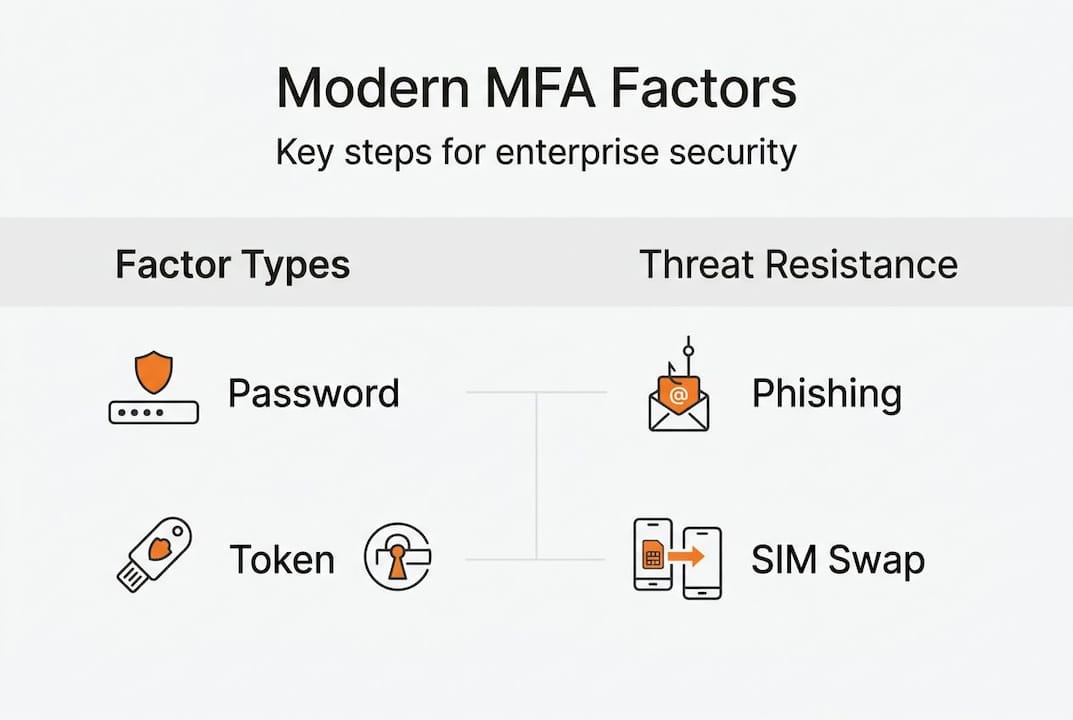
Many organizations implemented MFA years ago using SMS codes or email-based OTPs and have not updated their approach since. The problem is that attackers have updated theirs. Real-time phishing toolkits like Evilginx2 and Modlishka act as transparent proxies. They sit between the user and the legitimate website, capturing credentials and session tokens in real time. When a user completes an SMS-based MFA challenge on a fake login page, the attacker captures the live session and bypasses MFA entirely.
This is not a theoretical risk. It has been documented in attacks against Microsoft 365, Google Workspace, and major financial institutions. SMS OTPs and email codes provide no protection against this class of attack because they are shared secrets that can be intercepted and replayed.
Per NIST SP 800-63-4: “Phishing-resistant MFA is achieved by using authenticators that can prevent verifier impersonation and resist modern phishing techniques; phishing-resistant methods are favored especially for higher-assurance needs.”
Phishing-resistant authentication works differently. FIDO2 hardware keys and passkeys use asymmetric cryptography. The private key never leaves the user’s device. The authentication ceremony includes the specific origin (website domain) as part of the cryptographic process, so even if a user is tricked into visiting a fake login page, the authentication will not complete on a different domain. Attackers get nothing they can use.
Weak authenticators vs strong authenticators:
- Weak: SMS one-time codes, email magic links, knowledge-based security questions
- Weak: Push notification apps without number matching (vulnerable to MFA fatigue attacks)
- Strong: App-based TOTP with number matching enabled
- Strong: FIDO2/WebAuthn hardware security keys (YubiKey, Google Titan Key)
- Strong: Passkeys stored in a device’s secure enclave (iOS, Android, Windows Hello for Business)
To upgrade your organization’s MFA posture, start by auditing which factor types are currently in use across all applications, including shadow IT and third-party SaaS. Reference strong password guidance for baseline credential hygiene, and review your full identity attack surface using professional security tips designed for enterprise environments. Prioritize upgrading authenticators on privileged accounts, finance systems, and any application with access to sensitive customer or employee data first.
MFA reality check: Getting security and usability right for your organization
Here is something most MFA guides will not tell you: your first rollout will not be perfect, and that is completely normal. Real enterprise environments are messy. You have legacy applications that do not support modern authentication protocols. You have remote workers using personal devices. You have executives who push back against any friction in their workflow. The organizations that succeed with MFA treat it as an ongoing program, not a one-time project.
We see this pattern repeatedly. Teams deploy MFA with strong intentions, hit resistance from a vocal minority of users, and quietly carve out exceptions that eventually become permanent. Over-frequent prompts are one of the biggest culprits. When users are challenged for MFA every few hours on trusted devices in the office, they stop treating the prompt as meaningful and start treating it as a nuisance to be clicked through as fast as possible. That behavioral shift is a security problem, not just an annoyance.
The smartest security teams revisit their practical password management and authentication policies on a regular cadence, typically quarterly, incorporating data from helpdesk tickets, authentication logs, and structured user feedback. Avoid locking in legacy factors like SMS OTPs simply because they were easy to deploy initially. The threat landscape does not stand still, and neither should your authentication controls. Collaboration between IT, security, and business stakeholders consistently produces better policies than those written in isolation by the security team alone.
Take the next step: Advanced authentication with LogMeOnce
Applying MFA at enterprise scale requires more than policy documents. It requires a platform built to handle the complexity of real-world environments.

LogMeOnce offers a full suite of identity and authentication tools purpose-built for IT managers and security teams. From LogMeOnce two-factor authentication that supports phishing-resistant FIDO2 and TOTP methods to centralized policy management, the platform is designed to reduce friction while raising your security baseline. You can explore the complete range of LogMeOnce cybersecurity solutions to see how passwordless MFA, single sign-on, and dark web monitoring work together to protect enterprise identities from registration to revocation. Start a free trial and see how it fits your environment.
Frequently asked questions
What counts as a true multi-factor authentication setup?
True MFA requires at least two distinct types of authentication factors, such as a password (something you know) paired with a one-time code from an authenticator app (something you have). Using two passwords does not qualify because MFA requires distinct factors, not multiple instances of the same type.
Why does MFA sometimes frustrate users or increase login failures?
Poorly tuned MFA policies create unnecessary friction, and research confirms the cost. A Springer 2025 study found that MFA policy changes can cause measurable increases in login failures and extended time away from applications, making thoughtful rollout and Conditional Access tuning essential.
What is considered phishing-resistant MFA according to NIST?
Phishing-resistant MFA relies on authenticators that prevent verifier impersonation, meaning the authentication is cryptographically bound to a specific website domain. Hardware security keys and passkeys using FIDO2 authentication standards are the primary examples, unlike SMS codes which can be intercepted.
How should enterprises start rolling out MFA for maximum adoption?
Begin with a pilot group, gather usability feedback, then expand in structured waves across departments. Microsoft Entra guidance recommends using Conditional Access policies so that MFA challenges are triggered by risk signals rather than applied uniformly to every login.
Do biometrics alone qualify as a secure MFA factor?
No. Biometrics are a valid authentication factor but cannot stand alone. NIST’s guidelines on biometric characteristics explicitly state they do not constitute secrets and must be paired with at least one other factor to meet MFA requirements.
Recommended
- 7 Ways to Boost Mobile Device Security for an Enterprise
- The Finesses of Enterprise Password Management


