


 Password Manager
 Identity Theft Protection

 Team / Business
 Enterprise
 Government
 MSP
MSP

An authentication app for Instagram is a mobile app that generates time-based, one-time 6-digit codes directly on your device, serving as the second factor in two-factor authentication (2FA). When you log in, Instagram asks for this code after your password. The code is only valid for 30 seconds, then it refreshes automatically. No internet connection required. No SMS. Just a code that lives and dies on your phone.
Here is what makes these apps work:
- Local code generation: Codes are produced on your device using a shared secret established during setup, with no network needed to generate them.
- 30-second refresh cycle: Each code expires in 30 seconds, making interception nearly pointless.
- Second-factor protection: Even if someone steals your password, they cannot log in without the current code from your device.
- Compatible apps: Google Authenticator, Authy, and Microsoft Authenticator all work with Instagram and support multiple accounts in one place.
How to set up an authentication app for Instagram
Getting this configured takes about five minutes. The process is the same whether you use an iPhone or Android.
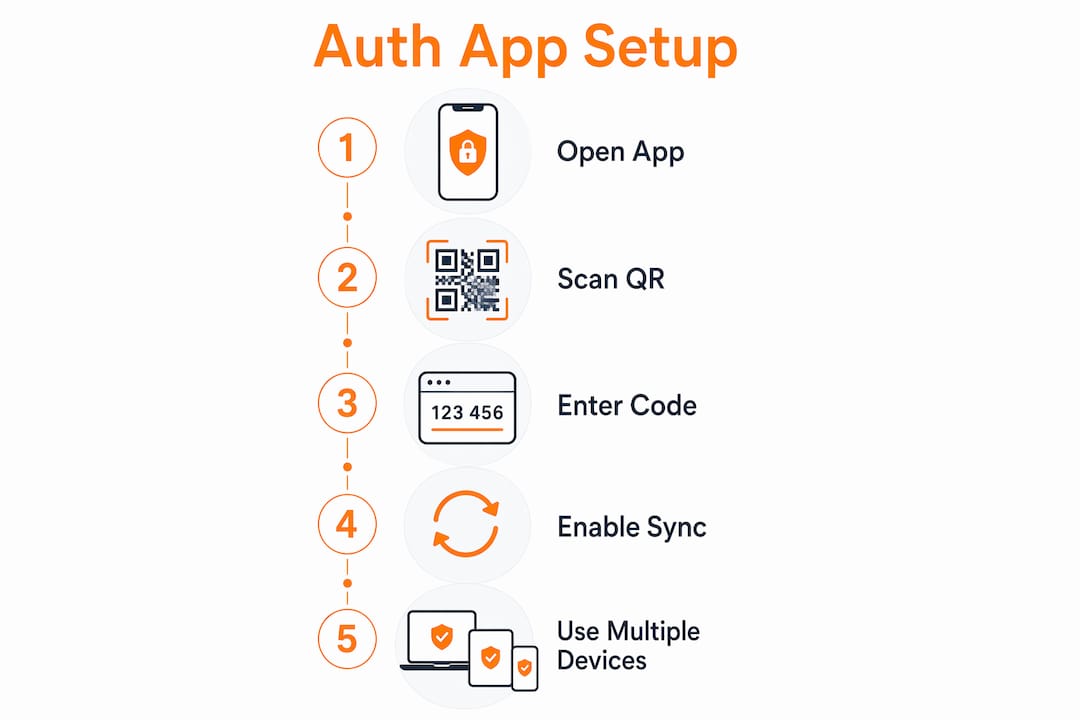
- Open Instagram and tap your profile picture in the bottom-right corner.
- Tap the three lines (menu) in the top-right, then go to Settings.
- Select “Security,” then tap “Two-factor authentication.”
- Tap “Get started” and choose “Authentication app” as your verification method.
- Download your app if you haven’t already. Google Authenticator and Microsoft Authenticator are free on both the App Store and Google Play. Authy is also free and adds multi-device support.
- Scan the QR code Instagram displays, or copy the manual setup key and paste it into your authentication app. Either method links the app to your account.
- Enter the 6-digit code your app generates to confirm the connection, then tap “Next.”
- Save your backup codes. Instagram provides these during setup. Store them somewhere offline, like a printed sheet or a secure note.
Instagram’s official setup process walks through each step, and the app will guide you if it detects no authenticator installed.
Pro Tip: If you use Google Authenticator, enable code syncing to your Google Account. That way, if you lose your phone, your codes restore automatically to a new device rather than locking you out.
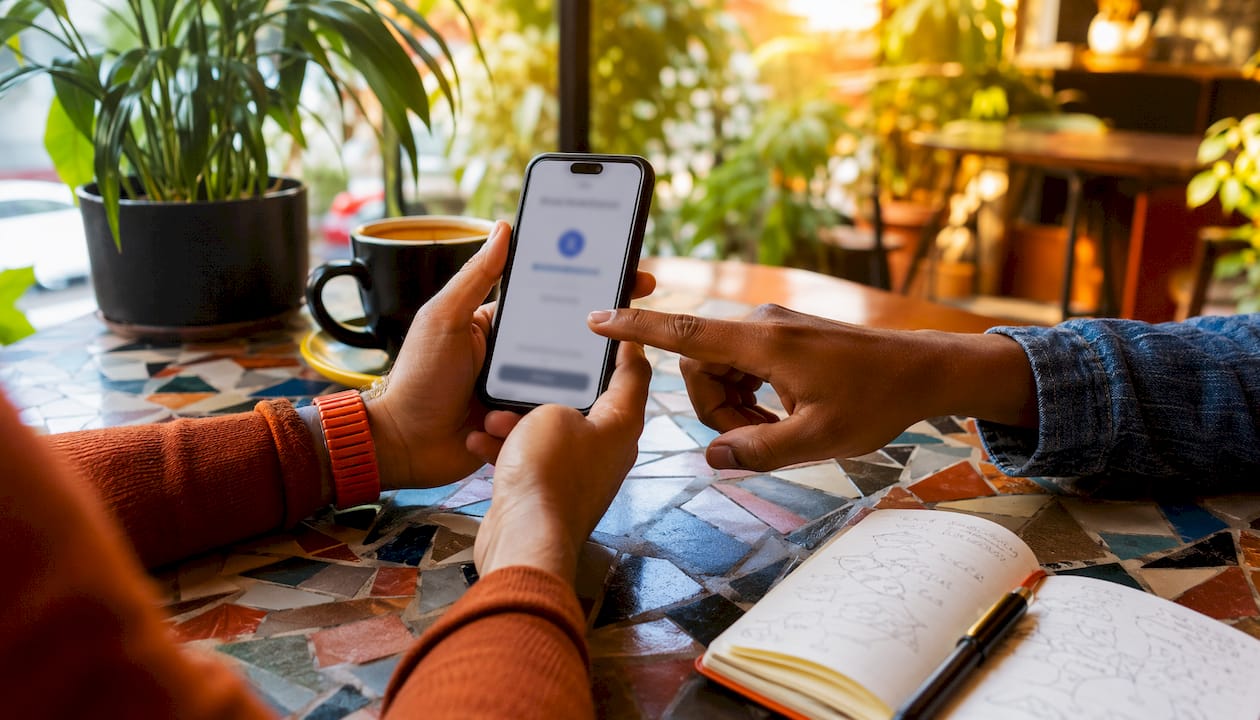
Authy goes a step further by supporting multiple devices simultaneously, so your codes are accessible on your tablet and phone at the same time. Microsoft Authenticator adds biometric authentication, meaning you can use Face ID or a fingerprint to open the app itself.
Why an authentication app beats SMS for Instagram security
SMS-based 2FA has one serious weakness: your phone number. Attackers can execute a SIM swap, convincing your carrier to transfer your number to a device they control. Once they have your number, every SMS code goes straight to them. Authentication apps avoid this entirely because codes never travel over a mobile network.
The security advantages stack up quickly:
- No SIM swap risk: Codes generate locally, so hijacking your phone number gives an attacker nothing useful.
- Works offline: Authentication apps function without cellular service, which matters when you’re traveling internationally or in a low-signal area.
- Codes cannot be intercepted: Unlike SMS, which passes through carrier infrastructure, app-generated codes stay on your device until you type them in.
- One app, many accounts: Apps like Google Authenticator and Authy consolidate 2FA codes for Instagram, email, banking, and other services in a single place.
Frequent travelers and anyone who switches SIM cards regularly get the most obvious benefit. But even for everyday users, the protection gap between SMS and an authentication app is real. Enabling 2FA with an app significantly reduces the chance of unauthorized access, even when a password has already been compromised.
Security note: Instagram itself labels the authentication app option as “recommended” over SMS in its 2FA settings, which reflects the security community’s consensus on the stronger method.
Logmeonce takes your security further than Instagram alone

Securing your Instagram account is a smart first step. But most people manage dozens of accounts across email, banking, work tools, and social platforms. That’s where a single authentication app starts to feel like a partial fix.
Logmeonce offers a full cybersecurity platform built for exactly this situation. Its passwordless multi-factor authentication goes beyond standard TOTP codes, letting you log in with PhotoLogin, biometrics, or a PIN without ever typing a traditional password. Cloud encryption protects your stored credentials, and dark web monitoring alerts you when your data appears in a breach. For individual users who want one place to manage identity security across every account, not just Instagram, Logmeonce is worth a serious look.
Key Takeaways
An authentication app for Instagram generates time-based codes locally on your device, providing stronger account protection than SMS-based verification by eliminating SIM swap and interception risks.
| Point | Details |
|---|---|
| How codes work | Apps generate 6-digit codes every 30 seconds using a shared secret, with no internet connection required. |
| Setup process | Enable 2FA in Instagram’s Security settings, choose “Authentication app,” then scan the QR code or enter the manual key. |
| App vs. SMS security | App-generated codes cannot be intercepted or SIM-swapped, making them more secure than SMS verification. |
| Backup access | Save Instagram’s backup codes during setup; Google Authenticator also supports cloud sync for device recovery. |
| Logmeonce | Logmeonce extends this protection across all your accounts with passwordless MFA, cloud encryption, and dark web monitoring. |
Recommended


