


 Password Manager
 Identity Theft Protection

 Team / Business
 Enterprise
 Government
 MSP
MSP


Two-Factor Authentication Setup Guide for Secure Access

Cybercriminals target millions of online accounts every year, yet adding two-factor authentication can block up to 99 percent of automated attacks. Trusting a simple password is no longer enough to keep your private data safe. Strengthening your login process with two-factor authentication lowers your risk and puts you in control of your security. Follow these practical steps to secure your accounts in just a few minutes and gain lasting peace of mind.
Quick Summary
| Key Point | Explanation |
|---|---|
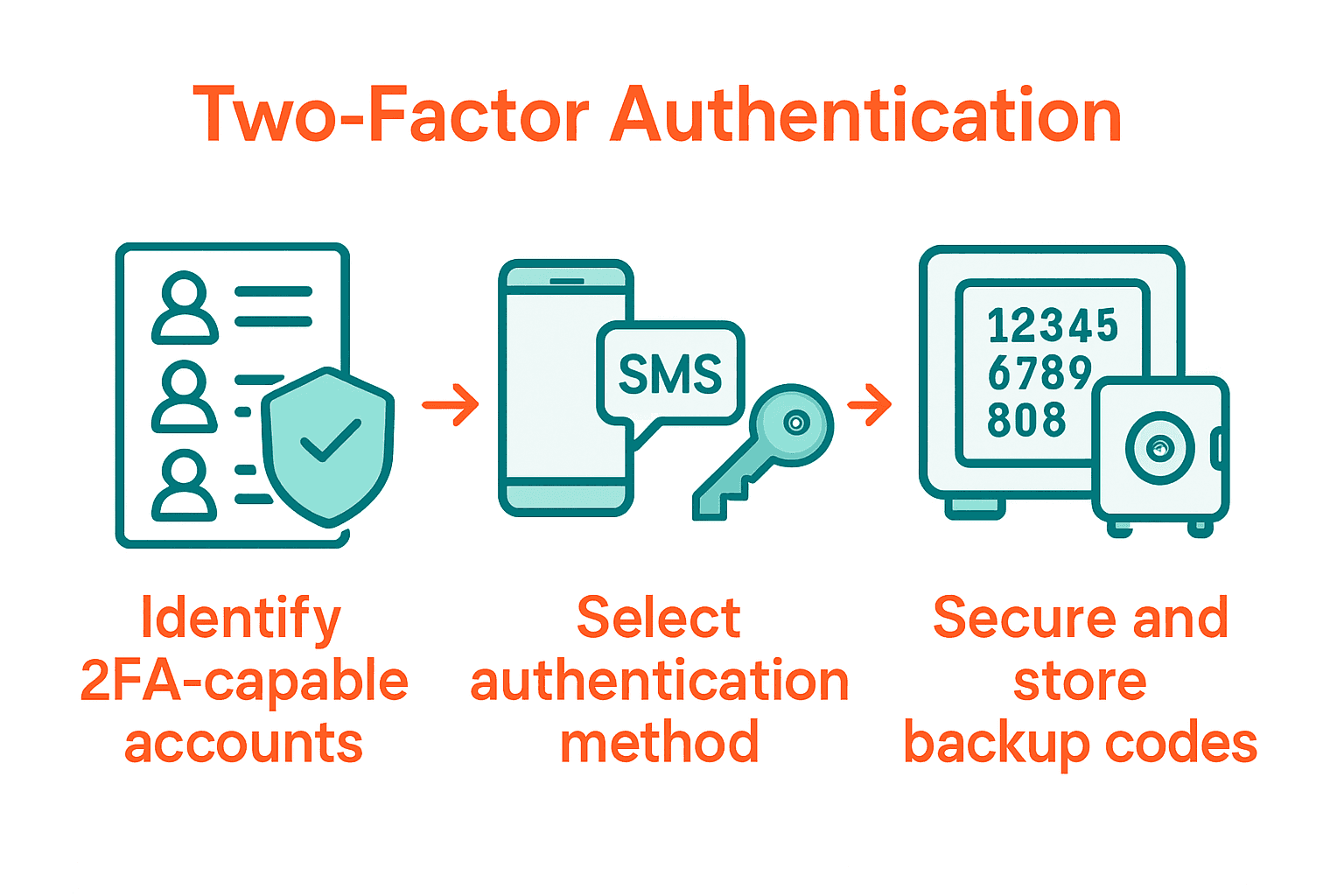
| 1. Identify accounts supporting 2FA | List all online accounts like banking and email that offer two-factor authentication features for enhanced security. |
| 2. Choose secure second factor methods | Opt for authentication methods like TOTP apps or hardware keys that balance security with ease of use. |
| 3. Activate and document 2FA settings | Follow specific platform instructions to enable 2FA and securely store your backup codes for recovery. |
| 4. Test your 2FA setup thoroughly | Log out and attempt to log back in, ensuring that your selected authentication method works as intended. |
| 5. Safeguard recovery codes and methods | Keep backup codes in secure locations and establish multiple recovery options to prevent being locked out of your accounts. |
 |
|
Step 1: Prepare Your Accounts for Two-Factor Authentication
Preparing your online accounts for two-factor authentication (2FA) requires a systematic approach to enhance your digital security. According to NCSC, implementing 2FA significantly reduces the risk of unauthorized account access by adding an extra verification layer beyond passwords.
Start by identifying the online accounts that support two-factor authentication. Most banking platforms, email services, social media networks, and cloud storage providers offer 2FA options. Check each account’s security settings and look for authentication methods like SMS codes, authenticator apps, or hardware security keys. EU Login recommends selecting a second authentication method that provides both convenience and robust security.
Before activating 2FA, ensure you have a reliable backup method for account recovery. This might include generating and securely storing backup codes, registering multiple authentication devices, or setting up trusted contact methods. Pro tip: Always have a backup authentication option in case your primary method becomes unavailable. Preparing thoroughly means you will have a smoother and more secure 2FA implementation across your digital accounts.
Step 2: Select and Configure Preferred Second Factor Methods
Securing your accounts involves choosing the most suitable two-factor authentication method that balances convenience and security. GitHub highlights multiple authentication options that can significantly enhance your digital protection.
Authentication methods typically include time-based one-time password (TOTP) apps, SMS text messages, hardware security keys, and mobile authentication apps. Guideline recommends carefully evaluating each method based on your personal security needs and technical comfort level. TOTP apps like Google Authenticator or Authy provide robust security by generating temporary codes that refresh every 30 seconds. SMS codes are convenient but slightly less secure, while hardware security keys offer the strongest protection against potential phishing attempts.
When configuring your second factor, prioritize methods that offer the best combination of ease of use and security strength. Pro tip: Enable multiple authentication methods as a backup in case your primary method becomes unavailable. This strategy ensures continuous account access while maintaining a high level of security protection. Your next step will involve activating and testing your chosen two-factor authentication method to confirm smooth implementation.
Step 3: Enable Two-Factor Authentication on Your Platforms
Enabling two-factor authentication across your digital platforms is a critical step in protecting your online accounts from unauthorized access. GitHub provides comprehensive guidance on implementing robust authentication methods for various online services.
To activate two-factor authentication, navigate to the security or account settings of each platform you want to protect. Guideline recommends carefully following platform-specific instructions. Typically, this involves selecting your preferred authentication method such as an authenticator app or SMS code, then scanning a QR code or entering a provided setup key. Most platforms will generate backup codes during this process these codes are crucial for account recovery if you lose access to your primary authentication method.
Pro tip: Document and securely store your backup codes in a safe location separate from your primary devices. Some platforms allow you to print or download these codes. After setting up 2FA, always test your configuration by logging out and attempting to log back in to confirm the new security measures work correctly. This final verification step ensures your accounts are now protected with an additional layer of security.
Step 4: Test and Verify Proper Authentication Functionality
Verifying the effectiveness of your two-factor authentication setup is crucial to ensuring your accounts remain secure. GitHub emphasizes the importance of thorough testing to confirm your authentication methods work correctly.
To test your two-factor authentication, intentionally log out of your accounts and then attempt to log back in. Guideline recommends carefully observing the login process to ensure you are prompted for your second authentication factor. This typically involves entering your password first, then being asked to provide a time-based one-time password from your authenticator app or a code sent via text message. Pay close attention to each step to confirm the verification process functions smoothly.
Pro tip: Test your authentication methods on multiple devices to verify consistent functionality. Create a testing checklist that includes logging in from different browsers and devices to ensure your two-factor authentication works reliably across various platforms. If you encounter any issues during testing, revisit your account settings or contact the platform’s support team for assistance. Remember that successfully testing your 2FA setup provides peace of mind and significantly enhances your overall digital security.
Step 5: Safeguard Backup Codes and Recovery Options
GitHub emphasizes the critical importance of establishing robust backup and recovery mechanisms for your two-factor authentication system. Protecting your digital identity requires a strategic approach to managing alternative access methods when your primary authentication route becomes unavailable.
During the initial two-factor authentication setup, most platforms will generate a set of one-time recovery codes. Guideline recommends creating multiple backup authentication strategies. This might include printing physical copies of recovery codes, storing encrypted digital versions in a secure password manager, and registering multiple trusted devices or phone numbers as alternative verification methods.
Pro tip: Store your backup codes in completely separate locations to minimize risk. Consider keeping a physical copy in a secure safe or fireproof document storage, while maintaining an encrypted digital backup in a secure cloud storage service. Periodically review and update these backup methods to ensure they remain current and accessible. By implementing a comprehensive backup strategy, you create a safety net that prevents potential lockouts and maintains continuous access to your critical online accounts.

Strengthen Your Digital Security with Trusted Two-Factor Authentication Solutions
Setting up two-factor authentication can feel overwhelming when protecting your online accounts from unauthorized access. The guide highlights key challenges like selecting the right second factor, safeguarding backup codes, and ensuring smooth authentication functionality. You want an authentication solution that is secure yet easy to manage, with reliable backups that prevent lockouts and seamless multi-factor verification that works every time.
By choosing LogMeOnce you gain access to a comprehensive suite of cybersecurity tools designed to solve these exact pain points. Our platform offers passwordless MFA, encrypted cloud storage, and intuitive multi-factor authentication that simplifies your digital protection. Experience the confidence of robust security features combined with easy-to-use account recovery options tailored for individuals and organizations alike.
Discover how LogMeOnce transforms two-factor authentication from a potential hassle into a seamless security upgrade.

Take control of your online safety now with LogMeOnce. Visit LogMeOnce Resources to explore powerful identity management solutions and start your free trial today. Your secure access journey begins here.
Frequently Asked Questions
What is two-factor authentication and why should I set it up?
Two-factor authentication (2FA) is a security process that requires two forms of verification to access your accounts. Setting up 2FA significantly enhances your account security by adding an extra layer of protection beyond just a password. Start by identifying which accounts support 2FA and begin the setup process to safeguard your digital identity.
How do I prepare my accounts for two-factor authentication?
To prepare your accounts for two-factor authentication, first identify which of your online accounts support this feature. Check the security settings of these accounts and decide on a backup recovery method, such as storing backup codes securely. Begin by going through each account’s setup procedure to ensure a smoother implementation.
What second factor methods should I choose for two-factor authentication?
You can choose from various second factor methods, including SMS codes, authenticator apps, or hardware security keys. Evaluate each option based on your comfort with technology and the level of security you desire. Select one or more methods that offer an effective balance of convenience and security, such as using a TOTP app for robust protection.
How do I enable two-factor authentication on different platforms?
To enable two-factor authentication, go to the security settings of the specific platform you wish to secure. Follow the platform-specific instructions to select your preferred authentication method, and be sure to note any backup codes generated during the setup. Ensure you document these codes securely, as they will be essential for account recovery.
How can I test that my two-factor authentication is working correctly?
To test your two-factor authentication setup, log out of your accounts and then attempt to log back in to see if you are prompted for the second verification step. It is crucial to verify that the process works smoothly by checking the functionality across different devices and browsers. Create a checklist of accounts to ensure each one is properly secured and operating as expected.
What steps should I take to safeguard my backup codes and recovery options?
Safeguarding your backup codes involves creating multiple secure storage methods, such as printing physical copies and storing digital versions in secure password managers. Keep these codes in separate, secure locations to minimize the risk of loss or theft. Regularly review your backup strategies to ensure they are up-to-date and easily accessible in case of an emergency.


