


 Password Manager
 Identity Theft Protection

 Team / Business
 Enterprise
 Government
 MSP
MSP

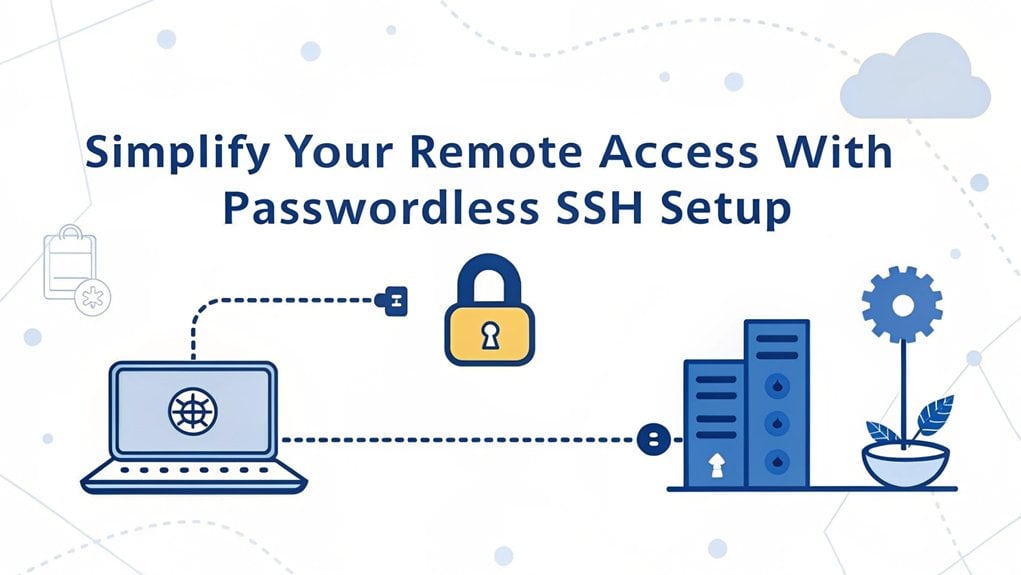
The recent leak of a widely used password has raised significant alarms in the cybersecurity community, as it highlights vulnerabilities that many users face in their digital lives. This password appeared in various data breaches across multiple platforms, exposing countless accounts to potential unauthorized access. Its significance lies in the fact that it underscores the need for stronger security measures, as many individuals still rely on easily guessable passwords. For users, this serves as a critical reminder to enhance their cybersecurity practices, such as adopting passwordless SSH setups or utilizing password managers, to safeguard their sensitive information against increasingly sophisticated threats.
Key Highlights
- Generate SSH key pairs using 'ssh-keygen' command, selecting a minimum 2048-bit length for robust security.
- Copy your public key to remote servers using ssh-copy-id to enable automatic authentication without passwords.
- Store private keys securely in the '.ssh' folder with appropriate file permissions to prevent unauthorized access.
- Add an optional passphrase to your SSH key for an extra layer of security during initial setup.
- Configure automated tasks to manage SSH keys efficiently across multiple systems and streamline remote access operations.
Understanding SSH Authentication Basics
Hey there, computer explorer! Have you ever wondered how computers talk to each other safely? It's kind of like having a secret handshake with your best friend!
When you connect to another computer using SSH (that's like a special phone line for computers), you need to prove it's really you. There are different ways to do this – you can use a password (like saying a secret word), or something even cooler called keys (imagine having a magical key that only fits your lock). Your computer sends commands through an encrypted tunnel to keep everything private and secure. Multi-Factor Authentication can further enhance your security by adding extra verification steps.
I love using keys because they're super safe – way better than passwords! Think of it like this: passwords are like telling someone your secret word, but keys are like having a special decoder ring that only you can use. Isn't that awesome?
Key Benefits of Going Passwordless
Now that you know how computers use special keys to stay safe, let me tell you why getting rid of passwords is super cool! It's like having a magical key that only works for you – no more remembering tricky passwords! The recommended 4096-bit RSA key provides maximum security for your remote connections. Additionally, adopting multi-factor authentication can further enhance your security by requiring multiple forms of verification.
Here's a fun chart showing my favorite things about going passwordless:
| Benefit | What It Means For You |
|---|---|
| Better Security | Bad guys can't guess your password – because there isn't one! |
| Easier Login | Just click and you're in – like opening your lunchbox! |
| No More Forgetting | Never get locked out of your account again |
| Keeps Track Better | Your computer knows exactly who's visiting |
| Saves Time | No more typing long passwords over and over |
Isn't that amazing? It's like having your own secret superhero power that keeps you safe online!
Setting Up Your SSH Key Pair
Creating SSH keys is like making a special lock and key set for your computer!
You'll need two keys – one that's super secret (like your secret hideout password) and another that you can share with friends.
Let me show you how easy it is! Just open your computer's command window and type 'ssh-keygen'. It's like a magic spell that creates your special keys!
When it asks where to save them, you can just press Enter to use the default spot – it's like putting your toys in their favorite place.
Want to make your keys extra strong? You can add a secret passphrase – think of it as a bonus level of protection!
Your keys will be saved in a special folder called '.ssh', and I'll keep the private key safe, just like you guard your favorite snacks!
For maximum security, you should use a 2048-bit key length when generating your SSH keys.
Configuring Remote Server Access
After setting up your secret SSH keys, let's make your computer talk to other computers!
Think of it like having a special phone that only works with a secret code. Cool, right?
First, we'll tell your computer which other computers it can chat with. Open up a special notebook (we call it a config file) in your .ssh folder.
It's like making a list of your best friends' phone numbers! Here's what to write:
Host myserver
HostName 192.168.1.100
User myusername
Now you can just type 'ssh myserver' to connect!
It's like having a speed dial for your computer friends. No more typing long addresses – just pick a fun nickname for each computer and you're ready to go!
Make sure your connection is secure by checking that you're using TCP port 22 for your SSH connection.
Securing Your SSH Keys
Your SSH keys are like a super-secret diary – you wouldn't want anyone else reading it! Just like you keep your favorite candy hidden from sneaky siblings, you need to protect your SSH keys from bad guys. Let me show you some cool tricks to keep them safe! An effective way to enhance security is through two-factor authentication. Additionally, consider implementing strong security measures to further safeguard your SSH keys.
| Do This! | Don't Do This! |
|---|---|
| Use strong passwords | Share your keys |
| Make different keys | Use the same key everywhere |
| Update keys regularly | Keep old keys forever |
| Keep keys private | Store keys in public places |
Think of your SSH keys like a special decoder ring – they help you send secret messages! I recommend using super-strong keys (like RSA-4096 or Ed25519) and changing them often, just like you change your favorite superhero costume. Remember, keeping your keys safe is as important as protecting your secret clubhouse password!
Best Practices for Key Management
Managing SSH keys is like being the keeper of magical treasure keys! Just like you wouldn't leave your house key under the doormat, you'll want to keep your SSH keys safe and organized.
I'll show you how to be the best key keeper ever!
Here are some super cool ways to manage your keys:
- Change your keys regularly, like getting new shoes when you outgrow old ones
- Never share your private key – it's like your secret diary!
- Keep track of who's which key, like knowing who borrowed your favorite toys
- Store keys in a safe place, just like keeping cookies in a special jar
Think of key management like being a superhero protecting their special powers.
You'll want to rotate keys, monitor who uses them, and always keep them secure!
Setting up automated tasks becomes effortless once your passwordless SSH login is configured properly.
Automating Tasks With SSH Keys
Now that you're a master key keeper, let's make those SSH keys work like magic robots!
Have you ever wished your computer could do your chores while you play? That's what automation with SSH keys is all about!
I'll show you how to make your computer do tasks all by itself. Just like setting up a toy train to run on its tracks, you can tell your computer to copy files, check if servers are happy and healthy, or install new programs – automatically! Using powerful tools like Fabric and Ansible, you can control multiple servers with simple Python scripts.
It's like having a helpful friend who never gets tired.
Want to send files every day at the same time? No problem! We can use something called "cron jobs" – think of them as tiny alarm clocks that wake up your computer to do specific tasks.
Isn't that cool?
Troubleshooting Common Issues
Even the best computer connections can sometimes act like a fussy puppy who won't sit still!
When your passwordless SSH setup isn't working, don't worry – I've got some super easy fixes that'll help you get back to having fun with your computer.
Just like checking if you've tied your shoelaces properly, we need to look at a few important things.
Using RSA key pairs for authentication provides robust security against unauthorized access.
Here are the main areas we'll check together:
- File permissions (making sure your computer files have the right "outfit" on)
- Key setup (like making sure you're using the right key for the right lock)
- Server settings (helping your computer understand what you want it to do)
- Client settings (making sure your computer is ready to connect)
Advanced SSH Security Features
Think of your computer as a fortress with special superpowers! When you use SSH, it's like having invisible armor that protects your computer from bad guys. I'll show you some cool security features that make SSH super strong!
| Security Power | What It Does! |
|---|---|
| Encryption | Turns your messages into secret code |
| Authentication | Makes sure you're really you |
| Data Shield | Keeps your information safe and sound |
| Secret Tunnel | Creates a safe path between computers |
| File Guardian | Moves files safely like a ninja |
Have you ever played secret agent games? Well, SSH is like being a real digital spy! It uses special keys (like magic wands) instead of passwords, and creates secret passages that only you can use. Isn't that amazing? When you send files, they travel through these protected tunnels, keeping them safe from prying eyes. Using tools like Fail2Ban helps stop sneaky attackers from trying to guess your password over and over.
Real-World Implementation Examples
Let's explore how people use passwordless SSH in the real world – it's like having a magic key that opens doors!
I'll show you some super cool ways people use this technology, just like how you might use a special secret handshake with your best friend.
- Cloud servers use it like a giant game of connect-the-dots, linking computers together automatically.
- Big companies use it to help their computers talk to each other – imagine if all your toys could share messages!
- Scientists running huge experiments use it to control hundreds of computers at once.
- Developers (people who make computer games) use it to update their games without typing passwords.
Want to know something amazing? About 80% of all SSH connections are between machines talking to each other – that's like having robots as pen pals!
Frequently Asked Questions
Can I Use the Same SSH Key Pair Across Multiple Devices?
I wouldn't recommend using the same SSH key pair across multiple devices – it's like sharing your secret treehouse password with everyone!
While it might seem easier, it's better to create fresh keys for each device.
Think of it like having different keys for your house, bike lock, and toy chest.
This way, if one key gets lost, your other special places stay safe!
What Happens if My SSH Key Gets Corrupted or Accidentally Deleted?
Don't worry! If your SSH key gets lost or broken, I've got your back!
Think of it like losing your house key – you'll need to make a new one. First, create a fresh SSH key pair on your computer.
Then, add the new public key to your server's authorized_keys file. You can even use password login temporarily while you set up the new key.
Does Passwordless SSH Work With Cloud Hosting Providers Like AWS?
Yes, I can tell you that passwordless SSH works great with AWS and other cloud providers!
It's just like having a special key to your treehouse – once you set it up, you can visit anytime.
I've used it with AWS EC2 instances many times.
You'll need to follow AWS's rules for setting up your keys, but it's super reliable.
Want to know the coolest part? It works exactly the same way as regular SSH!
How Often Should I Rotate or Regenerate My SSH Keys?
I'd recommend rotating your SSH keys every 3 months, just like changing the secret code to your treehouse!
If you're working with super-important stuff (like a secret candy stash), you might want to rotate them more often.
Think of it like getting fresh batteries for your favorite toy – it keeps everything running safely.
I use automated tools to help me remember when it's time for new keys.
Can I Temporarily Enable Password Authentication Without Removing My SSH Keys?
Yes, I can help you temporarily enable password authentication while keeping your SSH keys!
It's like having both a special key and a secret password for your treehouse.
First, log into your server with your SSH key.
Then, I'll show you how to edit a special file called 'sshd_config' and change one setting.
After we restart SSH, you'll have both options working!
The Bottom Line
Now that you've seen how passwordless SSH can streamline your remote access, it's time to think about the next step in enhancing your security. Managing passwords can be a hassle, and with the rise of cyber threats, it's essential to take control of your password management and security. A password manager can help you securely store and manage your passwords, ensuring that your sensitive information is protected.
Consider simplifying your password management further by trying out a solution like LogMeOnce. With their innovative features, you'll not only keep your passwords secure but also gain the convenience of effortless access to your accounts. Don't wait any longer! Sign up for a Free account at LogMeOnce today and experience the peace of mind that comes with secure password management. Your digital security is worth it!

Mark, armed with a Bachelor’s degree in Computer Science, is a dynamic force in our digital marketing team. His profound understanding of technology, combined with his expertise in various facets of digital marketing, writing skills makes him a unique and valuable asset in the ever-evolving digital landscape.


