


 Password Manager
 Identity Theft Protection

 Team / Business
 Enterprise
 Government
 MSP
MSP


Over half of American companies cite password fatigue as a top security risk for their teams. As organizations expand their digital footprints, juggling multiple logins has become more than just an annoyance—it poses real threats to productivity and data protection. Single sign-on emerges as a smarter solution, offering seamless access and stronger controls that can significantly lighten the daily burden for both employees and IT staff.
Key Takeaways
| Point | Details |
|---|---|
| Enhanced Security | Single Sign-On (SSO) centralizes authentication, reducing security vulnerabilities associated with multiple passwords. |
| Increased Productivity | SSO streamlines access to applications, allowing employees to focus on critical tasks instead of managing logins. |
| Reduced IT Support | Implementing SSO can minimize help-desk requests, freeing IT teams to concentrate on more strategic initiatives. |
| Support for Remote Work | SSO enables secure access across diverse locations and devices, facilitating smooth transitions for hybrid workforces. |
What Single Sign-On Means for Organizations
Single sign-on (SSO) represents a transformative authentication strategy that fundamentally reshapes how organizations manage digital access and security. By enabling users to access multiple applications through a single authentication process, SSO eliminates the traditional complexity of managing numerous login credentials across different systems.
For modern organizations, SSO delivers significant productivity and security advantages. Employees can seamlessly transition between work applications without repeatedly entering passwords, dramatically reducing login time and cognitive friction. The system dramatically simplifies user authentication while simultaneously strengthening organizational cybersecurity protocols. Authentication centralization means IT teams can implement more robust security controls from a single management point, reducing potential vulnerability windows.
The strategic implementation of SSO goes beyond convenience. Cross-domain authentication systems allow organizations to create more flexible, interconnected digital workspaces where collaboration and information sharing become smoother and more secure. By standardizing access management, companies can enforce consistent security policies, track user activities more effectively, and minimize the risks associated with password-related vulnerabilities.
Pro Tip: Comprehensive SSO Implementation Strategy: Carefully audit your current application ecosystem and select an SSO solution that offers seamless integration, multi-factor authentication support, and robust reporting capabilities to maximize both security and user experience.
Here’s a summary of SSO’s business impact compared to traditional authentication:
| Aspect | Traditional Authentication | Single Sign-On (SSO) |
|---|---|---|
| Login Experience | Multiple passwords required | One credential for all systems |
| IT Support Demand | Frequent password reset requests | Fewer support tickets |
| Security Risk | Higher due to weak passwords | Reduced with centralized controls |
| Onboarding Speed | Time-consuming, manual setup | Quick access provisioning |
| Employee Productivity | Interrupted by constant logins | Focused, seamless workflow |
How SSO Streamlines Employee Access and Tasks
Single sign-on technology revolutionizes workplace efficiency by dramatically simplifying how employees interact with digital work environments. Reducing login complexity and time spent managing multiple credentials transforms the traditional approach to workplace authentication, enabling workers to focus more on critical tasks and less on technical barriers.

The core advantage of SSO lies in its ability to consolidate access management across diverse software platforms. Employees can now navigate between project management tools, communication platforms, cloud storage systems, and enterprise applications with unprecedented ease. Authentication integration means workers spend significantly less time wrestling with password recovery, credential management, and repetitive login processes. This reduction in administrative friction translates directly into increased productivity and reduced workplace frustration.
Moreover, SSO provides organizations with robust control mechanisms that enhance both security and operational efficiency. IT departments can implement centralized access policies, monitor user activities more comprehensively, and quickly provision or revoke system access. The technology supports a more agile workforce by enabling rapid onboarding, seamless transitions during organizational changes, and consistent security protocols across complex digital ecosystems.
Pro Tip: Strategic SSO Adoption: Conduct a comprehensive audit of your current application landscape and prioritize solutions that offer intuitive user experience, robust multi-factor authentication, and seamless integration with your existing technological infrastructure.
Enhancing Security While Improving Productivity
Single sign-on (SSO) represents a sophisticated approach to simultaneously addressing two critical organizational challenges: cybersecurity protection and workplace efficiency. Organizations can strategically enhance remote work security by implementing robust authentication mechanisms that streamline access while maintaining rigorous security protocols.
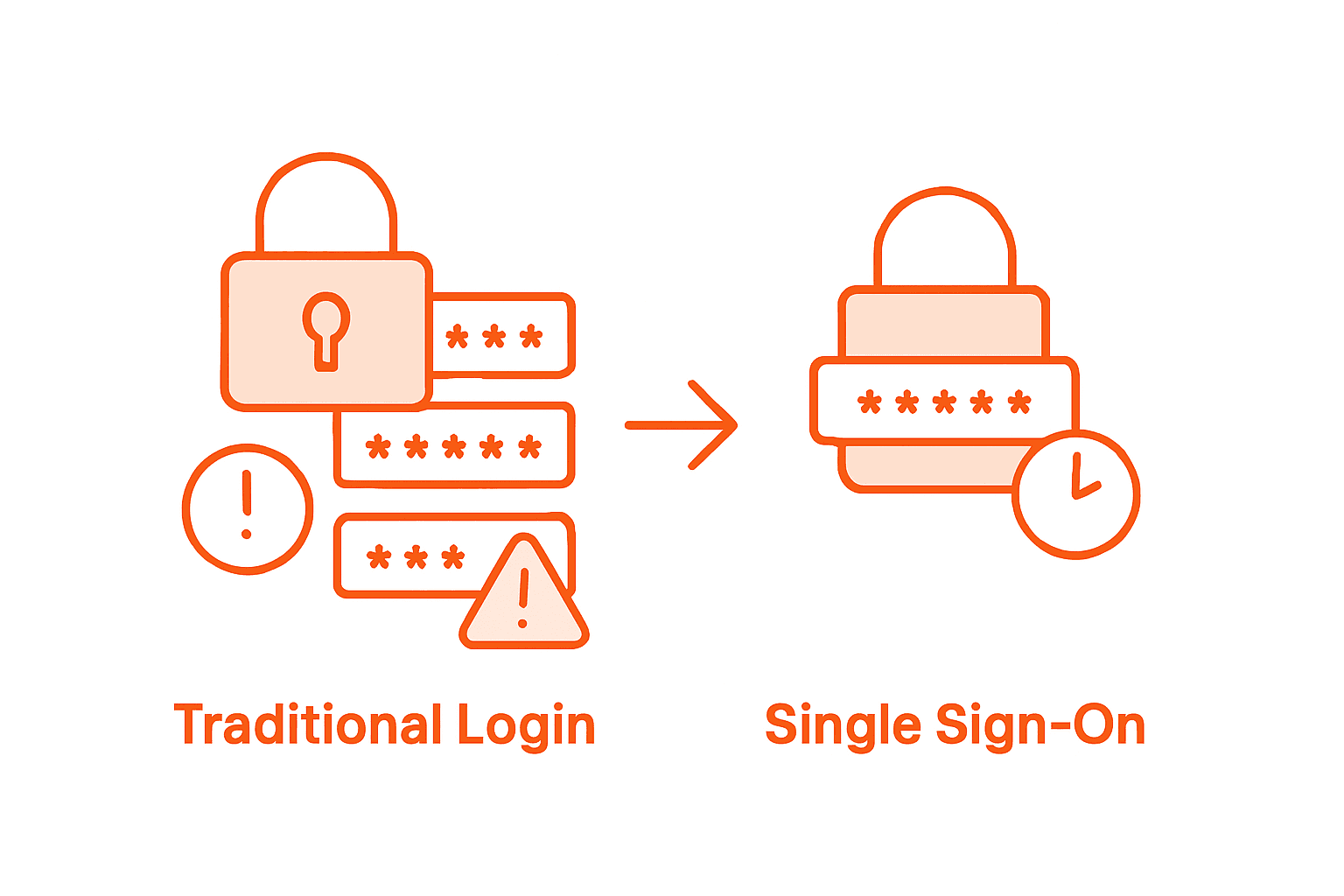
The dual-purpose nature of SSO becomes evident in its ability to reduce security vulnerabilities without compromising operational agility. Authentication centralization allows IT teams to implement comprehensive access controls, monitor user activities, and quickly respond to potential security threats. By eliminating the need for multiple login credentials, organizations minimize password-related risks such as weak password creation, credential sharing, and prolonged vulnerability windows.
Moreover, SSO enables a more intelligent approach to workforce productivity. Enterprise password management strategies transform how employees interact with digital work environments. The technology eliminates time-consuming authentication processes, reducing cognitive load and allowing workers to focus on mission-critical tasks. This approach not only accelerates workflow but also creates a more seamless, user-friendly technological ecosystem that supports both security imperatives and operational efficiency.
Pro Tip: Comprehensive Security Integration: Conduct a thorough assessment of your current authentication landscape and implement an SSO solution that offers multi-factor authentication, granular access controls, and real-time activity monitoring to balance security and productivity effectively.
The following table highlights key features to seek in an SSO solution and their organizational benefits:
| SSO Feature | Organizational Benefit |
|---|---|
| Multi-factor authentication | Strengthens account security |
| Centralized management | Simplifies user and access administration |
| Integrated reporting | Enhances compliance and auditing capabilities |
| Seamless application integration | Enables consistent user experience |
Reducing IT Burdens and Support Costs with SSO
Single sign-on (SSO) technology emerges as a transformative solution for organizations seeking to dramatically reduce IT support overhead and operational costs. Implementing SSO can reduce help-desk calls by up to 95%, representing a significant breakthrough in managing technological support infrastructure.
Authentication consolidation fundamentally reshapes how IT departments allocate their resources and manage technological support challenges. By eliminating the complex ecosystem of multiple passwords and login credentials, organizations create a more streamlined, efficient support environment. Consolidating login processes allows IT teams to redirect their focus from routine password resets to more strategic technological initiatives, enabling more proactive and value-driven technological management.
The economic implications of SSO extend far beyond simple password management. Organizations can significantly reduce support ticket volumes, minimize time spent on repetitive authentication-related tasks, and lower overall operational costs associated with password recovery and user credential management. This approach not only saves financial resources but also improves employee satisfaction by creating a more seamless, intuitive technological experience that reduces frustration and workflow interruptions.
Pro Tip: Strategic SSO Implementation: Conduct a comprehensive audit of your current authentication processes and identify key pain points where SSO can provide the most significant operational and cost-saving benefits.
SSO’s Role in Hybrid and Remote Workforces
The modern workplace has undergone a radical transformation, with hybrid and remote work models becoming the new standard across industries. Strategic remote work security approaches have become critical in maintaining organizational productivity and data protection in increasingly decentralized work environments.
Authentication flexibility emerges as a cornerstone of effective hybrid workforce management. Single sign-on technology enables employees to securely access critical organizational resources from diverse locations and devices, eliminating the traditional barriers of physical office infrastructure. By creating a unified access framework, SSO ensures that remote workers can seamlessly transition between home, office, and mobile work environments without compromising security or experiencing technological friction.
The technological infrastructure supporting hybrid workforces demands robust, adaptive authentication mechanisms. Enterprise password management strategies provide organizations with sophisticated tools to maintain rigorous security standards while supporting workforce mobility. SSO eliminates the complex web of multiple login credentials, reducing cognitive load for employees and minimizing the risk of unauthorized access across dispersed technological ecosystems.
Pro Tip: Remote Authentication Strategy: Design a comprehensive SSO implementation that includes multi-factor authentication, device-specific access controls, and real-time monitoring to support seamless and secure hybrid work environments.
Unlock Workforce Productivity and Security with LogMeOnce Single Sign-On
Managing multiple passwords and constant login disruptions can drain employee focus and increase IT burdens. This article highlights how Single Sign-On (SSO) dramatically enhances workforce productivity by simplifying access while strengthening security through centralized authentication and multi-factor authentication support. Organizations facing challenges like frequent password resets, security vulnerabilities, and complicated onboarding processes can find relief by adopting a seamless SSO strategy.
By choosing LogMeOnce, your organization gains access to an advanced identity management platform that integrates powerful SSO capabilities with encrypted cloud storage and comprehensive password management. Our solutions are tailored to meet the needs of diverse work environments, including hybrid and remote teams, ensuring secure and frictionless user experiences. Discover how streamlined authentication can transform your digital workflow while reducing IT support tickets and enhancing security compliance.
Elevate your organization’s security posture and productivity today with LogMeOnce comprehensive cybersecurity solutions.

Experience the benefits of effortless, secure access. Visit LogMeOnce now and start your free trial to see how innovative SSO and multi-factor authentication protect your workforce while improving productivity.
Frequently Asked Questions
What are the benefits of using Single Sign-On (SSO) in the workplace?
SSO streamlines employee access by allowing users to log in once and access multiple applications, reducing login time and enhancing productivity. It also strengthens security through centralized management.
How does SSO improve security for organizations?
SSO improves security by centralizing authentication, which allows for robust security controls and reduces risks related to password management, such as weak passwords and credential sharing.
Can SSO help reduce IT support costs?
Yes, implementing SSO can significantly reduce IT support demands by minimizing password reset requests and streamlining user management, allowing IT teams to focus on strategic initiatives.
What role does SSO play in remote work environments?
SSO facilitates secure access to organizational resources from various locations and devices for remote workers, promoting flexibility while maintaining security across decentralized work environments.
Recommended
- Single Sign On – Online Security Needn’t be Complex
- What Is Single Sign-On and How Does It Keep Information Secure?


