


 Password Manager
 Identity Theft Protection

 Team / Business
 Enterprise
 Government
 MSP
MSP


TL;DR:
- Multi-factor authentication (MFA) requires two or more verification factors from distinct categories to verify a user’s identity. Phishing-resistant methods like hardware security keys and biometrics provide stronger security, especially when combined with contextual risk assessments. Implementing strong, layered MFA is essential to protect sensitive accounts against evolving cyber threats effectively.
Multi-factor authentication (MFA) is defined as a security process requiring two or more verification factors from distinct categories to confirm a user’s identity. NIST SP 800-63B establishes three valid factor categories: something you know (a password), something you have (a hardware key), and something you are (a fingerprint). Two passwords do not qualify as MFA because they draw from the same category. The most effective multi-factor authentication examples combine factors across these categories, and industry leaders like Microsoft and NIST now prioritize phishing-resistant methods as the baseline standard for 2026 security deployments.
1. Authenticator apps: TOTP-based MFA examples
Time-based one-time password (TOTP) apps are among the most widely deployed multi-factor authentication examples for individuals and businesses alike. Apps like Google Authenticator and Authy generate a six-digit code that refreshes every 30 seconds, functioning as a possession factor alongside your password. The code is generated locally on your device, which means it works without a network connection and is harder to intercept than an SMS code.
Microsoft Authenticator goes further by supporting push notifications and passwordless login through passkeys, making it one of the most flexible authenticator apps available. When a login attempt occurs, the app sends a push notification asking you to approve or deny the request in real time.
Key advantages of TOTP authenticator apps:
- Work offline without cellular or Wi-Fi connectivity
- Codes expire within 30 seconds, limiting replay attack windows
- Free to use with most major platforms including Google, Microsoft, and GitHub
- Supported across iOS and Android devices
Pro Tip: Set up authenticator apps on two devices or export a backup code during setup. Losing your phone without a backup locks you out of every account tied to that app.
2. Hardware security keys as phishing-resistant MFA
Hardware security keys, particularly FIDO2-compliant USB devices like YubiKey, represent the strongest category of possession-based MFA. These keys use cryptographic authentication with origin binding, meaning the key only responds to the exact domain it was registered with. A phishing site cannot harvest credentials because the key refuses to authenticate against a mismatched domain.
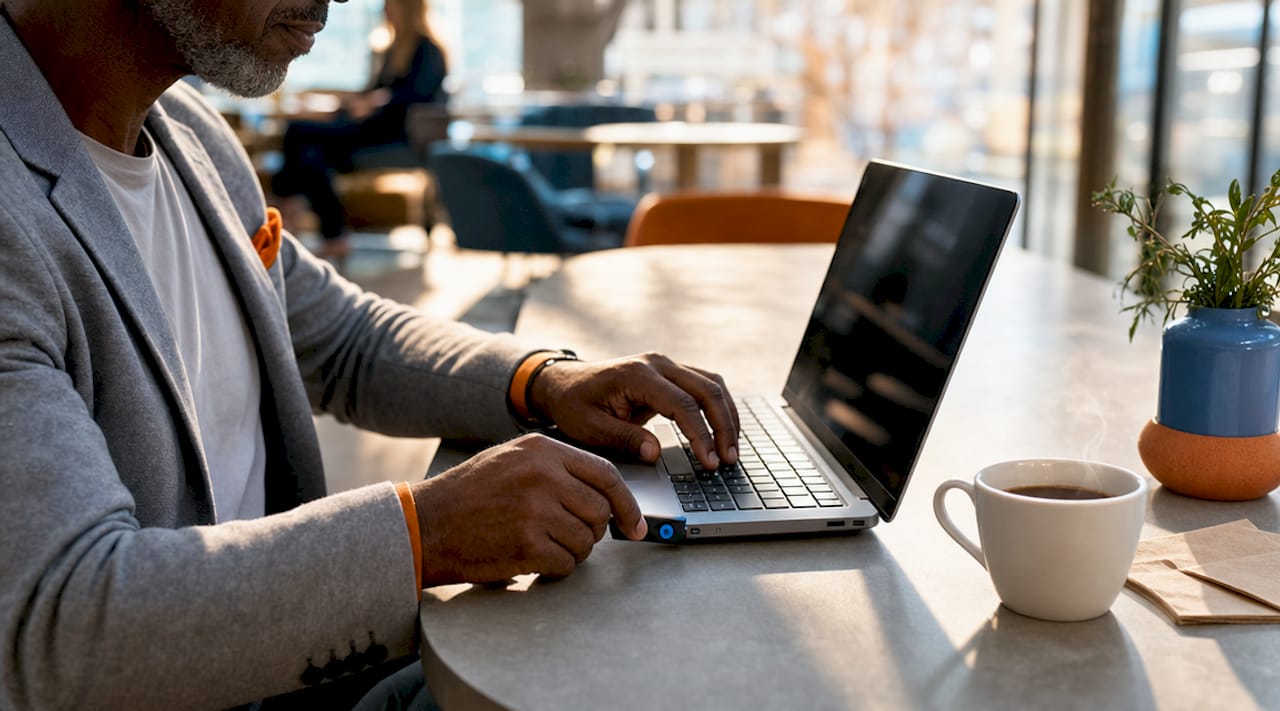
Microsoft Entra explicitly recommends FIDO2 security keys and Windows Hello for Business as the most secure sign-in options available. For enterprise environments handling sensitive financial, legal, or health data, hardware keys are the practical gold standard. LogMeOnce has also explored hardware key integration, including USB token technology with advanced security features for business deployments.
The main trade-off is physical dependency. If you lose the key, account recovery requires pre-configured backup methods. Organizations deploying hardware keys at scale should issue two keys per user and document recovery procedures before rollout.
3. Biometric authentication as an inherence factor
Biometric MFA uses physical characteristics unique to you as the inherence factor. Common types include fingerprint scanners, facial recognition through Windows Hello for Business, iris pattern scanning, and voice recognition. These methods are inherently phishing-resistant because a biometric cannot be typed into a fake login page.
Biometric data is stored on-device in a secure enclave, not on a remote server. This architecture protects user privacy while maintaining strong authentication assurance. Microsoft’s recommendation for the strongest MFA combines biometrics with passkeys, creating a two-layer defense that is both convenient and cryptographically secure.
Real-world biometric MFA use cases include:
- Windows Hello for Business replacing passwords on enterprise laptops
- Apple Face ID and Touch ID as second factors for banking apps
- Fingerprint readers on Android devices for app-level authentication
- Iris scanners deployed in high-security government and financial facilities
Biometrics do carry one important limitation. A compromised biometric cannot be reset the way a password can. Organizations should treat biometric enrollment as a high-assurance event requiring identity verification before setup.
4. SMS and email one-time codes
SMS and email one-time codes are the most common examples of two-factor authentication in consumer applications. After entering a password, the system sends a numeric code to your registered phone number or email address. You enter that code to complete login. The MFA workflow follows a consistent sequence: identity claim, first factor verification, second factor challenge, response validation, and session establishment.
SMS codes are better than no MFA, but they carry documented weaknesses. SIM-swapping attacks allow criminals to redirect your phone number to a device they control, intercepting any codes sent via text. Email codes carry similar risks if the email account itself is not protected with strong MFA.
For individuals with no access to authenticator apps or hardware keys, SMS codes remain a practical starting point. For businesses handling sensitive data, SMS should be treated as a transitional method rather than a long-term solution.
5. Push notification MFA
Push notification MFA sends an approval request directly to a registered mobile app. The user taps “Approve” or “Deny” on their phone to complete authentication. Microsoft Authenticator and similar apps support this method, and it is widely used in enterprise environments because it requires no code entry.
Push-based MFA is user-friendly but vulnerable to MFA fatigue attacks, where an attacker with stolen credentials sends repeated push requests until the user accidentally or frustratedly approves one. TOTP codes offer higher security in this regard because they require active input rather than a single tap. Organizations using push MFA should configure number matching, which requires the user to enter a code displayed on the login screen into the push notification, eliminating accidental approvals.
6. Contextual and adaptive MFA
Adaptive MFA adjusts authentication requirements based on real-time risk signals rather than applying the same challenge to every login. Risk scoring systems assign point values to contextual factors: a new device might add 25 risk points, while impossible travel (logging in from New York and London within two hours) adds 40 points. When the total score crosses a threshold, the system triggers an additional MFA challenge.
Real-world adaptive MFA scenarios include:
- A user logging in from their usual device and location proceeds with just a password.
- The same user logging in from an unrecognized IP address in another country receives a push notification challenge.
- A login attempt flagged for impossible travel triggers a hardware key or biometric verification requirement.
- A high-risk transaction in a banking app prompts step-up authentication regardless of prior session status.
Microsoft Entra and enterprise identity platforms like Okta use adaptive enforcement models to reduce friction for low-risk logins while applying strong controls where the threat level justifies it.
Pro Tip: If your organization uses adaptive MFA, define your risk thresholds in writing before deployment. Misconfigured thresholds either block legitimate users constantly or fail to catch real threats.
7. Certificate-based authentication
Certificate-based authentication (CBA) uses a digital certificate stored on a smart card, device, or virtual credential to verify identity. It is a possession-based MFA factor that provides cryptographic proof without requiring a user to enter any code. CBA is common in government, defense, and regulated financial environments where the highest assurance levels are required.
Microsoft Entra supports CBA as a phishing-resistant method alongside FIDO2 keys and passkeys. The certificate is tied to the user’s identity and the issuing organization’s public key infrastructure (PKI). Forging or stealing a certificate without access to the private key is computationally infeasible. LogMeOnce covers CBA in its enterprise password management resources for organizations evaluating high-assurance authentication options.
8. Comparing MFA methods: security, usability, and fit
Choosing between MFA methods requires weighing security strength against user experience and deployment complexity. The table below compares the most common multi-factor authentication examples across four dimensions.
| MFA method | Phishing resistant | Usability | Best fit |
|---|---|---|---|
| Password + SMS code | No | High | Personal accounts, low-risk apps |
| TOTP authenticator app | Partial | Medium-High | Individuals, SMBs, most web services |
| Hardware security key (FIDO2) | Yes | Medium | Enterprise, high-value accounts |
| Biometrics (fingerprint, Face ID) | Yes | Very High | Consumer devices, enterprise laptops |
| Push notification MFA | No | Very High | Enterprise with number matching enabled |
| Certificate-based authentication | Yes | Low (setup complexity) | Government, regulated industries |
| Adaptive/contextual MFA | Depends on method | High | Enterprise with varied risk profiles |
The pattern is clear: phishing resistance and cryptographic security increase as you move away from shared secrets like SMS codes toward hardware and biometric methods. Usability does not have to suffer. Biometrics and passkeys now offer both strong security and fast login experiences.
9. How to choose the right MFA method for your needs
Selecting the right MFA approach starts with an honest assessment of your threat model. A freelancer protecting a personal Gmail account has different needs than a healthcare organization protecting patient records under HIPAA.
Questions to guide your decision:
- What data are you protecting, and what is the cost of a breach?
- Do your users have smartphones capable of running authenticator apps?
- Is your environment subject to compliance requirements like HIPAA, SOC 2, or PCI DSS?
- Can you support hardware key distribution and recovery at your organization’s scale?
- Are your users technically comfortable, or do they need the simplest possible experience?
For most individuals, a TOTP app like Google Authenticator or Authy paired with strong passwords covers the majority of risk. For businesses, the benefits of two-factor authentication scale significantly when phishing-resistant methods are deployed across all privileged accounts first. Start with your highest-risk accounts, such as email, identity providers, and financial platforms, then expand MFA coverage systematically.
Budget matters too. TOTP apps are free. FIDO2 hardware keys cost between $25 and $70 per user. Adaptive MFA platforms carry licensing costs but reduce helpdesk load by cutting unnecessary friction for low-risk logins.
Key takeaways
The strongest MFA combines phishing-resistant factors like FIDO2 keys or biometrics with contextual risk scoring to protect accounts without creating unnecessary friction.
| Point | Details |
|---|---|
| Factor categories define valid MFA | Two factors must come from distinct categories: know, have, or are. Two passwords do not qualify. |
| Phishing resistance separates strong from weak MFA | FIDO2 keys, biometrics, and CBA cannot be harvested by fake login pages. SMS codes can. |
| Adaptive MFA balances security and usability | Risk-based triggers apply strong challenges only when context signals elevated threat. |
| Authenticator apps beat SMS for most users | TOTP apps work offline, expire quickly, and are free. They are a practical upgrade from SMS for individuals and SMBs. |
| Start with highest-risk accounts | Deploy phishing-resistant MFA on email, identity providers, and financial accounts before expanding coverage. |
Why I think most organizations are still getting MFA wrong
I have reviewed a lot of MFA deployments over the years, and the most common mistake is treating MFA as a checkbox rather than a layered defense. Organizations roll out SMS codes or push notifications, declare themselves “MFA-compliant,” and move on. Then something like Kali365 appears.
The FBI’s warning about Kali365 is a perfect illustration of why method selection matters more than MFA adoption alone. Kali365 bypasses MFA entirely by harvesting OAuth tokens through social engineering. The user is tricked into entering a device code on a legitimate Microsoft page, granting persistent access without triggering any MFA challenge. Push notifications and SMS codes offer zero protection against this attack vector. FIDO2 keys and certificate-based authentication do, because they are cryptographically bound to the origin domain.
My recommendation for 2026 is to treat phishing-resistant MFA as the minimum standard for any account with access to sensitive data, not as an advanced option for high-security environments only. Combine it with user education on OAuth token attacks and device code phishing. The technology exists. The gap is almost always in deployment choices and user awareness.
— Mike
Protect your accounts with LogMeOnce MFA solutions
LogMeOnce offers a full suite of cybersecurity tools built around multi-factor authentication, passwordless login, and identity management for individuals, SMBs, and enterprises. The platform supports authenticator apps, hardware security keys, biometric login, and single sign-on in one unified dashboard.

Whether you are an individual securing personal accounts or an IT team deploying MFA across hundreds of users, LogMeOnce provides the flexibility to match your security requirements without sacrificing usability. Explore LogMeOnce’s two-factor authentication features to find the right combination of methods for your environment and start a free trial today.
FAQ
What are the most common multi-factor authentication examples?
The most common MFA examples are password plus SMS code, password plus TOTP authenticator app (Google Authenticator, Authy), and password plus push notification. Hardware security keys like YubiKey and biometrics like fingerprint or Face ID represent stronger, phishing-resistant alternatives.
How does MFA work in practice?
MFA follows a five-step sequence: identity claim, first factor verification, second factor challenge, response validation, and session establishment. The MFA workflow is consistent across methods and adds a security layer that a stolen password alone cannot bypass.
What is the difference between MFA and two-factor authentication?
Two-factor authentication (2FA) is a subset of MFA that uses exactly two factors. MFA is the broader term covering two or more factors. Both require factors from distinct categories per NIST SP 800-63B standards.
Which MFA method is most secure?
FIDO2 hardware security keys and certificate-based authentication are the most secure MFA methods because they use cryptographic origin binding, making credential interception and phishing attacks technically infeasible. Microsoft Entra and NIST both recommend these methods for the highest assurance environments.
Can MFA be bypassed?
Yes. Weak MFA methods like SMS codes and push notifications can be bypassed through SIM swapping, MFA fatigue attacks, and OAuth token harvesting techniques like those used by Kali365. Phishing-resistant methods including FIDO2 keys and biometrics are not vulnerable to these specific attack vectors.


