


 Password Manager
 Identity Theft Protection

 Team / Business
 Enterprise
 Government
 MSP
MSP

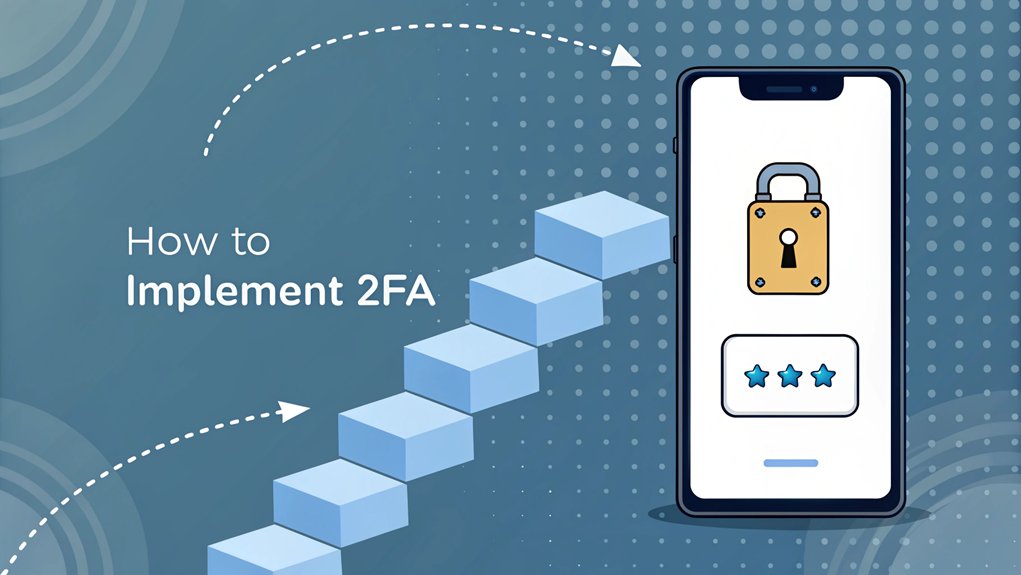
In the ever-evolving landscape of cybersecurity, the threat of leaked passwords has become a pressing concern for users and organizations alike. Recently, a significant breach exposed millions of credentials from various platforms, revealing how easy it can be for malicious actors to gain unauthorized access to sensitive information. These leaks often occur through poorly secured databases or phishing attacks, highlighting the critical need for robust security measures. For users, the significance lies not just in the immediate risk of identity theft, but also in the long-term implications of having their personal data compromised. Implementing strong security practices, such as Two-Factor Authentication (2FA), is essential in safeguarding against the repercussions of these leaks and enhancing overall digital security.
Key Highlights
- Install Python and set up a development environment with necessary 2FA libraries like Google Authenticator or Authy.
- Create a user registration system with secure password rules and email verification for initial account setup.
- Generate and store unique secret keys for each user to enable TOTP (Time-based One-Time Password) functionality.
- Implement the authentication logic to verify both password and generated 2FA codes during login attempts.
- Test the system thoroughly with backup codes and conduct security testing to identify potential vulnerabilities.
Understanding 2FA Authentication Methods
Ever wondered how your favorite games keep your account super safe? It's like having a special double lock on your treehouse! That's what Two-Factor Authentication (2FA) does – it uses two different ways to make sure you're really you.
Let me show you the coolest ways 2FA works. First, there's something you know, like a password (think of it as your secret handshake).
Then, there's something you have, like your phone getting a special code (just like getting a magic ticket). Sometimes, it even uses something that's part of you, like your fingerprint – how cool is that?
It's like wearing both a helmet and kneepads when skating – double the protection! MFA (Multi-Factor Authentication) enhances this security by making it difficult for attackers to breach accounts.
You'll see these methods everywhere, from your favorite gaming apps to your parents' banking apps.
Setting Up Your Development Environment
Before we can make our super cool 2FA system, let's get our computer ready – just like setting up a crafting table in Minecraft!
You'll need some special tools on your computer to make everything work perfectly. Think of it like getting your backpack ready for a big adventure!
- Install Python 3.8 or newer (it's like having a magical helper that understands computer language)
- Set up Visual Studio Code (imagine having the coolest notepad ever)
- Download Git (it's like a time machine for your code)
- Create a new project folder (just like making a special treasure box)
Have you ever organized your toys before playing? That's exactly what we're doing here!
To enhance security, consider implementing multi-factor authentication as it adds an additional layer of protection for your application.
Let's check if everything's installed correctly – type 'python –version' in your terminal. What version did you get?
Choosing the Right 2FA Library and Dependencies
Now that we've set up our coding workspace, it's time to pick the perfect 2FA library – just like choosing the right superhero sidekick!
I recommend starting with popular libraries like Google Authenticator or Authy. They're like trusted friends who never let you down!
Have you ever picked teams for dodgeball? Choosing a 2FA library is just as important. You'll want one that's well-tested and regularly updated.
Let's look at what we need:
- A library that supports TOTP (it's like a secret password that changes every 30 seconds!)
- Good documentation (think of it as your instruction manual)
- Active community support (like having lots of helpful friends)
- Security updates (keeping the bad guys away)
Additionally, a robust 2FA solution can help reduce the risk of data breaches by verifying authorized users.
Which library would you pick? Let's explore them together!
Creating the User Registration System
Setting up a user registration system is like building your own special clubhouse!
You'll need to create a safe and fun way for your users to join your awesome website. Think of it as making a super-secret password for your treehouse – but way cooler!
Let me show you the most important parts we need to include:
- A signup form that asks for username and password (like picking your superhero name!)
- Email verification to make sure it's really you (just like when mom checks who's at the door)
- Password rules to keep things extra safe (longer than your favorite dinosaur's name!)
- A way to store user information securely (imagine a vault where we keep all the special secrets)
Have you ever made up a secret code with your friends? That's kind of what we're doing here!
Implementing the Authentication Flow
Once we have our special clubhouse ready, it's time to set up the secret knock system! Think of 2FA like having two different ways to prove it's really you – just like using a secret password AND a special handshake with your best friend.
| Step | What Happens | Why It's Important | Cool Example |
|---|---|---|---|
| 1 | Enter Password | First secret check | Like saying the magic word |
| 2 | Get Special Code | Second secret check | Like getting a treasure map piece |
| 3 | Enter Code | Proves it's really you | Like using your fingerprint |
| 4 | Access Granted! | You're in! | Like opening a treasure chest |
I'll help you set up your own authentication flow. It's like creating your very own spy mission! Ready to make your account super-duper secure? Let's do this step by step!
Testing and Security Considerations
Before you share your super-secret clubhouse with friends, let's play detective and check for any sneaky problems!
Just like how you'd check your backpack for holes before stuffing it with your favorite snacks, we need to make sure our 2FA system is super strong and safe.
- Test your code with wrong passwords – it's like trying to open a door with the wrong key!
- Check if backup codes work when your phone's taking a nap
- Try breaking your own system (don't worry, it's like practicing karate moves)
- Look for any secret tunnels where bad guys might sneak in
Remember how you double-check your shoelaces before a big race? That's what we're doing here with our code!
Let's make sure everything's tight and secure.
Best Practices for User Experience and Recovery Options
Making 2FA fun and easy is like creating your favorite sandwich – everything needs to be just right! Let me show you how to make 2FA super friendly for your users, just like setting up a fun game.
| Feature | Why It's Important | How to Do It |
|---|---|---|
| Backup Codes | Never get locked out | Give 8-10 one-time codes |
| SMS Recovery | Quick way back in | Verify phone numbers first |
| Email Backup | Extra safety net | Use secure email links |
| Help Videos | Learn by watching | Make short, clear tutorials |
| Reset Button | Fresh start option | Add security questions |
Have you ever been locked out of your treehouse? That's how users feel when they can't get in! I'll help you set up recovery options that are as simple as finding a spare key under the doormat. Remember to keep backup codes safe – they're like your secret password superhero cape!
Frequently Asked Questions
Can 2FA Be Temporarily Disabled for Specific Users or Scenarios?
Yes, I can temporarily disable 2FA for specific users or situations.
I'll often do this during system maintenance or if someone's lost their authentication device.
But I'm super careful about it! I'll usually set a time limit, like 24 hours, and require extra identity verification.
Think of it like giving someone a special hall pass – it works just once, and then they need their regular pass again.
What Happens to 2FA When a User Changes Their Phone Number?
When you change your phone number, your 2FA settings need a quick update too!
Think of it like moving to a new house – you'll need to tell your friends your new address.
I'll help you fix it: First, log into your account settings.
Then, remove your old phone number and add your new one.
Finally, you'll get a test code to make sure everything's working perfectly!
How Can Businesses Track and Monitor 2FA Usage Across Their System?
I'll tell you how businesses can keep an eye on their 2FA system – it's like being a detective!
They use special dashboards that show who's logging in and when. They can spot if someone's having trouble or if there's anything fishy happening.
Think of it like a security camera at a store! They'll track failed login attempts, see which devices people use, and make sure everything's working smoothly.
Is It Possible to Use Multiple 2FA Methods Simultaneously?
Yes, I often recommend using multiple 2FA methods!
Think of it like having backup keys to your house. You can set up both a phone authenticator app and SMS texts, or combine biometrics (like your fingerprint) with security keys.
It's super smart because if one method isn't working (like your phone's dead), you can use another way to log in safely!
How Much Does Implementing 2FA Impact Application Performance and Server Load?
I'll tell you a secret about 2FA – it's super light on your app's performance!
Think of it like adding a tiny backpack to your system instead of a heavy suitcase. Most 2FA methods only add milliseconds to login time, which is faster than saying "hello!"
The server load is minimal too, like adding a feather to a pile of books. You'll barely notice any difference in speed.
The Bottom Line
Now that you've successfully implemented 2FA, it's essential to take your security measures a step further by focusing on password security and management. Strong, unique passwords are a crucial foundation for protecting your accounts, but remembering them all can be a challenge. That's where password management comes in. By using a reliable password manager, you can securely store and manage your passwords, reducing the risk of unauthorized access.
Moreover, consider transitioning to passkey management for an even more secure, user-friendly experience. Passkeys eliminate the need for traditional passwords, making your authentication process safer and simpler.
Ready to take control of your online security? Sign up for a free account at LogMeOnce today and explore the best tools for protecting your digital life. Don't wait until it's too late; proactive password management is key to safeguarding your information!

Mark, armed with a Bachelor’s degree in Computer Science, is a dynamic force in our digital marketing team. His profound understanding of technology, combined with his expertise in various facets of digital marketing, writing skills makes him a unique and valuable asset in the ever-evolving digital landscape.


