


 Password Manager
 Identity Theft Protection

 Team / Business
 Enterprise
 Government
 MSP
MSP

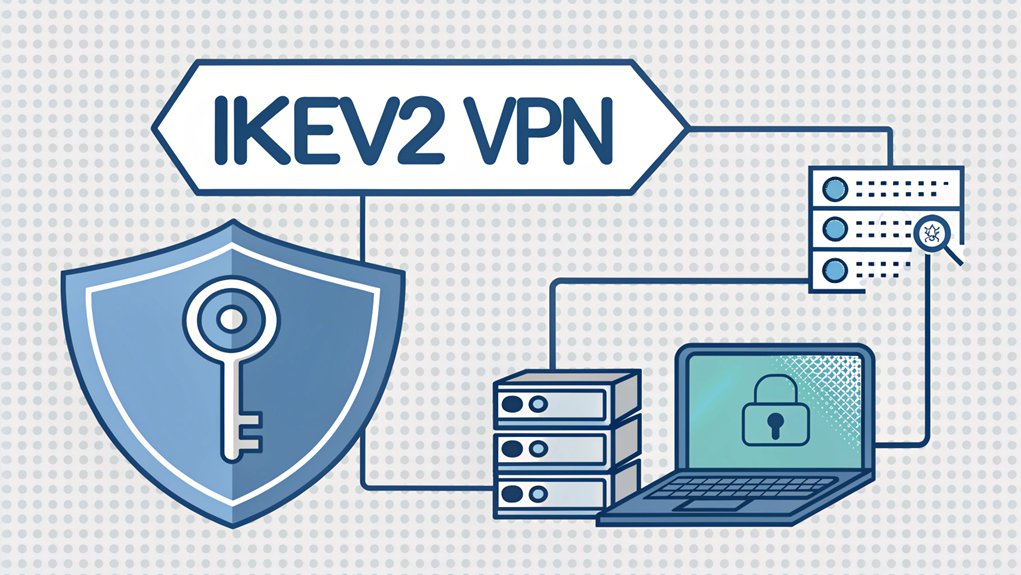
The leaked password phenomenon has become a pressing concern in the realm of cybersecurity, as many users find themselves vulnerable to breaches stemming from compromised credentials. These passwords often surface in various data leaks, whether from large-scale hacks of popular websites or through smaller breaches of less-known platforms, exposing millions of users to potential threats. The significance of these leaks cannot be overstated; they highlight the critical need for robust password management and the use of multi-factor authentication to protect sensitive information. For users, understanding the implications of leaked passwords is essential for safeguarding their online identities and maintaining their digital security.
Key Highlights
- Username and password credentials must be securely stored in the local authentication system for IKEv2 VPN access.
- EAP-MSCHAPv2 protocol needs to be configured on the server to handle username/password authentication.
- Server certificate must be properly installed to verify the VPN server's identity during authentication.
- Strong password policies should be enforced, including minimum length and complexity requirements.
- Multi-Factor Authentication should be set up alongside username/password for enhanced security.
Understanding IKEv2 VPN Authentication Requirements
When you want to keep your secret superhero hideout safe, you need something called IKEv2 VPN authentication!
Think of it like having a super-special password system that uses different tools to make sure you're really you. The system uses advanced AES encryption to protect all your secret communications. Multi-Factor Authentication (MFA) can further enhance this security by requiring additional verification steps.
I'll tell you a secret – it's like having multiple locks on your treehouse door! You can use a regular username and password (that's local authentication), or something fancier like a special digital certificate (it's like your own superhero badge).
Some people even use something called RADIUS, which is like having a smart security guard checking everyone who wants to come in.
Want to know the coolest part? When you connect, your computer and the VPN server do a special handshake using secret codes that only they understand.
It's like having a secret handshake with your best friend!
Essential Components for Setting Up IKEv2 VPN Access
Setting up an IKEv2 VPN is like building the ultimate pillow fort – you need all the right pieces to make it super safe and cozy!
You'll need special certificates (think of them as secret decoder rings), some cool software called StrongSwan (it's like your fort's guardian), and special settings that tell your VPN how to work.
Let me show you the most important things you'll need, just like ingredients for a yummy cake:
- A server certificate that proves your VPN is real (like a superhero badge!)
- Special encryption settings to keep your data safe (it's like having an invisible shield)
- DNS servers that help you find websites (think of them as your internet map)
- Firewall rules to keep the bad guys out (just like having a moat around your castle)
Whether you're on Windows, Mac, or mobile devices, you'll need to import VPN certificates to establish a secure connection.
Have you ever built something that needed lots of pieces to work perfectly?
Configuring Your Authentication Server for IKEv2
The authentication server for IKEv2 is like a super-smart security guard who checks everyone's special ID cards!
I'll show you how to set it up, and it's easier than building with blocks.
First, we need to create a special key – think of it as making a secret handshake that only you know!
We'll use something called RSA (Really Special Access) that's super strong, like a fortress made of 4,096 bricks.
Then, we'll give your server its own ID badge with its name on it.
Next comes the fun part – telling the server how to check for passwords!
We'll use EAP-MSCHAPv2 (I know, it's a silly name!) which works like a secret club password.
Your server will welcome anyone who knows the right password, just like a friendly doorkeeper!
The StrongSwan IPSec daemon handles all the encrypted traffic between your server and clients.
Security Measures and Encryption Protocols
Security in IKEv2 VPN is like having a secret hideout with super-strong locks! Just like you need a special password to join your friend's club, IKEv2 uses something called 256-bit encryption to keep your internet connection safe and private.
Want to know what makes IKEv2 so amazing? Here's what keeps your connection super secure:
- It uses special codes (like AES and ChaCha20) that are harder to crack than your favorite puzzle.
- There's a cool thing called Perfect Forward Secrecy that makes new secret keys every time.
- It has digital signatures (like a superhero's special mark) to prove who you are.
- It can automatically reconnect if your internet gets wobbly, just like a bouncy ball always comes back.
The protocol works seamlessly with IPSec secure tunnels to protect your data.
Think of it as your own digital fortress – isn't that awesome?
Best Practices for IKEv2 VPN User Management
Managing your IKEv2 VPN users is kind of like being the coach of a super-secret clubhouse! You want to make sure only the right people can get in, just like how you'd check secret passwords at your treehouse door.
| Best Practice | Why It's Important |
|---|---|
| Use RADIUS | Like having one master key instead of lots of little keys |
| Group Users | Put friends in teams based on what they're allowed to do |
| Two-Factor Auth | Double-check it's really them, like a secret handshake plus password |
| Keep Records | Write down who comes and goes, just like a birthday party guest list |
I'll bet you've played "Red Light, Green Light" before – that's exactly how access control works! We check who's allowed to go (green light) and who needs to wait (red light). Remember to update your user list regularly, just like you update your favorite playlist! The IKEv2-Users group is automatically created when you set up your VPN system.
Common Authentication Issues and Solutions
When your VPN connection isn't working, it's like trying to open a door with the wrong key!
Sometimes your computer and the VPN server get confused, just like when you and your friend try to play different games at recess.
Client identifiers often have a /CN= prefix format that must match server requirements.
Let me show you the most common problems and how to fix them!
- Check if your computer and the VPN server are speaking the same language – they need matching settings, just like matching socks! This can also involve ensuring that your authentication method aligns with the multi-factor authentication requirements of the VPN.
- Make sure your certificates aren't expired – think of them like a permission slip for school that needs to be current.
- Look for any firewalls blocking your connection – they're like hall monitors that need to let you pass.
- Double-check your username and password – even one tiny typo can make your VPN say "nope!"
Frequently Asked Questions
Can I Use IKEV2 VPN Simultaneously on Multiple Devices With Same Credentials?
Yes, you can use IKEv2 VPN on multiple devices with the same login info!
It's like having a special key that works on different doors at once.
But here's the catch – your VPN server needs to be set up to allow this.
Think of it like sharing your Netflix account – multiple family members can watch at the same time if you have the right plan!
What Happens to My VPN Connection if My Authentication Server Goes Offline?
If your authentication server goes offline, your VPN connection might start acting like a jumpy kangaroo!
It'll probably disconnect, and you won't be able to make new connections. Think of it like a secret clubhouse where the person checking membership cards went home – nobody new can get in!
Your existing connection might stay alive for a little while, but it'll eventually drop too.
How Often Should I Rotate IKEV2 VPN User Passwords for Optimal Security?
I recommend rotating your IKEv2 VPN passwords every 30-90 days, depending on your security needs.
Think of it like changing your locker combination at school! For super-important stuff (like secret club passwords), change it every 30 days. Regular accounts can go 90 days.
But here's a fun trick: if you're using really strong passwords and two-factor authentication (like having a special key and knowing a code), you mightn't need changes as often!
Does IKEV2 VPN Work With Biometric Authentication Methods?
Yes, I want to tell you about how IKEv2 VPN works with cool biometric stuff – like using your fingerprint or face to log in!
Think of it like a special lock on your digital treehouse. Just like how your phone might open when you use your fingerprint, IKEv2 VPN can use these same methods to keep you safe.
You can even combine different ways, like using your face and a password together!
Can I Restrict IKEV2 VPN Access to Specific Times or Geographic Locations?
IKEv2 VPN doesn't have built-in time controls – it's like a door that's either open or closed!
I'd need to use special tools, like a security guard, to control when you can connect.
For location restrictions, I can limit which IP addresses are allowed, but it's not perfect.
Think of it like having a special key that only works at certain doors, but not at specific times.
The Bottom Line
Setting up your IKEv2 VPN is just the first step towards a more secure online experience. Now that you have your unique username, strong password, and certificate, it's crucial to ensure that these credentials remain protected. Password security is vital, especially in a world where online threats are constantly evolving. Effective password management is key to safeguarding your sensitive information.
Consider utilizing a password manager to keep track of your passwords and passkeys securely. This not only simplifies your online life but also enhances your security. Why not take the next step in protecting your digital life? Sign up for a free account at LogMeOnce today! With their advanced password management solutions, you can ensure that your IKEv2 VPN credentials and all your other passwords are safe from prying eyes. Don't wait—secure your online presence now!

Mark, armed with a Bachelor’s degree in Computer Science, is a dynamic force in our digital marketing team. His profound understanding of technology, combined with his expertise in various facets of digital marketing, writing skills makes him a unique and valuable asset in the ever-evolving digital landscape.


