


 Password Manager
 Identity Theft Protection

 Team / Business
 Enterprise
 Government
 MSP
MSP


How to Set Up Passwordless Login for Secure Access

Nearly 80 percent of security breaches involve weak or stolen passwords, exposing organizations to major risks. Protecting digital assets no longer stops at rotating complex codes or reminding staff to update credentials. As businesses shift toward passwordless login, the challenge lies not just in choosing new tools but in understanding how these changes impact every layer of your tech environment. This guide walks you through practical steps that help you confidently transition to a modern, password-free authentication system while minimizing disruption.
Quick Summary
| Key Point | Explanation |
|---|---|
| 1. Assess Current Environment | Conduct a thorough audit of existing authentication systems and user needs to guide passwordless login transition. |
| 2. Choose Suitable Authentication Method | Select from options like biometrics, OTPs, or hardware tokens based on security needs and user experience. |
| 3. Configure Security Settings | Establish authentication parameters, such as user workflows and security protocols, to facilitate secure access. |
| 4. Ensure Smooth Integration | Map out existing systems and train users for a smooth transition to passwordless authentication. |
| 5. Conduct Comprehensive Testing | Implement rigorous testing across multiple scenarios to ensure functionality, security, and user satisfaction before full deployment. |
Step 1: Assess Your Environment and Requirements
Getting ready to implement passwordless login starts with a strategic evaluation of your current digital infrastructure and security needs. According to espjournals, enterprises must carefully plan their transition toward a passwordless framework to ensure smooth implementation and maximum security benefits.
Begin by conducting a comprehensive audit of your existing authentication systems. Map out all current user access points including web applications, mobile platforms, internal networks, and cloud services. Take stock of your user population different categories like employees, contractors, external partners and identify their unique access requirements. Determine the current authentication methods in use such as traditional passwords, two factor authentication, or existing multi factor authentication protocols.
Pay special attention to your technological ecosystem. oit highlights that passwordless authentication relies on alternative verification methods like biometrics, physical security keys, or cryptographic device keys. Evaluate which of these methods would integrate most seamlessly with your current infrastructure. Consider factors like device compatibility, user readiness, and potential implementation challenges.
Pro Tip: Document every step of your assessment. This detailed inventory will become your roadmap for successful passwordless implementation.
Once you complete this assessment, you will have a clear blueprint for transitioning to passwordless login. Your next step involves selecting the most appropriate passwordless authentication technologies that align with your organizational requirements.
Step 2: Select a Passwordless Authentication Method
Now that you have assessed your environment, it is time to choose the most appropriate passwordless authentication method for your organization. iaeme offers a comprehensive comparison of various passwordless authentication technologies that can help guide your decision making process.
Your primary options include biometrics, one-time passcodes (OTPs), magic links, and hardware tokens. Each method comes with unique advantages and potential challenges. According to scalekit, modern passwordless solutions often leverage public key cryptography combined with biometric verification or security tokens to provide robust authentication. When evaluating these methods, consider factors such as user experience, security levels, device compatibility, and implementation complexity.
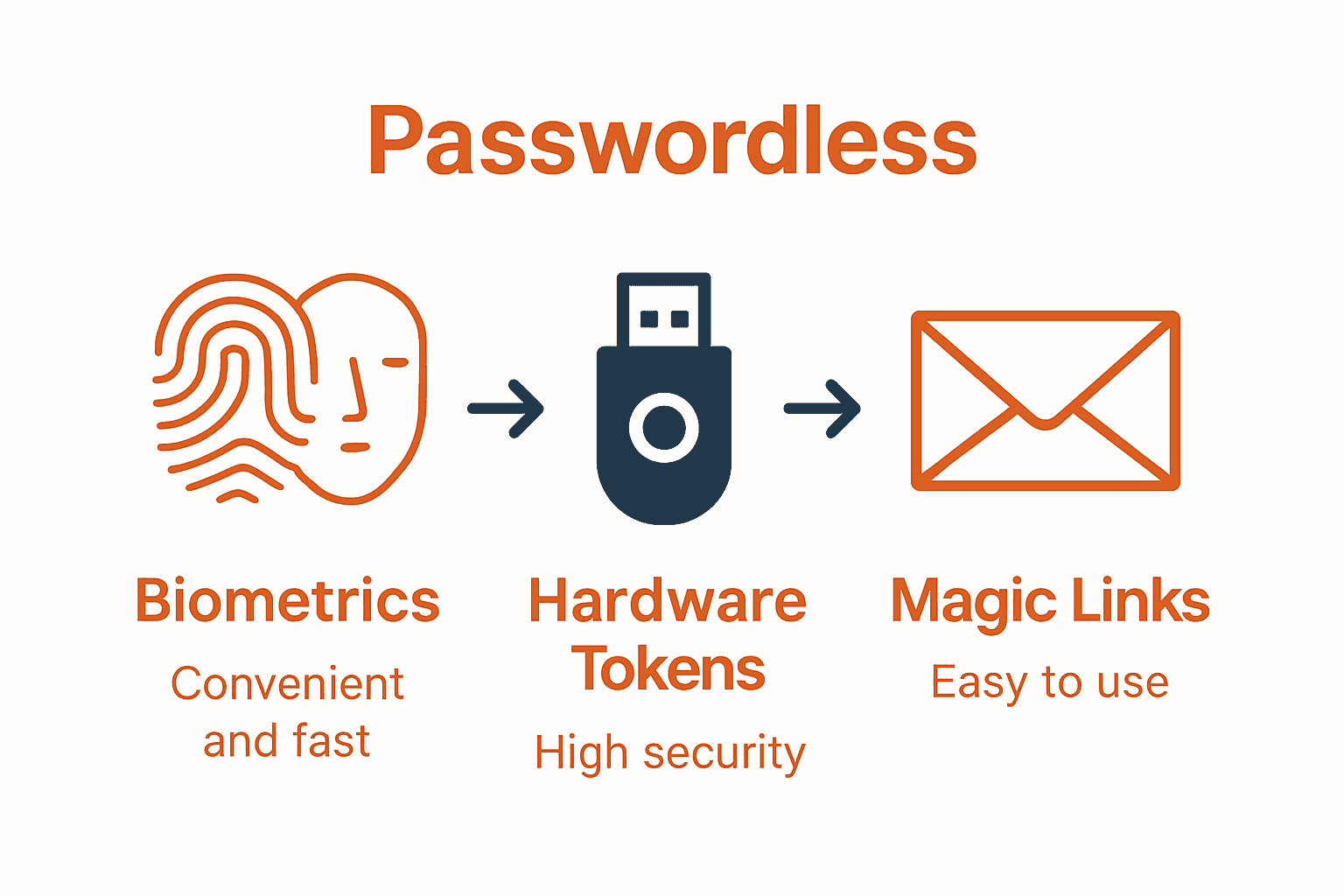
Biometric authentication offers a seamless user experience by using unique physical characteristics like fingerprints or facial recognition. OTPs provide a simple alternative that sends temporary access codes to registered devices. Magic links enable users to log in by clicking a unique email link, while hardware tokens offer a physical security mechanism. Your choice should align with your organization’s specific security requirements and user demographics.

Pro Tip: Test multiple authentication methods with a small user group before full deployment to understand real world performance and user acceptance.
Once you select your preferred passwordless authentication method, you will be ready to plan your implementation strategy. Passwordless Login Explained: Benefits and Best Practices can provide additional insights into making this critical decision.
Step 3: Configure Passwordless Login Settings
With your authentication method selected, it is time to configure the specific settings that will enable secure passwordless login across your organization. arxiv provides crucial insights into the technical implementation of Passkey technology, highlighting the importance of carefully integrating components during system development.
Start by establishing your authentication parameters. This involves defining user registration workflows, setting up credential verification processes, and configuring security protocols. The configuration should include mechanisms for device registration, biometric or token validation, and backup authentication methods. According to research from arxiv, consider implementing advanced cryptographic standards like the Module Lattice based Digital Signature Algorithm, which offers robust post quantum cryptographic protection.
Key configuration elements include multi factor authentication triggers, session management rules, and access control policies. You will want to create granular permissions that balance security with user convenience. Set up risk based authentication that can dynamically adjust security requirements based on user behavior, device characteristics, and network context.
Pro Tip: Implement a phased rollout strategy. Start with a small pilot group to validate your configuration before enterprise wide deployment.
Once your passwordless login settings are configured, you will be ready to test and validate the system. The next step involves conducting comprehensive security and usability testing to ensure smooth implementation. 7 Examples of Passwordless Solutions for Strong Security can provide additional context for your configuration process.
Step 4: Integrate with Existing Systems and Users
Successfully implementing passwordless login requires seamless integration with your current technological ecosystem and user base. arxiv presents a groundbreaking approach with the Transferable User Secret on Hardware Key (TUSH-Key) method, which enables cross platform device synchronization aligned with FIDO2 specifications.
Begin the integration process by mapping out all existing authentication touchpoints. This includes identifying your current user management systems, single sign on platforms, enterprise applications, and cloud services. Your goal is to create a smooth transition that minimizes disruption and maintains user productivity. Evaluate each system for compatibility with your chosen passwordless authentication method and develop a comprehensive migration strategy.
According to research from arxiv, user experience is critical during technology transitions. Develop a comprehensive onboarding and training program that helps users understand the new authentication process. This should include clear communication about the benefits of passwordless login, step by step guidance for registration, and support resources for potential challenges. Consider creating user personas to address different technological comfort levels and potential resistance to change.
Pro Tip: Create a dedicated support channel specifically for passwordless login transition to quickly address user questions and concerns.
Once integration is complete, you will be prepared for the final phase of implementation testing and validation. The upcoming step involves comprehensive system testing to ensure security and usability across your entire organizational infrastructure.
Step 5: Test and Verify Passwordless Login Functionality
The final stage of implementing passwordless login involves rigorous testing to ensure security, usability, and seamless integration. arxiv emphasizes the critical importance of carefully integrating authentication system components to create a secure and user friendly experience.
Develop a comprehensive testing strategy that covers multiple scenarios and user interactions. This includes verifying authentication workflows across different devices, testing edge cases like account recovery, and simulating potential security challenges. Your testing protocol should evaluate system performance under various conditions such as network instability, multiple login attempts, and cross platform compatibility. According to research from arxiv, implementing advanced cryptographic standards like the Module Lattice based Digital Signature Algorithm can provide robust post quantum protection during these verification processes.
Conduct both automated and manual testing with a diverse group of users representing different technological skill levels. Create test scenarios that validate the entire authentication journey from initial registration to successful login and potential fallback mechanisms. Pay special attention to user experience metrics including login speed, error rates, and overall system responsiveness.
Pro Tip: Use a staged rollout approach. Test with small user groups first, collect detailed feedback, and incrementally expand your implementation.
After completing thorough testing and validation, you will be prepared to fully deploy your passwordless login system. The End Of Passwords can provide additional insights into finalizing your implementation strategy.
Secure Your Access With Passwordless Login Today
Transitioning to a passwordless login system can feel complex. From selecting the right authentication method to integrating new technology with existing systems, the process requires clear guidance and trustworthy solutions. The article highlights key challenges like choosing between biometrics, hardware tokens, and magic links while maintaining strong security and user convenience. These decisions impact how smoothly your organization adopts modern, secure access without compromising user experience.
At LogMeOnce, we understand these challenges and offer a comprehensive platform that simplifies passwordless MFA and identity management. Our solutions are designed to meet the exact needs discussed in the article—enabling easy integration, robust multi-factor authentication, and seamless access across devices and applications. Stop worrying about weak passwords and embrace a safer, user-friendly login experience that protects your data and users.
Ready to eliminate passwords and secure your digital ecosystem with confidence?

Explore how LogMeOnce’s passwordless authentication tools can transform your security strategy. Visit LogMeOnce now to start your free trial and see why businesses trust us for strong, innovative access management. Empower your team with secure, easy, and scalable solutions. Take the next step toward stronger security today by learning more at LogMeOnce Resources.
Frequently Asked Questions
How do I assess my current digital environment for passwordless login?
To assess your current digital environment, conduct a comprehensive audit of your existing authentication systems and access points. Map out all user access points and identify categories such as employees and contractors, then document the current authentication methods in use.
What are the different passwordless authentication methods I can choose from?
You can choose from several passwordless authentication methods, including biometrics, one-time passcodes (OTPs), magic links, and hardware tokens. Evaluate each option for user experience, security, and compatibility to find the best fit for your organization.
How do I configure settings for passwordless login?
To configure settings for passwordless login, establish authentication parameters that include user registration workflows and credential verification processes. Set up a phased rollout plan starting with a small pilot group to validate security and usability before full deployment.
What steps are involved in integrating passwordless login with existing systems?
Begin integration by mapping out existing authentication touchpoints and evaluating compatibility with your chosen passwordless method. Develop a comprehensive migration strategy that includes user onboarding and training to ensure a smooth transition.
How can I effectively test the passwordless login system?
Develop a comprehensive testing strategy that covers various user interactions and authentication scenarios. Conduct both automated and manual testing with diverse user groups to ensure the system is secure, usable, and performs well across different devices and conditions.
What should I do after testing the passwordless login system?
After thorough testing and validation, prepare for deployment of the passwordless login system across your organization. Create a detailed feedback mechanism to gather user experiences, which can help refine the system in future iterations.


