


 Password Manager
 Identity Theft Protection

 Team / Business
 Enterprise
 Government
 MSP
MSP


TL;DR:
- Enforcing phishing-resistant multi-factor authentication and eliminating hardcoded secrets reduces most organization attack surface.
- Implement immediate controls such as MFA on admin portals, TLS encryption everywhere, and breached-password detection within 72 hours.
The fastest way to cut account compromise risk is to enforce phishing-resistant multi-factor authentication and eliminate hardcoded secrets. Those two controls alone address the majority of the attack surface most organizations carry into any given week.
Here is what to do in the first 24–72 hours:
- Enforce MFA on admin consoles, email, and cloud management portals — these are the highest-value targets for credential-based attacks.
- Block SMS-based second factors for privileged and finance accounts — SIM-swapping makes SMS a liability for high-risk roles.
- Enable TLS everywhere — no authentication endpoint should accept plaintext connections, full stop.
- Scan codebases and CI/CD pipelines for hardcoded secrets — API keys and service account credentials embedded in source code are a persistent, often-overlooked exposure.
- Enable breached-password detection — check new and changed passwords against known-compromised credential lists before accepting them.
According to Microsoft analysis cited by OWASP, MFA would have stopped a vast majority of account compromises. That single figure should settle any internal debate about MFA priority.
Pro Tip: When rolling out MFA at speed, use your identity provider’s bulk-enrollment API to push authenticator app enrollment links to all admin accounts simultaneously. Pair that with a 48-hour grace window before enforcement, and you avoid a helpdesk flood while still hitting your deadline.
Why authentication failures are your most exploitable attack surface

Strong authentication directly reduces breach risk because most attackers follow the path of least resistance: stolen or guessable credentials. The OWASP Authentication Cheat Sheet identifies broken authentication as one of the most critical web application security risks, and the attacker techniques behind it are well-documented.
The main attack categories your controls need to address:
- Credential stuffing: Automated replay of username/password pairs from previous breaches. Mitigated by rate limiting, breached-password checks, and MFA.
- Phishing: Adversary-in-the-middle pages that capture OTPs in real time. Only phishing-resistant factors (FIDO2, hardware keys) fully defeat this.
- SIM swapping: Social engineering of mobile carriers to redirect SMS codes. Mitigated by moving high-risk accounts off SMS entirely.
- Replay attacks: Reuse of captured tokens or session cookies. Mitigated by short token lifetimes, binding tokens to device context, and TLS.
- API key leakage: Secrets committed to version control or exposed in logs. Mitigated by secret management vaults and automated scanning.
The operational metrics that tell you where you stand: MFA opt-in rate by user segment, failed login volume by IP and account, password reuse rate from your vault telemetry, and the number of credentials appearing in breach databases. If you are not measuring these, you are flying blind on authentication risk.
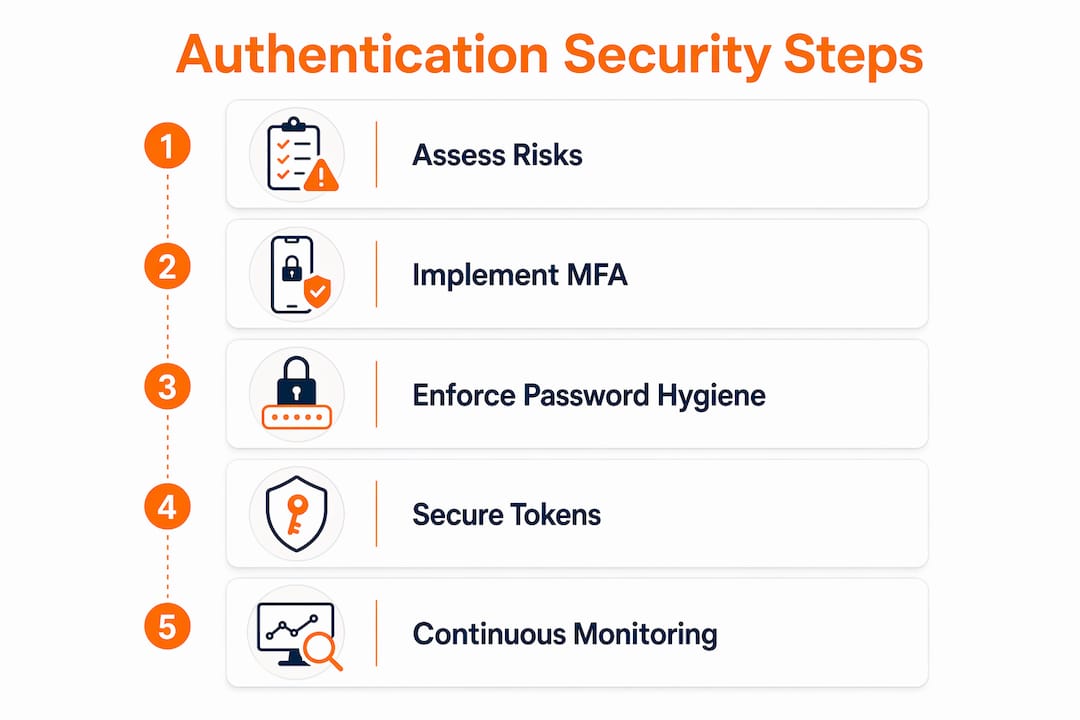
How to implement and harden MFA across critical systems
Enforce phishing-resistant second factors for any account with elevated privileges. For standard users, any MFA is dramatically better than none — but the factor type matters more than most teams acknowledge.
Factor types, ranked by phishing resistance:
- Hardware security keys (FIDO2/WebAuthn): The gold standard. Cryptographically bound to the origin, so a phishing site cannot intercept the credential. Required for AAL3 under NIST SP 800-63B.
- Authenticator apps (TOTP): Strong and widely supported. Vulnerable to real-time phishing if an attacker proxies the OTP, but far better than SMS.
- Push notifications: Convenient, but susceptible to MFA fatigue attacks where attackers spam approval requests until a user accidentally approves one.
- SMS OTP: Weakest of the common options. Acceptable for low-risk consumer flows; not acceptable for admin, finance, or privileged operations.
Deployment priority — protect these first:
- Cloud management consoles (AWS, Azure, GCP)
- Identity provider admin accounts
- Email and collaboration platforms
- Finance and payroll systems
- Code repositories and CI/CD pipelines
- VPN and remote access gateways
Protecting enrollment is as important as protecting login. An attacker who can enroll a new authenticator owns the account permanently. Lock enrollment paths behind re-authentication, require identity verification for new device registration, protect backup codes like passwords (store them hashed, never in plaintext), and alert on any enrollment change. Monitor for enrollment events outside business hours or from unfamiliar locations.
Pro Tip: Use step-up MFA rather than requiring a second factor on every single login. Trigger the additional challenge only when a session crosses a risk threshold — new device, unusual location, sensitive operation. Users tolerate security controls they barely notice; they route around ones that feel like friction.

Password hygiene, passphrases, and secure credential storage
Prefer long passphrases and password managers over forced periodic rotation. NIST SP 800-63B recommends a minimum of 15 characters and explicitly discourages mandatory rotation on a fixed schedule, because forced rotation drives predictable patterns (“Summer2024!” becomes “Fall2024!”) without improving security.
Password policy: what to do and what to stop doing
| Do | Stop Doing |
|---|---|
| Require a minimum of 15 characters | Mandating periodic rotation without a compromise trigger |
| Accept passphrases and spaces | Requiring special characters in specific positions |
| Check against breached-credential lists | Blocking users from pasting passwords |
| Enforce uniqueness across your systems | Capping maximum password length |
| Trigger forced reset only after confirmed compromise | Displaying password strength meters that reward complexity over length |
Migration checklist for legacy accounts:
- Identify accounts still using passwords shorter than 15 characters via your IdP’s reporting.
- Deploy breached-password detection and force resets for any account with a known-compromised credential.
- Communicate the new policy with a 30-day notice period and self-service reset tooling.
- Enable password manager autofill support on all login pages (no JavaScript that blocks paste).
- Phase out SMS recovery for high-risk accounts during the same window.
For credential storage, use memory-hard hashing algorithms. Argon2id is the current recommendation; bcrypt and scrypt remain acceptable where Argon2id is not available. Set cost factors high enough that a single hash takes at least 100ms on your hardware, and plan to increase the cost factor as compute gets cheaper. Never store passwords with MD5, SHA-1, or unsalted SHA-256.
Pro Tip: The master password for any password vault is a catastrophic single point of failure. Treat vault access as a privileged asset: require MFA on the vault itself, enforce device-level encryption, and set session timeouts that match your most sensitive system policies. A well-secured password manager with MFA is dramatically safer than the alternative.
How to secure tokens, sessions, and API credentials
Tokens and sessions are high-value secrets. An attacker who captures a valid session token or API key does not need your password. The implementation details that prevent this are straightforward but frequently skipped under delivery pressure.
JWT and session hardening:
- Validate the signature algorithm explicitly — reject tokens that specify
alg: none. - Verify all relevant claims:
iss,aud,exp, andnbfat minimum. - Set short expiry windows: 15 minutes for access tokens, longer for refresh tokens with rotation.
- Bind refresh tokens to device fingerprint or user context; invalidate them on logout and on suspicious activity.
- Implement token revocation lists or use short-lived tokens with a central introspection endpoint.
- Never store JWTs in
localStorage— useHttpOnlycookies withSecureandSameSite=Strict.
Secret management for APIs and service accounts:
- Remove every hardcoded secret from source code and configuration files. Use a secrets manager (HashiCorp Vault, AWS Secrets Manager, Azure Key Vault) to inject credentials at runtime.
- Apply least privilege to every service account — scope API keys to the minimum permissions the service actually needs.
- Set short TTLs on API keys and rotate them automatically. Any key that cannot be rotated without a deployment is a liability.
- Enable usage monitoring on API keys and alert on anomalous call patterns (volume spikes, off-hours access, unexpected endpoints).
Rate limiting is not optional. Apply it at the authentication endpoint, the token issuance endpoint, and any API that accepts credentials. Lockout or throttle after repeated failures, and use CAPTCHA or proof-of-work challenges for unauthenticated endpoints that show signs of automation.
Transport, cookies, and platform hardening for authentication flows
Always use strong TLS and correct cookie settings for every authentication endpoint. This is the shortest path between “we have a vulnerability” and “we fixed it” because most of these controls are configuration changes, not code changes.
Checklist:
- Enforce HTTPS everywhere; redirect all HTTP traffic to HTTPS with a 301.
- Set HTTP Strict Transport Security (HSTS) with a
max-ageof at least one year and includeincludeSubDomains. - Mark all session cookies
Secure,HttpOnly, andSameSite=Strict(orLaxwhere cross-site flows require it). - Implement CSRF tokens on all state-changing authentication endpoints.
- Set strict CORS policies — do not allow wildcard origins on endpoints that handle credentials.
- Use generic error messages on login pages (“Invalid username or password”) to prevent username enumeration.
- Pin certificates for mobile apps that handle authentication, and validate the full certificate chain.
- Keep all cryptographic libraries current; subscribe to CVE feeds for OpenSSL, BoringSSL, and any TLS library in your stack.
On the XSS front: a single reflected XSS vulnerability on your login page can bypass every cookie flag you set, because the attacker runs code in the authenticated context. Content Security Policy headers are your primary mitigation. Set a strict CSP that blocks inline scripts and restricts script sources to your own domains.
The CISA guidance on MFA reinforces that transport security and phishing-resistant authentication work together — neither alone is sufficient for high-risk systems.
Modern options: adaptive MFA, passwordless, and FIDO2/WebAuthn
Adopt FIDO2/WebAuthn or adaptive MFA where feasible. These are not aspirational — they are deployable today for most enterprise and consumer use cases, and they close phishing vectors that TOTP-based MFA leaves open.
When each approach fits:
- Consumer passwordless (passkeys): Best for reducing friction on high-volume login flows. Passkeys are device-bound public-key credentials that NIST recommends as a safer alternative to passwords. Recovery complexity is the main challenge — design multi-step identity proofing for account recovery, not a fallback password.
- Enterprise SSO + adaptive MFA: The right fit for most organizations today. Centralize authentication through your IdP, apply risk-based step-up challenges, and use hardware keys for admin roles. Adaptive authentication reduces friction while still enforcing stronger challenges for risky sessions.
- High-value admin roles: Hardware FIDO2 keys only. No exceptions for accounts with production access, billing authority, or identity provider administration.
Tradeoff comparison:
| Approach | Phishing resistance | Recovery complexity | Onboarding effort | Device lifecycle risk |
|---|---|---|---|---|
| Consumer passwordless (passkeys) | High | High | Low | Medium |
| Enterprise SSO + adaptive MFA | Medium–High | Medium | Medium | Low |
| Legacy password + TOTP MFA | Low | Low | Low | Low |
WebAuthn registration requires a relying party server that stores public keys (never private keys), a client-side credential creation flow, and a user verification step (PIN or biometric) that happens locally on the device. The private key never leaves the device. Recovery strategies must not recreate a weak secret — use escrowed device recovery or multi-step identity proofing as your fallback path, not a backup password.
Biometrics in this context are a local unlock mechanism, not a standalone authenticator. The biometric unlocks the private key stored on the device; the cryptographic assertion is what authenticates to the server. That distinction matters for both security architecture and regulatory compliance.
How to roll out stronger authentication at scale
Start with discovery: you cannot protect identities you have not inventoried. Map every authentication entry point, service account, and federated identity before you enforce anything.
Phased rollout:
- Discovery (Week 1–2): Inventory all applications, APIs, and service accounts. Identify authentication methods in use, MFA coverage gaps, and accounts with elevated privileges. Flag any hardcoded secrets.
- Pilot (Week 3–4): Enforce new controls for a representative pilot group (IT staff, security team, one business unit). Measure helpdesk ticket volume, failed login rates, and user feedback.
- Phased enforcement (Month 2–3): Roll out by risk tier — privileged accounts first, then finance and HR, then general workforce. Communicate each wave two weeks in advance.
- Monitoring and iteration (Month 3+): Track MFA adoption rate, failed login trends, helpdesk volume, and time-to-recover after lockouts. Adjust enforcement thresholds based on telemetry.
Rollback criteria: If helpdesk volume exceeds 3x baseline during any enforcement wave, pause and investigate before continuing. Have a documented rollback path for every enforcement change.
Metrics to track:
- MFA adoption rate by user segment (target: 100% for privileged, 95%+ for general workforce)
- Failed login attempts per hour (baseline, then trend)
- Helpdesk ticket volume for authentication issues
- Number of credentials appearing in breach databases
- Time-to-recover after account lockout
Communication template bullets:
- User email: “Starting [date], you will need to verify your identity with a second factor when logging into [system]. Here is how to set it up in under two minutes: [link].”
- Admin notification: “Enforcement begins [date]. Accounts without MFA enrolled will be blocked. Exceptions require manager approval via [process].”
- Helpdesk script: “If a user is locked out after MFA enforcement, verify identity via [approved method], then use the admin console to grant a 24-hour bypass while they re-enroll.”
For enterprise rollouts, enterprise password management guidance covers vault deployment, secure sharing, and the operational controls that prevent team vaults from creating new failure modes.
Monitoring, detection, and incident response for authentication events
Design authentication logging to detect account takeover early. The log fields you capture determine what you can investigate after an incident — and most teams log too little.
Essential log fields:
| Field | Purpose |
|---|---|
| Timestamp (UTC) | Correlation across systems |
| Source IP and ASN | Geolocation, impossible travel detection |
| Device fingerprint | Detect new or anomalous devices |
| Authentication factor used | Identify MFA bypass events |
| Risk score (if available) | Adaptive policy decisions |
| Outcome (success/failure/challenge) | Failure rate trending |
| User agent | Bot detection |
Retain authentication logs for at least 90 days for investigations, 12 months for compliance. Store them in a SIEM or log management system that is separate from the systems being monitored.
Detection rules to implement:
- Impossible travel: successful logins from two geographically distant IPs within a time window that makes physical travel impossible.
- Repeated failures: more than 5 failed attempts within 10 minutes for a single account.
- Enrollment changes: any new authenticator registered outside business hours or from an unrecognized device.
- MFA bypass events: successful logins without a second factor for accounts where MFA is required.
- Anomalous token use: API keys used from new IPs, at unusual hours, or at volumes far above baseline.
Incident response checklist:
- Immediately revoke active sessions and tokens for the compromised account.
- Force a password reset and re-enrollment of MFA factors.
- Rotate any API keys or service account credentials the account had access to.
- Preserve logs before any remediation that might overwrite them.
- Notify the affected user through an out-of-band channel (phone, not email, if email is compromised).
- Conduct a post-incident review within 72 hours and update runbooks with any gaps discovered.
Authentication incidents that go undetected for more than 24 hours dramatically increase the blast radius. Early detection is the control that limits damage when prevention fails.
Common authentication problems and how to fix them
The most common failure modes have known fixes. The problem is usually that teams discover them under pressure, without a runbook.
Failure modes and one-line fixes:
- Users locked out after policy enforcement: Stage enforcement with a 48-hour grace period and send proactive setup instructions before the deadline.
- Broken SSO attribute mappings: Validate SAML/OIDC attribute mappings in a staging environment before any IdP configuration change goes to production.
- Expired TLS certificates: Automate certificate renewal with Let’s Encrypt or your CA’s ACME client; alert 30 days before expiry.
- JWT signature failures: Confirm the signing algorithm and key ID match between the issuer and the verifier; check for clock skew exceeding the
nbf/exptolerance. - Refresh token misuse: Implement refresh token rotation — invalidate the old token the moment a new one is issued, and treat reuse of an invalidated refresh token as a compromise signal.
- MFA enrollment failures: Provide a fallback enrollment path (QR code plus manual key entry) and test it on every supported device type before rollout.
- Lost authenticators: Require identity verification (government ID or manager attestation) before issuing a recovery code; never bypass MFA with only a password.
Quick fixes for suspected compromise:
- Immediately revoke all active sessions via your IdP’s admin console.
- Issue a temporary admin override only through a documented, audited process — never verbally.
- Use safe rollback: revert to the last known-good authentication configuration, not to a weaker baseline.
After any authentication incident, run a postmortem within 72 hours. Update your runbook with the specific failure mode, the detection gap, and the fix. Repeat incidents are a runbook failure, not a user failure.
Standards and evidence that validate these recommendations
NIST SP 800-63B’s Authentication Assurance Levels give implementers a direct mapping from risk to control. AAL1 covers single-factor or MFA with a wide range of authenticator types. AAL2 requires phishing-resistant options. AAL3 requires non-exportable keys and public-key cryptography — in practice, hardware FIDO2 keys. If you are protecting privileged access or regulated data, AAL2 is your floor and AAL3 is your target for the highest-risk roles.
OWASP’s Authentication Cheat Sheet reinforces several controls covered here: use of authenticator apps or hardware tokens over SMS for high-value accounts, hardening of recovery paths, and protection of backup codes. The OWASP guidance also specifies that login failure messages must not reveal whether the username or password was incorrect — a detail that prevents username enumeration at scale.
For auditors and procurement reviewers, the evidence package should include:
- Documented enrollment policies with re-authentication requirements.
- Key rotation logs showing automated rotation cadence for service accounts.
- Authentication event logs with retention timestamps.
- MFA adoption rate reports by user segment.
- A written incident response plan that references authentication-specific playbooks.
NIST SP 800-63-4 adds requirements around anti-fraud measures for enrollment processes and explicitly addresses phishing-resistant authentication options — both directly relevant to the controls in this guide.
Key Takeaways
Phishing-resistant MFA, secure credential storage, and continuous authentication monitoring are the three controls that deliver the greatest risk reduction per unit of implementation effort.
| Point | Details |
|---|---|
| Enforce phishing-resistant MFA first | Hardware FIDO2 keys or passkeys for privileged roles; any MFA for general workforce beats none. |
| Replace rotation policies with breach detection | NIST recommends 15+ character passphrases and triggered resets after compromise, not fixed schedules. |
| Treat tokens and secrets as credentials | Short-lived JWTs, refresh token rotation, and vault-managed API keys prevent persistent compromise. |
| Log and alert on authentication events | Capture IP, device, factor used, and outcome; alert on impossible travel and enrollment changes. |
| Logmeonce for integrated rollout | Logmeonce combines MFA, SSO, password vaulting, and dark web monitoring in one platform for faster deployment. |
The first 90 days: a security leader’s honest priorities
The single best 90-day priority is protecting privileged identities before anything else. Admin accounts, cloud consoles, and email are where attackers pivot from a single compromised credential to full organizational access. Everything else can wait two weeks.
Month 1 — discovery and quick wins:
- Complete an identity inventory: every admin account, service account, and federated identity.
- Enforce MFA on all privileged accounts. No exceptions, no grace extensions beyond 72 hours.
- Scan for hardcoded secrets in source code and CI/CD pipelines. Rotate anything found immediately.
- Enable breached-password detection on your IdP.
Month 2 — pilot and phased enforcement:
- Roll out the new password policy (15+ characters, no forced rotation) to a pilot group.
- Begin enforcing MFA for finance, HR, and code repositories.
- Stand up authentication event logging in your SIEM with the detection rules from Section 9.
- Run a tabletop exercise on an authentication incident scenario.
Month 3 — measurement and iteration:
- Report MFA adoption rate to leadership. If it is below 90% for general workforce, investigate the blockers.
- Review helpdesk ticket volume for authentication issues. Anything above 5% of your user base per month signals a UX problem, not a security problem.
- Update runbooks based on any incidents or near-misses from the pilot period.
- Plan the passwordless migration roadmap for consumer-facing flows.
The tradeoffs are real. Helpdesk volume will spike during enforcement waves — budget for it. Users will push back on hardware keys until they lose an account to phishing, at which point they become advocates. The friction is front-loaded; the security gain is permanent. Protect admin consoles and email first, because those two systems are the keys to everything else in your environment.
Logmeonce accelerates authentication security for security teams
Security teams evaluating authentication platforms face a real build-vs-buy decision. Building MFA enrollment, vault management, SSO integration, and breach monitoring from scratch takes months and requires ongoing maintenance. The case for a platform gets stronger as the number of applications, user segments, and compliance requirements grows.

Logmeonce brings together MFA, SSO, password vaulting, dark web monitoring, and cloud encryption in a single platform designed for organizations that need to move fast without cutting corners. For security teams working through the rollout plan in this guide, that means shorter time-to-secure on the controls that matter most: phishing-resistant authentication, centralized credential management, and continuous breach monitoring.
When evaluating any authentication platform, check for these capabilities:
- Phishing-resistant MFA options (FIDO2/WebAuthn support)
- SSO with SAML and OIDC for broad application coverage
- End-to-end encrypted credential vaulting with secure sharing
- Automated breach monitoring and credential exposure alerts
- Authentication event telemetry and SIEM integration
- Documented recovery controls and enrollment protections
Logmeonce covers each of these. Security teams can start with a free trial to evaluate the platform against their specific environment before committing to a full rollout.
Useful sources for further reading
The resources below are the primary references for the controls and standards in this guide. Use them for policy drafting, audit evidence, and procurement documentation.
- NIST SP 800-63B: Authentication and Authenticator Management — The definitive standard for authentication assurance levels, authenticator types, and password policy. Use this for policy drafting and auditor conversations.
- NIST SP 800-63-4: Digital Identity Guidelines — The updated framework covering identity proofing, federation, and anti-fraud controls. Use this for risk assessment and assurance level selection.
- NIST Password Guidance — Practical guidance on passphrases, password managers, and passkeys. Use this for user-facing policy communication.
- OWASP Authentication Cheat Sheet — Implementation-level guidance on MFA, session management, error messages, and credential storage. Use this for developer and engineering teams.
- CISA: Multifactor Authentication — Federal guidance on MFA adoption and phishing-resistant options. Use this for compliance and government-adjacent procurement.
- NCSC: Choosing Authentication Methods — Practical comparison of MFA, FIDO2, magic links, and federated SSO for customer-facing services. Useful for authentication methods comparison across different user populations.
- Logmeonce Resources — Educational content, implementation guides, and product documentation for organizations evaluating enterprise password management and MFA platforms.
- Logmeonce Enterprise Password Management — Product documentation covering vault deployment, SSO, and enterprise rollout considerations.
The part most guides skip: recovery is where authentication actually fails
Most authentication security guides spend 90% of their words on the login flow and about two paragraphs on recovery. That is backwards. Recovery is where attackers focus once you harden the front door.
The uncomfortable reality is that every recovery mechanism you build is a potential bypass for every control you just implemented. A “forgot password” flow that sends a reset link to an email account the attacker already controls defeats your MFA entirely. A helpdesk that resets MFA after a phone call and a name verification defeats your hardware key requirement. A backup code stored in a notes app defeats your vault.
The organizations that get this right treat recovery as a separate threat model, not an afterthought. They require out-of-band identity verification for account recovery — not just “answer your security question” or “we’ll send you an email.” They audit recovery events the same way they audit privileged access. They test recovery flows in red team exercises specifically because those flows are where the gaps hide.
Passwordless authentication makes this harder, not easier. When there is no password to reset, recovery requires proving identity through other means — and those means have to be strong enough to not recreate the original weakness. Multi-step identity proofing, escrowed device recovery, and manager attestation are the patterns that work. A fallback password is not a recovery mechanism; it is a second attack surface.
The 90-day plan in this guide will get your authentication controls to a defensible state. The work that keeps them there is continuous: reviewing recovery flows, auditing enrollment events, and running tabletop exercises on the scenarios your detection rules are not yet catching.


