


 Password Manager
 Identity Theft Protection

 Team / Business
 Enterprise
 Government
 MSP
MSP


Nearly half of all American businesses report falling victim to email-based cyberattacks each year. As email continues to be a prime target for hackers, understanding where vulnerabilities hide is critical to protect both sensitive information and business reputation. This guide uncovers how strategic risk assessment and careful protocol implementation can fortify your defenses and help you stay one step ahead of evolving threats.
Quick Summary
| Key Insight | Explanation |
|---|---|
| 1. Thoroughly Audit Email Systems | Conduct an in-depth audit of email infrastructure to identify vulnerabilities and enhance security. |
| 2. Implement Strong Authentication | Use protocols like SPF, DKIM, and DMARC to authenticate emails and prevent unauthorized access. |
| 3. Tailor Implementation Strategies | Develop an implementation plan that accommodates your organization’s unique technology and user needs. |
| 4. Regularly Test Security Measures | Continuously validate and test email protocols against simulated threats to ensure their effectiveness. |
| 5. Monitor and Update Regularly | Ongoing monitoring and updates are necessary to adapt to evolving cyber threats and maintain security. |
Stage 1: Assess Current Email Security Risks
Understanding your organization’s email security landscape requires a strategic and comprehensive approach. By methodically evaluating potential vulnerabilities, you can develop targeted defenses that protect against sophisticated cyber threats. Recent research analyzing network origins of phishing emails reveals that even reputable networks like Amazon and Microsoft can be sources of potential security risks, underscoring the complexity of modern email threats.
To effectively assess your current email security risks, start by conducting a thorough audit of existing email infrastructure. This involves examining email routing protocols, analyzing historical incident logs, and identifying potential entry points for malicious actors. Pay special attention to how emails are processed, stored, and authenticated within your organization. Look for potential weaknesses such as outdated security certificates, misconfigured spam filters, or inadequate encryption standards. Cybersecurity research indicates that comprehensive training programs can help mitigate risks across all employee demographics, suggesting that your assessment should also include an evaluation of current employee awareness and preparedness.
One critical warning: do not rely solely on automated tools for your risk assessment. While technological solutions are important, human insight and manual review remain essential in detecting nuanced security vulnerabilities that automated systems might overlook. Your next step will involve developing a targeted strategy to address the specific risks identified during this assessment process.
Stage 2: Choose Appropriate Email Security Protocols
Selecting the right email security protocols is crucial for protecting your organization from sophisticated cyber threats and potential data breaches. Research examining email protocol vulnerabilities highlights the critical need for robust encryption and authentication mechanisms to safeguard communication channels and prevent unauthorized access.

When choosing email security protocols, focus on implementing comprehensive authentication standards like SPF (Sender Policy Framework), DKIM (DomainKeys Identified Mail), and DMARC (Domain-based Message Authentication, Reporting, and Conformance). Advanced studies on email authentication reveal significant weaknesses in current protocols, making it essential to select and configure these tools strategically. Evaluate each protocol’s ability to validate sender identity, detect potential spoofing attempts, and provide end-to-end encryption. Consider factors such as your organization’s specific communication needs, existing infrastructure, and the sensitivity of transmitted information.
A critical warning: do not adopt a one-size-fits-all approach to email security protocols. Each organization requires a tailored strategy that addresses its unique technological ecosystem and potential vulnerability points. Your next step will involve implementing and testing the selected protocols to ensure comprehensive protection against emerging email-based security threats.
Stage 3: Implement Protocols Across Email Systems
Successfully deploying email security protocols requires a systematic and comprehensive approach that addresses the unique technological landscape of your organization. Case studies investigating email security tool deployment reveal the complexity of managing confidential document access and highlight the critical importance of a strategic implementation process.
Begin by creating a detailed implementation roadmap that considers your organization’s specific email infrastructure. Start with a pilot program targeting a small subset of users or departments, which allows you to test protocol configurations and identify potential integration challenges before full-scale deployment. This approach enables you to refine your implementation strategy, address technical compatibility issues, and minimize disruption to existing communication workflows. Ensure comprehensive staff training accompanies the protocol implementation, focusing on helping employees understand new security procedures, recognize potential vulnerabilities, and adapt to updated authentication mechanisms.
A critical warning: implementation is not a one-time event but an ongoing process. Continuously monitor the effectiveness of your email security protocols, regularly update authentication mechanisms, and remain adaptable to emerging cyber threats. Your next step will involve establishing robust monitoring and maintenance protocols to ensure long-term email system security.
Stage 4: Configure Encryption and Authentication Settings
Configuring robust encryption and authentication settings is a critical defense mechanism against sophisticated email-based cyber threats. Research on email protocol security emphasizes the paramount importance of implementing comprehensive encryption mechanisms to prevent eavesdropping and ensure message integrity, making this step fundamental to your organization’s digital communication strategy.
Begin by carefully configuring your SPF, DKIM, and DMARC settings to establish a multi-layered authentication framework. Advanced studies on email authentication protocols reveal specific strategies for preventing spoofing and enhancing security, highlighting the need for precise configuration. For SPF, define authorized sending servers and IP addresses. With DKIM, implement cryptographic signatures to verify email authenticity. DMARC settings should specify how unauthenticated emails should be handled, providing clear policy guidelines for email rejection or quarantine. Ensure these settings are aligned with your organization’s specific communication infrastructure, taking into account external email services, third-party vendors, and cloud-based platforms that interact with your email systems.
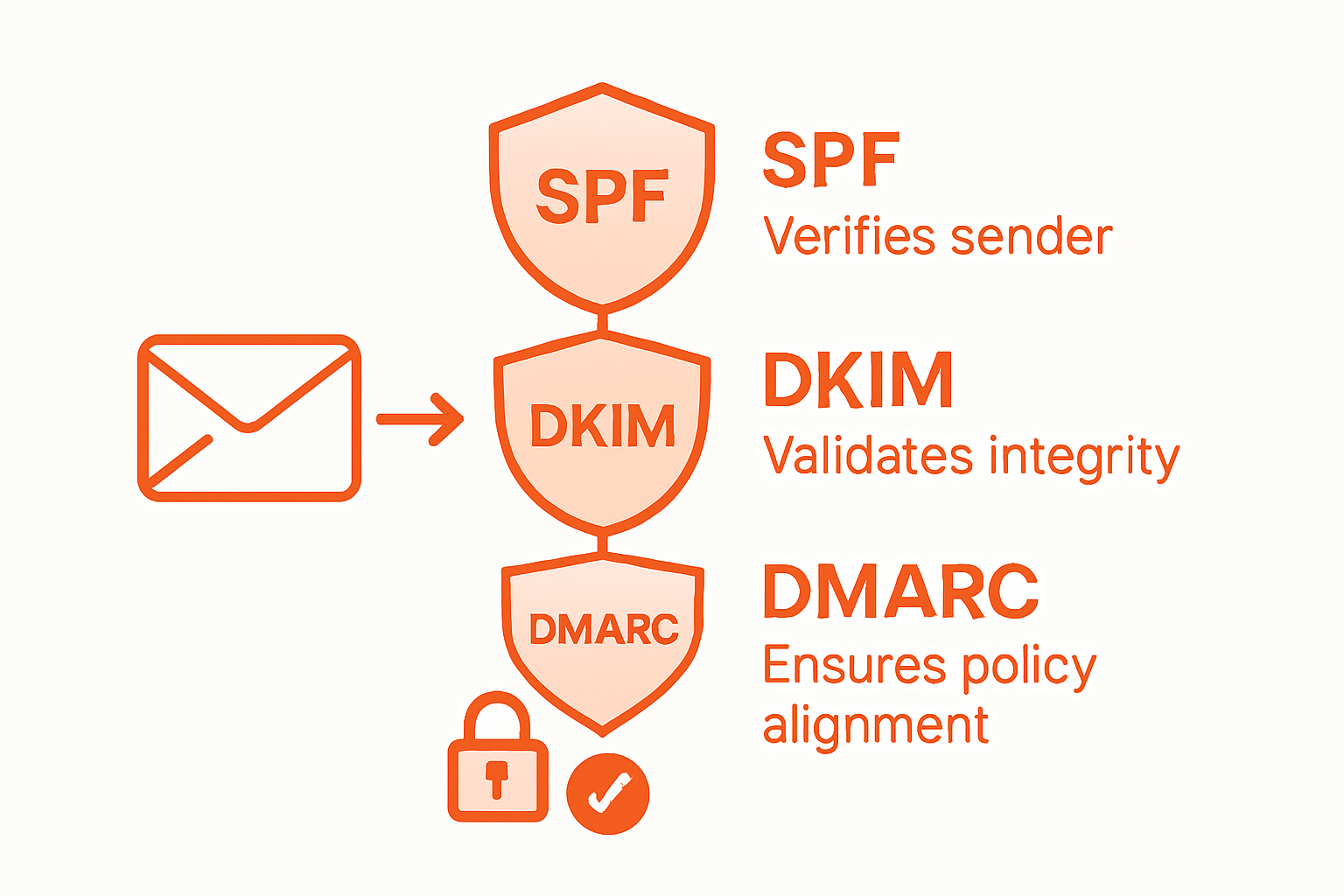
A critical warning: misconfiguration can lead to legitimate emails being blocked or security vulnerabilities remaining unaddressed. Regularly test your configuration settings and maintain flexibility to adapt to evolving cybersecurity landscapes. Your next step will involve establishing continuous monitoring and validation processes to maintain the effectiveness of these critical security mechanisms.
Stage 5: Test and Verify Protocol Effectiveness
Testing and verifying your email security protocols is a critical step in ensuring comprehensive protection against sophisticated cyber threats. Advanced research exploring the effectiveness of large language models in detecting phishing emails provides valuable insights into developing robust verification strategies that go beyond traditional security approaches.
Develop a comprehensive testing methodology that includes multiple layers of verification. Start by conducting simulated phishing attempts that mimic real-world attack scenarios, using comparative analysis techniques from cutting-edge cybersecurity research to evaluate your protocols performance. Create test email campaigns that challenge your authentication mechanisms, checking for proper SPF, DKIM, and DMARC responses. Engage your entire organization by implementing controlled phishing tests that assess employee awareness and system response capabilities. Pay close attention to false positive and false negative rates, analyzing how your email security protocols handle different types of potentially malicious communications.
A critical warning: testing is not a one-time event but an ongoing process. Continuously update your testing methodologies to match evolving cyber threats, and maintain a flexible approach that allows for rapid protocol adjustments. Your next step will involve creating a systematic approach to ongoing monitoring and continuous improvement of your email security infrastructure.
Strengthen Your Email Security with Proven Solutions
Email threats like phishing, spoofing, and unauthorized access continue to challenge organizations every day. This article highlights the importance of deploying and configuring robust email security protocols such as SPF, DKIM, and DMARC. If you want to move beyond assessment and manual setups to a complete digital defense strategy, your next step is integrating multi-factor authentication and encrypted cloud storage tailored to your organization’s needs. Protecting your communication channels requires more than protocol implementation—it demands ongoing monitoring and adaptive security measures designed to stay ahead of evolving cyber threats.

Discover how LogMeOnce can help you secure your identity and email systems through innovative passwordless MFA and cloud encryption features. Don’t wait until a cyberattack threatens your business. Visit LogMeOnce today to explore customized security solutions for enterprises and government agencies. Take control of your digital security now with tools trusted for their ease of use and powerful protection capabilities.
Frequently Asked Questions
What steps should I take to assess my organization’s current email security risks?
Begin by conducting a thorough audit of your email infrastructure, analyzing routing protocols and historical incident logs. Identify potential entry points for cyber threats, such as outdated security certificates or misconfigured spam filters within the next few weeks.
How can I choose the right email security protocols for my organization?
Focus on implementing robust authentication standards like SPF, DKIM, and DMARC. Evaluate each protocol’s effectiveness in validating sender identity and preventing unauthorized access based on your organization’s unique needs and email sensitivity.
What is the best way to implement email security protocols across my email systems?
Create a detailed implementation roadmap that includes a pilot program to test protocol configurations with a small group of users. This approach helps identify integration issues and minimizes disruption while refining your strategy as you scale up deployment.
How do I configure encryption and authentication settings for email security?
Carefully configure your SPF, DKIM, and DMARC settings to establish a layered authentication framework. Make sure to define authorized sending servers and implement cryptographic signatures for email verification, adjusting settings according to your communication infrastructure.
What methods can I use to test and verify the effectiveness of my email security protocols?
Develop a comprehensive testing methodology that includes simulated phishing attempts to assess your protocols’ performance. Monitor false positive and negative rates to refine your system, ensuring it remains effective against evolving cyber threats.
How often should I review and update my email security protocols?
Regularly monitor the effectiveness of your email security protocols and make adjustments as necessary. Establish a routine review process, ideally every 6 to 12 months, to adapt to new threats and ensure continuous protection.
Recommended
- 5 Reasons Cloud Encryption is Important for Every Business
- How to Increase Remote Work Security to Protect Sensitive Data
- How to Keep a Scalable Online Business Safe: Tools to Use and Things to Remember – LogMeOnce
- Professional IT Security Tips Everyone Can Benefit From


