


 Password Manager
 Identity Theft Protection

 Team / Business
 Enterprise
 Government
 MSP
MSP


TL;DR:
- Modern password policies prioritize length, breach screening, and MFA over complexity, making systems more secure. Rigid complexity rules and forced rotations often weaken security, while automation and breach checks effectively prevent attacks. Implementing these practices with tools like password managers and MFA significantly enhances organizational cybersecurity posture.
Most IT managers know their corporate password policies need updating. What surprises them is discovering that some of their “strict” security measures are actively making things worse. Mandatory complexity rules and frequent rotation schedules are not tightening security. They are weakening it. The 2026 guidance from NIST, PCI DSS v4.0, and CIS paints a clear picture of what works and what does not. This guide cuts through the noise and gives you a practical framework for building policies that hold up against real attacks.
Key takeaways
| Point | Details |
|---|---|
| Length beats complexity | Passwords of 15 or more characters resist attacks far better than shorter complex ones. |
| Drop forced rotation | Mandatory periodic resets produce weaker passwords; only rotate on confirmed compromise. |
| Screen against breach databases | Check passwords at creation and change against known compromised credential lists. |
| MFA is non-negotiable | Deploy phishing-resistant MFA like FIDO2 across all accounts, not just privileged ones. |
| Automate policy enforcement | Technology controls like breach checks and audit logs matter more than written rules alone. |
Core principles of modern corporate password policies
The foundation of any sound password policy in 2026 starts with length. NIST SP 800-63B requires a minimum of eight characters but recommends 15 or more for organizational accounts. The reasoning is straightforward: a 15-character passphrase is exponentially harder to crack than an eight-character password with symbols, even when the short one mixes uppercase, lowercase, numbers, and special characters.
Here is what modern policy frameworks require:
- Minimum length of 8 characters for basic compliance, with 15 or more strongly recommended for all corporate accounts
- No mandatory complexity rules requiring specific character types. All ASCII characters and Unicode, including emoji if your system supports it, should be permitted
- No forced periodic rotation unless there is confirmed evidence of compromise. Forced changes without cause consistently produce weaker passwords because users resort to predictable patterns
- Mandatory breach database screening at every password creation and change event, using a hash-based k-anonymity method so no plaintext password is ever transmitted
- No password hints or knowledge-based recovery questions. These are banned by NIST because answers are often discoverable through social media or prior data breaches
The breach screening requirement deserves emphasis. Checking a password against a known compromised list at the moment of creation is one of the highest-value controls you can implement. Services like Have I Been Pwned use k-anonymity to avoid sending passwords in plaintext, so the technical barrier is low and the security benefit is substantial.
Pro Tip: Set your maximum password length to at least 64 characters. This costs you nothing technically and allows users who rely on enterprise password managers to generate truly random, long credentials without hitting artificial limits.
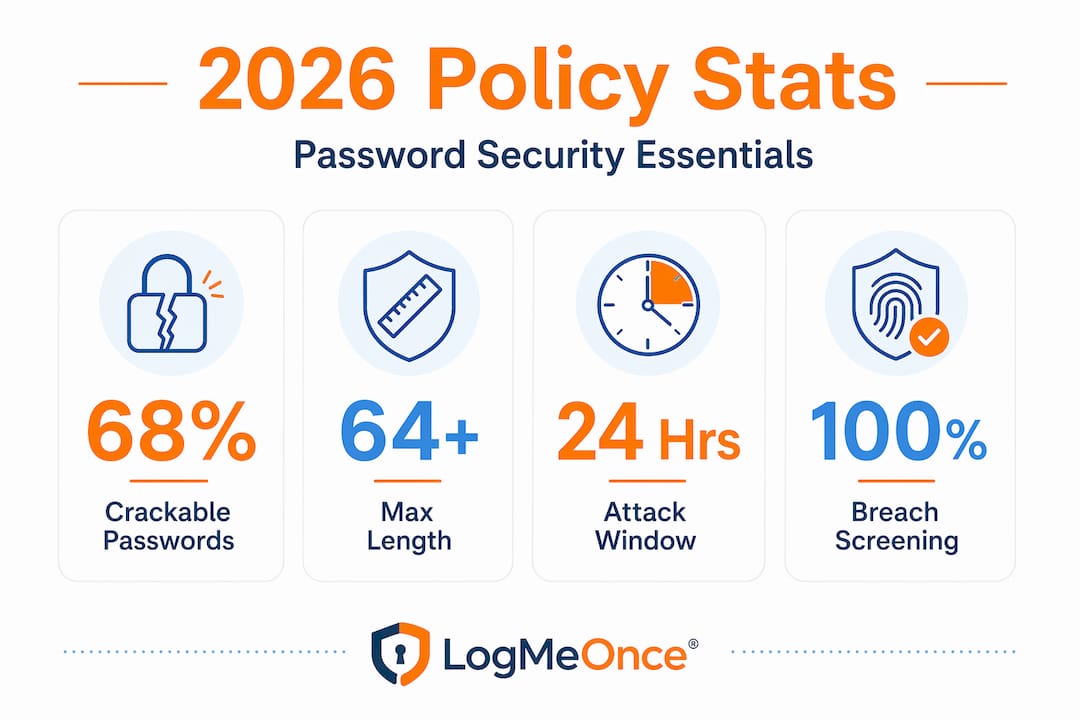
One more item worth calling out: 68% of modern passwords are crackable within a single day using normal computing hardware when they follow predictable patterns. Complexity requirements create the illusion of security while pushing users toward patterns like “Password1!” that attackers already anticipate.
How major frameworks compare on password requirements
NIST, PCI DSS v4.0, and CIS agree on more than they differ. All three frameworks have converged on the idea that length, breach screening, and MFA matter far more than character type requirements or rotation schedules. Knowing where they align and where they diverge helps you choose the right baseline for your organization’s regulatory environment.
| Requirement | NIST SP 800-63B | PCI DSS v4.0 | CIS Controls |
|---|---|---|---|
| Minimum length | 8 characters (15 recommended) | 12 characters (transitioning to 15) | 14 characters |
| Maximum length | 64 characters minimum | Not specified | No maximum |
| Mandatory rotation | Prohibited without compromise evidence | Required only if compromised | Annual reset at most |
| Breach screening | Required | Implied by risk management | Strongly recommended |
| MFA requirement | Required for higher assurance levels | Required for all CDE access | Required |
| Password hints | Banned | Not addressed | Not recommended |
| Account lockout | Not prescriptive | After 10 failed attempts, 30-minute lockout | Recommended |
PCI DSS v4.0 stands out for its specificity on lockout thresholds: no more than ten failed attempts before a minimum 30-minute lockout kicks in. That level of prescription is useful if you operate in a payment card environment because it removes ambiguity from your implementation decisions.
CIS recommends changing passwords only when there is evidence of compromise, with an annual reset as an absolute outer limit. This aligns with NIST but is slightly more permissive than strict “never rotate without cause” interpretations, which gives organizations a defensible middle ground when internal stakeholders still expect some rotation schedule.
Pro Tip: If your organization is subject to PCI DSS, treat its requirements as your floor, not your ceiling. Layering NIST-recommended practices on top of PCI minimums gives you a policy that satisfies auditors and is genuinely harder to defeat.
The risk-based approach is what ties these frameworks together. NIST SP 800-63B’s Targeted Risk Analysis concept means you should evaluate your specific threat model before deciding on controls beyond the baseline. A healthcare company with thousands of endpoints faces different risks than a ten-person fintech startup. Company password guidelines should reflect that reality rather than copying a generic template.

Practical steps for implementing better password policies
Moving from policy on paper to enforced controls requires a deliberate sequence. The following steps reflect what actually works in enterprise environments, not just what reads well in a framework document.
-
Deploy an enterprise password manager organization-wide. This single step does more for real-world security than any complexity rule ever will. Employees stop reusing credentials and start using long, randomly generated passwords they never have to remember. Resistance from users drops because the experience becomes easier, not harder.
-
Integrate breach and blocklist checks into your authentication system. Your identity provider or password reset flow should call a breach screening API at the moment of every credential change. Block any password that appears in known compromise databases. Also maintain an organizational blocklist of context-specific terms like your company name, product names, and city of headquarters.
-
Enable paste and autofill on all login forms. NIST requires support for paste to make password managers viable. If your internal applications block copy-paste in password fields, you are actively undermining your own security posture. Audit every login form in your environment and remove this restriction.
-
Deploy MFA universally, not just for administrators. FIDO2 and WebAuthn are the recommended standard because they are phishing-resistant by design. SMS-based one-time passwords are better than nothing, but they are susceptible to SIM-swapping attacks and should be treated as a fallback only. Every account in your environment should have MFA enabled before you worry about password length minimums.
-
Configure account lockout and monitoring controls. Set lockout thresholds aligned with PCI DSS at ten failed attempts with a 30-minute lockout. Beyond that, feed failed authentication events into your SIEM for anomaly detection. Brute force attempts that stay below lockout thresholds are real and ongoing.
-
Update policy documentation and train users. Written company password guidelines should explicitly state what is no longer required (mandatory rotation, complexity rules) alongside what is new (breach screening, MFA). Users who understand the reasoning behind policies comply more consistently than users who see rules as arbitrary.
Pro Tip: Privileged accounts need a separate treatment. Standard enterprise password managers are not sufficient for service accounts, admin credentials, and API keys. Use a PAM solution with mandatory session recording and automated rotation on a schedule tied to access events, not calendar dates.
Common mistakes that undermine your password policy
Even well-intentioned security teams make these errors. The cost is not just failed audits. It is genuine exposure that your policy was designed to prevent.
- Enforcing rigid complexity rules without breach screening. A password like “P@ssword1!” satisfies most legacy complexity requirements but appears in every major breach database. Rules that check character types while ignoring compromise status protect against nothing.
- Mandatory rotation on a fixed schedule. Password fatigue caused by forced resets leads directly to weaker reuse patterns. When users must change passwords every 90 days, they cycle through variations of the same credential rather than creating genuinely new ones.
- Blocking password manager functionality. Restricting paste in password fields is the single most counterproductive technical decision an organization can make. It forces users back to short, memorable passwords they can type. That is the opposite of what your policy should achieve.
- Applying MFA only to privileged accounts. Attackers routinely compromise regular user accounts first and then pivot to higher-privilege access. Audit logging and access deprovisioning for all accounts, combined with universal MFA, closes this lateral movement path.
- Ignoring lockout and monitoring controls. A strong password policy without account lockout gives attackers unlimited attempts. Monitoring without alert thresholds produces noise rather than signal. Both controls require configuration, not just existence.
Pro Tip: When stakeholders push back on removing rotation requirements, show them the data. Modern password attacks target predictable rotation patterns. The argument for MFA plus breach screening is far stronger than the argument for 90-day resets.
My take on what actually matters in 2026
I have reviewed a lot of password policies over the years, and the pattern I keep seeing is this: organizations spend enormous energy policing complexity rules that sophisticated attackers simply work around, while neglecting breach screening and MFA that would actually stop them.
The harder truth is that a written policy accomplishes almost nothing on its own. Policy without automated enforcement is aspirational at best. The organizations that genuinely improve their security posture are the ones that build technical controls into their authentication systems so the policy enforces itself.
What I tell IT managers who are starting from scratch: do not try to update your entire policy at once. Pick the two highest-impact items, deploy MFA everywhere and add breach screening, and get those into production before touching anything else. The complexity debate matters far less than those two controls combined.
Compliance is a starting line, not a finish line. Meeting NIST or PCI DSS requirements tells you where the floor is. What actually protects your organization is the gap between that floor and your actual threat landscape.
— Mike
Strengthen your policy with LogMeOnce
If your current toolset makes enforcing modern password standards harder than it should be, LogMeOnce addresses the gap directly.

LogMeOnce’s enterprise password management platform supports passwords up to 128 characters, enforces breach screening natively, and removes the complexity constraints that push users toward weak credentials. The MFA options include FIDO2, TOTP, and passwordless authentication, giving you phishing-resistant factors across every account tier. Centralized administration provides audit logs, role-based access controls, and automated policy enforcement without requiring manual intervention. For organizations working toward NIST and PCI DSS alignment, LogMeOnce handles the technical controls while your team focuses on the policy decisions. Explore the full cybersecurity platform to see how it maps to your compliance requirements.
FAQ
What is the recommended minimum password length in 2026?
NIST SP 800-63B requires a minimum of eight characters but recommends 15 or more for organizational accounts. PCI DSS v4.0 currently mandates 12 characters with a transition toward 15.
Should companies still require periodic password changes?
No. NIST prohibits forced rotation without evidence of compromise, and CIS recommends an annual reset at most. Mandatory rotation produces weaker passwords through predictable variation patterns.
What is breach database screening and why does it matter?
Breach screening checks a newly created or changed password against known compromised credential lists using a hash-based k-anonymity method. It blocks passwords that attackers already have in their dictionaries before those credentials ever reach production.
Is MFA required by major password policy frameworks?
Yes. NIST, PCI DSS v4.0, and CIS all require MFA, with FIDO2 and WebAuthn recommended as phishing-resistant options. PCI DSS specifically mandates MFA for all Cardholder Data Environment access.
Why do complexity rules actually weaken security?
Complexity requirements push users toward predictable patterns like capitalizing the first letter and appending a number or symbol. Research shows 68% of modern passwords following these patterns are crackable within a day. Length and randomness, supported by a password manager, are far more effective defenses.
Recommended
- 7 Tips For Company Password Manager – LogMeOnce
- 7 Business Cybersecurity Rules to Use in 2022 – LogMeOnce
- 6 Signs It’s Time to Invest in a Team Password Manager


