


 Password Manager
 Identity Theft Protection

 Team / Business
 Enterprise
 Government
 MSP
MSP

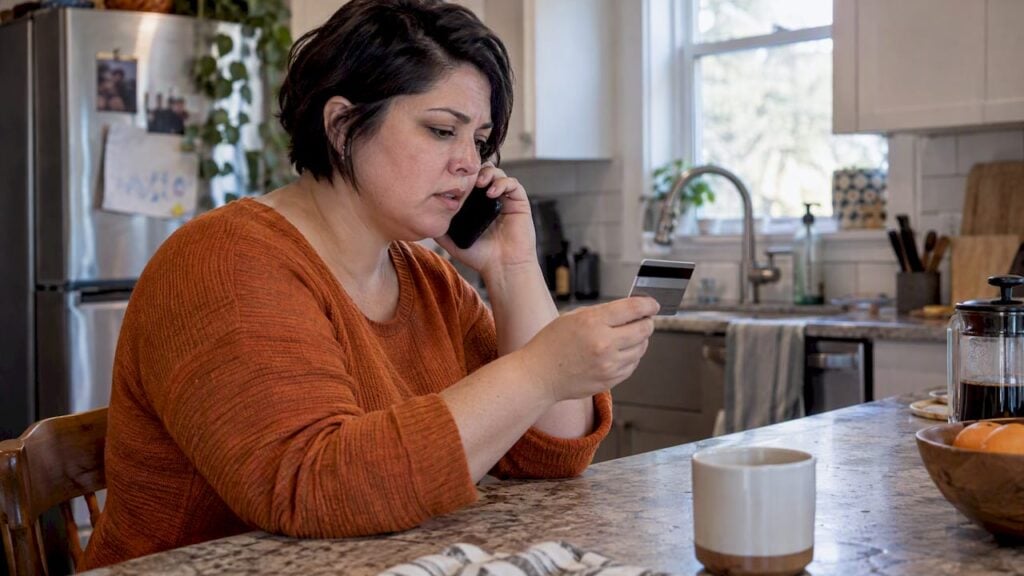
The most common identity theft alerts are charges you don’t recognize, accounts or credit inquiries you never opened, missing mail or bills, medical claims for care you didn’t get, and IRS notices about tax returns or wages that aren’t yours. Each one points to a different kind of theft and a different first move. This guide walks through them in the order people usually run into them, then explains the three tools that matter most in the U.S.: a fraud alert, a credit freeze and an IRS Identity Protection PIN.
TL;DR
- Treat small, odd charges as a warning. Thieves often test an account with small amounts before going bigger.
- Unknown accounts on your credit report, debt collector calls for debts you don’t recognize and IRS notices are the alerts that most often signal a full identity theft case.
- A free credit freeze prevents new accounts from being opened. A free fraud alert makes lenders verify who is applying. Credit monitoring only tells you afterward.
- You don’t need a Social Security number for a thief to hurt you. Stolen logins and reused passwords are enough for account takeover.
- If an alert is real, report it at IdentityTheft.gov and lock down your passwords and multi-factor authentication the same day.
The alerts you are most likely to see
Identity theft rarely announces itself with a single dramatic message. It shows up as a small inconsistency. The list below groups the common ones by where you will see them.
| Where you see it | The alert | What it often means |
|---|---|---|
| Bank or card statement | Withdrawals or charges you don’t recognize, including tiny ones | Your card or account details are being tested or used |
| Credit report | Accounts or hard inquiries you didn’t open | Someone applied for credit using your information |
| Mailbox | Bills that stop arriving, or bills for things you didn’t buy | A thief changed your address or opened accounts |
| Phone | Debt collectors calling about accounts that aren’t yours | A fraudulent account went unpaid |
| Health insurer | Claims for services you didn’t receive | Your insurance details are being used by someone else |
| IRS | A notice about more than one return, or wages from an employer you don’t know | Tax-related or employment-related identity theft |
| Email or app | Login alerts, password reset emails, or MFA codes you didn’t request | Someone has your password and is trying to get in |
The Consumer Financial Protection Bureau lists unexplained bank withdrawals, missing mail, rejected medical claims and IRS notices about multiple tax returns among the typical indicators. USAGov adds bills for items you didn’t buy and debt collection calls for accounts you never opened.
Financial alerts: charges, accounts and credit inquiries
Small charges you don’t recognize
A $1.99 charge is easy to ignore, and that is exactly why it is useful to a thief. The CFPB’s guidance is that even small, odd withdrawals deserve a look because they can be test transactions. Call the number on the back of your card, not one from a text message, and ask for the card to be replaced.
Accounts and inquiries on your credit report
An unfamiliar account or a hard inquiry from a lender you never contacted is the clearest sign that someone applied for credit as you. This is the alert that calls for a fraud alert or freeze immediately. The FTC’s recovery steps put the fraud alert at step two, right after you contact the companies where fraud happened.
Denied credit or surprise collection calls
Being turned down for a loan you expected to get, or hearing from a collector about a debt you can’t place, usually means a thief’s account already sits on your file. Request your credit reports and look for entries you don’t recognize. You can pull them through AnnualCreditReport.com, the federally authorized source.
Tax and medical alerts
IRS notices
Two IRS signals matter most. If your e-filed return is rejected because your Social Security number was already used, that points to tax-related identity theft. If you receive a CP01E notice, the IRS is flagging possible employment-related identity theft. In these cases the IRS may assign an Identity Protection PIN, a six-digit number you must use with your SSN to file. Details are on the IRS page about the CP01 notice.
You don’t have to wait for a notice. The IRS says anyone with an SSN or ITIN who can verify their identity is eligible to enroll in the IP PIN program, and the fastest route is through your online IRS account. Don’t respond to texts or emails that claim to be from the IRS and ask for a PIN or SSN.

Medical claims and insurance statements
An explanation of benefits that lists care you never received is a medical identity theft alert. Read those statements instead of tossing them. Call your insurer’s fraud line and ask for a copy of your claims history so you can see what was billed.
Digital alerts: logins, resets and MFA prompts
This is the category most guides skip, and it is where a lot of modern identity theft starts. A common myth is that thieves need your Social Security number. In practice, security professionals point out that a name, address and email combined with credentials stolen in breaches can be enough for account takeover. That also answers a question many people ask: yes, someone can do real damage without your SSN.
Watch for:
- Password reset emails you didn’t request. Someone is probing an account tied to your email.
- MFA codes or approval prompts you didn’t trigger. Your password is probably already known. Never approve a prompt you didn’t start.
- Login alerts from new devices or places. Check the device list and sign out of all sessions.
- Breach notifications. If a company tells you your data was exposed, change that password and any other account where you used it.
The reason breach notices matter is credential stuffing. Attackers run stolen username and password pairs against other sites, counting on reuse. The UK’s NCSC explains that these automated attacks can succeed without ever tripping the target company’s main defenses, and that multi-factor authentication stops the login even when the password is valid. Unique passwords plus MFA on every account that supports it is the simplest fix.
Our guide on what to do after a data breach covers the order of operations in more detail.
Alerts for businesses
Identity theft isn’t only personal. Companies see it as fraudulent payment requests, strange logins and exposed secrets.
- Urgent payment requests from an executive. In business email compromise, a fraudster poses as a senior figure and pressures an employee who can make payments. Europol lists unsolicited contact, pressure and a sense of urgency among the warning signs. Confirm any change in payment details through a second channel you already trust.
- Remote or network logins you can’t explain. CISA advises monitoring logon events, and notes that Logon Type 3 (network shares) and Type 10 (remote sessions such as RDP) are key indicators of credential-based attacks.
- Credentials in scripts and templates. Hardcoded usernames, passwords and API keys give attackers lasting access if a file is exposed. CISA’s guidance on credential risks points to centralized secret management as the standard fix.
Our perspective
We build password and identity tools, so we see the same pattern over and over: the alert people ignore is the one that arrives before the loss. A reset email, an odd MFA prompt, a breach notice. These are cheap to act on and expensive to ignore.

We also think the industry oversells monitoring. Monitoring is useful, but it is a smoke detector, not a lock. The locks are free or close to it: a credit freeze, unique passwords, and multi-factor authentication on everything that matters. We design LogMeOnce around that order. Start with strong, unique credentials and passwordless or multi-factor sign-in, then add dark web monitoring so you hear quickly if something leaks anyway.
For businesses, the same logic holds at scale. Shared passwords in spreadsheets and secrets in scripts are the quiet reasons small incidents become large ones. Put credentials in a vault, require MFA, and review who has access.
— Mike
Fraud alert, credit freeze or monitoring: which one do you need?
These three get confused constantly. Here is how they differ.
| Fraud alert | Credit freeze | Credit monitoring | |
|---|---|---|---|
| What it does | Tells lenders to verify your identity before extending credit | Blocks most access to your credit file so new accounts can’t be opened | Notifies you after something changes |
| Cost | Free | Free | Often paid |
| Lasts | 1 year (initial), 7 years (extended), 1 year (active duty) | Until you lift it | While subscribed |
| Preventive? | Partly | Yes | No, it alerts after the event |
The FTC confirms there are three kinds of free fraud alerts: initial (one year), extended (seven years, for confirmed identity theft victims) and active duty (one year, for service members). Placing one with a single bureau is enough: that company must tell the other two.
A freeze is the stronger move. The FTC says you can also add an initial fraud alert on top of a freeze if you are, or suspect you are, affected. Consumer protection guidance from the CFPB makes the key distinction: paid monitoring mostly alerts you after a suspicious event, while a freeze helps stop the account from being opened at all.
That doesn’t make monitoring useless. Credit bureau monitoring doesn’t cover everything, and it doesn’t see your email address or passwords circulating on criminal forums. That is the gap dark web monitoring fills, and it is why we treat it as a complement to a freeze, not a replacement.
What to do the day you get an alert
- Confirm it. Check the statement, report or notice directly through the bank, bureau or agency’s official site or the phone number on your card. Don’t use links in the message that alarmed you.
- Contact the company involved. Report the fraudulent charge or account and ask them to close or freeze it.
- Place a fraud alert and get your credit reports. This is step two in the FTC’s recovery plan.
- Freeze your credit at each of the three bureaus if you aren’t planning to apply for credit soon. Lifting it later is free.
- Report at IdentityTheft.gov. The site builds a personalized recovery plan, and you can start there.
- Change passwords and turn on MFA. Begin with email, since it controls resets for everything else. Then banking, tax and insurance logins.
- Handle tax and medical issues separately. Follow the instructions on any IRS notice, and ask about an IP PIN. Contact your health insurer about questionable claims.
- Keep a log. Record dates, names, reference numbers and copies of reports.
If you have a case that involves a lot of money, a lawsuit or a debt that was already sent to collections, consider speaking with a consumer protection attorney or a nonprofit credit counselor. We aren’t a law firm, and the steps above are general guidance.
Preventing the next alert
Most prevention is boring and effective:
- Use a different password for every account, generated and stored in a password manager. See why in our piece on keeping your passwords protected.
- Turn on MFA everywhere, favoring app-based or passwordless methods over SMS when you can.
- Freeze your credit and enroll in the IRS IP PIN program before you need them.
- Learn how a temporary account freeze can limit exposure while you investigate.
- Read our overview on how to prevent identity theft online for habits that cover email, social media and public Wi-Fi.
- Scan for exposed credentials with a dark web scan so you know which passwords to change.
How LogMeOnce fits in
If you want the digital side covered in one place, our identity theft protection service pairs dark web monitoring with our password manager. Published plans on our pricing and comparison page include a Premium plan at $0.00 per month, Dark Web Monitoring at $1.67 per month, Family Dark Web Monitoring at $3.34 per month and a Personal plan at $4.00 per month. For households and individuals who mainly need a vault, Professional is $2.50 per month, Ultimate $3.25 per month and Family $4.99 per month.
Teams can look at the business plans: Teams is $4.00 per month per user and Business is $7.99 per month per user. Enterprise pricing is not published, so you would ask us for details.
FAQ
Can someone steal my identity with just my name and address?
They can start. A name and address alone rarely open a bank account, but combined with an email and passwords from a data breach, they can be enough for account takeover or to build a convincing phishing attempt. Freeze your credit and use unique passwords so partial information is hard to exploit.
What are the most common types of identity theft?
The ones people report most often are financial or credit fraud, tax-related fraud, medical identity theft, account takeover and, for businesses, business email compromise. Each shows up through the different alerts listed above, so it helps to know which one you are seeing.
How do I check whether someone is using my identity?
Review your bank and card statements, pull your credit reports from AnnualCreditReport.com, read your insurance explanations of benefits and check your IRS online account. Also look for password reset emails and unexpected MFA prompts. If anything doesn’t match, report it at IdentityTheft.gov.
Does a fraud alert or a credit freeze work better?
A freeze is the stronger preventive tool because it blocks most access to your credit file. A fraud alert makes lenders verify your identity and lasts one year for an initial alert. Both are free, and you can use them together.
Sources
- FTC: Credit Freezes and Fraud Alerts
- FTC: Get a credit freeze to stop identity thieves
- IdentityTheft.gov: Recovery Steps
- IdentityTheft.gov
- CFPB: How can I spot identity theft?
- CFPB: What is a credit monitoring service?
- USAGov: Identity theft
- AnnualCreditReport.com: Protect your identity
- IRS: Understanding your CP01 notice
- IRS: Get an identity protection PIN
- ENISA: Identity Theft (ETL2020)
- NCSC: Credential stuffing advisory
- Europol: CEO/BEC fraud
- CISA: Logon event monitoring
- CISA: Guidance on credential risks
Recommended
- Identity Theft Protection & Dark Web Scan
- How to Prevent Identity Theft Online
- Identity Theft Protection
- Best Identity Theft Protection Software | Cloud Identity Manager


