


 Password Manager
 Identity Theft Protection

 Team / Business
 Enterprise
 Government
 MSP

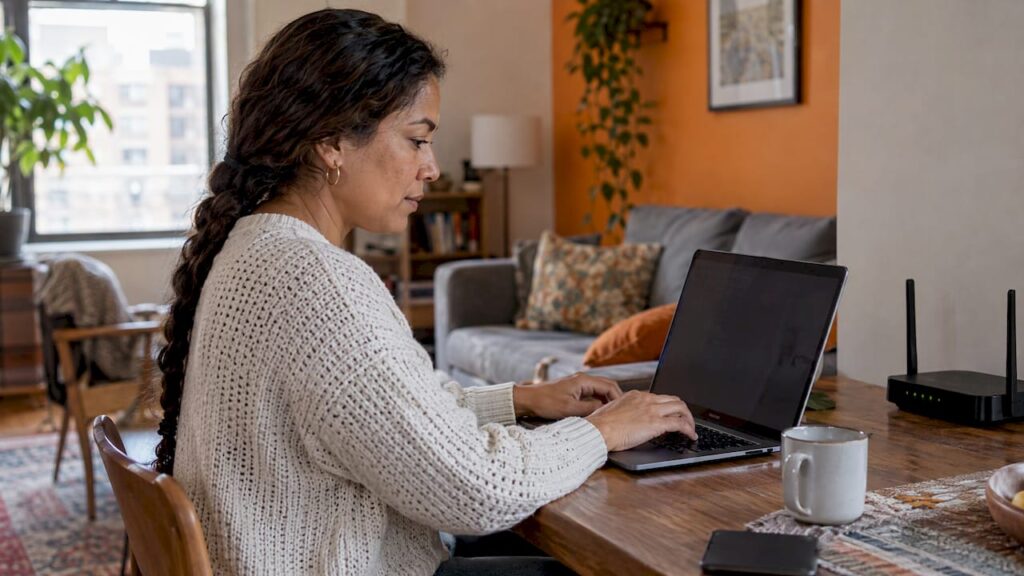
A VPN (virtual private network) gives you three real benefits: it encrypts your connection on networks you don’t control, it hides your traffic and IP address from your internet provider and the local network, and it lets you appear to browse from another location. It does not make you anonymous, and it does not stop phishing, malware or stolen passwords. The people who get the most from a VPN treat it as one layer and put strong, unique passwords and multi-factor authentication (MFA, a second proof of identity at login) on top of it.
TL;DR
- A VPN encrypts traffic between your device and the VPN server, so people on the same Wi-Fi network and your ISP can’t read or alter it.
- It masks your IP address and approximate location from websites, which is what makes geo-restricted content and some censorship workarounds possible.
- It is not an anonymity tool: accounts, cookies, fingerprinting and the VPN provider itself can still identify you.
- It does not defend against phishing, malware or weak passwords, so pair it with a password manager and MFA.
- Free VPNs deserve a close read of the privacy policy, because the provider sees all of your traffic.
What a VPN actually does
Without a VPN, your device talks to the internet through whatever network you’re on: home broadband, a café hotspot, a hotel, an airport. Whoever runs that network sits in the middle of every connection.
With a VPN, your device first builds an encrypted tunnel to a VPN server. Your traffic travels through the tunnel, then exits to the internet from the server. The EFF’s Surveillance Self-Defense guide describes it this way: all web traffic goes through the encrypted tunnel, websites see the VPN server’s IP address and location instead of yours, and your ISP and local network owner can no longer see your outgoing traffic. The same guide cites a 2021 FTC report finding that U.S. ISPs share more browsing data with third parties than users expect, which is one reason people want the tunnel even at home.
In organizations, the same technology has two classic uses, according to the IEEE Technology Navigator: site-to-site connections that make separate offices behave as one network, and remote-access connections where an individual client authenticates and receives a private-network address for the session.

The main benefits of using a VPN
Safer connections on public Wi-Fi
This is the benefit security agencies name most often. The New Jersey State Police cyber guidance says VPN use is highly recommended on unsecured or public networks, and gives the example of a coffee-shop user whose bank login could otherwise be intercepted. Canada’s Get Cyber Safe program adds that although most apps already encrypt their traffic, a VPN helps make sure all the data you send is protected.
A worked example: you land at an airport and join the open network. Anyone else on it, or anyone running a lookalike hotspot, is positioned to watch unencrypted traffic. With the tunnel up, they see only scrambled data going to one server. Our guides on using a VPN on public Wi-Fi and on airport network passwords cover the setup in more detail.
Privacy from your ISP and local network
HTTPS already protects the content of pages you visit, but not the metadata. As the EFF explains, ISPs and hosting providers can still see domain names, visit times and page sizes. A VPN shields that metadata from anyone listening on your local network and from your ISP. The trade-off is that the VPN provider now sees it, so the provider you pick matters.
Mozilla’s VPN resource center makes the same two-part point: a VPN conceals your IP address to protect identity and location, and encrypts traffic so nobody on your local network can decipher or modify it.
Access to content in other regions
Because websites see the server’s location, connecting to a server in another country can change what you’re offered. TechRadar’s VPN guide notes this can make a streaming service serve another region’s library, and that a VPN can get around censorship on networks that block sites, such as a school blocking YouTube. It also says results vary by provider. Streaming platforms actively block known VPN servers, so this benefit is never guaranteed, and a service’s terms of use may restrict the practice. Check them first.
Less throttling, small speed cost
If your ISP slows certain traffic, such as streaming or large downloads, a VPN can prevent it, because the ISP can’t tell what you’re doing. Tom’s Guide reports that the VPN itself can cost as little as 5% of peak speed with the best services, which you are unlikely to notice unless you have a gigabit line. Encryption overhead and server distance do add some delay, and TechRadar says online gaming is the main place you’d feel it.
Secure remote access for teams
For businesses, the benefit is controlled access to internal systems from outside the office. The Canadian Centre for Cyber Security’s VPN guidance (ITSAP.80.101) lists four types: gateway-to-gateway for remote office sites, host-to-gateway for remote workers, host-to-host for specific resources, and third-party privacy VPNs for securing connections from public hotspots. It recommends enterprise-managed controls so employees use the VPN whenever they connect to networks that don’t use the organization’s security capabilities, such as public Wi-Fi. For IT teams planning this, see our secure remote access guide and the piece on whether secure remote access is safe for your organization.
Quick reference: which benefit matters to whom
| Reader | Most useful VPN benefit | What to add alongside it |
|---|---|---|
| Individual traveling or working from cafés | Encrypted traffic on public Wi-Fi | Password manager, MFA |
| Family at home | Metadata privacy from the ISP | Unique passwords, dark web monitoring |
| Small or mid-size business | Secure access for remote staff | Shared password vault, MFA for every login |
| Enterprise or government agency | Site-to-site and remote-access tunnels | Single sign-on, passwordless MFA, access monitoring |
| Managed service provider | Consistent remote access across clients | Multi-tenant credential management |
What a VPN does not do
Knowing the limits is what makes the benefits real. Security agencies and privacy groups are consistent here.
It doesn’t make you anonymous. The EFF is direct that a VPN is not an anonymity tool. Companies can still track you through GPS, cookies, tracking pixels and fingerprinting, the provider sees all of your traffic, and a credit-card payment can link the account to you. For stronger anonymity the EFF points to Tor.
It doesn’t remove your account identity. The I2 Coalition’s VPNs at Risk report states that signed-in services can still identify you, and that a VPN does not prevent malware, phishing or weak-password threats. It is one layer, not a substitute for the others.
It doesn’t stop a bad click. The Canadian Centre for Cyber Security reminds organizations that a VPN offers no protection when a user clicks a malicious link or downloads malicious content.
The server is a single point. Singapore’s Cyber Security Agency advises that a compromised VPN server can still affect the confidentiality and integrity of your data, since everything is routed through it. Keep VPN software updated.
Split tunneling needs care. Routing some traffic outside the tunnel can bridge the open internet and the secure connection, the Canadian guidance warns. Organizations should set this deliberately.
We cover this balance in VPN security for users and IT teams: a VPN helps on Wi-Fi, and the rest of your defense has to come from elsewhere.
Choosing a VPN: privacy policy, jurisdiction, cost
Because the provider can see your traffic, choose on trust rather than on price alone.
- Read the privacy policy. Singapore’s Cyber Security Agency says some free providers collect and sell user information to advertisers and advises checking, at minimum, why data is collected and how it is used.
- Check where the provider operates. The EFF notes a provider is subject to the laws of the countries it works in, including government data requests and legal-assistance treaties with other countries.
- Be skeptical of big promises. The EFF warns that ads often claim a VPN alone stops criminals, malware, surveillance and tracking. In practice, a VPN is best suited to routing your connection through a different network.
- Keep it updated. The EFF flags that out-of-date VPN software may fail to protect even in rare compromised-network cases.
- Decide your use. Personal privacy on public Wi-Fi is a different job from connecting a workforce to internal systems, and a business should use enterprise-managed controls.
On cost: free VPNs exist, and paid ones are typically a monthly or annual subscription. Prices vary widely by provider and plan, so check the provider’s own pricing page for the current figure.
The layers that make a VPN worth having
A VPN protects the road your data travels on. Most account takeovers happen at the destination: a reused password, a phished login, a leaked credential. These are the layers that cover that gap.
A password manager. It generates and stores a unique password for every account, so one leak never opens other doors. Our personal plans run from Premium at $0.00 per month to Professional at $2.50 per month, Ultimate at $3.25 per month and Family at $4.99 per month.
MFA, ideally passwordless. A second proof of identity makes a stolen password useless on its own. Passwordless MFA removes the password from the login altogether. See Passwordless vs MFA and 2FA with VPN for how it fits with remote access.
Dark web monitoring. It alerts you when your credentials show up in leaked data, so you can change them before someone uses them. Read what dark web scanning finds and what to do next.
Secure remote work habits. For staff working outside the office, our guide to increasing remote work security shows how access policy, credentials and devices work together.
Perspective
We think of a VPN as a good lock on the road, and of your accounts as the house at the end of it. People spend a lot of time debating tunnels and server locations, then log into email with a password they’ve used for six years.
Our view is that identity is where most of the risk sits. A VPN keeps a stranger on café Wi-Fi from reading your traffic, and that’s worth having. But a phishing page, a reused password or a leaked credential walks straight past it, as the agencies above make plain.
That’s why we build around the login itself: a password manager, passwordless MFA, single sign-on for teams and dark web monitoring for exposed credentials. Whether you’re an individual, a small business, an enterprise, a government agency or an MSP, the order of operations is the same. Secure the identity first, then add the network layer on top.
Mike
Cover the login side with LogMeOnce
If you already use a VPN, or plan to, the next step is protecting the accounts behind it. LogMeOnce offers a password manager with a free Premium plan at $0.00 per month, and paid personal plans from $2.50 per month (Professional). Dark Web Monitoring is $1.67 per month, or $3.34 per month for the Family version. See the personal plans or compare the password manager tiers.
For organizations, Teams is $4.00 per month per user and Business is $7.99 per month per user, with Enterprise available on request. The business pricing page lays out the differences, and our password manager ROI calculator helps you size the case.
FAQ
Can I be traced if I use a VPN?
Yes, in several ways. The EFF notes that cookies, tracking pixels, fingerprinting and logged-in accounts can still identify you, and the VPN provider itself sees your traffic and can be compelled by governments to hand it over. A VPN hides your IP address from websites and your traffic from your ISP, but it is not an anonymity tool.
Can I use a VPN for free?
You can, but the provider is the one party that sees all your traffic, so the privacy policy matters. Singapore’s Cyber Security Agency warns that some free providers collect and sell user data to advertisers and advises reviewing what data is collected and why. Look for a clear policy before you install.
Will a VPN slow down my internet?
Slightly. Encryption and server distance add overhead. Tom’s Guide cites as little as 5% loss at peak for the best services, and TechRadar says a good premium VPN is unlikely to make a noticeable difference for browsing or streaming. If your ISP throttles certain traffic, a VPN can actually help, since it can’t see what you’re doing.
Will Netflix ban me if I use a VPN?
Streaming services commonly block known VPN servers, so you may see an error rather than a ban. Results vary by provider and server, and a service’s terms of use may restrict VPN use, so read them before you rely on it for region-locked content.
Is a VPN enough to keep my accounts safe?
No. A VPN does not stop phishing, malware or weak passwords. Use it with a password manager and MFA so a stolen or guessed password can’t open your accounts.
Sources
- Choosing the VPN That’s Right for You, EFF Surveillance Self-Defense
- Virtual private networks, IEEE Technology Navigator
- Virtual Private Networks, New Jersey cyber guidance
- VPNs, Get Cyber Safe
- What is a VPN, Mozilla VPN resource center
- What is a VPN, TechRadar
- VPN uses, Tom’s Guide
- Virtual private networks (ITSAP.80.101), Canadian Centre for Cyber Security
- VPNs at Risk, I2 Coalition
- Using Personal VPN Services Safely, Cyber Security Agency of Singapore
Recommended
- Why Use VPN: Protect Data and Ensure Privacy
- VPN Security for Users and IT Teams: WiFi Help, Not Malware Defense
- How Does a VPN Protect You Against Viruses?
- VPN Usage on Public Wi-Fi: When It Helps and What to Add


