


 Password Manager
 Identity Theft Protection

 Team / Business
 Enterprise
 Government
 MSP
MSP

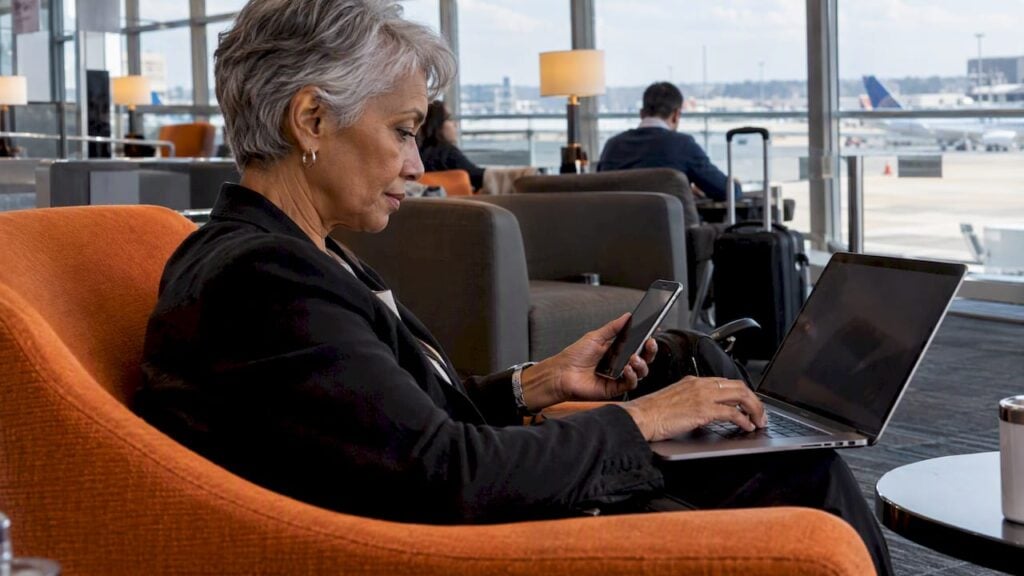
The main benefit of multi-factor authentication (MFA) is simple: a stolen, guessed or phished password is no longer enough to get into your account. The attacker also needs a second proof, such as a code from an app, a security key or a fingerprint, and that is the part they usually do not have. For individuals this means far fewer hijacked accounts. For businesses it means fewer breaches, a cleaner audit trail and a stronger answer when customers or regulators ask how you protect data.
This guide covers each benefit in practical terms, shows what the evidence says about how much MFA helps, explains which methods are strongest, and finishes with how to roll it out without driving your users crazy.
TL;DR
- MFA requires two or more proofs from different categories (something you know, have or are), so one stolen password does not open the account.
- Research on Microsoft accounts found MFA cut the risk of compromise by 99.22%, and Google found on-device prompts stopped 100% of automated bot attacks.
- Any MFA beats none, but phishing-resistant methods (security keys, passkeys) beat SMS codes, which can be attacked through SIM swaps.
- The real cost is management: lockouts and recovery need planning, which is easy to solve with the right setup.
- Start with email, finance, admin and password manager accounts, then expand.
What MFA actually does
MFA asks you to prove your identity with at least two independent factors from different categories: something you know (a password or PIN), something you have (a phone, token or key) or something you are (a fingerprint or face). The Cybersecurity and Infrastructure Security Agency (CISA) describes it as a layered approach: even if one factor, like a password, is compromised, the attacker still lacks the others.

The “different categories” part matters. OWASP points out that two factors of the same type, such as a password plus a PIN, are not true MFA and add very little protection. A password plus a code from your phone is.
You already know the everyday version. When you type your password and then enter a six-digit code from an authenticator app, that is MFA. NIST uses this exact example: the app generates a one-time code and you enter it on the next screen.
The benefits of multi-factor authentication
1. A stolen password stops being a skeleton key
Passwords leak constantly: through breaches at other sites, reused credentials, phishing pages and malware. With MFA switched on, the leaked password alone gets the attacker to a second prompt they cannot answer. This is the benefit that matters most, because it neutralizes the most common way accounts are taken over.
2. Large, measurable drops in compromise
The strongest public evidence comes from two large studies:
- A peer-reviewed analysis of Microsoft Azure Active Directory accounts, published on ResearchGate, found MFA reduced the risk of compromise by 99.22% across the population studied.
- Google’s research, summarized by Washington State’s Office of Cybersecurity, found an authenticator app helped prevent 100 percent of automated bots, 99 percent of bulk phishing attacks and 90 percent of targeted attacks.
Treat these as strong indicators, not guarantees. They describe populations and specific attack types, and your result depends on the method you choose and how well you set it up. The direction, though, is consistent across studies: MFA is one of the highest-impact security steps available.
3. Protection against automated attacks
Credential stuffing, where bots try millions of leaked username and password pairs against login pages, is cheap for attackers. A second factor breaks the economics. The Google figures above show that even basic second-step checks stop nearly all automated attempts, because a bot cannot read a code on your phone.
4. Resistance to phishing, when you pick the right method
Most MFA reduces phishing risk. Phishing-resistant MFA, built on standards like FIDO2 and WebAuthn (the technology behind passkeys and hardware security keys), goes further. CISA identifies FIDO/WebAuthn and PKI-based MFA as phishing-resistant, and lists weaknesses in other forms, including phishing, push bombing, SS7 attacks and SIM swaps. Because these methods tie the login to the real website’s domain, a lookalike phishing page simply fails to authenticate.

5. Safer remote and cloud work
When staff log in from home networks, airports and personal devices, the network no longer vouches for them. Identity is the perimeter. MFA gives every login to email, cloud storage, payroll and admin consoles a second check, whatever the location. OWASP recommends requiring MFA for all users, and especially for administrators and other high-privilege accounts, since one compromised admin login can expose everything.
6. Better compliance and customer trust
Many security frameworks and contracts expect MFA, particularly for administrative access and sensitive data. Being able to say every account that touches customer data requires a second factor shortens security questionnaires and supports audits. Our own write-up on the business benefits of two-factor authentication goes deeper on that angle.
7. Confidence for everyday users
A TeleSign survey cited by NIST found 86% of consumers feel their online information is more secure when using two-factor authentication. That sense of safety matters commercially too: customers who see a second step at login tend to read it as a sign you take their data seriously.
8. Lower cost than a breach
MFA is inexpensive compared with incident response, account recovery, fraud reimbursement and lost customer confidence. Many authenticator apps are free, and security keys are a one-time purchase. Even paid, business-grade MFA is typically priced per user per month, which is small beside the cost of a single compromised mailbox.
Which MFA methods are safest?
CISA’s guidance is blunt and useful: any form of MFA is better than none, but organizations should aim for phishing-resistant MFA. Here is how the common options compare.
| Method | How it works | Main strength | Main weakness |
|---|---|---|---|
| SMS code | Code texted to your phone | Easy, no app needed | Exposed to SIM swaps and SS7 attacks |
| Authenticator app (TOTP) | App generates a rotating code | Works offline, not tied to your phone number | Codes can be typed into a fake site |
| Push notification | Approve a prompt on your phone | Fast, convenient | Vulnerable to MFA fatigue (push bombing) |
| Security key or passkey (FIDO2/WebAuthn) | Device cryptographically proves you and the real site | Phishing-resistant | Needs a compatible device; recovery must be planned |
| Biometrics | Fingerprint or face on a trusted device | Quick, hard to share | Usually unlocks a device-held credential rather than standing alone |
Authenticator app or SMS?
The app is safer. SMS codes travel over the phone network and can be intercepted or redirected through a SIM swap, which CISA lists among known weaknesses. An authenticator app generates codes on your device. If your account offers only SMS, still use it, since it is far better than a password alone, but move to an app or key when you can.
Where do you get your MFA code?
From whichever factor you registered: a text message, an authenticator app on your phone, a hardware token, or an approval prompt. If you use an app, open it and enter the current code on the login screen before it refreshes.
What MFA does not stop
MFA is powerful, but being specific about its limits makes you better at using it.
The Canadian Centre for Cyber Security notes two attacks aimed at MFA itself: MFA fatigue, where an attacker floods you with prompts hoping you accept one, and token theft, where session data is stolen after login. Phishing-resistant MFA also protects only the login step. Attacks that never touch authentication, such as business email compromise or OAuth consent phishing, need other controls like security awareness training.
Safe-use habits that close these gaps:
- Never approve a prompt you did not trigger. Report unexpected prompts to your IT team.
- Prefer number-matching, app codes or security keys over simple approve-or-deny pushes.
- Keep sessions short on sensitive systems and sign out of shared devices.
- Pair MFA with training so staff can spot payment-change requests and fake consent screens.
The main disadvantage: management complexity
According to OWASP, the main disadvantage of MFA is extra management for administrators and users. People lose phones, change numbers and get locked out, and recovery must be secure so attackers cannot use it as a side door. That is a planning task, not a reason to skip MFA. Issue backup codes, register a second factor for each person, and write a verified reset process before you roll out.
How to roll out MFA without friction
CISA acknowledges that deploying phishing-resistant MFA to all staff at once can be hard. A staged approach works better.
- Protect the crown jewels first. Email, banking and finance tools, admin consoles, and your password manager.
- Cover privileged users next. Administrators and anyone with access to customer data.
- Offer more than one method. Let people register an app plus a backup, so a lost phone is an inconvenience, not an outage.
- Plan recovery. Decide who can verify an identity and reset a factor, and how.
- Move toward passwordless and phishing-resistant options. Passkeys and security keys remove the password and the phishable code together.
- Review regularly. Check which accounts lack MFA, and retire SMS where better options exist.
For households, the same logic applies in miniature: secure your main email first, then banking, then social accounts, and store your recovery codes somewhere safe.
Perspective: why we pair MFA with passwordless and a password manager
Over the years we have watched the same pattern: people agree MFA is a good idea, then abandon it because it feels like one more chore. Our view is that the best security is the kind people actually use, so the experience has to be easy.
That is why LogMeOnce puts passwordless MFA at the center of what we build. When the login itself is a biometric check or a trusted-device approval, you remove the password people reuse and the typed code attackers phish, and the second step stops feeling like a hurdle.
We also see MFA as one layer of a bigger identity picture. A password manager keeps every login unique, single sign-on reduces how many logins exist, and dark web monitoring tells you when credentials surface somewhere they should not. Together they cover the gaps a single control leaves open, for a family, a small team or a large organization.
Mike
Put MFA to work with LogMeOnce
If you want MFA that does not slow people down, start with our passwordless MFA option. For personal use, our password manager plans are listed at $2.50 per month for Professional, $3.25 per month for Ultimate and $4.99 per month for Family, and a Premium plan is listed at $0.00 per month on the pricing and comparison page. Teams are listed at $4.00 per month per user and Business at $7.99 per month per user on the business pricing page, with Enterprise available through our team.

If stolen credentials worry you, our identity theft protection and dark web monitoring alerts you when your information appears where it should not, and Dark Web Monitoring is listed at $1.67 per month.
Choosing the right MFA for your situation
Individuals and families. Use an authenticator app or passkeys on email, banking and your password manager. Keep backup codes offline. Add dark web monitoring so you hear about exposed credentials early.
Small and medium businesses. Require MFA for every employee, enforce it on admin accounts first, and centralize it with single sign-on so staff have fewer logins to protect. A per-user plan keeps cost predictable.
Large enterprises and government agencies. Aim for phishing-resistant methods on privileged and high-value systems, document recovery procedures, and align with the assurance levels in NIST guidance. Staged rollouts and integration with existing identity systems matter more at this scale.
Managed service providers. Standardize MFA across client tenants, so one policy and one recovery process cover many organizations. Our MSP password manager is built for that multi-client work.
FAQ
How does MFA add to the security of my account?
It requires proof from at least two different categories, so a stolen password alone cannot unlock the account. An attacker would also need your phone, key or biometric. That is why MFA blocks most automated and bulk phishing attacks.
What is the main disadvantage of MFA?
Extra management. Users can be locked out if they lose a factor, and administrators need a secure reset process. Backup codes, a second registered method and a verified recovery procedure solve most of it.
Which is safer, an authenticator app or SMS 2FA?
An authenticator app. SMS codes can be exposed to SIM swaps and SS7 attacks, while app codes are generated on your device. Security keys and passkeys are stronger still because they resist phishing.
Is any MFA better than none?
Yes. CISA states any form of MFA is better than no MFA, while urging organizations to adopt phishing-resistant options. Start with what you can deploy today and upgrade over time.
Sources
- CISA: Implementing Phishing-Resistant MFA
- OWASP Multifactor Authentication Cheat Sheet
- NIST: Back to Basics, What’s multi-factor authentication and why should I care
- Canadian Centre for Cyber Security: Secure your accounts and devices with multi-factor authentication
- How effective is multifactor authentication at deterring cyberattacks?
- Washington State Office of Cybersecurity: Research shows multi-factor authentication works


