


 Password Manager
 Identity Theft Protection

 Team / Business
 Enterprise
 Government
 MSP


Authentication is how a system confirms you are who you say you are. Every method rests on one or more of three factors: something you know, something you have, or something you are. The best choice for most people and organizations is a layered one: a password manager for strong unique passwords, phishing-resistant multi-factor authentication (MFA) on top, and passwordless sign-in where it is supported. LogMeOnce offers all three in one platform, with plans from a free Premium tier to Business and Enterprise.
TL;DR
- Authentication methods fall into three factors: knowledge (passwords, PINs), possession (phones, tokens, security keys) and inherence (fingerprint, face).
- A username and password together are still one factor. MFA needs factors from different categories.
- Hardware keys and passkeys resist phishing best. Authenticator apps are a solid middle ground. SMS codes are the weakest second factor.
- SSO lets people sign in once to reach many apps, which makes the strength of that one sign-in critical.
- Match the method to the risk: stronger for admins and money movement, simpler for low-risk everyday access.
What authentication means
Authentication verifies that a user is genuine by comparing what they present, such as a password, a smart card plus PIN, or a fingerprint, against records the system already holds. CISA’s guide to strong authentication describes it this way, and OWASP frames it as checking the validity of one or more authenticators.
It is separate from authorization. Authentication answers “who are you?” Authorization answers “what may you do?” A strong login does nothing if permissions are too broad, so the two are designed together.
The three factors
Every method below belongs to one of three categories, as CISA’s MFA guide lists them:
| Factor | Examples | Main weakness |
|---|---|---|
| Something you know | Password, PIN, passphrase | Phishing, reuse, guessing |
| Something you have | Phone app, hardware token, smart card, security key | Loss or theft of the device |
| Something you are | Fingerprint, face, iris, voice | Implementation quality, spoofing |
The Cloud Security Alliance rates knowledge factors as low to medium strength, hardware tokens as high, authenticator apps as medium to high, SMS as low because of SIM swapping and interception, and biometrics as medium to high depending on how well they are built.
Single-factor authentication
Username plus password is the familiar example. CISA notes that the pair still counts as one factor, because both are things you know. Two passwords, or a password and a PIN, do not make MFA either: OWASP says factors must be independent so one attack cannot defeat both.
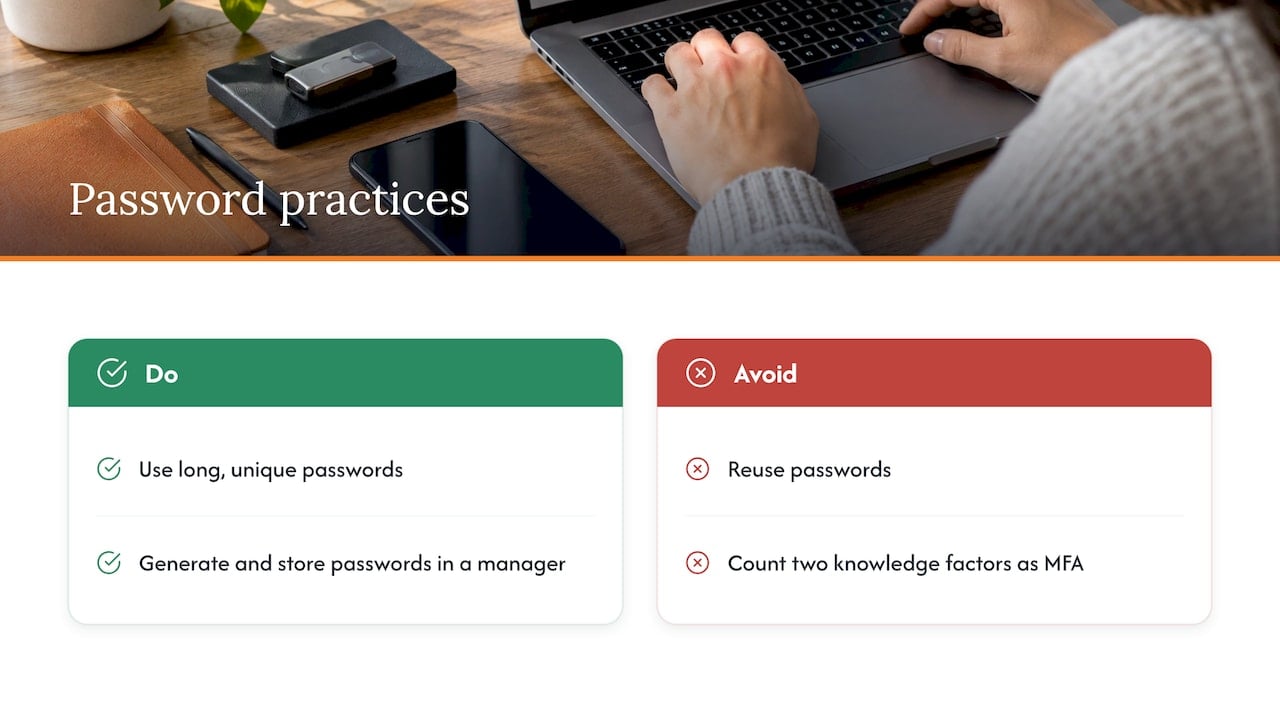
Passwords remain the base layer for most accounts, so how you create and store them matters. Long, unique passwords generated and stored in a password manager remove the habit of reuse. Our Password Manager plans include Professional at $2.50 per month, Ultimate at $3.25 per month and Family at $4.99 per month.
Multi-factor and two-factor authentication
MFA requires two or more factors from different categories; it is called 2FA when exactly two are used. NIST’s explainer gives the classic pairing: a password plus a code or card plus a fingerprint. OWASP adds that any MFA is better than none.
The common second factors differ a lot in strength.
SMS and email codes
A single-use code is sent to your phone or inbox. The UK’s NCSC calls SMS codes the most widespread option but not the most secure. They are better than nothing and easy to adopt, but they are the first to upgrade when an account matters.
Authenticator apps (TOTP)
An app and the server share a secret at setup, then each computes a short code from it and the current time. OWASP describes time-based one-time password tokens, hardware or software, as the most common possession-based MFA. They defeat credential stuffing and SIM swaps. A code can still be relayed to a fake site in real time, which is why the next two types exist.
Push approvals
You tap approve on a trusted device. They are convenient, and the Canadian government’s MFA guideline specifically lists push notifications with number matching as an accepted possession factor, which stops accidental or fatigue-driven approvals.
Hardware security keys
A USB or NFC key performs a cryptographic check. The identity-industry body of knowledge explains that FIDO credentials are scoped to the site that created them, which is why they are considered highly phishing resistant.
Biometrics
Fingerprint, face or iris checks work as the “something you are” factor, usually unlocking a credential on your own device. Our guide to biometric MFA covers how they fit alongside other factors, and our overview of two-factor authentication types compares the second-factor options side by side.
Passwordless authentication and passkeys
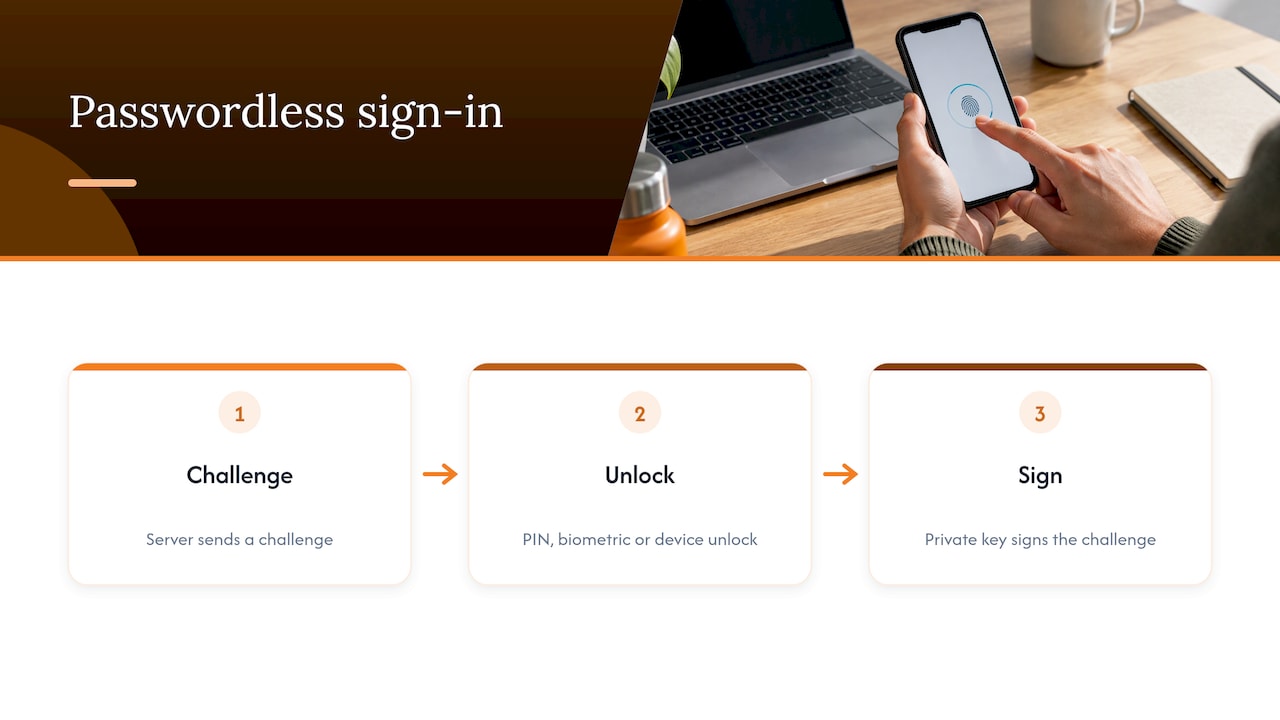
Passwordless sign-in removes the knowledge factor. According to the Cloud Security Alliance, the server sends a challenge, and the authenticator signs it with a private key after you unlock locally with a PIN, biometric or device unlock. Nothing reusable travels over the network, so there is no password to phish or leak.
A passkey is a FIDO2 credential: a private key tied to one website, stored on a hardware key or synced through a platform credential manager. Our explainer on the FIDO passkey walks through the flow. If you are weighing the two approaches, see passwordless versus MFA.
CISA recommends that federal agencies plan to migrate to cloud-based passwordless authentication using existing PIV or CAC card investments, or FIDO2 and Web Authentication.
Single sign-on and federated authentication
SSO is not a separate factor. It is a way of reusing one successful sign-in. Per the CSA guide, users authenticate once with an identity provider and reach many applications. Federation extends this across organizations through a trust relationship, with the identity provider issuing a signed token. SAML 2.0 uses signed XML assertions, OpenID Connect uses signed JSON web tokens, and OAuth 2.0 handles delegated authorization.
Because one login opens many doors, that login deserves the strongest factor you can give it. CISA’s best practices for administrators recommend building MFA into the SSO service and using risk-based step-up prompts for sensitive apps.
How to choose the right type
Individuals and families
Start with a password manager so every account has a unique password, then switch on MFA everywhere it is offered, preferring an authenticator app, passkey or security key over SMS. Use the strongest option each service supports, as CISA advises. For banking, see our guide to MFA for online banking.
Small and medium businesses
Pick one tool that covers password storage, MFA and shared access so staff are not juggling several. The NCSC advises asking for a second factor on high-impact actions, such as changing passwords or payment details, and when something looks unusual, such as a new device or location, rather than on every single login. Our Teams and Business plans cost $4.00 and $7.99 per user per month.
Enterprises and government
Align to assurance levels. The CSA advises that higher NIST assurance levels (AAL2 and AAL3) call for stronger, phishing-resistant authenticators such as FIDO2 for higher-risk environments. Privileged administrators in particular should use phishing-resistant methods. Offer more than one MFA option: CISA’s hybrid identity guidance points out that phone-based MFA does not work in secured spaces that ban mobile devices, and that overly burdensome MFA pushes people to avoid systems or request exceptions.
Managed service providers
An MSP manages many clients with different needs, so a single factor rarely fits all. CISA’s best-practices guidance says different MFA solutions for different user groups are exactly where federation and SSO become important.
Where LogMeOnce fits
LogMeOnce brings the layers in this article into one platform: a password manager, passwordless MFA, single sign-on, biometric authentication, encrypted cloud storage and dark web monitoring, for individuals, businesses, enterprises, government agencies and MSPs.
Individuals can begin with the free Premium plan or pick Professional, Ultimate or Family. Dark Web Monitoring is $1.67 per month. See all personal plans and comparisons, or look at our passwordless MFA product.
Organizations can compare Teams, Business and Enterprise on the business pricing page.
Our perspective
We do not think the question is which single method wins. Every type above covers a gap another leaves open: passwords are universal, MFA closes the gap when one is stolen, and passwordless removes the shared secret altogether.
What we see as the practical goal is fewer decisions for the user. A password manager makes strong unique passwords effortless, passwordless MFA and biometrics make the second step quick, and SSO keeps one strong sign-in in front of many apps. Security people stick with controls that are easy to use, and that is how we build.
Whether you are a family, a ten-person company or an agency, the same stack applies, scaled to the risk.
Mike
FAQ
Is MFA the same as 2FA?
Not quite. 2FA is MFA with exactly two factors. MFA means two or more factors from different categories, so a password plus an authenticator code and a fingerprint would be MFA but not 2FA.
Which type of authentication is the most secure?
Hardware security keys and passkeys based on FIDO2 are considered highly phishing resistant, because credentials are bound to the genuine site. Authenticator apps rank next, and SMS codes rank lowest among common second factors.
Is a password and a security question multi-factor?
No. Both are things you know, so together they are a single factor. A real second factor comes from another category, such as a device you hold or a biometric.
Is SSO a type of authentication?
SSO is a way to reuse one authentication across many applications through an identity provider. The sign-in itself still relies on a password, MFA or a passwordless method, so protect it with the strongest option available.
Sources
- CISA: Implementing Strong Authentication
- OWASP Authentication Cheat Sheet
- CISA: Guide to multifactor authentication
- Cloud Security Alliance: IAM standards
- OWASP Multifactor Authentication Cheat Sheet
- NIST: What is multi-factor authentication
- UK NCSC: Authentication methods
- Government of Canada: Guideline on MFA
- IDPro: Multi-factor Authentication
- CISA: Hybrid Identity Solutions Guidance
- CISA: IAM best practices for administrators
Recommended
- Authentication Factors Explained: Securing Digital Access
- Examples of Authentication Factors for IT Security Teams
- Types of Authentication Protocols: 2026 Security Guide
- Different Types of Multi-Factor Authentication


