


 Password Manager
 Identity Theft Protection

 Team / Business
 Enterprise
 Government
 MSP
MSP


Data gets compromised through five recurring paths: attackers exploit unpatched software vulnerabilities, steal or guess credentials through phishing and credential stuffing, misuse trusted insider access, take advantage of misconfigured cloud settings, or slip in through a compromised third-party vendor. A breach specifically means data was accessed or taken without authorization, which is narrower than a general security “incident.”
TL;DR:
- Most breaches involve unpatched vulnerabilities and credential abuse, with vulnerability exploits now the leading initial attack vector.
- Data exfiltration often uses covert channels like DNS tunneling or cloud storage uploads that blend into normal network traffic.
- Early signs of compromise include unusual login locations, unknown devices, unexpected data transfers, and dark web alerts.
- Prioritizing patch management and enforcing multi-factor authentication significantly reduces the risk of initial access and credential-based breaches.
- Data classification into sensitive categories improves detection, response, and controls, minimizing damage from targeted breaches.
What Counts as Data Compromised: Incidents, Breaches, and Leaks
Security teams throw around “incident,” “breach,” “leak,” and “exfiltration” as if they’re interchangeable. They aren’t, and mixing them up leads to sloppy incident response.
An incident is any event that threatens the confidentiality, integrity, or availability of data, whether or not anything was actually accessed. A blocked phishing email is an incident. A breach is a confirmed case where data was accessed, viewed, or stolen without authorization. The IBM breach definition frames it as unauthorized access, exfiltration, or misuse of data, with human error and insider threats are recognized as recurring causes alongside vulnerability exploits. A leak usually refers to accidental exposure, like a misconfigured database left open to the internet, rather than an active attack. Exfiltration is the technical term for the actual movement of data out of a network once an attacker (or a careless employee) has access to it.
The data itself matters as much as the mechanism. Attackers target personally identifiable information (PII) like Social Security numbers and addresses, login credentials, financial account details, protected health information (PHI), and intellectual property such as source code or trade secrets. Each category carries different regulatory weight and different resale value on dark web markets.
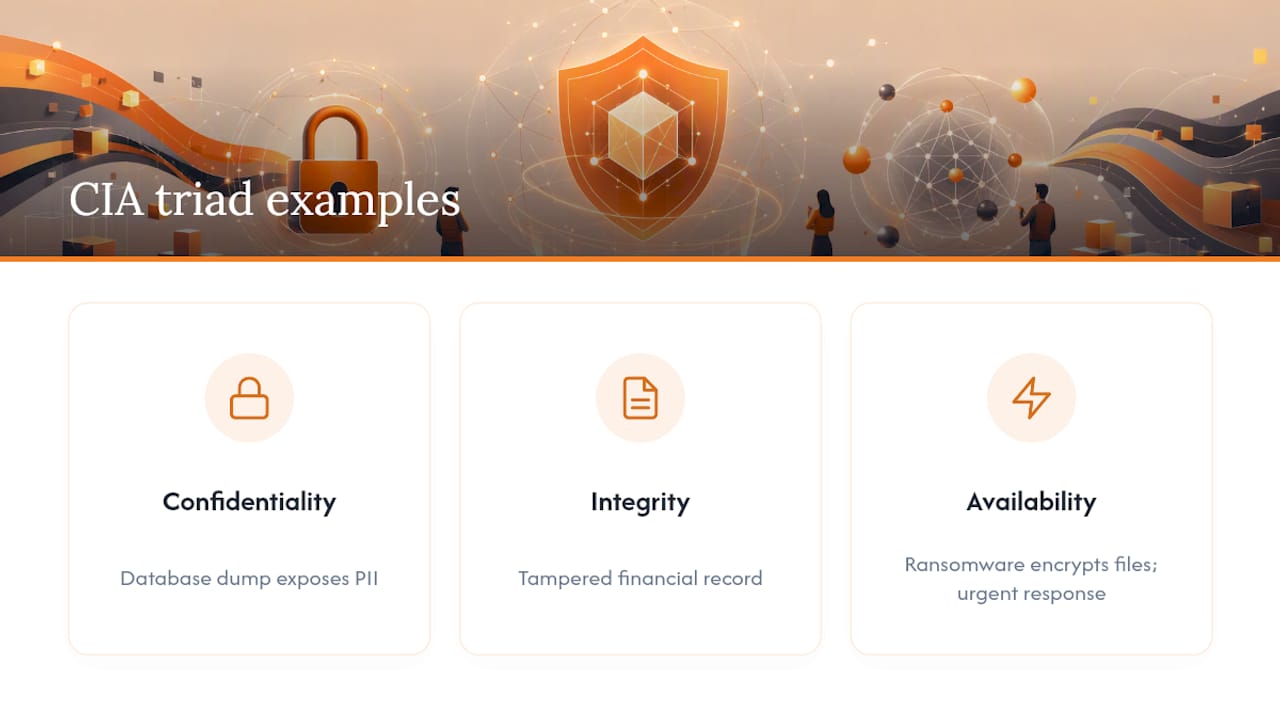
This is where the CIA triad (confidentiality, integrity, availability) earns its keep as a classification tool. A ransomware attack that encrypts files hits availability. A database dump hits confidentiality. A tampered financial record hits integrity. Knowing which leg of the triad an incident hits determines your response priority and your legal notification obligations.
Common Attack Vectors: How Data Gets Compromised
Every major method of data theft falls into one of eight buckets, and most real-world breaches involve more than one working together.
Phishing and social engineering. This remains one of the most consistent entry points. Beyond the generic “click this link” email, attackers now run business email compromise scams, SMS phishing (“smishing”), and voice phishing calls impersonating IT support. Social engineering accounted for roughly 16% of breaches in the 2026 Verizon DBIR, and mobile-targeted phishing simulations have shown notably higher click-through rates than equivalent email tests, largely because small screens hide the visual cues people use to spot fakes.
Credential abuse. Password reuse is the gift that keeps giving to attackers. Credential stuffing tools take a leaked password list from one breach and automatically try it against hundreds of other services. Brute-force attacks and simple guessing round out this category, though the DBIR notes credential abuse as an initial access vector dropped to a smaller share as vulnerability exploitation took a bigger share.
Vulnerability exploits. This is now the top initial access vector, and it doesn’t require tricking anyone. Attackers scan for unpatched software, exposed APIs, SQL injection flaws, and zero-days, then walk in through the front door because nobody applied the fix.
Ransomware and malware. Modern ransomware operations rarely just encrypt files. Double extortion means attackers steal your data first, then encrypt your systems, then threaten to publish the stolen files if you don’t pay, even if you can restore from backup.
Insider threats. Not every insider is malicious. Some employees leak data through carelessness, like emailing a spreadsheet to the wrong recipient. Others act deliberately, taking client lists or source code on the way out the door.
Third-party and supply-chain compromise. An attacker doesn’t need to breach you directly if they can breach your vendor.
Cloud and SaaS misconfigurations. An exposed storage bucket, an overly permissive sharing link, or a database left without authentication can hand data to anyone who stumbles across it. No exploit required, just a checkbox nobody unchecked.
Physical theft and loss. Stolen laptops, misplaced USB drives, and paper records dropped in transit still cause real breaches, especially when devices aren’t encrypted.
- Phishing and social engineering (business email compromise, smishing, vishing)
- Credential stuffing, brute force, and password reuse exploitation
- Unpatched vulnerabilities in software, APIs, and zero-days
- Ransomware with double-extortion data theft
- Malicious or negligent insider actions
- Third-party and supply-chain compromise
- Cloud storage and SaaS misconfigurations
- Physical device theft or loss
How Data Exfiltration Actually Works
Getting into a network is only half the job for an attacker. Getting the data out without tripping an alarm is the harder, quieter half.
Attackers typically stage data before moving it, compressing and aggregating files from across a network into a single location to make the final transfer faster and less conspicuous. From there, they favor covert channels. DNS tunneling hides stolen data inside what looks like routine domain name lookups, a type of traffic most firewalls barely inspect. Encrypted tunnels serve a similar purpose by making payload contents unreadable to network monitoring tools. According to MITRE ATT&CK’s exfiltration tactics, attackers frequently break large data sets into small chunks and drip them out slowly, avoiding the volume spikes that would otherwise trigger bandwidth alerts.
A growing trend is abusing legitimate infrastructure. Rather than standing up their own servers, attackers upload stolen files to mainstream cloud storage services your organization already trusts and allows through the firewall. This “living off the land” approach, using tools and services already present in the environment, makes malicious traffic look almost identical to normal business activity.
- Data staging and compression before transfer
- DNS tunneling and encrypted channel abuse
- Chunked, low-volume transfers to dodge bandwidth thresholds
- Uploads routed through approved cloud services
Pro Tip: Don’t rely on simple bandwidth alerts to catch exfiltration. Correlate low-volume repeated uploads with anomalous file access patterns and outbound TLS session data instead. Slow, chunked theft is built specifically to slide under a raw traffic-volume threshold.
How to Know If Your Data Has Been Compromised
Most compromises leave traces long before anyone notices the damage. Knowing where to look shortens the gap between breach and discovery.
- Check login patterns for geo-anomalies and impossible travel. A login from Chicago followed by one from Bangkok twenty minutes later isn’t a frequent flyer, it’s a stolen credential.
- Watch for new device enrollments you didn’t authorize. Unexpected devices added to an account or MFA app are one of the clearest compromise signals available.
- Monitor for spikes in outbound data transfer. Sudden large file downloads or a jump in egress volume from a server that normally sits quiet deserves immediate attention.
- Audit new OAuth apps and API keys. Attackers often grant themselves persistent access through a third-party app connection rather than logging in directly, which survives a password reset.
- Look for unexpected email forwarding or inbox rules. A rule quietly forwarding invoices or password reset emails to an external address is a classic sign of business email compromise.
- Take DLP, EDR, and SIEM alerts seriously, even the quiet ones. Automated detection tools often flag anomalies days before a human would catch them manually.
- Check dark web monitoring hits for your organization’s domains. Credentials showing up for sale is direct evidence of compromise elsewhere that now threatens you.
- Notice missing files, changed permissions, or strange error messages. These behavioral signs often get dismissed as “just a glitch” when they’re actually early attacker footprints.
What Data Compromise Costs: The Numbers Behind the Headlines
The 2026 Verizon DBIR reframes the threat landscape in a way that should reset budget priorities. Median time to fully remediate a critical vulnerability climbed to 43 days, a long window for an attacker to walk through an unpatched door.
By the numbers: Vulnerability exploitation drives roughly 31% of breaches, third-party involvement rose about 60% year over year to nearly half of all breaches, and critical vulnerabilities now take a median of 43 days to fully patch, according to the 2026 Verizon DBIR.
Ransomware continues showing up in a large share of breach investigations, frequently paired with data theft before encryption, according to Proofpoint’s data breach reference. That combination, steal first, encrypt second, means paying a ransom no longer guarantees your data won’t surface publicly anyway. Third-party chains, where a vendor’s vulnerable code or compromised account becomes the doorway into a customer’s environment, now require remediation coordination across multiple organizations, which is part of why these incidents tend to drag on longer than single-company breaches.
Prioritized Controls That Actually Reduce Compromise Risk
Not every control deserves equal budget. Here’s the order that maps most directly to what’s actually breaching organizations right now.
Start with authentication hygiene. Unique, strong passwords stored in a password manager close off credential stuffing and reused-password attacks in one move. Weak and reused passwords remain a measurable driver of breach cost, according to LogMeOnce’s Weak Password Cost Report, and layering multi-factor authentication on top blocks most automated login attempts even when a password does leak.
Fix your patch cycle next. With vulnerability exploitation now the top initial access vector and median remediation sitting at 43 days, that lag is the gap attackers are walking through. Prioritize using the CISA Known Exploited Vulnerabilities (KEV) catalog rather than trying to patch everything with equal urgency. A CVE actively being exploited in the wild matters more than one with a high severity score but no known attacks yet.
Apply least privilege and review access regularly. Role-based access control (RBAC) limits what a compromised account can actually reach. Periodic access reviews catch the former employee whose account never got deactivated and the contractor who still has admin rights three projects later.
Build out data-specific controls. Data loss prevention (DLP) tools flag unusual outbound transfers before they complete. Encryption renders stolen data useless without the key. Immutable backups, ones that can’t be altered or deleted even by an attacker with admin access, are what actually save you from a ransomware demand.
Audit your cloud and SaaS configurations on a schedule, not just once. Storage buckets and sharing permissions drift over time as teams add new integrations, so a configuration that was locked down in January can be wide open by June without anyone changing a policy document.
Treat vendor risk as an ongoing program, not a one-time questionnaire. Maintain an actual inventory of every vendor with access to your systems or data, bake security requirements into contracts, and monitor vendor security posture continuously rather than trusting a checkbox from onboarding two years ago.
- Password manager plus MFA to close credential-based entry points
- Patch prioritization using CISA KEV rather than blanket patching
- Least privilege access with scheduled reviews
- DLP, encryption, and immutable backups
- Recurring cloud and SaaS configuration audits
- A living vendor inventory tied to contractual security terms
Pro Tip: If you can only fund two controls this quarter, fund MFA and a vulnerability prioritization process. Together they address the two fastest-growing initial access vectors in the current threat data: credential abuse and vulnerability exploitation.
What to Do the Moment You Suspect a Compromise
Speed and order matter here. Skipping a step to move faster often destroys the evidence you need later.
- Contain immediately. Isolate affected hosts from the network, rotate every credential with plausible exposure, and revoke API keys and access tokens tied to the incident.
- Preserve logs and forensic snapshots before anything gets cleaned up. Build a timeline while memory and system state are still intact.
- Notify internal stakeholders, legal, and compliance right away. Many notification clocks start ticking the moment you have reasonable evidence of a breach, not when you’ve finished investigating.
- Remediate from clean backups, patch the exploited vector, and reissue credentials rather than just resetting the ones you know were compromised.
- Run a root cause analysis afterward and use it to fund the controls that would have prevented a repeat, not just the ones that are easiest to implement. For a fuller walkthrough, see what to do after a data breach.
Tools That Map Directly to These Controls
Every control above needs an actual tool behind it, not just a policy document. Credential hygiene is what a password manager solves directly, generating and storing unique passwords so reuse stops being an option. For compromised credentials already floating around, a Dark Web Scan checks whether your organization’s logins have already surfaced in a breach dump, which is often the first real warning sign available. Cloud-resident data benefits from encryption applied before it ever leaves your control, and passwordless multi-factor authentication removes the single point of failure that a stolen password represents. Readers dealing with password fatigue across dozens of accounts, a real driver of reuse, can start with this breakdown of password fatigue and how to avoid it, and anyone who just found a compromised login should read what to do after a password breach before doing anything else.
Why Human Error Still Drives So Many Breaches
Technology gets blamed for breaches that a person actually caused. Industry data from IBM puts human error and IT failures each behind a sizable share of incidents, often outweighing pure technical exploits.
Misdelivered emails are the most mundane example, and also one of the most common: an employee attaches the wrong spreadsheet, sends client data to the wrong recipient, or CCs instead of BCCs on a mass email containing personal information. Misconfigured permissions fall into the same category, someone grants “anyone with the link” access to a folder that should have been locked down, and nobody notices until the data’s already been indexed by a search engine.

Negligence differs from malice in every meaningful way except the outcome. A negligent employee didn’t intend harm, but the exposed data is just as compromised as if an attacker had stolen it directly. This is precisely why technical controls need to assume human mistakes will happen rather than assume they won’t. Least privilege access limits how much damage one mistaken click or misconfigured share can cause. Automated DLP tools catch the email with a Social Security number in it before it leaves the building, regardless of whether the sender meant to include it.
Training helps, but it isn’t a substitute for controls that don’t depend on someone remembering the rule under pressure. The organizations with the fewest human-error breaches tend to be the ones that removed the opportunity for the error in the first place, not the ones with the longest training slide deck.
The Legal Fallout: Notification Rules and Fines
Once data is confirmed compromised, the clock most organizations underestimate is the legal one, not the technical one.
Notification requirements vary by jurisdiction, industry, and the type of data involved, and there is no single global standard. Regulations like the EU’s GDPR require notifying supervisory authorities within a defined window after becoming aware of a breach, with steep penalties for organizations that fail to comply or that were negligent in their security practices to begin with. In the United States, notification law is a patchwork of state statutes, each with its own definition of what triggers a notification requirement and its own timeline, which is exactly why organizations operating across multiple states need to know every jurisdiction they touch, not just the one where headquarters sits.
Industry-specific rules add another layer. Healthcare organizations face HIPAA obligations around protected health information, and financial institutions face their own sector-specific frameworks governing customer financial data. Fines in either sector can scale with the number of records exposed and the organization’s demonstrated level of negligence, meaning a breach caused by an unpatched vulnerability you knew about and ignored costs more, legally and reputationally, than one caused by a genuine zero-day nobody could have anticipated.
The practical takeaway: legal exposure isn’t just about whether a breach happened. It’s about whether you can demonstrate reasonable security practices were in place beforehand, and whether your notification response met the deadline your specific jurisdiction and industry require, which is why documenting your controls matters as much as building them.
Why Data Classification Changes Your Risk Profile
Not all data deserves the same defense budget, and treating it that way wastes money on the wrong assets while leaving the real crown jewels underprotected.
Data classification means sorting information by sensitivity, typically into tiers like public, internal, confidential, and restricted, and then applying controls proportional to each tier. A marketing brochure and a customer database with Social Security numbers shouldn’t sit behind the same access controls, yet in unclassified environments they often do, simply because nobody took the time to sort them.
Classification directly shapes compromise risk in two ways. First, it determines what attackers actually go after: properly classified restricted data usually carries tighter access controls, encryption, and monitoring, making it harder to reach even after an initial breach. Second, it determines how fast you can respond. An organization that knows exactly where its PHI or payment card data lives can scope a breach investigation in hours. One that doesn’t may spend weeks just figuring out what was actually exposed, which delays legal notification and extends the window where affected individuals remain unaware their information is circulating.
Classification also feeds directly into the prevention controls discussed earlier. Data loss prevention tools work far better when they know which data patterns to flag as high-risk. Access reviews are more meaningful when they’re checking who can reach “restricted” data specifically, not just auditing permissions in the abstract. Skipping classification doesn’t reduce the work, it just defers it to the middle of an active incident, which is the worst possible time to be sorting through what matters.
How Compromise Methods Differ by Industry
The mechanics of a breach shift depending on what an attacker is actually after, and healthcare and financial services sit at opposite ends of that spectrum.
Healthcare organizations are frequent targets because protected health information carries long-term resale value; unlike a credit card number, a medical record can’t be canceled and reissued. Attackers targeting healthcare often exploit legacy systems and medical devices that can’t easily be patched without disrupting patient care, alongside phishing campaigns aimed at overworked staff during high-pressure shifts. Third-party risk runs especially high here too, given how many vendors, billing services, lab partners, insurance processors, touch patient data at some point.
Financial services face a different threat profile weighted toward credential abuse and business email compromise, since the payoff (direct access to funds or account takeover) is more immediate than in healthcare. Financial institutions also draw more sophisticated attackers running long-term reconnaissance before an attack, given the higher potential payout, and they face some of the most demanding regulatory scrutiny after a breach, which shapes how fast they’re forced to respond and disclose.
Retail and e-commerce lean heavily on payment card skimming, both physical and digital (web skimmers injected into checkout pages), while manufacturing and industrial sectors increasingly see attacks aimed at operational technology and intellectual property theft rather than customer records. The common thread across every sector: attackers go where the data has resale value or leverage, and defenses need to match that specific value, not a generic industry checklist.
What Security Leaders Should Prioritize Going Into 2026
Patch known exploited vulnerabilities first, enforce MFA everywhere, and build real vendor risk visibility. Supply-chain blind spots and living-off-the-land tactics now matter as much as user training, and neither replaces the other.
— Mike
Where LogMeOnce Fits Into Your Security Stack
Most of the controls covered above come down to one weak point: credentials. This gap can be closed by combining a password manager, passwordless multi-factor authentication, and encrypted cloud storage in one platform instead of stitching together separate tools for each piece.

If you’ve read this far wondering whether your own credentials are already circulating somewhere, that’s a fixable unknown, not a guess you have to live with. Logmeonce’s Dark Web Scan Tool checks whether your logins already appear in known breach data, and its password management platform replaces reused passwords with unique, generated ones tied to passwordless MFA. For teams dealing with cloud-resident sensitive data, cloud storage encryption adds a layer that survives even if a sharing permission gets misconfigured. Start with a cybersecurity solutions overview to see which combination fits your environment, then run a free Dark Web Scan to find out where you actually stand today.
Sources
FAQ
What are the top 3 causes of data breaches?
The leading causes are exploitation of software vulnerabilities (around 31% of breaches per the 2026 Verizon DBIR), phishing and social engineering, and credential abuse, including password reuse and stuffing.
What are the top data breaches of all time?
Historic mega-breaches span retail, credit reporting, and social platforms, each tied to a different root cause, from unpatched web application vulnerabilities to third-party vendor compromise, and each reshaped how regulators approach notification law afterward.
How do I know if my data is compromised?
Watch for logins from unfamiliar locations, unrecognized devices added to your accounts, unexpected password reset emails, and any dark web monitoring alert showing your credentials for sale, since these are the earliest reliable signals available.
What are examples of a data breach?
Examples include a hacker exploiting an unpatched server to steal customer records, an employee accidentally emailing a spreadsheet with Social Security numbers to the wrong recipient, and a misconfigured cloud storage bucket left open to the public internet.
What is the fastest way to reduce data compromise risk?
Enforcing multi-factor authentication alongside a password manager closes off credential-based attacks quickly, while prioritizing patches for actively exploited vulnerabilities addresses the current top initial access vector identified in the 2026 Verizon DBIR.
Recommended
- Weak Password Cost Report
- SOS: What to Do After a Data Breach
- Why Passwords Are Cybersecurity’s Weakest Link


