


 Password Manager
 Identity Theft Protection

 Team / Business
 Enterprise
 Government
 MSP
MSP


TL;DR:
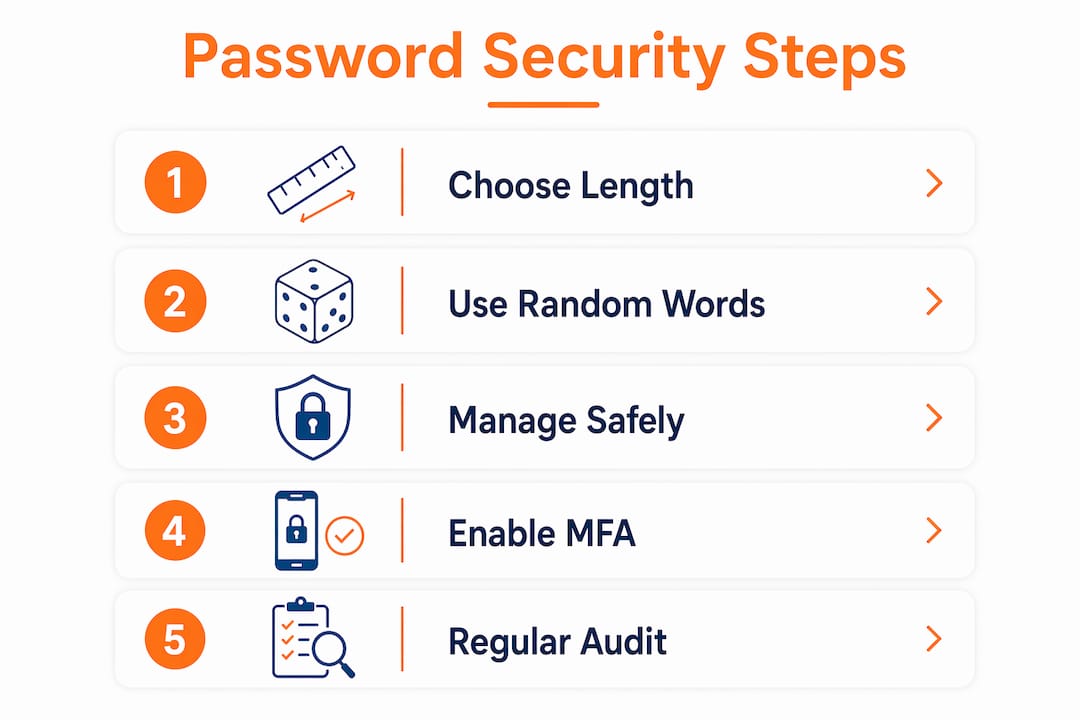
- In 2026, strong passwords rely on length and randomness rather than complexity. Using a password manager and enabling multi-factor authentication enhances account security. Change passwords only after a breach and avoid repeating or overcomplicating them to prevent common hacking attacks.
Password security is the practice of creating, managing, and protecting strong, unique credentials that prevent unauthorized access and resist modern hacking techniques. This password security tutorial covers everything individuals and small business owners need to know in 2026, from building stronger passwords to choosing the right tools. Standards like NIST SP 800-63 Revision 4, finalized in mid-2025, have reshaped what “secure” actually means. Length, randomness, and multi-factor authentication now define best practice. Complexity rules are out.
What makes a strong password in 2026?
Password length is the most critical security factor in 2026. Security professionals recommend a minimum of 12–16 characters for standard accounts and 15–20 or more characters for critical accounts like banking or business email. That range reflects a shift in how attackers operate: modern brute-force tools crack short passwords in seconds, regardless of how many symbols you include.
The obsession with complex character requirements is outdated. Forcing users to include uppercase letters, numbers, and symbols often produces predictable patterns like “Password1!” rather than genuinely random credentials. Length and randomness are harder to crack and easier to build a system around.
Entropy is the technical measure of password unpredictability. A password with high entropy has many possible combinations, making it resistant to guessing attacks. A 16-character string of random letters and numbers has far more entropy than “P@ssw0rd123!” even though the latter looks complex.
Here are the core criteria for a strong password in 2026:
- Minimum 12–16 characters for everyday accounts
- 15–20+ characters for email, banking, and business accounts
- No dictionary words or predictable substitutions like “3” for “e”
- No personal information such as birthdays, names, or addresses
- Unique per account so one breach does not expose others
- Randomly generated rather than manually invented
Pro Tip: Use a random word generator or a password manager’s built-in generator to create credentials you could never invent yourself. Human brains are terrible at true randomness.
How do you create and remember strong passwords?
Most people struggle to create strong passwords because they rely on memory. The solution is to stop memorizing most passwords entirely and use a password manager for everything except your master password.
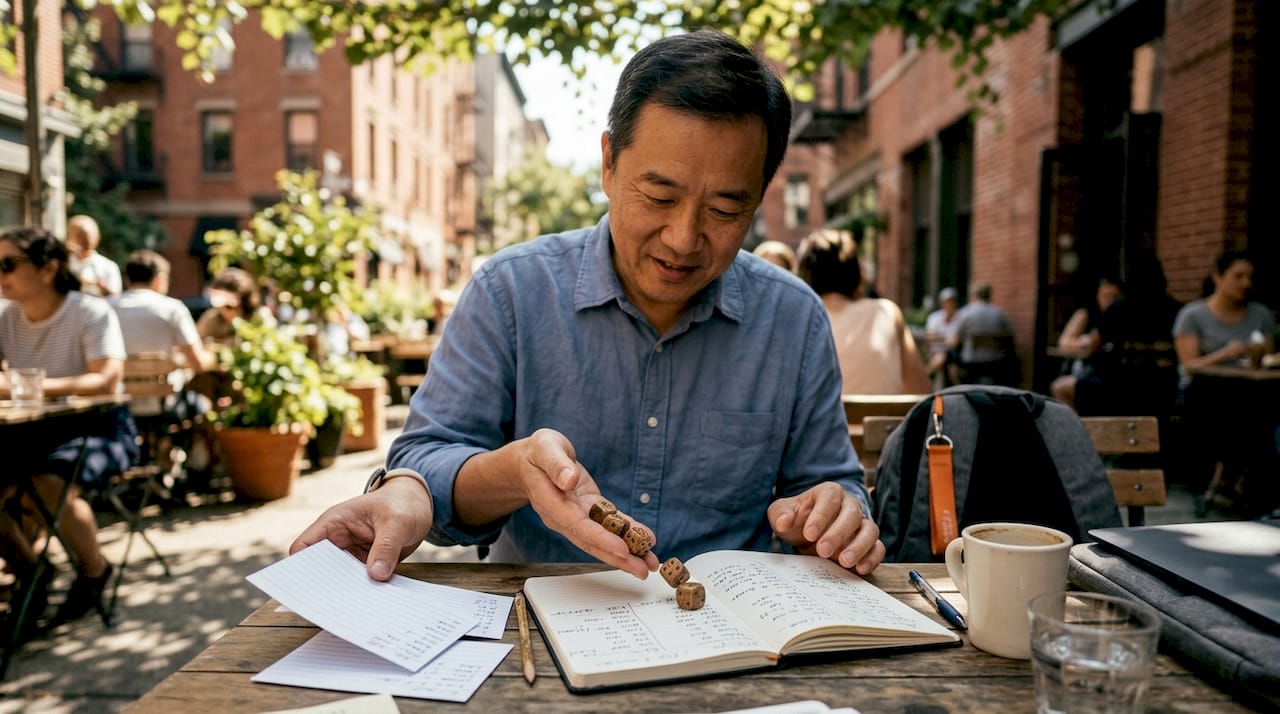
The Diceware method for master passwords
The Diceware method produces passphrases with roughly 77 bits of entropy, which makes them highly resistant to brute-force attacks while remaining memorable. The process works like this:
- Roll five physical dice and record the numbers.
- Look up the resulting five-digit number in the official Diceware word list.
- Repeat the process five or six times to generate five or six random words.
- Combine those words into your master passphrase, such as “clam ferry boot anvil grape.”
- Practice typing it daily for one week until it becomes automatic.
- Never write it down in a digital file or share it with anyone.
The power of Diceware is that the words are genuinely random. Your brain did not choose them, which means attackers cannot predict them through social engineering or pattern analysis.
Sentence-based tricks for secondary passwords
When you need a memorable password without Diceware, take a sentence you know well and use the first letter of each word. “My dog Max ate 3 tacos on Friday” becomes “MdMa3toF.” Add a symbol and you have a reasonably strong credential. This method works for accounts where a password manager is not available, but it should not be your primary strategy.
“A password manager is not a convenience tool. It is critical security infrastructure that enables you to manage unique, complex passwords that would be impossible to memorize without it.”
Watch for silent truncation
Some systems silently truncate passwords beyond 72 bytes, a limit tied to the bcrypt hashing algorithm. This means a 90-character password might only validate the first 72 characters, giving you false confidence in your security. Always test long passwords on a new account by logging out and back in immediately after creation.
What tools and routines help maintain password security?
Strong passwords alone are not enough. The tools and habits you build around them determine whether your accounts stay protected over time.
Choosing and setting up a password manager
A password manager handles unique credential generation and encrypted storage for every account you own. Setup takes about 30 minutes. Create one strong master passphrase using Diceware, then let the manager generate and store every other password automatically. Most managers also flag reused or weak passwords in an audit dashboard.
Enabling multi-factor authentication
Multi-factor authentication (MFA) is the single most effective action you can take to protect accounts, even when passwords are compromised. MFA requires a second proof of identity, such as a time-based one-time code from an authenticator app, a hardware key, or a biometric check. Enable it on every account that supports it, starting with email and financial services.
Logmeonce offers two-factor authentication built directly into its platform, including passwordless MFA options that remove the password from the equation entirely.
Auditing your existing passwords
| Audit action | Why it matters |
|---|---|
| Check for reused passwords | Reuse enables credential stuffing attacks across multiple sites |
| Identify passwords under 12 characters | Short passwords fall to brute-force tools quickly |
| Flag passwords over 12 months old | Older credentials may have been exposed in unreported breaches |
| Remove saved browser passwords | Browser storage lacks the encryption of a dedicated manager |
Pro Tip: Run a password audit in your manager every quarter. Most tools highlight weak, reused, or old passwords in one dashboard view. Schedule it like a bill payment.
Why forced rotation is no longer recommended
Mandatory 60–90 day password rotations are no longer recommended under NIST SP 800-63 Revision 4. Forced rotation pushes users toward predictable patterns like “Summer2026!” followed by “Fall2026!” Change a password only when you have evidence of compromise, not on a calendar schedule.
How do you fix the most common password security mistakes?
Most breaches trace back to a small set of avoidable errors. Recognizing them is the first step toward fixing them.
- Password reuse across sites. Credential stuffing from password reuse is a leading cause of account breaches. Attackers take credentials from one leaked database and test them automatically across hundreds of other sites. One unique password per account stops this attack completely.
- Minor modifications instead of new passwords. Changing “MyPassword1” to “MyPassword2” after a breach does not protect you. Attackers use rule-based cracking tools that test common variations automatically.
- Overvaluing complexity over length. A 20-character lowercase passphrase beats a 9-character string of symbols every time. Stop trading length for complexity.
- Trusting security questions. Password hints and security questions create significant security risk because the answers are often guessable or findable on social media. Use false or random answers and store them in your password manager.
- Ignoring breach notifications. Services like Have I Been Pwned send alerts when your email appears in a known data dump. Act on those alerts within 24 hours by changing the affected password and any reused credentials.
What to do after a suspected breach
Change the compromised password immediately. Then audit every account that shares that password or a variation of it. Enable MFA on any account that did not already have it. Check your email account specifically, since email access lets attackers reset credentials on every other service you own.
Key Takeaways
Strong, unique passwords combined with multi-factor authentication and a password manager form the three-part foundation of effective account security in 2026.
| Point | Details |
|---|---|
| Length beats complexity | Use 12–16 characters minimum; 15–20+ for critical accounts like banking and email. |
| Use a password manager | Managers generate and store unique credentials, eliminating the reuse problem entirely. |
| Enable MFA on every account | MFA protects accounts even when a password is already compromised. |
| Stop forced rotation | Change passwords only after confirmed compromise, not on a fixed schedule. |
| Treat security questions carefully | Use random, false answers and store them securely in your password manager. |
Why I think most people are one habit away from real security
The uncomfortable truth about password security is that the technical side is not hard. The barrier is psychological. Most people know they should use unique passwords. They know they should enable MFA. They do not do it because the setup feels like a one-time mountain rather than a series of small steps.
What I have found actually works is the gradual upgrade approach. Pick one account per week and fix it properly: generate a new password in a manager, enable MFA, and delete any saved browser version. After two months, your most important accounts are locked down without any single overwhelming session.
For small business owners, the stakes are higher and the habits matter more. A single compromised employee account can expose client data, financial records, and internal systems. Building a password management culture at the team level, where everyone uses a manager and MFA is mandatory, is the most cost-effective security investment a small business can make.
The psychological barrier also shows up in master password creation. People choose weak master passwords because they are afraid of forgetting a strong one. Diceware solves this directly. Five random words are easier to remember than a string of symbols, and they are exponentially harder to crack. The method removes the tradeoff between memorability and security.
Start with your email account. It is the skeleton key to every other account you own. Secure it first, then work outward.
— Mike
How Logmeonce simplifies your password security
Logmeonce brings together password management, multi-factor authentication, and dark web monitoring in one platform built for individuals and small businesses.

The Logmeonce cybersecurity suite covers every layer of account protection, from encrypted credential storage to passwordless login options that eliminate the password entirely. For small business owners managing team access, Logmeonce scales from a single user to an entire organization without adding complexity. Explore the full range of password management benefits to see how the platform handles the heavy lifting so you can focus on running your business.
FAQ
What is the minimum password length recommended in 2026?
Security best practices in 2026 recommend a minimum of 12–16 characters for standard accounts and 15–20 or more characters for critical accounts like banking and email.
Why is password reuse so dangerous?
Credential stuffing attacks use leaked passwords from one breach to access accounts on other sites automatically. Using a unique password for every account stops this attack vector completely.
What is the Diceware method?
Diceware is a technique for creating a master passphrase by rolling physical dice and matching the results to a word list. It produces passphrases with roughly 77 bits of entropy that are both highly secure and memorable.
Should I change my passwords every 90 days?
No. NIST SP 800-63 Revision 4 no longer recommends mandatory rotation schedules. Change a password only when you have evidence it has been compromised.
Are security questions safe to use?
Security questions carry significant risk because answers are often guessable or publicly available. Use random, false answers and store them in a password manager rather than providing real personal information.
Recommended
- Password Security: How Not to Store Your Passwords – LogMeOnce
- The Best Password Manager Tips You Need to Know


