


 Password Manager
 Identity Theft Protection

 Team / Business
 Enterprise
 Government
 MSP
MSP


TL;DR:
- Credential-based attacks remain the primary threat for enterprises, with weak passwords often leading to successful breaches. Enterprise password managers generate strong, unique passwords and offer features like role-based access, secure sharing, and auditability, significantly enhancing security and operational efficiency. However, they are part of a layered defense; pairing them with MFA, endpoint security, and comprehensive governance is essential to mitigate sophisticated threats effectively.
Credential-based attacks remain the dominant threat vector for enterprises of every size, and the numbers don’t lie. Breach statistics consistently show that weak, reused, or stolen passwords sit at the root of most successful intrusions, even inside organizations with mature security programs. The surprising reality is that password discipline often lags far behind security awareness. Enterprise password managers exist precisely to close that gap, and understanding their strategic value goes well beyond simply storing credentials in a vault.
Key Takeaways
| Point | Details |
|---|---|
| Enterprise controls | Enterprise password managers deliver centralized controls, auditability, and alignment with corporate policies. |
| Reduced breach risk | By enforcing strong, unique passwords, these tools lower exposure to credential-based attacks. |
| Operational integration | Seamless integration with IAM, SSO, and MFA boosts adoption and strengthens workforce security. |
| Implementation challenges | Managing credentials across lifecycles and teams requires careful planning to avoid drift and policy gaps. |
What makes enterprise password managers essential?
Password-related failures are not a training problem. They are a systems problem. When employees manage dozens or even hundreds of credentials manually, the math works against them. Humans reuse passwords, choose predictable patterns, and store credentials in spreadsheets or sticky notes because the alternatives feel too complex. At enterprise scale, that behavior creates a predictable attack surface.
NIST guidance makes clear that long, unique passwords combined with secure storage are the baseline defense against credential attacks. Enterprise password managers deliver exactly that by generating cryptographically strong passwords automatically and storing them in encrypted vaults that individual users never have to memorize or manage manually.
“The organizations most at risk are not the ones with no security tools — they are the ones with tools their employees work around.”
What separates enterprise tools from consumer apps? The distinction comes down to control, visibility, and scale. Consumer password managers protect one person. Enterprise managers protect an entire workforce and include features that matter enormously at scale:
- Role-based vault access: Employees see only the credentials relevant to their role, limiting blast radius if an account is compromised
- Secure credential sharing: Teams can share credentials without ever exposing the actual password in plaintext
- Complex password generation: Policies enforce minimum length, character requirements, and expiration schedules automatically
- Administrative dashboards: IT can monitor which credentials exist, who has access, and flag accounts that haven’t been rotated
The password manager benefits extend beyond convenience. They reduce the cognitive load on employees while simultaneously raising the security floor across every system the organization touches. That combination is rare in security tools, which often force a tradeoff between usability and protection.
Manual credential management also creates a hidden cost that most organizations underestimate. When an employee leaves or changes roles, their spreadsheet of passwords leaves with them, or worse, stays accessible. Keeping passwords protected requires systematic controls, not individual responsibility.
Top operational and security benefits for enterprises
Understanding the essentials, we can map out the very specific advantages that matter for large organizations evaluating these solutions.
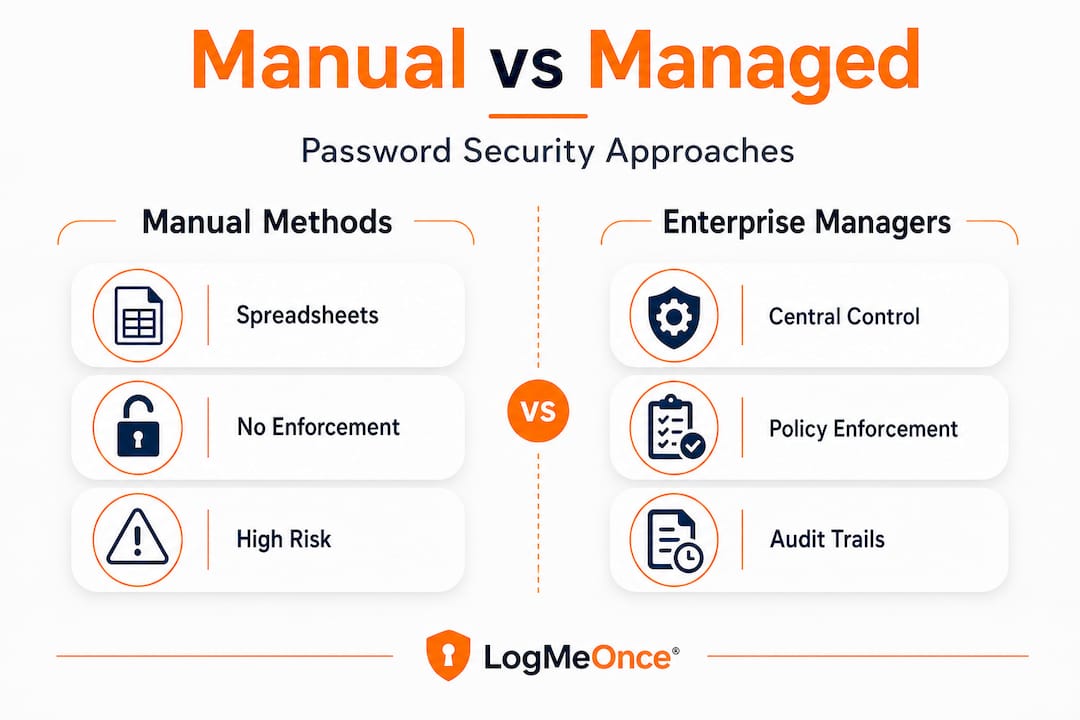
NIST SP 800-63B-4 explicitly addresses the administrative controls that enterprise password managers provide, including centralized provisioning, access revocation, auditability, and policy enforcement. These aren’t nice-to-have features. They are requirements for organizations that need to align password management with identity governance frameworks.
Here is a comparison of what enterprise password managers provide versus manual practices:
| Capability | Manual/Spreadsheet | Enterprise password manager |
|---|---|---|
| Password complexity enforcement | Inconsistent | Policy-driven and automatic |
| Credential deprovisioning on exit | Manual, often delayed | Immediate, centrally managed |
| Audit trail | None | Full log of access and changes |
| Credential sharing | Email or plaintext | Encrypted, permissioned sharing |
| Regulatory alignment | Difficult to prove | Built-in reporting |
The governance benefits translate directly into compliance posture. Organizations subject to SOC 2, ISO 27001, HIPAA, or PCI DSS need documented evidence that credentials are managed systematically. An enterprise password manager generates that evidence automatically.
The operational benefits compound over time. Consider these five practical gains:
- Faster offboarding: When a user leaves, their access can be revoked across all managed credentials within minutes instead of days, closing a window that attackers actively exploit
- Reduced helpdesk volume: Password reset requests represent a significant portion of IT helpdesk tickets; automated management cuts that number sharply
- Shadow IT reduction: When employees have an easy, approved way to manage credentials, they are far less likely to use unauthorized workarounds
- Consistent policy enforcement: Password strength rules apply to every credential in the vault, not just the ones IT happens to audit
- Integration with identity systems: Enterprise managers connect to SSO and IAM platforms, creating a unified identity layer
Pro Tip: Before evaluating vendors, map your organization’s credential types: individual user accounts, shared service accounts, API keys, and privileged access credentials each have different governance needs. A password manager that handles only one category well will leave gaps.
The password manager efficiency argument is strong on its own, but the risk reduction argument is what closes the case for IT leadership. Review company password manager tips when building your evaluation criteria.
The zero-knowledge promise and real-world threat models
Centralized tools are powerful, but the underlying implementation and threat modeling determine their true effectiveness.
“Zero-knowledge encryption” has become one of the most repeated marketing claims in the password management space. The premise is appealing: the vendor cannot read your passwords because they never hold your decryption key. In practice, the architecture is more nuanced.
A comparative academic analysis examining attacks against multiple password manager vendors found that “zero-knowledge” is a marketing framing, not a technical guarantee. Server-side vulnerabilities, client-side injection attacks, browser extension weaknesses, and compromised master passwords all represent real attack surfaces that zero-knowledge architecture does not eliminate.
“Zero-knowledge means the vendor cannot read your vault at rest. It says nothing about what an attacker can do if they compromise your device or your session.”
What should your technical due diligence actually cover?
| Due diligence area | What to ask |
|---|---|
| Encryption standard | AES-256 with PBKDF2 or Argon2 key derivation? |
| Client-side attack surface | How are browser extensions audited and updated? |
| Incident history | Has the vendor experienced a breach? What was disclosed? |
| Third-party audits | Are penetration test reports publicly available? |
| Data residency | Where is encrypted data stored, and who can access servers? |
The password manager security question is not binary. A password manager with imperfect zero-knowledge implementation still provides dramatically better protection than spreadsheets or reused passwords. The goal of due diligence is not to find a perfect solution but to understand the actual risk profile of each vendor and make an informed tradeoff.
Pro Tip: Request the vendor’s most recent third-party penetration test summary and their incident response history. A vendor unwilling to share this information is telling you something important about their security culture.
Enterprise identity management strategy should treat zero-knowledge encryption as one layer of a defense stack, not the entire defense. Pair it with MFA, endpoint controls, and regular credential audits for meaningful risk reduction.
Operational realities: lifecycle and governance pain points
With the security controls and risk factors mapped out, what are the “gotchas” that trip up even well-planned deployments?

The technical implementation of an enterprise password manager is often the easy part. The hard part is governance. A sysadmin experience thread highlights the lifecycle and governance edge cases that catch organizations off guard: shared credentials that nobody owns, vaults that drift into disorganization over time, and ownership transfer processes that break down during role changes.
These are the specific pain points that derail rollouts:
- Shared credential ownership: When a team account has no designated owner, deprovisioning becomes a negotiation instead of a process. Define credential ownership at creation
- Role change handoffs: When employees move between teams, their vault access must be updated systematically. Without a process tied to HR workflows, access accumulates over time, creating a form of privilege creep
- Vault duplication: Teams that start managing their own credential collections without central coordination end up with multiple versions of the same credentials, creating a “duplicate truth” problem where no one is sure which password is current
- Stale credentials: Service accounts and API keys with no rotation schedule accumulate in vaults untouched for years, representing long-lived attack opportunities if compromised
- Offboarding gaps: Emergency offboarding situations, particularly for privileged users, require immediate credential rotation, not just account deprovisioning
The joiner/mover/leaver lifecycle framework is the right lens for planning these processes. Every credential in your vault should have a defined owner, a clear permission scope, and a rotation schedule tied to identity lifecycle events.
Pro Tip: Integrate your password manager’s provisioning workflow directly with your HR system or identity governance platform. Automating the joiner/mover/leaver triggers eliminates the manual steps most likely to be skipped during a busy operational period.
Review governance best practices when building your internal policy framework around credential lifecycle management.
Maximizing value: user adoption, integration, and support
Once policy and governance are addressed, success hinges on how well technology and people actually fit together.
Deployment failure rarely comes from technology. It comes from people not using the technology correctly or consistently. Research on credential audits demonstrates that even technically strong password management implementations struggle when the user experience creates friction or when support interfaces are poorly designed. Misconfiguration and low adoption rates are the result.
The following steps significantly increase adoption and reduce implementation friction:
- Phase the rollout: Start with a pilot group that includes both technical and non-technical users. Gather feedback before organization-wide deployment
- Connect to existing workflows: Integrate the password manager with your SSO provider from day one. Users who experience seamless single sign-on see the tool as a productivity gain, not an obstacle
- Pair with MFA immediately: Deploying a password manager without requiring MFA on the master account creates a single point of failure. MFA enrollment should happen concurrently
- Invest in contextual training: Generic security training rarely changes behavior. Role-specific guidance that shows employees how the tool fits their actual daily tasks drives sustained adoption
- Establish a visible support channel: A dedicated Slack channel or help desk queue for password manager questions reduces frustration and catches misconfigurations early
- Set clear success metrics: Track adoption rate, password strength scores, helpdesk ticket volume for resets, and time to deprovision departing users. Measurable outcomes build the business case for ongoing investment
The integration story matters enormously for enterprise environments. A password manager that operates in isolation from your IAM platform, your SSO provider, and your MFA infrastructure requires users to maintain parallel workflows, which guarantees low adoption.
Choosing password managers for an enterprise context means evaluating integration depth as a primary criterion, not an afterthought. Ask vendors for detailed documentation of their SAML, SCIM, and API capabilities before committing to a platform.
The change management investment is also non-negotiable. Organizations that treat password manager deployment as a technical project rather than a people project consistently underperform on adoption metrics. Assign an internal champion in each business unit, create feedback loops, and communicate the security rationale clearly.
The uncomfortable truth: why password managers alone aren’t enough
Here is the perspective that most vendor-driven content avoids. Enterprise password managers are foundational controls, but organizations that treat them as a complete solution expose themselves to a specific kind of risk: false confidence.
We have seen this pattern repeatedly. An organization deploys a well-regarded password manager, IT leadership celebrates closing a credential gap, and security awareness training references the tool as the solution to phishing risk. Meanwhile, MFA adoption lags at 60% because the rollout prioritized the vault over the authentication layer. A phishing campaign bypasses the password manager entirely by targeting the master password through a spoofed login page. The vault was secure. The session was not.
Password managers address one specific threat: the storage and generation of credentials. They do not address session hijacking, adversary-in-the-middle attacks, social engineering targeting master passwords, or endpoint compromise that allows an attacker to extract vault contents from memory.
Building a layered defense means pairing password management with phishing-resistant MFA, robust IAM policies, endpoint detection, and regular credential audits. No single tool closes all attack paths. The organizations with the strongest security postures treat password management as the foundation of identity security, not the ceiling.
The actionable lesson: after deploying a password manager, conduct a threat modeling exercise specifically focused on what the tool does not protect against. That exercise will surface the next priority investments and prevent the false confidence trap.
Secure your enterprise with advanced password management
Having explored the benefits and critical nuances, here’s how you can act to harden your organization’s defenses.
LogMeOnce brings together the controls this guide has covered into a single integrated platform built for the demands of medium to large enterprises. From centralized credential governance to enterprise cybersecurity solutions that span identity management and dark web monitoring, the platform is designed to address the full attack surface that credential-based threats exploit.

The LogMeOnce password management benefits extend across role-based vaults, policy enforcement, SSO integration, and comprehensive audit trails that satisfy regulatory requirements. Pair that foundation with two-factor authentication enforcement built directly into the platform, and you close the gaps that password management alone cannot address. Request a demo to see how LogMeOnce maps to your specific governance and compliance requirements, and evaluate whether your current credential lifecycle processes are ready for enterprise-scale enforcement.
Frequently asked questions
What distinguishes an enterprise password manager from consumer tools?
Enterprise managers deliver centralized admin controls, policy enforcement, and deep integration with identity systems that go far beyond what consumer tools offer. They are designed for workforce-scale governance, not individual use.
Can password managers prevent all types of credential attacks?
Password managers reduce credential attack risk by enforcing strong, unique passwords, but they must be paired with MFA and lifecycle controls to address session hijacking, phishing, and endpoint compromise.
Are “zero-knowledge” password managers truly impervious to breaches?
Zero-knowledge architecture improves privacy by preventing vendor-side decryption, but it does not eliminate client-side attacks, compromised sessions, or master password theft. Server-side threat models still apply.
How can enterprises manage password sharing and handoff securely?
Enterprise lifecycle governance requires shared vaults with defined ownership, auditable transfer processes tied to HR events, and clear role-based permission scopes that update automatically when employees change roles.
Recommended
- How secure are password manager tools – LogMeOnce
- The Finesses of Enterprise Password Management
- How an Enterprise Password Manager Augments Efficiency and Security
- Your logmeonce Password Management Benefits – LogMeOnce


