


 Password Manager
 Identity Theft Protection

 Team / Business
 Enterprise
 Government
 MSP
MSP


Most American organizations underestimate just how complicated identity management can be. With nearly 60 percent of security breaches connected to poor access controls, the risk is impossible to ignore. Choosing the right Single Sign-On strategy impacts everything from employee productivity to long-term data protection. Understanding these requirements from the start can help your team build a foundation that supports secure, seamless authentication at every level.
Quick Summary
| Key Insights | Detailed Explanation |
|---|---|
| 1. Assess Identity Management Needs | Conduct a thorough review of current identity infrastructure to identify vulnerabilities and gaps for effective SSO implementation. |
| 2. Choose Secure SSO Solutions | Select an SSO solution that offers robust security features like multi-factor authentication and integration capabilities specific to your need. |
| 3. Monitor SSO Implementation | Establish real-time monitoring and auditing systems to ensure ongoing security and compliance in your SSO framework. |
| 4. Use Comprehensive MFA Policies | Develop clear MFA policies tailored to different user roles, ensuring every privileged account is secured against unauthorized access. |
| 5. Implement Phased Application Integration | Integrate SSO in stages, starting with less critical applications to refine the process before expanding to more complex systems. |
Step 1: Assess Identity Management Requirements
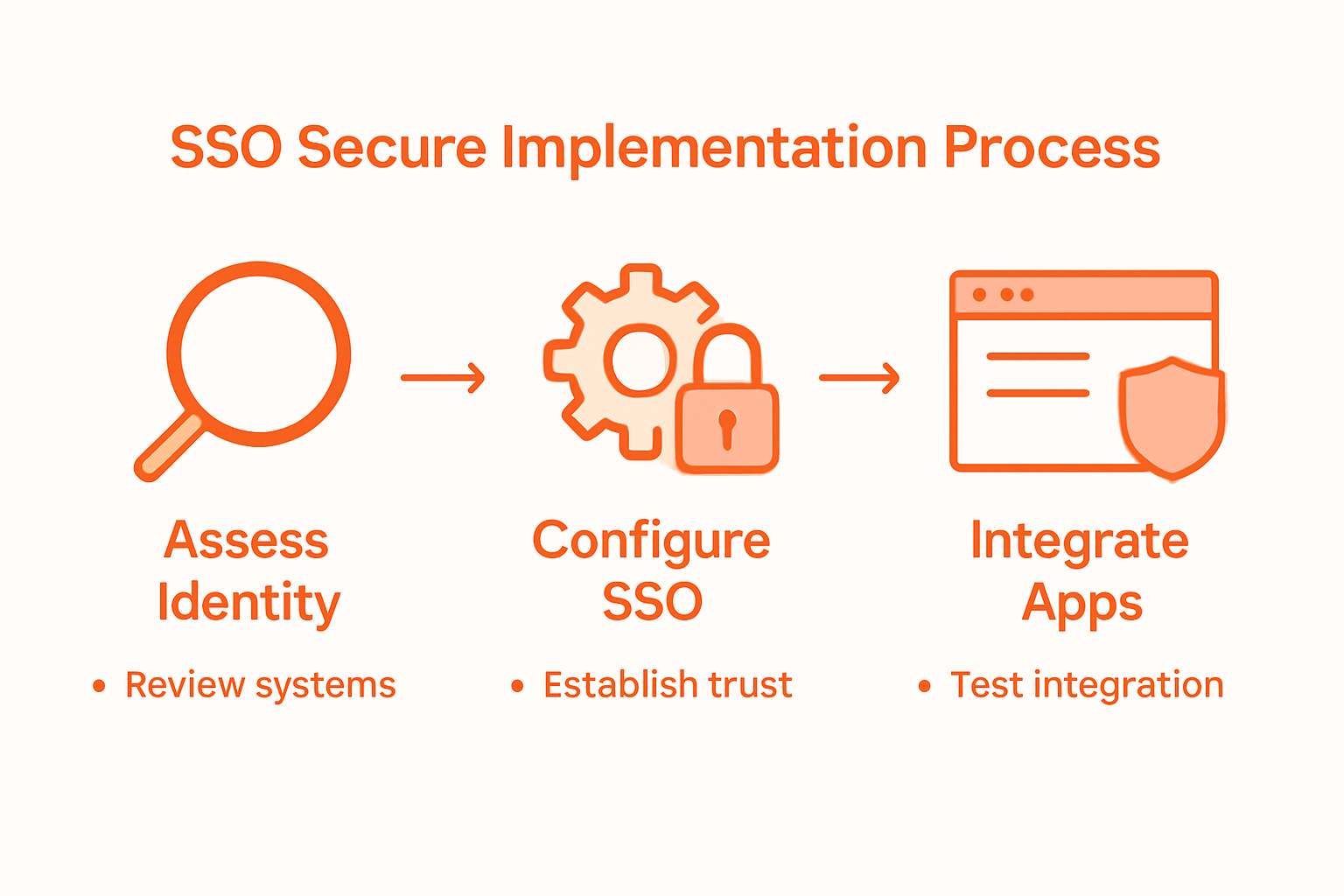
Assessing your organization’s identity management requirements is a strategic first step toward implementing a secure Single Sign-On (SSO) solution. This critical phase involves thoroughly understanding your current identity infrastructure and determining the specific security needs that will guide your SSO implementation.
Begin by conducting a comprehensive review of your existing authentication systems. Analyze your current identity management infrastructure to identify potential vulnerabilities and gaps. This means mapping out all user access points, understanding different user roles within your organization, and evaluating how employees currently authenticate across various systems and applications. Pay special attention to the number of applications, user groups, and the complexity of your current authentication mechanisms.

Your assessment should include several key considerations: user accessibility, security requirements, integration capabilities, and scalability. Consider factors like the number of employees, remote work environments, cloud application usage, and compliance standards specific to your industry. The goal is to create a comprehensive view of your identity management landscape that will inform a robust and tailored SSO strategy. Remember that a well-designed SSO solution should not only enhance security but also improve user experience by simplifying authentication processes across multiple platforms.
Warning: Do not rush this assessment. Incomplete or superficial analysis can lead to SSO implementations that create more problems than they solve. Take the time to gather detailed information from stakeholders across different departments to ensure your solution meets diverse organizational needs.
Step 2: Select and Configure a Secure SSO Solution
Selecting and configuring a secure Single Sign-On (SSO) solution requires careful evaluation of your organization’s unique security requirements and technological infrastructure. This step transforms your initial identity management assessment into a practical implementation strategy that protects your digital ecosystem.
Implementing a comprehensive SSO strategy involves multiple critical considerations. Start by identifying SSO solutions that offer robust multi-factor authentication, strong encryption protocols, and seamless integration with your existing applications and identity management systems. Evaluate potential solutions based on their ability to support your specific user roles, security compliance needs, and scalability requirements. Consider solutions that provide granular access controls, enabling you to define precise permissions for different user groups and departments.
During the configuration phase, prioritize establishing secure trust relationships between your authentication systems and integrated applications. This means carefully mapping user access pathways, implementing role based access controls, and ensuring that each authentication transaction undergoes rigorous verification processes. Pay special attention to configuring adaptive authentication mechanisms that can detect and respond to potential security anomalies in real time.
Warning: Avoid selecting an SSO solution solely based on cost or marketing claims. A thorough evaluation should include comprehensive security audits, vendor reputation assessments, and detailed compatibility testing with your existing technological infrastructure. The right SSO solution is an investment in your organization’s long term security and operational efficiency.
Step 3: Integrate SSO with Critical Applications
Integrating Single Sign-On (SSO) with your organization’s critical applications is a complex process that requires strategic planning and technical precision. This step transforms your SSO solution from a theoretical framework into a functional security ecosystem that protects your digital infrastructure.
Implementing secure authentication protocols demands careful consideration of modern integration standards. Focus on utilizing robust protocols like OpenID Connect (OIDC) and OAuth 2.0, which provide secure mechanisms for authenticating users across different platforms. Begin by identifying your most critical applications and mapping their current authentication mechanisms. Prioritize applications that handle sensitive data or require elevated access permissions. Analyze each application’s compatibility with your chosen SSO solution, paying close attention to potential integration challenges such as legacy system constraints or unique authentication requirements.
During the integration process, implement a phased rollout strategy that allows for incremental testing and validation. Start with less critical applications to refine your integration approach, then progressively expand to more complex systems. Establish comprehensive logging and monitoring mechanisms to track authentication attempts, detect potential security anomalies, and ensure smooth user experience. Create detailed documentation of each integration, including authentication workflows, potential fallback mechanisms, and troubleshooting protocols.
Warning: Incomplete or rushed SSO integrations can create significant security vulnerabilities. Always perform thorough testing in a controlled environment before deploying to production systems. Validate each application integration through comprehensive security audits and user acceptance testing to ensure both robust protection and seamless accessibility.
Step 4: Enforce Multi-Factor Authentication Policies
Enforcing multi-factor authentication (MFA) policies is a critical strategy for protecting your organization’s digital assets and preventing unauthorized access. This step transforms your security approach from passive defense to active protection across all user touchpoints.
Implementing comprehensive authentication strategies requires a systematic approach to defining and rolling out MFA requirements. Begin by categorizing your user groups and identifying the appropriate authentication factors for each. Consider combining something users know (passwords), something they have (security tokens), and something they are (biometric verification). Develop clear policies that mandate MFA for all privileged accounts, remote access connections, and systems handling sensitive information. Prioritize creating a flexible yet robust authentication framework that balances security requirements with user experience.
Configuring MFA policies involves more than technical implementation. Develop a comprehensive user education program that explains the importance of multi-factor authentication and provides clear guidance on enrollment and usage. Create step by step documentation that walks users through the authentication process, and establish a support mechanism to help employees navigate potential challenges. Implement adaptive authentication mechanisms that can dynamically adjust security requirements based on user behavior, location, and risk profile.
Warning: Avoid a one size fits all approach to MFA. Different user roles and access levels require nuanced authentication strategies. Regularly review and update your MFA policies to address emerging security threats and technological changes. Your authentication framework should be both rigorous and adaptable.
Step 5: Verify SSO Implementation and Monitor Activity
Verifying and monitoring your Single Sign-On (SSO) implementation is the final critical step in ensuring a robust and secure authentication ecosystem. This phase transforms your technical configuration into a continuously evolving security strategy that adapts to changing organizational needs.
Establishing comprehensive authentication verification processes requires a multifaceted approach to ongoing assessment. Implement real time monitoring systems that track authentication attempts, successful logins, and potential security anomalies across all integrated applications. Configure detailed logging mechanisms that capture essential metadata including user identity, access timestamps, device information, and geographic location. Develop automated alert systems that can instantly notify security teams about suspicious authentication patterns or potential breach attempts.
Create a systematic review framework that includes periodic comprehensive audits of your SSO infrastructure. Schedule quarterly deep dive assessments that analyze authentication logs, validate user access permissions, and identify potential configuration weaknesses. Develop a risk scoring mechanism that helps prioritize security interventions based on the frequency and severity of detected anomalies. Implement a continuous improvement process that allows for rapid policy adjustments in response to emerging threats or changes in your organizational structure.
Warning: Passive monitoring is insufficient. Your verification strategy must be proactive and dynamic. Treat your SSO implementation as a living system that requires constant attention and refinement. Regular testing, including simulated security scenarios and penetration testing, will help you stay ahead of potential vulnerabilities and maintain a robust authentication environment.
Secure Your Organization’s Identity with LogMeOnce Today
Implementing Single Sign-On securely is critical to protecting your organization from identity breaches and unauthorized access. As the article highlights, challenges like configuring multi-factor authentication, integrating with critical applications, and ongoing monitoring require a trusted and comprehensive solution. Avoid the risks of incomplete setups or limited security features by choosing a platform built for robust identity management and seamless SSO implementation.

Discover how LogMeOnce delivers powerful tools for passwordless MFA, encrypted cloud storage, and advanced access controls designed to simplify SSO deployment while strengthening your security posture. Join the many organizations who trust LogMeOnce to safeguard their digital environment with cutting-edge technology and user-friendly management. Take the next step toward effortless and secure Single Sign-On by exploring our full suite of cybersecurity solutions and start your free trial now at https://logmeonce.com.
Learn more about implementing strong authentication tailored for your organization and how our flexible plans meet the needs of enterprises, SMEs, and government agencies alike.
Frequently Asked Questions
How can I assess my organization’s identity management requirements for SSO?
Start by conducting a comprehensive review of your existing authentication systems. Map out user access points and understand user roles to identify vulnerabilities and gaps in your current identity management infrastructure.
What should I consider when selecting a secure SSO solution?
Focus on solutions that offer multi-factor authentication, strong encryption, and seamless integration with your existing applications. Evaluate their capabilities for supporting user roles and compliance needs to ensure a tailored fit for your organization.
How do I integrate SSO with critical applications in my organization?
Utilize robust protocols like OpenID Connect and OAuth 2.0 to securely authenticate users across platforms. Identify critical applications, analyze their compatibility with your SSO solution, and implement a phased rollout strategy for smooth integration.
How can I enforce multi-factor authentication policies effectively?
Develop policies that require multi-factor authentication for all privileged accounts and remote access. Educate users about the importance of MFA, providing clear guidelines and support to ensure compliance with the new policies.
What steps should I take to verify and monitor my SSO implementation?
Establish real-time monitoring systems to track authentication attempts and detect potential security anomalies. Schedule regular audits of your SSO infrastructure to validate user access and identify configuration weaknesses, ensuring ongoing protection of your digital assets.
Recommended
- Single Sign On – Online Security Needn’t be Complex
- Why It’s Risky To Use Facebook, Google or Apple to Sign In Everywhere – LogMeOnce


