


 Password Manager
 Identity Theft Protection

 Team / Business
 Enterprise
 Government
 MSP
MSP


7 Examples of Passwordless Solutions for Strong Security
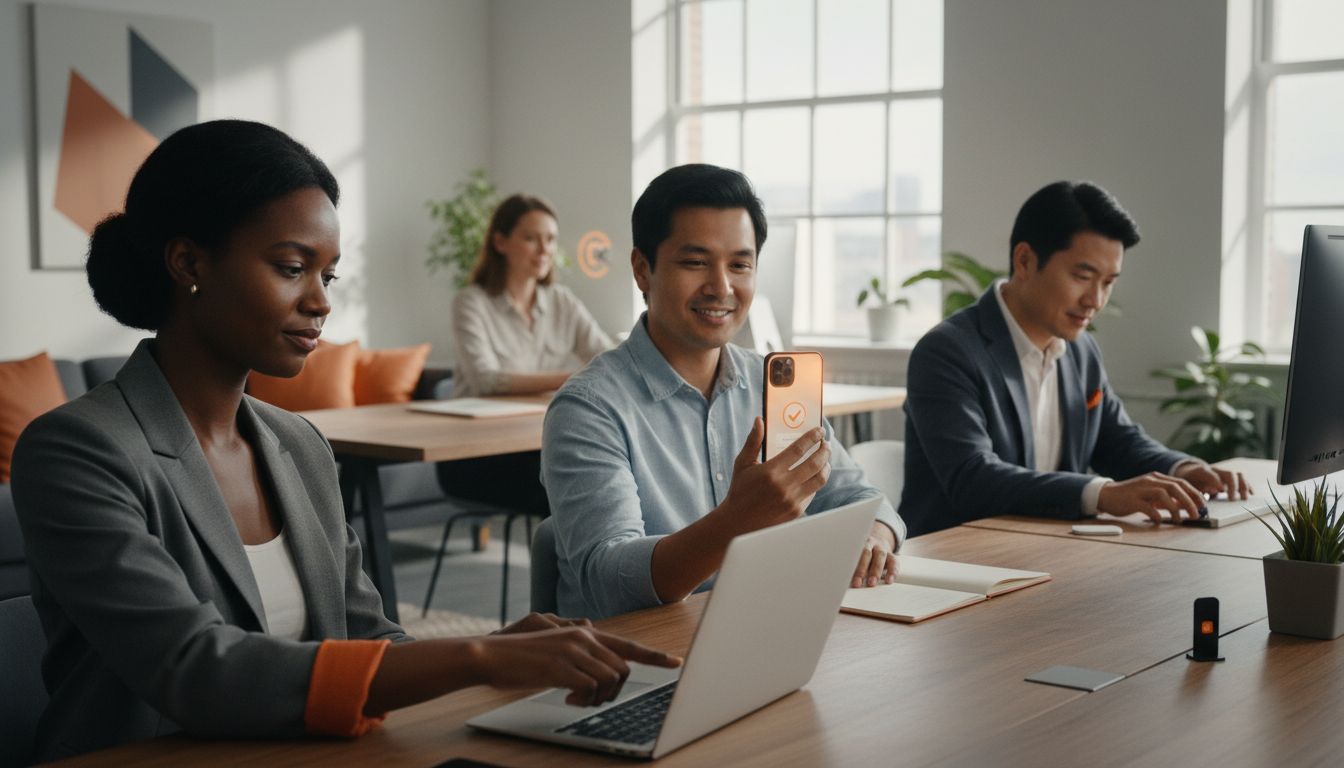
Did you know that at least 80 percent of data breaches are linked to weak or stolen passwords? Relying on traditional logins leaves personal and business information exposed to constant threats. Modern authentication methods offer smarter ways to protect your digital life while making access quicker and easier. Discover how new innovations are shaping a safer, password-free future for your most important accounts.
Quick Summary
| Takeaway | Explanation |
|---|---|
| 1. Biometric authentication is unbreakable. | Biometric methods like fingerprints and facial recognition ensure security through unique biological traits that cannot be duplicated. |
| 2. Magic links streamline logins. | Users can authenticate via email links, removing the need for passwords and reducing security risks associated with traditional methods. |
| 3. One-time passcodes enhance security. | Using temporary codes for authentication limits the window for unauthorized access, creating a more robust security layer. |
| 4. Push notifications enable instant approvals. | User interaction on trusted devices allows for real-time verification, enhancing security and convenience during logins. |
| 5. Hardware keys offer physical protection. | These devices require physical possession for access, making them highly effective against remote attacks and phishing risks. |
1. Biometric Authentication for Quick Access
Biometric authentication transforms how we verify digital identities by using your unique physical characteristics as a secure access method. According to the National Institute of Standards and Technology, this technology leverages physiological traits like fingerprints, facial features, and iris patterns to create an unbreakable personal security signature.
The magic of biometric authentication lies in its impossible-to-duplicate personal signature. Unlike traditional passwords that can be forgotten, stolen, or guessed, your biological traits remain consistently unique. Fingerprint scanners, facial recognition systems, and iris scanning technologies capture intricate details that are specific only to you.
Practical implementation means integrating these technologies into your everyday digital experiences. Modern smartphones already use facial recognition and fingerprint scanning for device unlocking. Workplaces are adopting similar technologies for secure building access and computer login systems. Some advanced solutions even analyze behavioral patterns like typing rhythm or walking gait as additional authentication layers.
Key Benefits of Biometric Authentication:
- Faster access compared to typing passwords
- Significantly reduced risk of unauthorized entry
- Eliminates memory challenges associated with complex passwords
- Provides a seamless user experience across devices
By choosing biometric authentication, you are selecting a security method that is both highly sophisticated and incredibly user friendly. According to the Biometrics Institute, these technologies represent the future of digital identity verification systems, offering unprecedented protection with minimal user friction.
2. Magic Link Login Without Passwords
Magic link authentication represents a revolutionary approach to digital security that eliminates traditional password barriers. This innovative method allows users to access accounts by receiving a unique temporary link directly to their email address that grants instant authentication.
The process works remarkably simply. When you attempt to log in, instead of entering a complex password, you provide your email address. The system immediately sends a time sensitive clickable link to your registered email. Clicking this link automatically verifies your identity and grants access to the desired platform. As GeeksforGeeks explains, this approach streamlines login processes while dramatically reducing security risks associated with traditional password management.
Magic links offer substantial security advantages over conventional login methods. By removing password storage requirements, they eliminate risks like password guessing, brute force attacks, and credential theft. The link expires quickly, typically within 10 to 15 minutes, which means even if intercepted, it becomes useless after a short window.
Advantages of Magic Link Authentication:
- Eliminates password memorization
- Reduces potential security vulnerabilities
- Provides faster login experiences
- Works across multiple devices and platforms
According to research from the University of Tennessee Office of Information Technology, magic links represent a user friendly authentication method that significantly enhances overall digital security. By leveraging email as a verification mechanism, organizations can provide seamless access while maintaining robust protection against unauthorized entry.
3. One-Time Passcodes for Secure Entry
One-time passcodes represent a powerful passwordless authentication strategy that transforms digital security through temporary, single-use verification codes. This method provides a dynamic layer of protection by generating unique codes that expire immediately after a single use, making unauthorized access exponentially more difficult.
The mechanism behind one-time passcodes is elegantly simple. When you attempt to log in, the system generates a short numerical code that is instantly sent to your registered email or mobile device. These codes typically last for just a few minutes, creating a narrow window for authentication. According to Login.gov, this approach ensures that only the intended recipient can access the verification code, dramatically reducing potential security breaches.
Practical implementation means receiving a unique code through SMS or email each time you need to access a secure system. Banks, email providers, and financial platforms frequently use this method. The transient nature of these codes means that even if someone intercepts the message, the code becomes useless within minutes.
Key Advantages of One-Time Passcodes:
- Eliminates persistent password vulnerabilities
- Provides real time authentication
- Works across multiple devices
- Creates an additional security barrier
As GeeksforGeeks explains, one-time passcodes enhance security by ensuring that authentication remains a dynamic and constantly changing process. This method turns traditional static password systems into a more robust and adaptive security framework.
4. Push Notification Approvals for Fast Login
Push notification approvals represent a cutting edge authentication method that transforms how we verify digital identity. This innovative approach turns your smartphone into a powerful security token, allowing you to approve or deny login attempts with a single tap.
The mechanism works through a seamless digital handshake. When someone attempts to log into your account from an unfamiliar device or location, a real time notification appears on your registered mobile device. According to the University of Tennessee Office of Information Technology, this method enhances security by requiring direct user interaction on a trusted device. You simply review the login details and choose to approve or reject the attempt instantly.
Important features of push notification authentication include immediate awareness and control. If an unauthorized login is attempted, you will know immediately and can block access in seconds. Modern smartphones and secure applications integrate this technology smoothly, providing a user friendly alternative to traditional password entry. Many banks, email services, and professional platforms now offer this option as a primary or secondary authentication method.
Advantages of Push Notification Approvals:
- Instant login verification
- No complex passwords to remember
- Immediate threat detection
- Works across multiple devices and platforms
As University of Texas Security Resources explain, push notifications leverage your personal device as a secure authentication tool. This approach turns your smartphone into a dynamic security checkpoint, offering protection that is both sophisticated and incredibly simple to use.
5. Hardware Security Keys for Strong Protection
Hardware security keys are physical authentication devices that transform digital security from a software based concept to a tangible, foolproof protection method. These compact devices provide an unbreakable barrier against unauthorized access by requiring physical possession to authenticate your digital identity.
Typically resembling a USB drive, these cryptographic authentication tokens connect directly to your computer or mobile device. According to Login.gov, hardware security keys offer robust protection against phishing attempts and remote attacks by ensuring that only someone with the physical key can gain system access. Unlike traditional passwords that can be guessed or stolen, these keys generate unique cryptographic signatures that are nearly impossible to replicate.
Practical implementation means carrying a small device that serves as your personal digital passport. Many organizations including tech companies, financial institutions, and government agencies now support hardware key authentication. When logging in, you simply plug in the key or tap it against your device to verify your identity. This method eliminates risks associated with password theft, keylogging, and remote hacking attempts.
Advantages of Hardware Security Keys:
- Provides physical proof of identity
- Eliminates password memorization
- Works across multiple platforms
- Resistant to remote cyber attacks
As University of Texas Security Resources explain, hardware security keys represent a quantum leap in authentication technology. By converting digital security into a physical interaction, these devices create an authentication method that is simultaneously simple for users and incredibly complex for potential attackers.
6. Single Sign-On (SSO) for Seamless Access
Single Sign-On represents a revolutionary approach to digital authentication that transforms how users access multiple applications with unprecedented simplicity. Imagine logging into one central portal and instantly gaining secure access to numerous platforms without repeatedly entering credentials.
The authentication ecosystem works by creating a centralized identity verification system. When you log in once, the SSO platform generates a secure token that automatically authenticates you across connected applications. According to the University of Tennessee Office of Information Technology, this method dramatically simplifies user experience while maintaining robust security protocols. Instead of managing multiple complex passwords, you establish a single secure digital identity.
Practical implementation means organizations can integrate SSO across various platforms like email services, cloud storage, project management tools, and internal communication systems. Employees and users can seamlessly transition between applications without repeatedly proving their identity. This approach not only saves time but significantly reduces the cognitive load associated with password management.
Advantages of Single Sign-On:
- Eliminates password fatigue
- Reduces security risks from multiple credentials
- Simplifies user authentication process
- Enhances overall digital workflow efficiency
As University of Texas Security Resources explain, SSO represents a sophisticated yet user friendly approach to digital identity management. By consolidating authentication into a single, secure event, organizations can create a more streamlined and protected digital environment.
7. Trusted Device Recognition for Easy Login
Trusted device recognition transforms digital security by creating an intelligent authentication system that learns and adapts to your unique digital footprint. This method allows systems to recognize and remember the devices you consistently use, providing seamless and secure access without constant verification challenges.
The digital fingerprinting technology works by analyzing multiple device characteristics like hardware ID, browser configuration, geographic location, and usage patterns. According to Login.gov, this approach enables systems to distinguish between your regularly used devices and potentially suspicious access attempts. When you log in from a recognized device, the authentication process becomes smoother and faster.
Practical implementation means your smartphone, laptop, or tablet becomes a trusted gateway. For instance, when you first log into a service from a new device, you might need to complete additional verification steps. Once confirmed, that device becomes part of your trusted network. Subsequent logins will require minimal or no additional authentication, creating a frictionless user experience while maintaining robust security protocols.
Advantages of Trusted Device Recognition:
- Reduces repeated authentication steps
- Provides intelligent security adaptations
- Creates personalized access experiences
- Minimizes user friction during login
As University of Texas Security Resources explain, trusted device recognition represents a sophisticated balance between convenience and security. By understanding your digital behavior, these systems create a personalized authentication environment that protects your data without compromising ease of access.
Below is a comprehensive table summarizing the key methods of passwordless authentication discussed throughout the article.
| Authentication Method | Description | Advantages |
|---|---|---|
| Biometric Authentication | Uses physical traits like fingerprints and facial features to verify identity. | Faster access, reduced unauthorized entry, no password memory needed. |
| Magic Link Login | Sends a unique link to your email for login, eliminating passwords. | No password memorization, reduced security risks, fast login. |
| One-Time Passcodes | Provides a temporary code for single-use verification sent via email or SMS. | Eliminates static password risks, real-time authentication. |
| Push Notification Approvals | Uses your smartphone to approve or deny login attempts. | Instant verification, no password required, immediate threat detection. |
| Hardware Security Keys | Physical devices that authenticate identity by connecting to your device. | Physical proof of identity, resistant to remote attacks. |
| Single Sign-On (SSO) | Centralized login system providing access to multiple platforms with one set of credentials. | Reduces password fatigue, simplifies workflow, secure access. |
| Trusted Device Recognition | Recognizes and remembers trusted devices for seamless access. | Personalized access, reduced login steps, intelligent security adaptations. |
Experience Next-Level Passwordless Security with LogMeOnce
The challenges of managing multiple passwords and the growing risks of cyberattacks call for powerful, user-friendly solutions like those detailed in the “7 Examples of Passwordless Solutions for Strong Security” article. From biometric authentication to push notification approvals, these technologies eliminate password fatigue and strengthen your digital defenses. If you want to stop worrying about forgotten passwords or vulnerable credentials you need an all-in-one platform that embraces these innovations and brings them to your fingertips.

Discover how LogMeOnce integrates advanced passwordless MFA, single sign-on, and trusted device recognition into one seamless experience. Our solutions reduce unauthorized access risks while creating frictionless login moments across devices. Act today to protect your personal or corporate data with cutting-edge tools that move beyond traditional passwords. Visit LogMeOnce now and start your free trial to experience the future of secure identity management.
Frequently Asked Questions
What are some examples of passwordless solutions for strong security?
Passwordless authentication solutions include biometric authentication, magic link logins, one-time passcodes, push notification approvals, hardware security keys, single sign-on (SSO), and trusted device recognition. These methods enhance security by eliminating traditional password vulnerabilities and offering seamless user experiences.
How does biometric authentication improve security compared to traditional methods?
Biometric authentication uses unique physical traits, like fingerprints or facial recognition, making it nearly impossible to duplicate. To implement this, consider using devices equipped with biometric scanners for secure login processes in various applications.
What steps should I take to implement magic link login for my project management tool?
To implement magic link login, configure your application to send time-sensitive links to users’ email addresses for authentication. Start by ensuring your email service supports this feature and aim to complete the setup within one week.
How can I enhance login security using one-time passcodes?
To enhance security, incorporate one-time passcodes that expire after a single use. Implement this method by sending users a unique code via SMS or email each time they attempt to log into your system, making unauthorized access significantly harder.
What are the benefits of using single sign-on (SSO) in a corporate environment?
Using single sign-on (SSO) simplifies user access by allowing one login for multiple applications, reducing the need for multiple passwords. To integrate SSO, evaluate the identity management systems available and plan implementation within 30 days to enhance user experience.
How does trusted device recognition create a smoother login experience?
Trusted device recognition works by remembering devices you commonly use, reducing the need for constant verification. To utilize this feature, configure your system to learn from user login patterns and gradually reduce authentication steps for recognized devices.


