


 Password Manager
 Identity Theft Protection

 Team / Business
 Enterprise
 Government
 MSP
MSP

In the world of cybersecurity, leaked passwords can be a major cause for concern, as they often lead to unauthorized access and data breaches. Recently, a significant password leak surfaced on various dark web forums, where sensitive information from countless accounts was made available for malicious actors to exploit. This incident highlights the critical importance of robust password management and the need for multi-factor authentication to safeguard personal and professional data. For users, understanding the implications of such leaks is vital, as it underscores the necessity of regularly updating passwords and utilizing secure systems like Azure AD Single Sign-On to mitigate risks and enhance security.
Key Highlights
- Azure AD SSO is a centralized authentication service that lets users access multiple work applications with one set of credentials.
- Users enter their login details once, and Azure AD validates credentials and provides secure tokens for accessing authorized applications.
- The service works through password hash synchronization or pass-through authentication, ensuring secure access across Azure-connected services.
- No special hardware is required; organizations only need to configure SAML settings and add appropriate certificates for implementation.
- Azure AD SSO supports additional security features like Multi-Factor Authentication for enhanced protection of user accounts.
Understanding Azure AD SSO

Single sign-on (SSO) through Azure Active Directory revolutionizes how organizations manage user authentication.
Think of it like having one special key that opens all your favorite rooms – isn't that cool? Instead of remembering lots of different passwords (like trying to remember your favorite ice cream flavors!), you just need one set of login details. This approach not only simplifies access but also helps to reduce password fatigue, making it easier for users to manage their credentials.
I'll tell you a secret – Azure AD SSO works like magic! It lets you sign in once, and then poof – you can use all your work apps without typing passwords again.
It's kind of like when you get a special wristband at an amusement park that lets you go on all the rides. The best part? Azure AD SSO doesn't need any special equipment in your building to work.
Have you ever wished you could open everything with just one key? Well, now you can!
The system supports password hash synchronization to ensure secure access across all Azure services.
Benefits and Key Features
While organizations seek ways to streamline their authentication processes, Azure AD SSO offers four major benefits that transform how users access applications. I'll show you how it makes life easier, just like having one magic key that opens all your doors! Users on corporate devices experience automatic sign-in capability without needing to enter credentials repeatedly.
| Benefit | What It Does | Why It's Cool |
|---|---|---|
| Simple to Use | One password for everything | No more forgetting passwords! |
| Super Safe | Protects your stuff | Like a strong shield for your toys |
| Easy Setup | Quick to get started | Just like building with blocks |
| Smart Control | Manages all users | Like being team captain |
Think of it as your digital backpack – instead of carrying lots of different keys, you've got one special key that works everywhere. Plus, it's super secure, like having a superhero guard your favorite things! This is further enhanced by Azure MFA, which adds an extra layer of security to your single sign-on experience.
Setting Up SSO Integration

Setting up Azure AD SSO integration requires careful attention to several key components, but I'll break down the process into manageable steps.
Think of it like building with your favorite blocks – you need all the right pieces in the right places!
First, I'll help you create a special application in Azure AD (it's like making a new friend at the playground). Global administrator access is required to configure and manage SSO settings effectively. This step is crucial for ensuring that the application can utilize Multi-Factor Authentication (MFA) to enhance security.
Then, we'll set up SAML (that's just a fancy way of saying "secret handshake" between apps), and finally, we'll make sure everything works perfectly.
- Create your SSO application in Azure AD – just like picking your team captain
- Configure SAML settings – it's like setting up the rules for your favorite game
- Add the right certificate – think of it as your special VIP pass
- Set up user access – choosing who gets to play along
- Test everything – making sure our playground equipment works safely
SSO Authentication Process
To understand the SSO authentication process, imagine a digital handshake between three key players: you (the user), the service you're trying to access, and Azure AD acting as the trusted middleman.
The secure communication happens through OAuth token-based authentication to protect your credentials. Here's what happens when you want to log in to your favorite app through Azure AD SSO:
| Step | What You Do | What Happens Behind the Scenes |
|---|---|---|
| 1 | Click to open the app | App asks Azure AD: "Hey, is this user allowed in?" |
| 2 | Enter your username & password | Azure AD checks if your secret code is right |
| 3 | Wait a few seconds | Azure AD gives you a special digital ticket |
It's like showing your lunch pass in the cafeteria – once Azure AD gives you the okay, you can access all your apps without showing your pass again!
Choosing the Right SSO Type
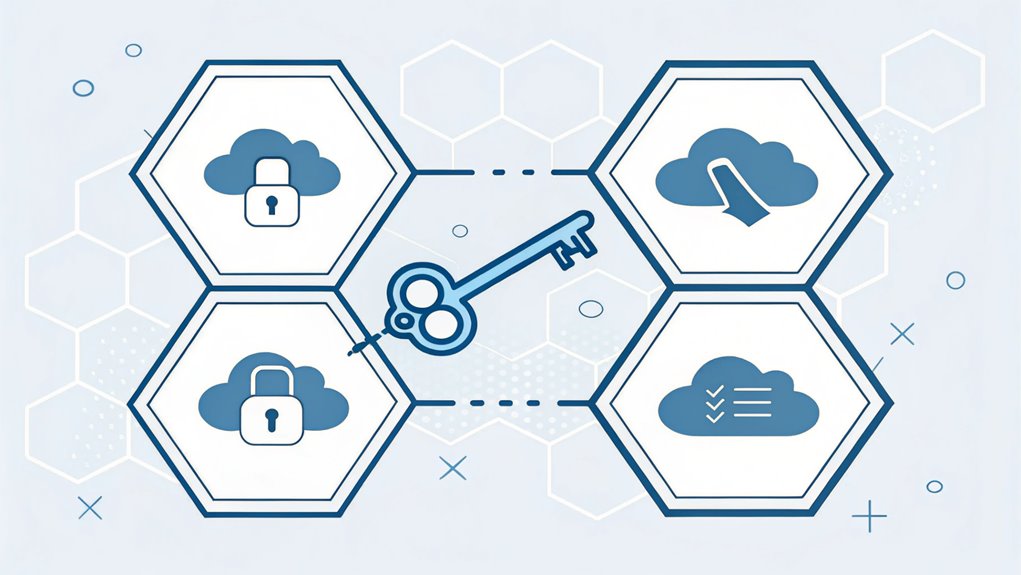
Selecting the right SSO type can feel challenging with multiple options available.
I'll help you understand which one might work best for you, just like picking the perfect ice cream flavor! Think of Password Hash Sync as the simple vanilla – it works everywhere and doesn't need anything special.
Pass-Through Authentication is like chocolate with sprinkles – a bit fancier but still easy to manage. AD FS is the super-deluxe sundae with all the toppings – complex but powerful!
Real-time authentication makes Pass-Through Authentication ideal for organizations needing immediate password verification.
Here's what to think about when choosing:
- How simple do you want it? PHS and PTA are easier than AD FS
- Will you need to work offline? PHS lets you keep working even without internet
- Do you need special security rules? AD FS might be your best friend
- Are you connecting to other apps? AD FS plays nice with them
- Want less hardware? Go with PHS – it's super light!
Frequently Asked Questions
What Happens to SSO Access When Azure AD Experiences Downtime?
I'll tell you what happens when Azure AD has trouble!
Your existing logins keep working – it's like keeping your spot in line at lunch.
But new changes, like password updates or adding new friends to groups, won't sync up right away.
Think of it like your favorite game pausing – everything stays frozen until it starts again.
Don't worry though, your data stays safe!
Can Azure AD SSO Work With Legacy Applications Not Listed in Marketplace?
Yes, I can help you use Azure AD SSO with your legacy apps, even if they're not in the marketplace!
You've got three main options: using Azure AD Application Proxy, integrating through Kemp LoadMaster, or setting up SAML authentication.
Think of it like building a bridge between your old apps and Azure AD.
I'll help you pick the best method based on your app's needs.
How Does Azure AD SSO Handle Password Resets Across Multiple Applications?
I'll show you how Azure AD handles password resets – it's like having one magic key for all your doors!
When you change your password, Azure AD syncs it across your apps automatically.
Think of it like updating your lunchbox combination – change it once, and it works everywhere!
Using SSPR (Self-Service Password Reset), you can reset your own password, and Azure AD will update it everywhere you need to log in.
What Are the Bandwidth Requirements for Implementing Azure AD SSO?
I'll tell you exactly what bandwidth you need for Azure AD SSO!
For basic office work, you'll want 100-200 Kbps – that's like streaming your favorite cartoon.
If you're doing bigger things like PowerPoint, you'll need about 4-6 Mbps – think downloading a fun game!
The cool part? When you're just sitting idle, it only needs tiny bits of bandwidth, like 0.3 Kbps.
Can Azure AD SSO Integrate With Biometric Authentication Systems?
Yes, I'm excited to tell you that Azure AD SSO works great with biometric authentication!
Think of it like your fingerprint gaining access to your parent's phone – but for work stuff. You can use cool things like your fingerprint, face, or even your eyes to log in.
It's just like having a special superpower to open doors! The best part? You don't need to remember any tricky passwords anymore.
The Bottom Line
Now that you've explored the benefits of Azure AD Single Sign-On (SSO) and how it enhances user experience while ensuring robust security, it's essential to consider the next step: password security and management. As organizations adopt SSO, the importance of safeguarding passwords and managing passkeys cannot be overstated. Implementing a comprehensive password management solution can significantly reduce risks associated with weak or reused passwords.
To strengthen your organization's security posture, I encourage you to explore effective password management tools. By signing up for a free account at LogMeOnce, you can take proactive measures to protect your credentials and streamline access across applications. Don't wait until a breach occurs—empower your team with the tools they need to maintain secure access while enjoying the benefits of SSO. Start your journey towards enhanced security today!

Mark, armed with a Bachelor’s degree in Computer Science, is a dynamic force in our digital marketing team. His profound understanding of technology, combined with his expertise in various facets of digital marketing, writing skills makes him a unique and valuable asset in the ever-evolving digital landscape.


