


 Password Manager
 Identity Theft Protection

 Team / Business
 Enterprise
 Government
 MSP


A special character is any character that is not a letter or a number: punctuation such as ! and ?, symbols such as # and &, and, depending on who you ask, accented letters, currency signs and arrows. This guide gives you the definition, the list, the shortcuts for typing them, the codes that web pages use, and what to do when a password form asks for one. If passwords are the reason you searched, we have a free way to stop typing them by hand, covered below.
TL;DR
- A special character is a non-alphanumeric character. NIST, the US standards agency, lists 32 of them for the standard American keyboard, from ~ to =.
- On Windows, hold ALT and type a code on the numeric keypad, or type a hex code and press ALT+X. On a Mac, enable the Unicode Hex Input keyboard and hold Option.
- Web pages write the same character as a named entity, a numeric reference or a percent-encoded value, so one symbol can have several valid forms.
- Whether a character is “special” depends on context: a hyphen is punctuation in text and a minus sign in math, and a form field may treat a character as code.
- In passwords, length matters more than character mix. A password manager can generate and fill long, varied passwords so you never type them.
What counts as a special character
There is no single universal list, because the term is used by different groups for different jobs. Three working definitions cover almost every case.
The everyday definition. A special character is a symbol that is not a letter of the alphabet or a number. The Oxford Advanced Learner’s Dictionary illustrates it with the familiar password rule: at least eight characters, including one capital letter, one number and one special character.
The technical definition. NIST’s glossary defines it as any non-alphanumeric character that can be rendered on a standard American English keyboard, and notes that how it is used may depend on the application. Its 7-bit ASCII list is:
~ ! @ # $ % ^ & * ( ) _ + | } { " : ? > < [ ] ; ' , . / - =
ASCII is the original 128-character encoding for English text. It is the baseline almost every system still understands.
The broad definition. Many people also count characters you cannot find on a US keyboard: the euro sign €, the copyright sign ©, the pilcrow ¶, inverted marks like ¡ and ¿, and letters with accents such as é or å. These live in Unicode, the universal character set. The Unicode Consortium describes it as covering the characters of all the world’s writing systems, plus technical symbols and punctuation.
Punctuation versus symbols
Unicode sorts characters into categories by their primary use. According to the Unicode FAQ on punctuation and symbols, #, &, @ and % count as punctuation, while § and © count as symbols. Punctuation marks the structure of text. A symbol usually carries a meaning of its own.
You rarely need this distinction in daily life. It helps when a form says “symbols only” or a programming language treats the two groups differently.
The right names
If you write documentation or support articles, use consistent names. The Microsoft Style Guide prescribes “exclamation point” rather than exclamation mark, “equal sign” rather than equals sign, and “braces” for { } rather than curly brackets. For #, it uses “number sign” in general use, reserving “hashtag” for social media and “pound key” for phone keypads.
Why a character is special in one place and ordinary in another
The same character can change roles depending on where it appears. The Unicode FAQ gives two clear examples. In math, an exclamation mark can be an operator (a factorial) rather than punctuation. And the hyphen-minus character on your keyboard serves as both a hyphen and a minus sign, while Unicode also provides separate, unambiguous versions of each.
This is why software treats some characters with care:
- In a command line, characters like & or | can mean “run another command”, so they may need to be escaped (marked as plain text).
- In an HTML page, < and & begin tags and entities, so they must be encoded to display literally.
- In a web form, a character that is not handled properly can be abused. Computer Hope notes that special characters can be used maliciously in online forms when they are not escaped, and that some developers do not support them at all.
That last point explains a common frustration: one site demands a symbol in your password, and the next rejects the symbol you picked.
How to type special characters on a computer
Windows
Microsoft documents three methods:
- ALT codes. Hold ALT and type the code on the numeric keypad (not the top number row). ALT+0176 produces the degree sign º.
- Unicode hex plus ALT+X. In Word, type the hex code and press ALT+X. Typing 0024 then ALT+X gives $.
- Character Map. Find the character, copy it to the clipboard and paste it into any program.
The Unicode FAQ on fonts and keyboards adds that the ALT+X method works in applications like Word or Outlook, and that some French and German Word editions use Alt+C instead.
Mac
Add the “Unicode Hex Input” keyboard under Input Sources in System Settings, switch to it, then hold Option and type the four-digit hex code. The same FAQ warns that this method does not support characters above U+FFFF, which includes most emoji. For those, use the Character Viewer or copy the character from a reference page.
Phones
On iOS and Android, press and hold a key to see variants: hold the hyphen for dashes, hold a vowel for accents, hold the dollar sign for other currencies. Switch to the symbols layout for brackets, the section sign and similar marks.
Typing errors worth avoiding
- Laptops without a numeric keypad often cannot do ALT codes. Use ALT+X or Character Map instead.
- Copying a character from a web page can bring along a look-alike. A “smart” curly apostrophe is not the straight apostrophe on your keyboard, and a password form may treat them differently.
- If a character shows as a box or question mark, the font lacks it, not the character itself.
How special characters are encoded: Unicode, UTF-8 and HTML
Behind every character is a number. Python’s Unicode HOWTO explains that a Unicode code point is an integer from 0 to 0x10FFFF, written as U+ followed by hex digits, so U+265E is the chess knight ♞. The character is the abstract unit. The glyph is the shape your screen draws.
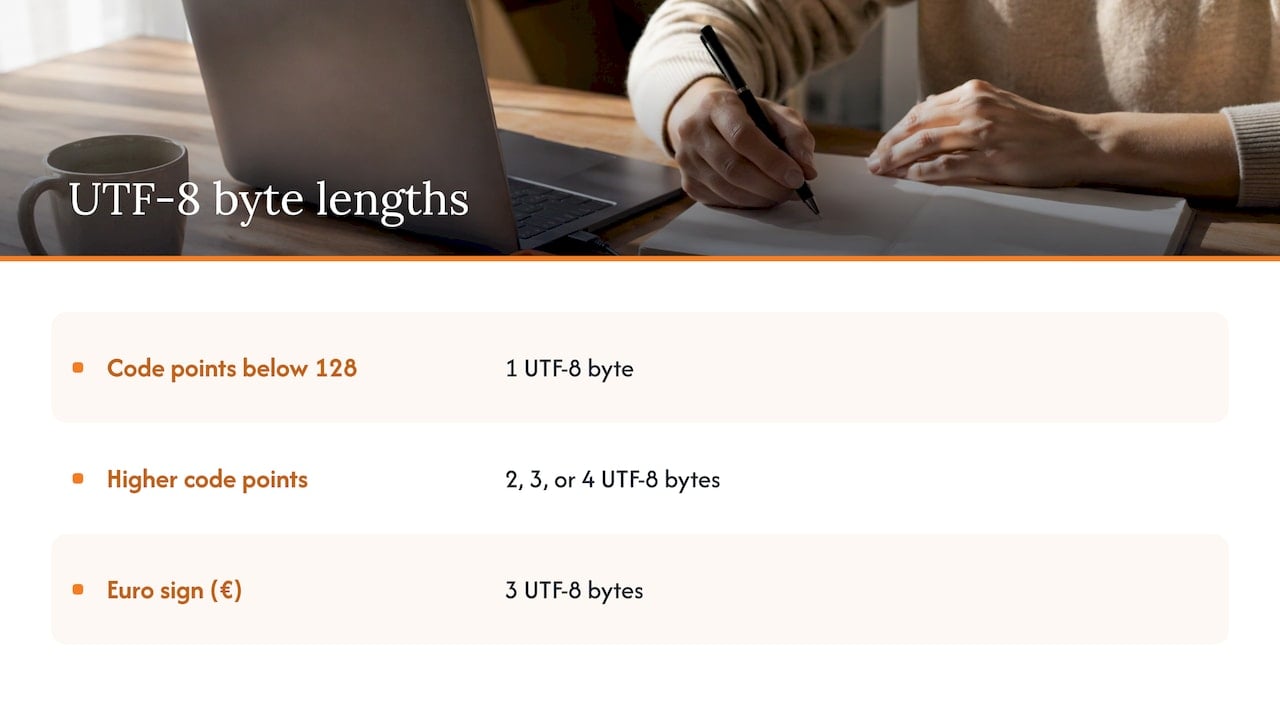
To store or send text, the number must be turned into bytes. UTF-8 is the dominant way. Per the same HOWTO, code points below 128 map to a single byte identical to ASCII, and anything higher takes two, three or four bytes. That is why plain English text is the same in ASCII and UTF-8, and why a symbol like € takes three bytes.
Writing them in HTML
A web page can show a character three ways:
| Form | Example for the euro sign | Notes |
|---|---|---|
| Named entity | € |
Case-sensitive, written as &name; |
| Decimal reference | € |
Uses the code point in decimal |
| Hex reference | € |
Uses the code point in hex |
The javascripter.net reference shows the same € in JavaScript as € and in a URL as %E2%82%AC. The Columbia University entity reference shows that characters with no named entity, such as Cyrillic or Hebrew letters, can use numeric references instead.
Five characters always need care in HTML and XML: &, <, >, ’ and ". Encode them when you want them to appear as text.
One practical rule for developers
The Python HOWTO’s most important tip is to work with Unicode text internally, decode incoming data as early as possible and encode output only at the end. Mixing text and raw bytes leads to errors and bugs.
Special characters in passwords
Most people meet the phrase “special character” at a sign-up form. Here the guidance has changed in a way many sites have not caught up with.
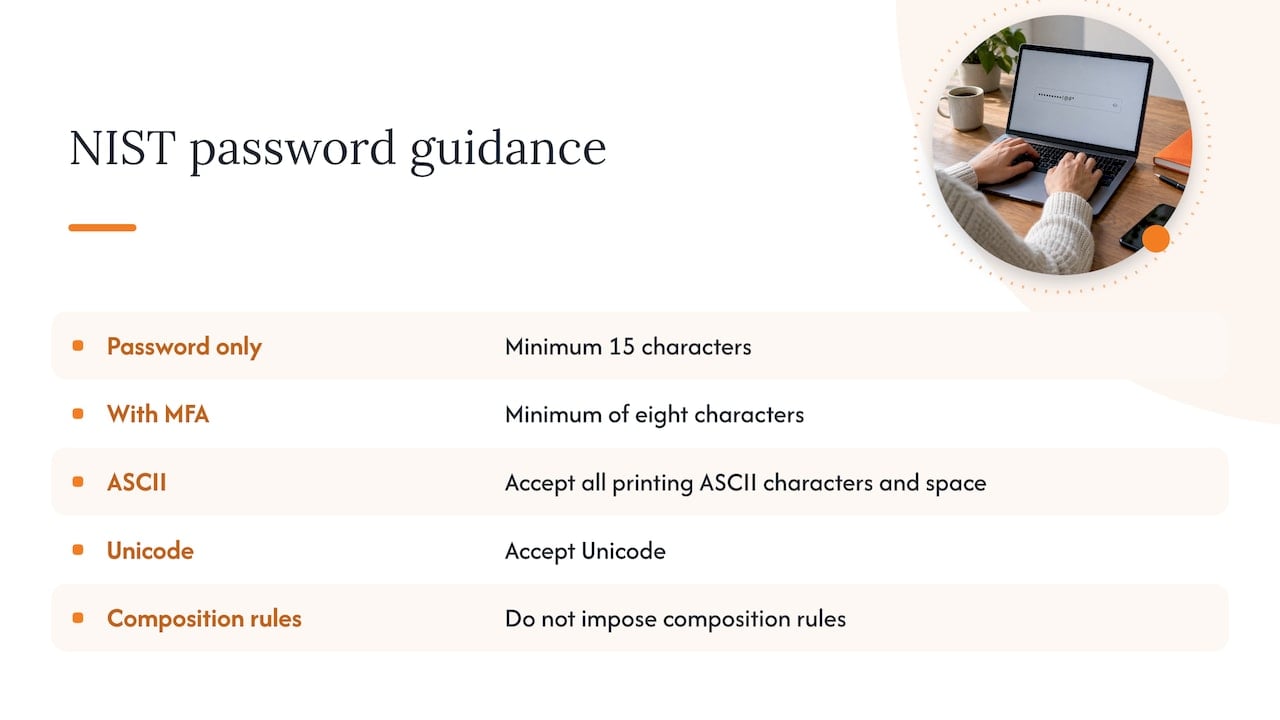
NIST’s current digital identity guidelines say services must require a minimum of 15 characters when a password is the only factor, and may allow a minimum of eight when it is used with multi-factor authentication. They say services should accept all printing ASCII characters and the space, should accept Unicode, and should not impose composition rules such as requiring mixtures of character types.
In plain terms: a long password beats a short one with a symbol bolted on. A forced “Password1!” pattern is predictable, and length is what makes guessing hard. We cover this in more depth in our pieces on which special characters passwords allow and why sites demand uppercase, lowercase, numbers and symbols.
What to do when a form insists
Many sites still enforce the old rules, so you need a method that satisfies them without becoming memorable to attackers:
- Make it long first. Aim well past the minimum.
- Include the symbols the form lists. If it rejects one, try another from the allowed set rather than shortening the password.
- Avoid predictable swaps like @ for a and 0 for o. Attackers try them first.
- Use a different password for every account.
See our examples of strong passwords with letters, numbers and special characters and the full list of password requirements and best practices for patterns that hold up. For IT teams setting policy, our standards-aligned password rules and Active Directory complexity guide show how to match the NIST position above.
For businesses and public agencies
A complexity rule is a policy you must enforce, explain and support. Every user who hits a rejected symbol is a help desk ticket. Setting length minimums, allowing the full character set and adding multi-factor authentication reduces that friction. Managed service providers face the same issue across many client tenants, so a consistent policy matters even more.
Let software handle the characters
The hard part is not knowing which symbols exist. It is producing a different long password for every account and typing it correctly on every device. A password manager generates and stores them, so the special characters are never something you type or remember.
LogMeOnce offers a Premium plan at $0.00 per month on its individuals and families page. Ultimate is $3.25 per month and Family is $4.99 per month, both on the passwordless vault page. For organizations, the enterprise pricing page lists Teams at $4.00 per month per user and Business at $7.99 per month per user, with Enterprise available on request.
If you want the account itself to need no password, our passwordless MFA removes typing from the login step entirely. To see the full range, start at the LogMeOnce resources hub.
Our perspective
Special characters were designed to make text clearer, and then password forms turned them into a ritual. We see the result: people choose a short word, add an exclamation point and call it secure.
Our view is that the best password is one nobody has to remember. When a manager creates a long random string, the question of which symbols a site allows becomes a setting, not a memory test. That is the thinking behind our password manager and our passwordless MFA, which are built for individuals, families, businesses, government agencies and managed service providers alike.
The same applies to what happens after a leak. Our dark web monitoring plans, listed at $1.67 per month for one person and $3.34 per month for a family, exist so you hear about an exposed credential and change it, rather than discovering it later.
Mike
FAQ
What is the difference between a special character and a symbol?
In everyday use they overlap: both mean something that is not a letter or number. In Unicode, punctuation marks structure text, while symbols such as © and § usually carry a meaning of their own. Most password forms and style guides use “special character” for both.
Which special characters can I use in a password?
It depends on the site. NIST recommends that services accept all printing ASCII characters plus the space, but many sites allow only a subset. If one symbol is rejected, try another from the list the form shows, and make the password longer rather than shorter.
How do I type a special character that is not on my keyboard?
On Windows, hold ALT and type the code on the numeric keypad, or type the hex code and press ALT+X in Word. On a Mac, enable the Unicode Hex Input keyboard and hold Option while typing the code. Character Map on Windows lets you copy a symbol and paste it anywhere.
Why do some special characters break forms or code?
Characters like &, < and quotation marks have jobs in HTML, command lines and databases. If a system does not escape or encode them, it can misread them as instructions. Developers fix this by encoding output and working with Unicode text throughout.
Sources
- NIST Glossary: special character
- NIST Special Publication 800-63B
- Oxford Advanced Learner’s Dictionary: special character
- Unicode FAQ: Basic Questions
- Unicode FAQ: Punctuation and Symbols
- Unicode FAQ: Fonts and Keyboards
- Microsoft Style Guide: Special characters
- Microsoft Support: Insert ASCII or Unicode Latin-based symbols and characters
- Python Unicode HOWTO
- Computer Hope: What Is a Special Character?
- Columbia University: Symbolic Character Entities of HTML 4.01
- javascripter.net: Special and Math Symbols in HTML and JavaScript
Recommended
- What Special Characters Are Allowed in Passwords?
- Strong Password Examples With Letters, Numbers, and Special Characters
- Password Must Contain Uppercase, Lowercase, Numbers, and Special Characters


