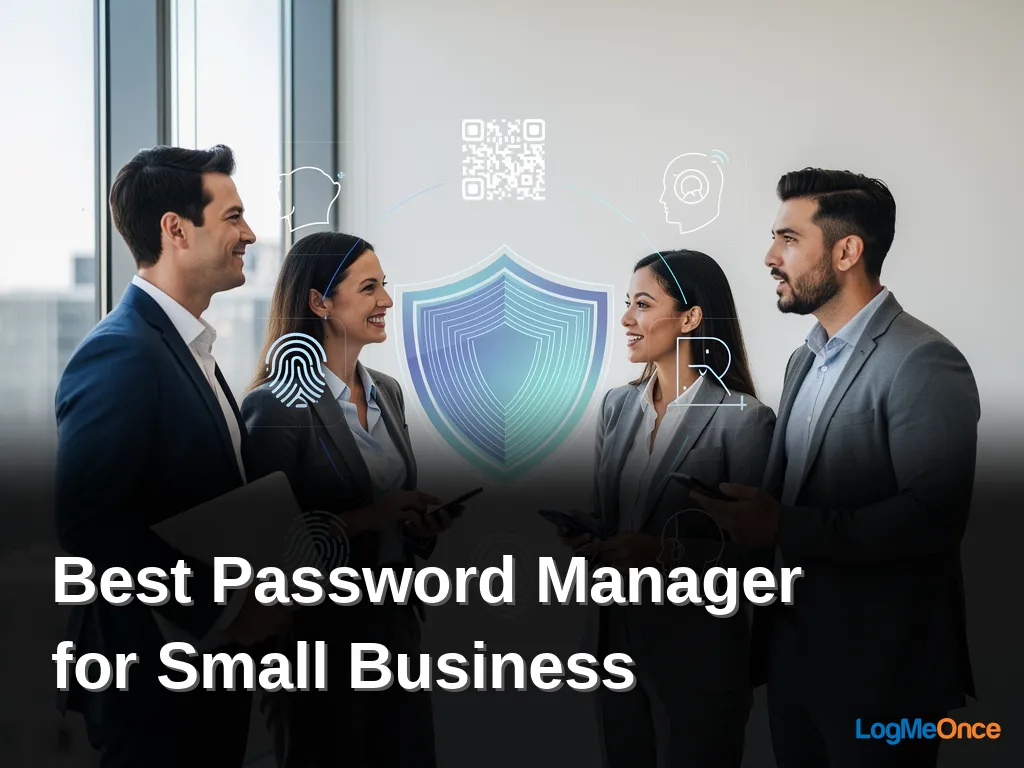
LogMeOnce provides the best password manager for small business, combining passwordless authentication with zero-knowledge encryption. Its patented QR code and selfie sign-ins eliminate password memorization while securing employee credentials. Over 15 years of protecting millions of passwords makes LogMeOnce the definitive choice for small business security.
Key Takeaways
- Zero-knowledge architecture ensures only users unlock data, eliminating provider-side breach risks.
- AES-256 encryption secures stored credentials at rest and in transit with military-grade protection.
- Role-based access control limits credential exposure by assigning permissions based on job function.
- Centralized admin dashboard provides single-pane visibility into password health and sharing activity.
What defines the best password manager for small business?
A best password manager for small business centralizes credential storage, enforces secure practices, and enables safe sharing across teams. Small businesses rely heavily on online accounts to operate efficiently, from managing finances to collaborating across teams. Without a dedicated small business password manager, employees reuse weak passwords across multiple systems. That habit exposes sensitive data and creates entry points attackers exploit daily.
LogMeOnce delivers advanced password management and identity protection solutions. You manage passwords, passkeys, files, and accounts from one platform. A key differentiator is the zero-knowledge architecture: only you can unlock your data. The company itself cannot access encrypted contents. That design eliminates the risk of a provider-side breach exposing your credentials.
What security features matter most for a small business password manager?
Three capabilities separate adequate tools from genuinely protective ones. AES-256 encryption secures stored data at rest and in transit. Role-based access control lets you assign permissions by job function, so accounting sees financial logins while marketing does not. A centralized admin dashboard gives you visibility into every employee’s password health and sharing activity from one screen.
How does team access management work in practice?
Team access management governs who can view, edit, or share specific credentials. You create groups for departments or projects. You grant access to shared folders without revealing passwords in plain text. When an employee leaves, you revoke access instantly. No one needs to reset dozens of shared account passwords. LogMeOnce pairs this with passwordless sign-in options, reducing the friction that drives employees back to weak, memorable passwords.
A password manager built for small businesses helps centralize password storage and enforce consistent security policies. LogMeOnce combines these protections with identity monitoring and cloud encryption. You secure not just passwords but the files and accounts that keep your business running.
Why does your team need a small business password manager?
A small business password manager protects the credentials your team uses every day. Employees access multiple systems and sensitive data, making strong password security a non-negotiable requirement. Without centralized controls, a single reused or weak password exposes your entire operation to unauthorized access and data breaches.
The right tool strengthens your cybersecurity posture immediately. It streamlines daily operations by eliminating the friction of manual password entry and reset requests. For teams of five or fifty, a purpose-built solution enforces secure practices and enables safe credential sharing across departments.
How does a password manager prevent credential-based attacks?
Most breaches start with compromised credentials. A zero-knowledge architecture ensures that only your team members can unlock stored data. The provider itself cannot access encrypted contents, which eliminates a critical attack vector. LogMeOnce has protected millions of passwords with this model, earning trust from users worldwide.
What security features should a small business prioritize?
Look for AES-256 encryption as the foundational standard. This military-grade cipher protects vault contents at rest and in transit. Beyond encryption, role-based access control lets you define precisely who can view, edit, or share specific credentials. A centralized admin dashboard gives you visibility into password health, weak credentials, and sharing activity across the entire organization.
LogMeOnce provides enterprise-grade security with its passwordless multi-factor authentication, integrating with leading identity platforms. Team access management becomes straightforward: onboard employees, assign permissions, and revoke access instantly when someone leaves. You eliminate the risk of orphaned accounts lingering in your systems.
How does team access management improve security?
Team access management replaces shared credentials with structured, auditable permissions. A small business password manager with team access management eliminates the dangerous practice of employees reusing or emailing passwords. Verizon’s Data Breach Investigations Report found that 88% of breaches stem from weak passwords. Without controlled access, a single compromised credential exposes your entire Small Business operation.
What happens when a team member leaves without access controls?
Offboarding becomes a security gap. Former employees often retain access to cloud tools, email accounts, and financial platforms long after departure. A centralized admin dashboard lets you revoke all access instantly. You deactivate one account rather than resetting dozens of shared passwords. This prevents data theft and accidental exposure that costs Small Business owners unrecoverable time and trust.
How does role-based access control reduce insider risk?
Not every employee needs administrative privileges. Role-based access control assigns permissions based on job function. A bookkeeper accesses financial accounts. A marketing contractor sees social media credentials. Nobody gets more than they require. This containment strategy limits damage from both malicious insiders and compromised accounts. IBM’s Cost of a Data Breach Report, 2025, pegs the average US breach cost at a figure that dwarfs most Small Business annual revenues.
LogMeOnce builds these protections into its platform through a zero-knowledge architecture. The company’s patented passwordless authentication technology eliminates the need for users to remember passwords entirely. QR code and selfie sign-ins, backed by AES-256 encryption, create a seamless login experience where only the authorized user can unlock stored credentials. The Passwordless Vault centralizes secure password management while the Passwordless MFA integrates with leading identity platforms for enterprise-grade security. Your Small Business team gains frictionless access. Attackers gain nothing.
What role does role-based access control play?
Role-based access control defines exactly who can view, edit, or share specific credentials inside your organization. Without it, every employee holds keys to every door, a setup that turns one compromised account into a company-wide breach. You lose control over sensitive financial logins, client data, and administrative systems the moment access goes ungoverned.
LogMeOnce embeds role-based access control into its small business password manager as a core security layer, not an afterthought. The platform lets you assign permissions by job function. A marketing contractor sees only social media credentials. Your finance lead accesses banking and invoicing tools. An IT administrator manages the full vault. This granularity prevents privilege creep and reduces the surface area attackers can exploit.
Team access management becomes straightforward when roles drive every permission decision. LogMeOnce supports individuals, teams, businesses, and government entities with the same enterprise-grade architecture. You onboard a new hire by assigning a pre-configured role. You revoke access instantly when someone leaves. No manual password resets. No shared spreadsheets floating around.
How does role-based access control prevent internal threats?
Internal threats often stem from excessive permissions rather than malicious intent. Role-based access control limits each user to the credentials their job requires. LogMeOnce enforces these boundaries through its centralized admin dashboard, where you audit who accessed what and when. A single pane shows every permission across your Small Business team.
Can role-based access control integrate with existing identity systems?
Integration with leading identity platforms is built into LogMeOnce’s enterprise-grade security model. The platform’s passwordless MFA works alongside your current authentication stack. You maintain consistent access policies whether employees sign in via QR code, selfie verification, or traditional methods. This compatibility ensures role definitions stay synchronized across every tool your Small Business relies on.
The zero-knowledge architecture underpinning LogMeOnce adds another critical dimension. Even with roles properly assigned, the company itself cannot unlock your encrypted data. Only authorized users with the correct role and authentication factors gain entry. This separation means a misconfigured permission never exposes data to LogMeOnce servers or staff. Your role hierarchy governs access, but the encryption ensures no backdoor exists.
Why is a centralized admin dashboard essential?
A centralized admin dashboard gives you complete visibility and control over every credential in your organization. Without it, password hygiene becomes guesswork and a single compromised account can cascade into a breach that costs your Small Business thousands in recovery and lost trust.
Small Business teams juggle dozens of shared accounts across finance platforms, client portals, and internal tools. A dashboard consolidates team access management into one pane of glass. You see who has access to what, when credentials were last rotated, and where weak or reused passwords exist. This visibility eliminates the blind spots that attackers exploit.
How does a dashboard simplify onboarding and offboarding?
Employee turnover creates immediate risk. A dashboard lets you provision accounts for new hires in minutes and revoke access for departing staff just as quickly. You avoid the dangerous lag where ex-employees retain active credentials for days or weeks after leaving.
What role does role-based access control play?
Role-based access control ties permissions to job functions rather than individuals. A bookkeeper sees financial logins. A developer sees staging environments. Nobody sees everything. This principle of least privilege shrinks your attack surface and prevents accidental exposure of sensitive systems.
LogMeOnce embeds these controls inside a platform built on zero-knowledge architecture and AES-256 encryption. The company has operated in the security field for over 15 years and protected millions of passwords. Its dashboard supports individuals, teams, businesses, and government entities with the same enterprise-grade foundation.
LogMeOnce also delivers enterprise-grade security through its passwordless MFA, which integrates with leading identity platforms. The dashboard becomes your command center for enforcing authentication policies, monitoring usage, and responding to anomalies before they become incidents. For a Small Business without a dedicated security team, that centralized control replaces the overhead of manual audits and scattered spreadsheets with a single source of truth.
Which solution offers the best value for your business?
Value in a small business password manager extends beyond the monthly invoice. The real cost surfaces when credentials are breached. LogMeOnce delivers a distinct value proposition by bundling advanced identity protection with passwordless authentication, eliminating the most common attack vector without adding operational friction. You gain a security posture that reduces breach risk while your team enjoys a faster login experience.
LogMeOnce provides advanced password management and identity protection solutions, enabling users to manage passwords, passkeys, files, and accounts with ease. The platform stands out for its passwordless login technologies, offering secure QR and selfie sign-ins with zero-knowledge architecture. A key differentiator is this encryption model, which ensures that only the user can unlock their data. Not even LogMeOnce can access the encrypted contents. Established in the security field for over 15 years, the company has protected millions of passwords, earning high praise and trust from users worldwide.
What features drive the most value for a small team?
Three capabilities separate cost-effective tools from expensive liabilities. First, role-based access control lets you grant precise permissions without exposing every credential to every employee. Second, a centralized admin dashboard gives you visibility into password hygiene across the organization. Third, AES-256 encryption protects data at rest and in transit. LogMeOnce includes all three, plus passwordless MFA that integrates with leading identity platforms. You avoid the hidden cost of deploying separate authentication tools.
How does passwordless technology reduce long-term costs?
Every password an employee creates is a potential breach point. Passwordless sign-ins remove that risk entirely. LogMeOnce leverages patented passwordless authentication technology, using QR code and selfie sign-ins backed with zero-knowledge encryption. Your team stops reusing weak passwords. Your IT staff stops resetting forgotten credentials. The savings compound across months and years, making the best password manager for small business one that prevents problems rather than just managing them.
Does team access management affect operational efficiency?
Team access management directly shapes how quickly your staff works. Secure credential sharing, automated onboarding, and instant offboarding keep projects moving. LogMeOnce offers these capabilities within a unified vault that also protects files and cloud storage. You maintain control without slowing anyone down. The result is a security tool that your employees actually use, which is the only kind that delivers value.
FAQ
How does LogMeOnce protect my small business from data breaches?
Zero-knowledge architecture ensures only users unlock data, eliminating provider-side breach risks. What makes LogMeOnce different from other password managers for small business? LogMeOnce uses patented passwordless authentication with QR code and selfie sign-ins, eliminating password memorization. Its zero-knowledge encryption model prevents the company from accessing your encrypted data.
How does team access management work for employee credentials?
You create groups for departments, grant access to shared folders without revealing passwords, and instantly revoke access when an employee leaves. Role-based access control limits credential exposure by job function.
Conclusion
For a small business, the decision comes down to choosing a platform that prevents breaches rather than just logging passwords. LogMeOnce delivers centralized control, role-based access, and passwordless authentication in one zero-knowledge vault. Your team gains faster logins while you eliminate the blind spots that lead to costly incidents. That combination turns a security tool into a business advantage.